Minecraft version
Back to mods 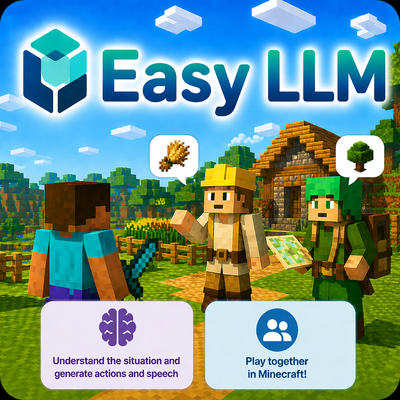
CurseForge · Minecraft mod
Easy LLM
Enables LLMs to use action telemetry and world state in Minecraft through WebSocket streaming.
Choose a version Pick your version below, then grab the matching file.
Quick answer
Which Easy LLM release should I use?
Latest stable file easy-llm-fabric-1.1.0+mc1.21.jar
Game version 1.21
Loader Fabric
Easy LLM easy-llm-fabric-1.1.0+mc1.21.jar targets 1.21 with Fabric. The project page does not say whether this file belongs on the client, dedicated server, or both. No extra mods listed for this file.
Where it goes
Is Easy LLM required on the client, server, or both?
The project page does not say whether this file belongs on the client, dedicated server, or both.
Client Source doesn’t say
Dedicated server Source doesn’t say
Loader for this release Fabric
Required install it here Optional supported, not mandatory Not supported do not install here Source doesn’t say do not assume
The source does not explicitly classify this release as client-only or server-only.
What else does Easy LLM easy-llm-fabric-1.1.0+mc1.21.jar need?
easy-llm-fabric-1.1.0+mc1.21.jar. Change the file and its required mods may change too.
This file does not list any required mods. Do not add a library just because a different file uses it.
This file does not list any required or optional mods.
Before you install it
Add Easy LLM without breaking your instance.
Built for Easy LLM easy-llm-fabric-1.1.0+mc1.21.jar. Pick another file and the loader, install side or required mods may change.
- 01
Stick to this file
Use easy-llm-fabric-1.1.0+mc1.21.jar. It targets 1.21 with Fabric; another release may have different loader, side or dependency requirements.
- 02
Bring the mods it needs
This file does not list any required mods. Do not add a library just because a different file uses it.
- 03
Put it on the correct side
The project page does not say whether this file belongs on the client, dedicated server, or both.
- 04
Pick the file you checked
Use the “Get this file” button beside easy-llm-fabric-1.1.0+mc1.21.jar. It opens that exact file at the source.
About this project
What does Easy LLM add?
Below is the Japanese README.
Easy LLM
Easy LLM is a Fabric mod that makes Minecraft data available to external LLM systems via WebSocket.
With this mod, you can implement AI agents that understand the state of Minecraft and act together with players.
You can implement and develop AI agents for Minecraft by using the repository below.
Detailed instructions on how to use this mod are also provided, so please refer to them.
Features
- Sends player and world information
- Supports multiple WebSocket endpoints
Requirements
- Minecraft
1.21 - Fabric Loader
- Fabric API
Installation
- Place
easy-llm-fabric-1.0.0+mc1.21.jarin themodsfolder of your server or singleplayer/LAN host. - Install Fabric API in the same environment.
- Configure WebSocket endpoints through
easyllm.jsonor in-game commands.
config/easyllm.jsonis generated automatically on first launch.
Configuration
Config file:
config/easyllm.json
Main commands:
/obsTick <interval>/obsWs list/obsWs add <ws://host:port>/obsWs remove <ws://host:port>
Examples:
/obsTick 5/obsWs list/obsWs add ws://host.docker.internal:7891/obsWs add ws://127.0.0.1:7892/obsWs remove ws://127.0.0.1:7892
Notes
- Install this mod on the server side, or on the host side for singleplayer/LAN hosting.
License
All Rights Reserved. Unauthorized reproduction and redistribution are strictly prohibited.
Easy LLM (JP)
Easy LLM は、Minecraft の情報を WebSocket 経由で外部の LLM から利用できるようにする Fabric MOD です。
この MOD を利用することで、Minecraft の状況を理解しながらプレイヤーと一緒に行動できる AI エージェントを実装できます。
以下のリポジトリを利用することで、Minecraft を一緒に遊べる AI エージェントを実装・開発できます。
この MOD の詳細な使用方法も記述されているため、参照してください。
主な機能
- プレイヤー情報とワールド情報の送信
- 複数の WebSocket 接続先に対応
動作環境
- Minecraft
1.21 - Fabric Loader
- Fabric API
導入方法
easy-llm-fabric-1.0.0+mc1.21.jarをサーバー、またはシングルプレイ/LAN ホスト側のmodsフォルダに配置します。- 同じ環境に Fabric API を導入します。
easyllm.jsonまたはゲーム内コマンドで WebSocket 接続先を設定します。(config/easyllm.jsonは初回起動時に生成されます。)
設定
設定ファイル:
config/easyllm.json
主なコマンド:
/obsTick <interval>/obsWs list/obsWs add <ws://host:port>/obsWs remove <ws://host:port>
使用例:
/obsTick 5/obsWs list/obsWs add ws://host.docker.internal:7891/obsWs add ws://127.0.0.1:7892/obsWs remove ws://127.0.0.1:7892
注意
- この MOD はサーバー側、またはホスト側に導入してください。
ライセンス
All Rights Reserved. Unauthorized reproduction and redistribution are strictly prohibited.
Project description from CurseForge.
Pick your setup
Easy LLM by Minecraft version and loader
Choose the version and loader you play, then open the matching release.
Check the dependencies, then try the file in a copied instance before changing a world you care about.
Recent files
Easy LLM versions and loaders
easy-llm-fabric-1.1.0+mc1.21.jar
easy-llm-fabric-1.1.0-mc1.21.jar
2 Nov 2026
Client Source doesn’t say Server Source doesn’t say Dependencies No extras listed Listed on Release listing
Check the 1.21 · Fabric setup 1.21Fabric release
easy-llm-fabric-1.0.0+mc1.21.jar
30 Apr 2026
Client Source doesn’t say Server Source doesn’t say Dependencies No extras listed Listed on Release listing
Check the 1.21 · Fabric setup 1.21Fabric release
Looking for an older file? The official CurseForge project page is in Resources.
 mod
CurseForge · Minecraft
Aether Bedrock Mobs Reborn
A complete rebuild of Aether Bedrock Mobs, replacing the original MCreator implementation with redesigned boss battles, animations, and unique combat skills.
 mod
CurseForge · Minecraft
V-Balls - Gotta catch 'em all
Capture wild mobs — vanilla or modded — using Cobblemon's Poké Balls (optional). Captured creatures become items you can throw out, recall. And protects and follows you.
 mod
CurseForge · Minecraft
Natural Twins (Twin & Triplet Births)
Animals sometimes give birth to twins and very rarely triplets. Lightweight, Vanilla+