Minecraft version
Back to mods 
CurseForge · Minecraft mod
FxLib
All mod prerequisite dependency libraries of dyed_fanxing, FxLib, personal mod dependency library. dyed_fanxing的所有mod前置依赖库,个人mod依赖库。
Choose a version Pick your version below, then grab the matching file.
Quick answer
Which FxLib release should I use?
Latest stable file fx-lib-1.21.1-neoforge-1.0.1.jar
Game version 1.21.1
Loader NeoForge
FxLib fx-lib-1.21.1-neoforge-1.0.1.jar targets 1.21.1 with NeoForge. The project page does not say whether this file belongs on the client, dedicated server, or both. No extra mods listed for this file.
Where it goes
Is FxLib required on the client, server, or both?
The project page does not say whether this file belongs on the client, dedicated server, or both.
Client Source doesn’t say
Dedicated server Source doesn’t say
Loader for this release NeoForge
Required install it here Optional supported, not mandatory Not supported do not install here Source doesn’t say do not assume
The source does not explicitly classify this release as client-only or server-only.
What else does FxLib fx-lib-1.21.1-neoforge-1.0.1.jar need?
fx-lib-1.21.1-neoforge-1.0.1.jar. Change the file and its required mods may change too.
This file does not list any required mods. Do not add a library just because a different file uses it.
This file does not list any required or optional mods.
Before you install it
Add FxLib without breaking your instance.
Built for FxLib fx-lib-1.21.1-neoforge-1.0.1.jar. Pick another file and the loader, install side or required mods may change.
- 01
Stick to this file
Use fx-lib-1.21.1-neoforge-1.0.1.jar. It targets 1.21.1 with NeoForge; another release may have different loader, side or dependency requirements.
- 02
Bring the mods it needs
This file does not list any required mods. Do not add a library just because a different file uses it.
- 03
Put it on the correct side
The project page does not say whether this file belongs on the client, dedicated server, or both.
- 04
Pick the file you checked
Use the “Get this file” button beside fx-lib-1.21.1-neoforge-1.0.1.jar. It opens that exact file at the source.
About this project
What does FxLib add?
dyed_fanxing's prerequisite dependency library for all mods — FxLib, a personal mod dependency library. It provides a series of basic functionalities needed for mod development, including: data components, attributes, entity attachments, network packets, configuration, rendering components, collision detection, and more.
dyed_fanxing的所有Mod前置依赖库 —— FxLib,这是一个 个人 Mod 依赖库。它提供了开发 Mod 所需的一系列基础功能,包括:数据组件、属性、实体附件、网络包、配置、渲染组件、碰撞检测等等。
Project description from CurseForge.
Pick your setup
FxLib by Minecraft version and loader
Choose the version and loader you play, then open the matching release.
Check the dependencies, then try the file in a copied instance before changing a world you care about.
Recent files
FxLib versions and loaders
fx-lib-1.21.1-neoforge-1.0.1.jar
2 May 2026
Client Source doesn’t say Server Source doesn’t say Dependencies No extras listed Listed on Release listing
Check the 1.21.1 · NeoForge setup 1.21.1NeoForge release
fx-lib-1.21.1-neoforge-1.0.0.jar
30 Apr 2026
Client Source doesn’t say Server Source doesn’t say Dependencies No extras listed Listed on Release listing
Check the 1.21.1 · NeoForge setup 1.21.1NeoForge release
Looking for an older file? The official CurseForge project page is in Resources.
 mod
mod CurseForge · Minecraft
Cobblemon Info for REI / EMI / JEI
Adds a fully in-game, datapack-driven info panel for Cobblemon that shows exactly how Pokémon spawn and evolve, directly inside REI / EMI / JEI. No wikis. No outdated guides. Everything pulls live from the pack’s actual spawn + evolution data.
 mod
mod CurseForge + Modrinth · Minecraft
Image Viewer
A cross-platform (Fabric/NeoForge/Paper) mod and plugin that allows server operators to display full-resolution images to players through a native in-game viewer
 mod
mod CurseForge + Modrinth · Minecraft
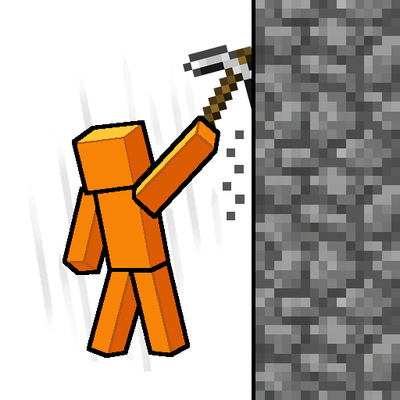
Gouge
Slam your pickaxe into a wall mid-fall to slow your descent or lock yourself in place before you hit the ground.