Minecraft version
Back to mods 
CurseForge · Minecraft mod
Perfect Graves
A polished, claims-aware death-recovery system for Forge 1.20.1. Lose nothing, find everything, suit up in one motion.
Choose a version Pick your version below, then grab the matching file.
Quick answer
Which Perfect Graves release should I use?
Latest stable file perfectgraves-1.1.1.jar
Game version 1.20.1
Loader Forge
Perfect Graves perfectgraves-1.1.1.jar targets 1.20.1 with Forge. The project page does not say whether this file belongs on the client, dedicated server, or both. No extra mods listed for this file.
Where it goes
Is Perfect Graves required on the client, server, or both?
The project page does not say whether this file belongs on the client, dedicated server, or both.
Client Source doesn’t say
Dedicated server Source doesn’t say
Loader for this release Forge
Required install it here Optional supported, not mandatory Not supported do not install here Source doesn’t say do not assume
The source does not explicitly classify this release as client-only or server-only.
What else does Perfect Graves perfectgraves-1.1.1.jar need?
perfectgraves-1.1.1.jar. Change the file and its required mods may change too.
This file does not list any required mods. Do not add a library just because a different file uses it.
This file does not list any required or optional mods.
Before you install it
Add Perfect Graves without breaking your instance.
Built for Perfect Graves perfectgraves-1.1.1.jar. Pick another file and the loader, install side or required mods may change.
- 01
Stick to this file
Use perfectgraves-1.1.1.jar. It targets 1.20.1 with Forge; another release may have different loader, side or dependency requirements.
- 02
Bring the mods it needs
This file does not list any required mods. Do not add a library just because a different file uses it.
- 03
Put it on the correct side
The project page does not say whether this file belongs on the client, dedicated server, or both.
- 04
Pick the file you checked
Use the “Get this file” button beside perfectgraves-1.1.1.jar. It opens that exact file at the source.
About this project
What does Perfect Graves add?
A polished, claims-aware death-recovery system for Forge 1.20.1. Lose nothing, find everything, suit up in one motion.
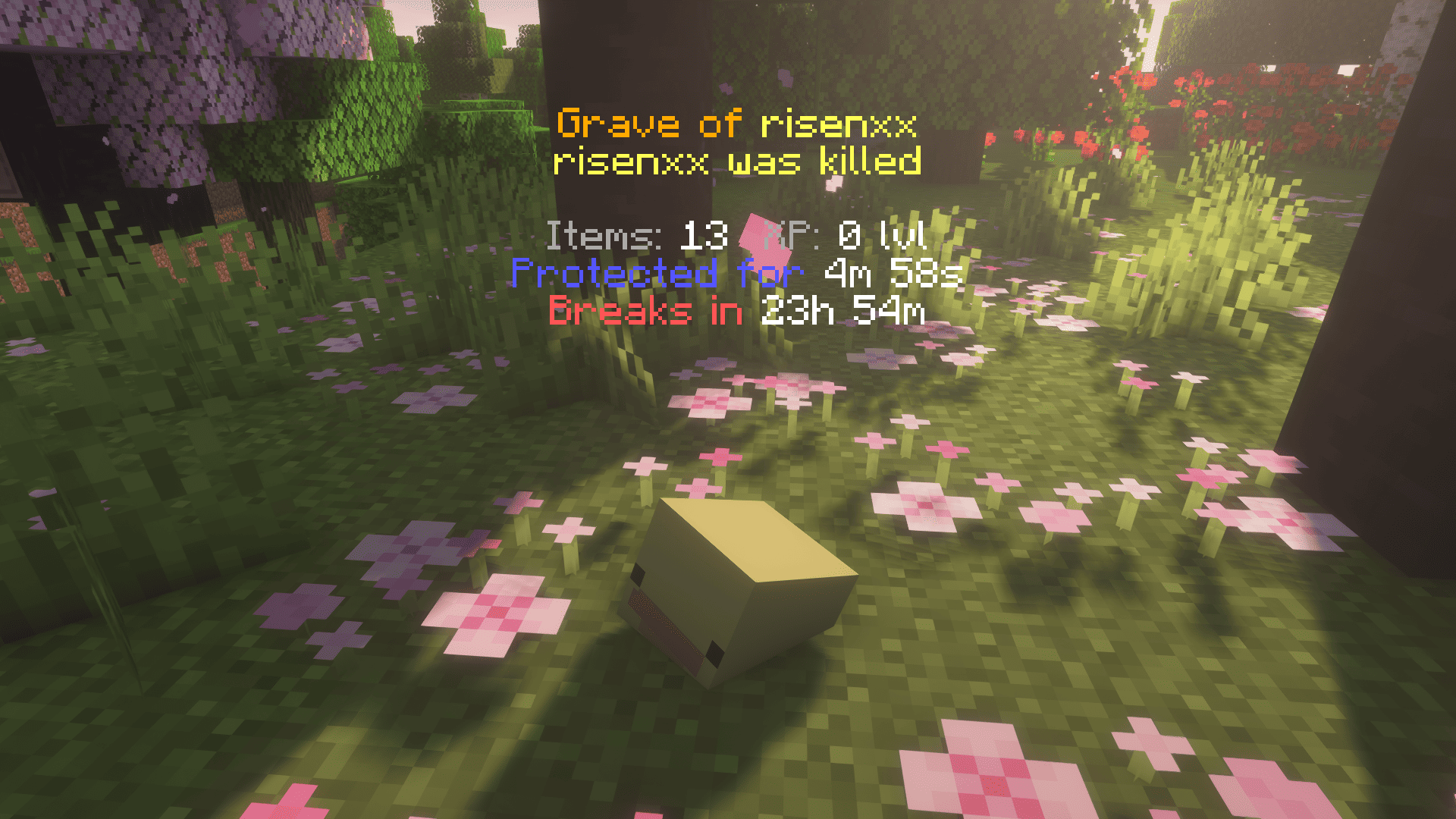
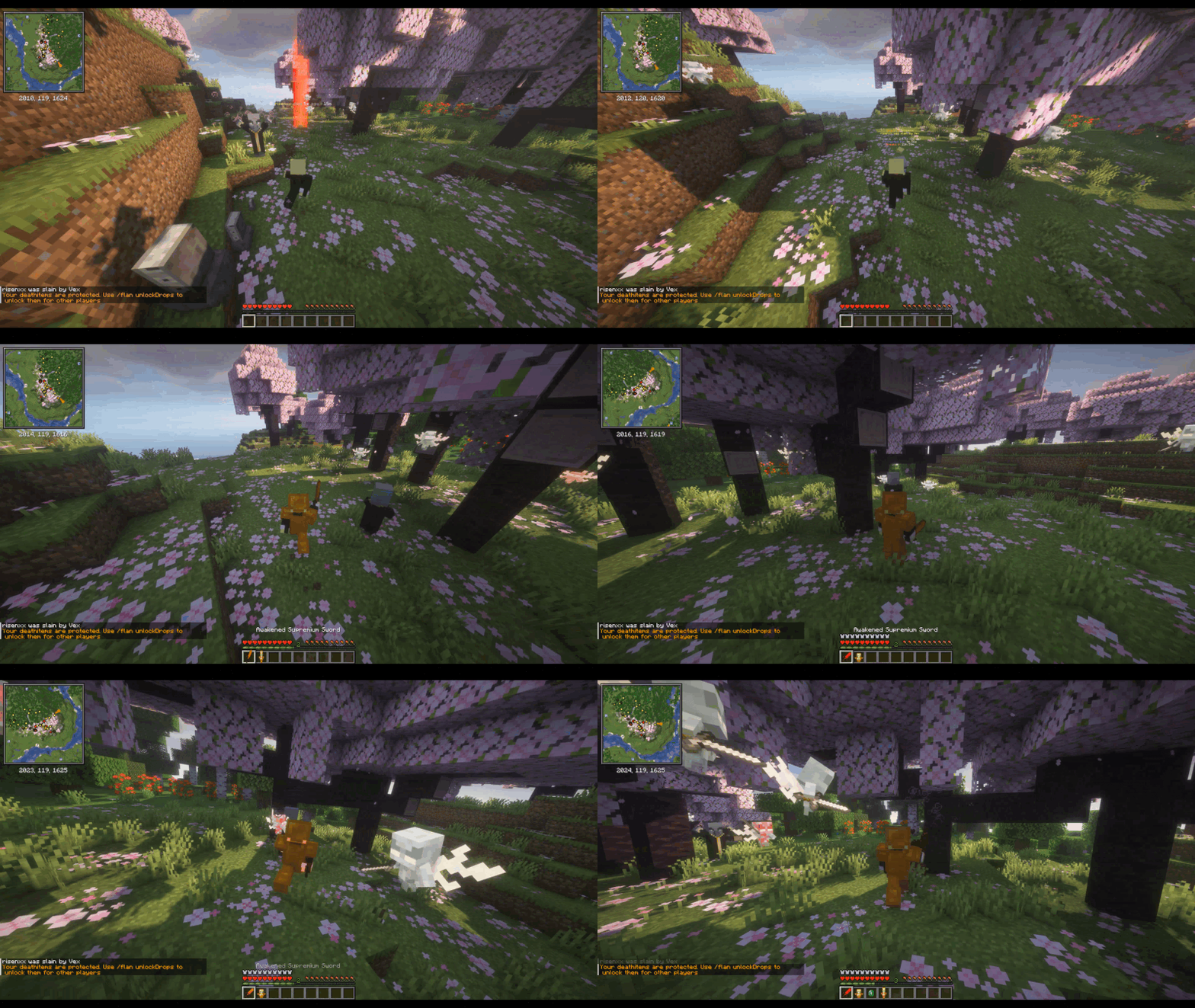
When you die in vanilla Minecraft, your items hit the floor on a five-minute timer and anyone within sprinting distance can sweep the lot. Perfect Graves replaces that scramble with a gravestone that knows where you fell, what you were wearing, and what else is going on with your server. Right-click your grave (or break it — both work) and your gear snaps back into the exact slots it was in: armor in armor slots, accessories in their Curios slots, sword on the bar, XP credited straight to your bar. No 47-orb chase. No inventory Tetris.
A 10-minute protection timer (configurable, paused while you're offline) keeps other players out of your stuff while you find your way back.
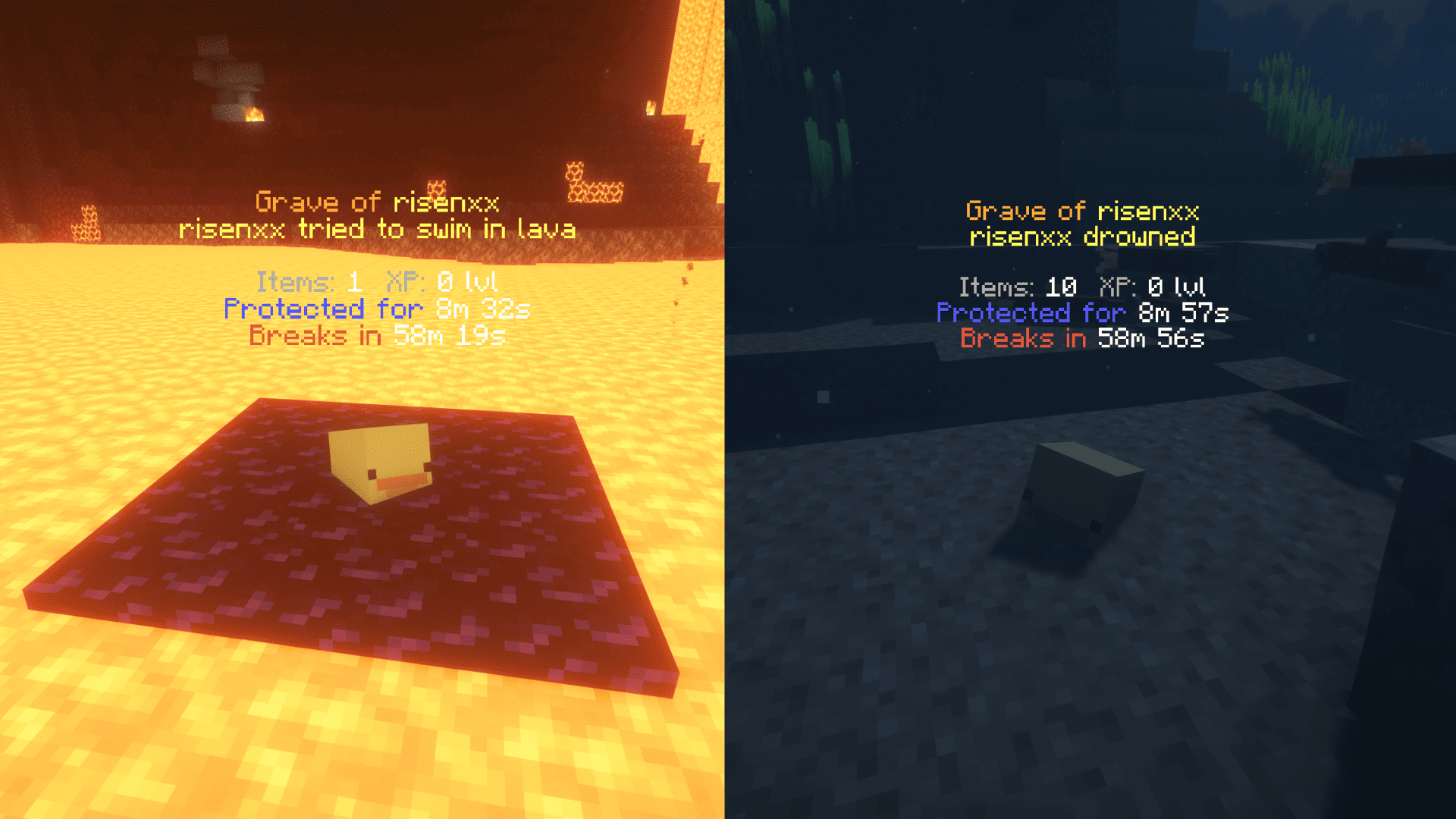
Death-proof in any biome
- Lava. 3×3 obsidian platform on the surface, grave on top.
- Void. Platform at your last safe ground (or a sane default Y).
- Underwater. Waterloggable — placed on the seafloor with the water column intact.
- Buried in stone. Nearest air spot, scanning up and down — even when you suffocate just under the Nether bedrock ceiling and the only air is below you.
- Bedrock-locked. When even that fails, your gear lands in a virtual vault you can pull back with
/grave list. Items are never silently lost.
Find your way back
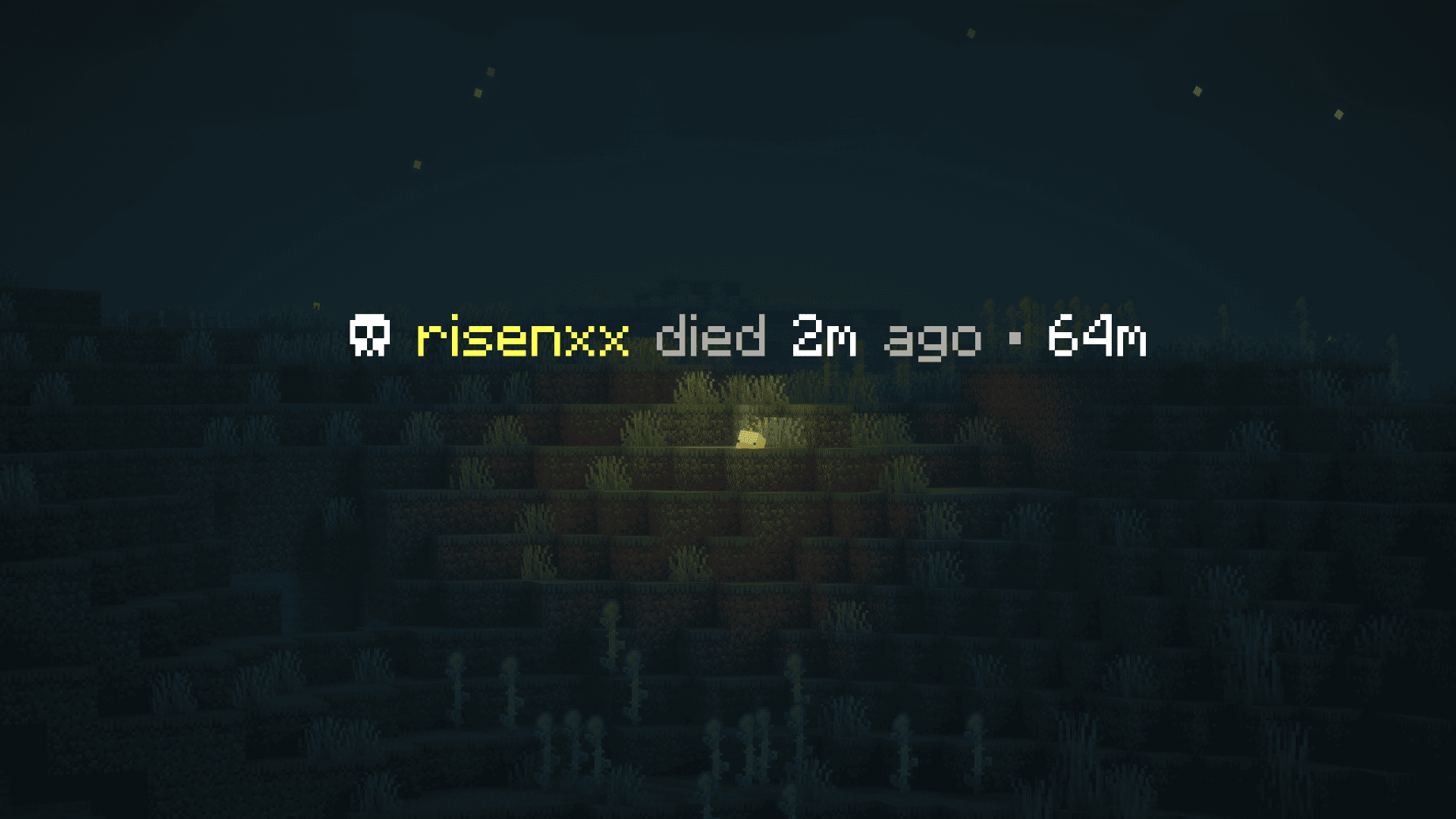
Up close: full hologram with name, item count, XP, protection timer. Step away: it crossfades into a smaller long-distance marker — ☠ <name> died 12m ago • 187m — readable from across an entire biome, out to 256 blocks by default. Markers are remembered across logouts and chunk unloads.
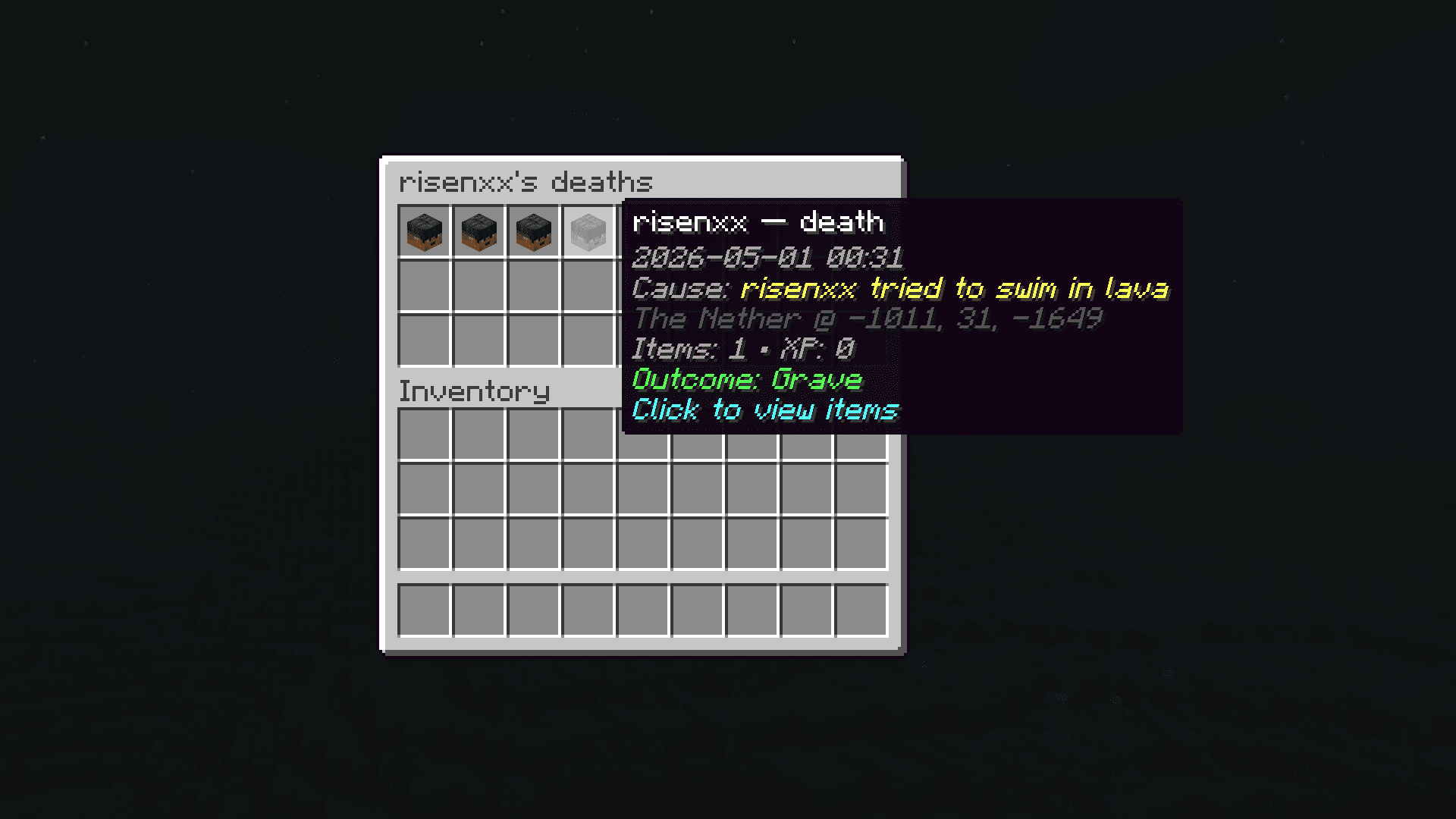
Every death is logged to a per-player history. /grave history opens a scrollable list — click any entry for read-only details: items at that moment, cause, dimension, exact coordinates.
Designed for modpacks
- Claim mods. Graves never spawn inside someone else's claim. FTB Chunks, Open Parties and Claims, and Flan are recognized out of the box.
- Curios. Rings, amulets, charms, all custom slots — re-equipped to the same Curios slot they were in at death.
- Soulbound enchants. Items enchanted by Ender IO or Ars Elemental's soulbound stay with you across death — and if a third-party soulbound mod (Mystical Agriculture, etc.) returns your gear into the inventory grid, Perfect Graves automatically moves armor pieces back into their armor slots.
- Mod-added drops. Apotheosis affixes, Curios accessories, anything else that hooks
LivingDropsEvent— captured in the grave alongside vanilla items.
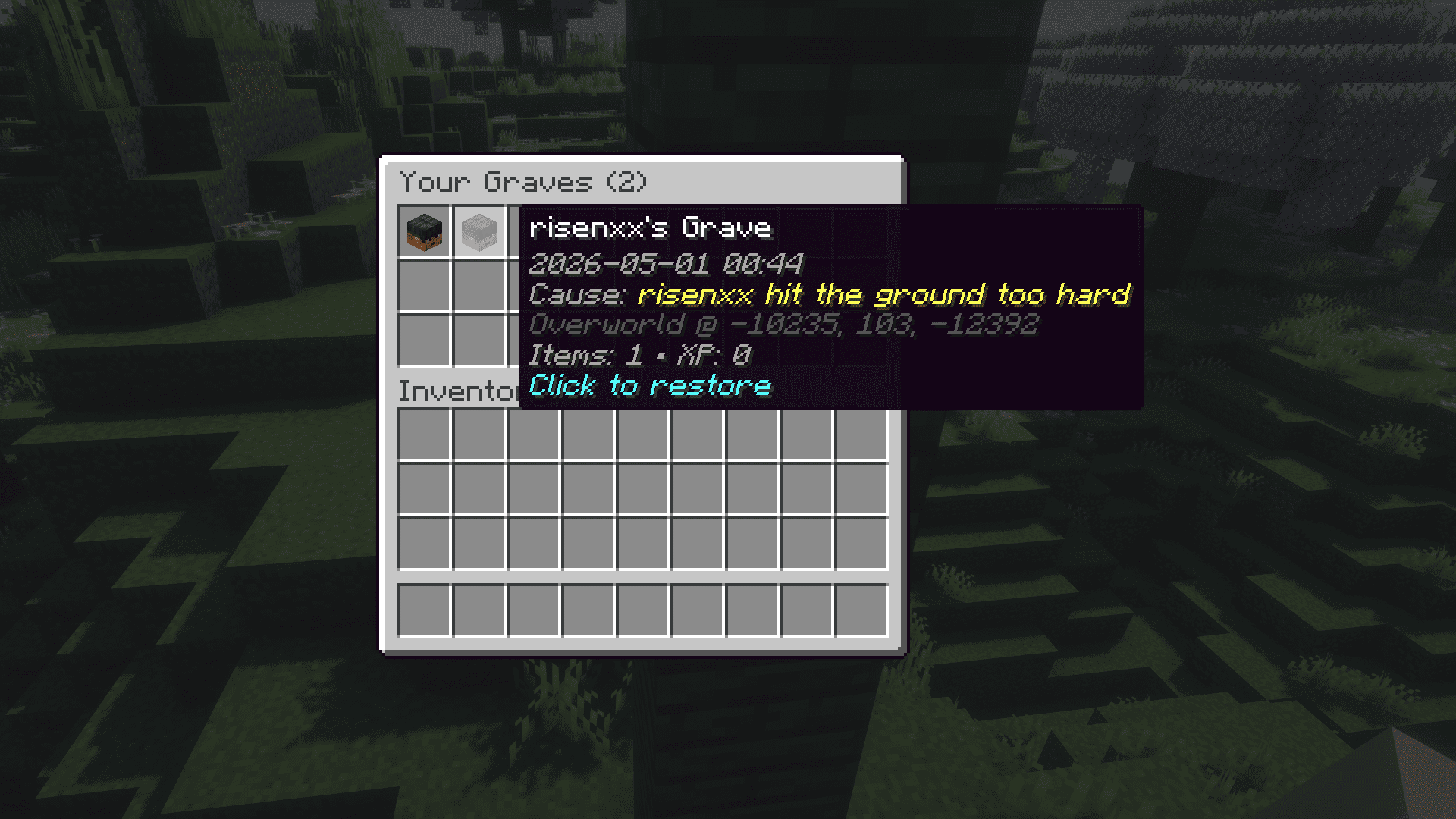
When no placement is possible — claim blocks every option, you died deep inside bedrock, the void won the day — your stuff goes into a virtual vault. The chat message you get has a clickable, gold-bold /grave list link: one click types it for you.
Commands
| Command | What it does | Who |
|---|---|---|
/grave list |
Opens a menu of your virtual graves | everyone |
/grave history |
Browse every recorded death — items, cause, position | everyone |
/grave restore <id> |
Pulls a virtual grave straight into your inventory | everyone |
/grave debug <player> |
Lists every virtual grave for the target player (UUID, items, position) | OPs |
/grave marker [...] |
Live-toggle long-distance marker visibility, own-only filter, dismiss radius, max distance | client-side, anyone |
For Server Admins
Designed not to wreck your TPS:
- Grave placement is time-boxed (default 10 ms wall-clock per death) and early-exits as soon as it finds enough candidates.
- Never force-loads chunks during placement.
- Failed placements fall through a cascade that ends in either a safe drop or a virtual grave — items are never silently lost unless you explicitly set
[fallback].mode = "VANILLA_DROP". - Intercepts
LivingDropsEventatLOWESTpriority, so mod-added drops (Apotheosis, etc.) land in the grave correctly.
Server-wide config lives at config/perfectgraves-common.toml. Per-dimension overrides supported. Per-client marker preferences live separately at config/perfectgraves-client.toml.
Full configuration reference, source code, and issue tracker on GitHub.
License: MIT. Source: github.com/risenxxx/perfect-graves Issues: github.com/risenxxx/perfect-graves/issues
Project description from CurseForge.
Pick your setup
Perfect Graves by Minecraft version and loader
Choose the version and loader you play, then open the matching release.
Check the dependencies, then try the file in a copied instance before changing a world you care about.
Recent files
Perfect Graves versions and loaders
perfectgraves-1.1.1.jar
12 Oct 2026
Client Source doesn’t say Server Source doesn’t say Dependencies No extras listed Listed on Release listing
Check the 1.20.1 · Forge setup 1.20.1Forge release
perfectgraves-1.0.2.jar
3 May 2026
Client Source doesn’t say Server Source doesn’t say Dependencies No extras listed Listed on Release listing
Check the 1.20.1 · Forge setup 1.20.1Forge release
perfectgraves-1.0.1.jar
1 May 2026
Client Source doesn’t say Server Source doesn’t say Dependencies No extras listed Listed on Release listing
Check the 1.20.1 · Forge setup 1.20.1Forge release
Looking for an older file? The official CurseForge project page is in Resources.