Minecraft version
Back to mods 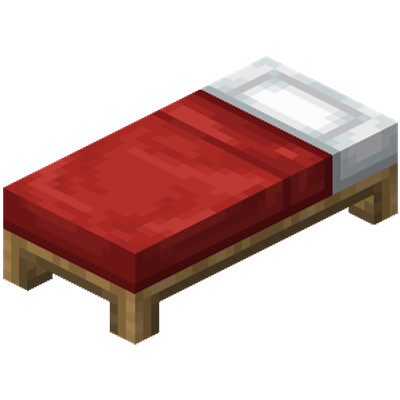
CurseForge · Minecraft mod
BedHost
BedHost is a Fabric mod that allows you to dynamically setup and host your own Bedwars games in your server or LAN world.
Choose a version Pick your version below, then grab the matching file.
Quick answer
Which BedHost release should I use?
Latest stable file bedhost-26.1.2.jar - 1,0,0
Game version 26.1.2
Loader Fabric
bedhost-26.1.2.jar - 1,0,0 targets 26.1.2 with Fabric. The project page does not say whether this file belongs on the client, dedicated server, or both. No extra mods listed for this file.
Where it goes
Is BedHost required on the client, server, or both?
The project page does not say whether this file belongs on the client, dedicated server, or both.
Client Source doesn’t say
Dedicated server Source doesn’t say
Loader for this release Fabric
Required install it here Optional supported, not mandatory Not supported do not install here Source doesn’t say do not assume
The source does not explicitly classify this release as client-only or server-only.
What else does bedhost-26.1.2.jar - 1,0,0 need?
bedhost-26.1.2.jar - 1,0,0. Change the file and its required mods may change too.
This file does not list any required mods. Do not add a library just because a different file uses it.
This file does not list any required or optional mods.
Before you install it
Add BedHost without breaking your instance.
Built for bedhost-26.1.2.jar - 1,0,0. Pick another file and the loader, install side or required mods may change.
- 01
Stick to this file
Use bedhost-26.1.2.jar - 1,0,0. It targets 26.1.2 with Fabric; another release may have different loader, side or dependency requirements.
- 02
Bring the mods it needs
This file does not list any required mods. Do not add a library just because a different file uses it.
- 03
Put it on the correct side
The project page does not say whether this file belongs on the client, dedicated server, or both.
- 04
Pick the file you checked
Use the “Get this file” button beside bedhost-26.1.2.jar - 1,0,0. It opens that exact file at the source.
About this project
What does BedHost add?
BedHost
BedHost is a Fabric Bedwars host mod for Minecraft 26.1.2. It turns a normal world into a reusable Bedwars arena with marker blocks, custom merchants, round control commands, team assignment, protected merchant logic, and optional lucky-block chaos.
Notice
It is recommended that both Host and Clients download the mod if hosted locally.
Features
BedHost adds the following setup objects:
Spawn BlockLobby Spawn BlockIron SpawnerDiamond SpawnerEmerald SpawnerNetherite SpawnerLucky Block SpawnerShop Merchant Spawn EggUpgrade Merchant Spawn Egg
It also manages Bedwars round behavior:
- Detects teams from placed
Spawn Blocks and their nearest colored beds - Sends active players into adventure mode during rounds
- Teleports spectators and non-participants to the lobby
- Prevents crafting during rounds
- Disables natural health regeneration during rounds
- Keeps hunger from draining during rounds
- Lets approved Bedwars blocks be placed and broken in adventure-style gameplay
- Tracks player-placed round blocks and cleans them up after the game
- Blocks damage to BedHost merchants
- Applies upgrade purchases team-wide
- Supports optional lucky-block spawning and cleanup
Quick Start
- Create or load the world you want to use as the Bedwars map.
- Build a waiting lobby somewhere separate from the combat area.
- Place exactly one
Lobby Spawn Blockin the lobby. - Place one
Spawn Blockin each team base. - Put one colored bed near each team spawn.
- Place resource spawners where you want generators to drop items.
- Spawn one shop merchant and one upgrade merchant in each base.
- Optionally place one or more
Lucky Block Spawners. - Configure the match with
/bedhostcommands. - Start the round with
/bedhost start_game.
Arena Setup
Lobby
- Place one
Lobby Spawn Blockwhere players should wait before and after rounds. /bedhost lobbyteleports a you there so you (the Host) there so you can test the spawn points and quickly travel between maps while building them.- When a round ends, players are returned to the lobby.
Team Bases
Each team base should contain:
- one
Spawn Block - one nearby colored bed
- one shop merchant
- one upgrade merchant
The nearest bed to a Spawn Block determines the team color for that base. If you place a black bed nearest to a spawn, that base becomes the black team.
Resource Spawners
Use the marker blocks below to define generator positions:
Iron SpawnerDiamond SpawnerEmerald SpawnerNetherite Spawner
Default cooldowns:
- Iron:
5seconds - Diamond:
10seconds - Emerald:
15seconds - Netherite:
29seconds
These can be changed at runtime with /bedhost spawner_cooldown.
Lucky Block Spawners
Lucky Block Spawnerenables BedHost to drop lucky blocks around marked areas when lucky-block mode is on.- If lucky-block mode is enabled and no lucky spawners exist, the mod falls back to an internal map-center location.
/bedhost clean_lucky_blocksremoves leftover lucky-block artifacts from the world.
Merchants
BedHost uses tagged wandering traders for both merchant roles.
Shop Merchant
The shop merchant sells gameplay items and placeable blocks intended for Bedwars rounds.
Upgrade Merchant
The upgrade merchant sells team upgrades. Upgrade purchases:
- apply to the entire team immediately
- cannot be bought twice at the same tier
- must be purchased in order for tiered upgrades
Included upgrade tokens:
Health 1,Health 2,Health 3Damage 1,Damage 2,Damage 3Cost Lower 1,Cost Lower 2,Cost Lower 3Trapped Bed(alerts your team when your bed is being hit)
Commands
All primary commands are under /bedhost.
/bedhost map
/bedhost lobby
/bedhost team_size <size>
/bedhost game_time <minutes>
/bedhost allow_team_imbalance <true|false>
/bedhost test_game <true|false>
/bedhost lucky_block_mode <true|false>
/bedhost spawner_cooldown <iron|diamond|emerald|netherite> <seconds>
/bedhost start_game
/bedhost force_end_game [team_color]
/bedhost clean_lucky_blocks
/bedhost force_team <player_name> <team_name>
/force_team <player_name> <team_name>
Command Notes
/bedhost mapteleports you to a random team spawn marker./bedhost lobbyteleports you to the lobby spawn./bedhost team_sizeaccepts values1through16./bedhost game_timeaccepts values1through300./bedhost allow_team_imbalanceallows uneven last teams instead of requiring an exact division./bedhost test_gameis intended for validation and solo testing./bedhost lucky_block_modeenables or disables lucky-block activity./bedhost spawner_cooldownchanges generator speed in seconds./bedhost force_end_gamecan end the round immediately, optionally declaring a winner by team color./bedhost force_teamallows you to force a player on a set team by team color.
Round Rules
During an active round, BedHost enforces the following:
- Players join the match in adventure mode.
- Natural regeneration is disabled.
- Hunger is effectively held full.
- Crafting result pickup is blocked.
- Merchant NPCs are protected from player damage.
- Player-placed blocks can be placed and broken in otherwise restricted gameplay, but host-built maps can't be broken.
- Round-generated clutter such as placed blocks and lucky-block leftovers is cleaned between games.
Bed behavior:
- Team beds are discovered automatically from nearby colored beds.
- Beds begin protected for part of the round instead of being breakable immediately.
- Once a team's bed is gone, eliminated members stop respawning.
Match Start Rules
Before a round can start, BedHost expects:
- at least one
Spawn Block - enough spawn markers for the number of teams being created
- a valid player count for the selected
team_size, unless imbalance is allowed
Recommended Host Workflow
- Gather the BedHost setup blocks and merchant eggs with your normal operator workflow.
- Build the lobby and place the
Lobby Spawn Block. - Build each team island with a spawn block, bed, shop merchant, and upgrade merchant.
- Place resource spawners around the map.
- Optionally place lucky-block spawners.
- Set
/bedhost team_size,/bedhost game_time, and any desired cooldown changes. - Use
/bedhost test_game truewhile validating the arena. - Enable
/bedhost lucky_block_mode trueonly if you want lucky-block events in the round. - Start the match and verify team assignment, teleports, merchants, generators, and cleanup behavior.
Project description from CurseForge.
Pick your setup
BedHost by Minecraft version and loader
Choose the version and loader you play, then open the matching release.
Check the dependencies, then try the file in a copied instance before changing a world you care about.
Recent files
BedHost versions and loaders
bedhost-26.1.2.jar - 1,0,0
bedhost-26.1.2.jar
4 May 2026
Client Source doesn’t say Server Source doesn’t say Dependencies No extras listed Listed on Release listing
Check the 26.1.2 · Fabric setup Fabric26.1.2 release
Looking for an older file? The official CurseForge project page is in Resources.
 mod
CurseForge · Minecraft
Paper Plane
Turn FTB Essentials teleport requests into items.
 mod
CurseForge · Minecraft
FireCoreLib
FireCore is the shared library for FireBall1725's NeoForge mods. It provides common helpers, the FireGUI library and optional ComputerCraft and AE2 modules
 mod
CurseForge · Minecraft
LagShield Ultimate (Anti Lag)
The intelligent performance modulator for Minecraft Server. LagShield Ultimate uses Arclight-safe async processing to dynamically regulate mob AI, chunk density, and entity speed based on real-time server stress (MSPT). Stops lag before it happens.