Minecraft version
Back to mods 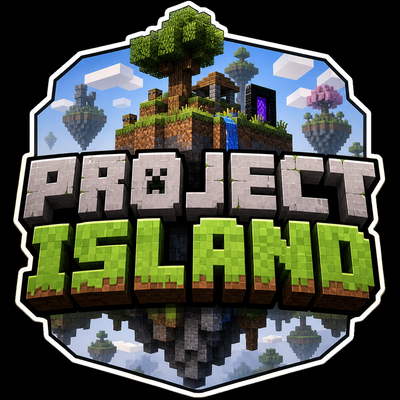
CurseForge · Minecraft mod
Project Island
Void overworld floating islands worldgen.
Choose a version Pick your version below, then grab the matching file.
Quick answer
Which Project Island release should I use?
Latest stable file projectisland-1.4.1.jar
Game version 1.21.1
Loader NeoForge
Project Island projectisland-1.4.1.jar targets 1.21.1 with NeoForge. The project page does not say whether this file belongs on the client, dedicated server, or both. No extra mods listed for this file.
Where it goes
Is Project Island required on the client, server, or both?
The project page does not say whether this file belongs on the client, dedicated server, or both.
Client Source doesn’t say
Dedicated server Source doesn’t say
Loader for this release NeoForge
Required install it here Optional supported, not mandatory Not supported do not install here Source doesn’t say do not assume
The source does not explicitly classify this release as client-only or server-only.
What else does Project Island projectisland-1.4.1.jar need?
projectisland-1.4.1.jar. Change the file and its required mods may change too.
This file does not list any required mods. Do not add a library just because a different file uses it.
This file does not list any required or optional mods.
Before you install it
Add Project Island without breaking your instance.
Built for Project Island projectisland-1.4.1.jar. Pick another file and the loader, install side or required mods may change.
- 01
Stick to this file
Use projectisland-1.4.1.jar. It targets 1.21.1 with NeoForge; another release may have different loader, side or dependency requirements.
- 02
Bring the mods it needs
This file does not list any required mods. Do not add a library just because a different file uses it.
- 03
Put it on the correct side
The project page does not say whether this file belongs on the client, dedicated server, or both.
- 04
Pick the file you checked
Use the “Get this file” button beside projectisland-1.4.1.jar. It opens that exact file at the source.
About this project
What does Project Island add?
Project Island
Survival in the sky — a void overworld of procedural floating islands to explore, settle, and connect with harpoons and ropes. Built for NeoForge 1.21.1; world rules stay fair in multiplayer because the server is the source of truth.
Quick facts
| Minecraft | 1.21.1 |
| Mod loader | NeoForge (use the file that matches your game) |
| Where it runs | Single-player, LAN, and dedicated servers — same mod on client and server |
About
Forget the endless flat overworld. Project Island generates floating islands over the void: each island is its own chunk of terrain and biomes, ready for bases, farms, and adventure. Jump between peaks, bridge the gaps, or ride the ropes you and your friends string between anchors.
Whether you play solo or on a server, islands, starters, rope links, and navigation hints stay in sync so everyone sees the same world — no client-only ghost islands.
Features
Islands & world
- Void overworld — the overworld is sky and islands, not an infinite sea-level plane.
- Procedural islands — varied terrain and biomes per island; good footing for building and exploring.
- Dramatic undersides — islands can grow root-like spikes under the main mass for a sharper silhouette (hosts can turn this off for a classic smooth look in config).
Harpoons, ropes & travel
- Harpoon + anchors — shoot anchors, link them with rope, and manage span and wear.
- Rope surfing — speed along linked lines for zipline-style travel.
- Public rope links — built for shared crossings, not a per-player land-claim layer.
Help while you explore
- Island HUD — server-synced hints so you can tell where you are above the void. Works even better if you add Waystones or Xaero’s Minimap (optional).
Endgame & polish
- Void rescue — configurable safety net when players fall too far; hosts decide how forgiving it is.
- Optional Ender Dragon flow — server-tunable respawn / countdown style behavior for groups who want the End to stay lively (see the mod changelog for details).
Look & feel (client)
- Unshaded Blocks — a built-in resource pack (flatter block shading, CC0) ships with the jar. Enable it under Options → Resource packs if you like that look.
Works great with (optional)
These mods are not inside the Project Island jar. Install NeoForge 1.21.1 builds from their own pages if you want the extras:
Exploration & loot
- Lootr — per-player chests
- Wings Of Fire! — use this listing (not the unrelated wings-of-fire project on CurseForge)
- Realm RPG: Treasure Balloons
Creatures & structures
RPG-style gameplay (examples)
- Skill Tree, Spell Engine, Spell Power Attributes, Pufferfish's Skills
- Archers, Paladins & Priests, Rogues & Warriors, Wizards
World variety
- Biomes O’ Plenty — extra surface biomes on islands when the mod is present (host-tunable).
- Create: Levite Fields — Adds a more interesting way to obtain levitite when the mod is present (host-tunable).
Mod config files
After the first launch you get two TOML files in config/. Every setting has an inline comment next to it — that’s the full reference for names and defaults.
| File | Who uses it | What it’s for |
|---|---|---|
projectisland-common.toml |
Server (including the host in single-player) | World generation — island size and frequency, biomes (including modded surfaces), structures and villages, ores and decoration, mob spawn tuning, starter islands, void rescue, rope rules (length, health, surfing, limits), HUD sync to clients, and optional hooks when other mods are installed. |
projectisland-client.toml |
Your game client only | How things look — island HUD style, optional Xaero’s waypoint mirroring, rope line and health-bar drawing. Ignored on a headless dedicated server. |
Tip for hosts: change common when you want the world or rules to change for everyone. Change client when you only want to adjust your own overlays and visuals.
License
- Project Island (mod code): MIT
- Unshaded Blocks (bundled resource pack assets): CC0
Project description from CurseForge.
Pick your setup
Project Island by Minecraft version and loader
Choose the version and loader you play, then open the matching release.
Check the dependencies, then try the file in a copied instance before changing a world you care about.
Recent files
Project Island versions and loaders
projectisland-1.4.1.jar
25 May 2026
Client Source doesn’t say Server Source doesn’t say Dependencies No extras listed Listed on Release listing
Check the 1.21.1 · NeoForge setup 1.21.1NeoForge release
projectisland-1.3.0.jar
15 May 2026
Client Source doesn’t say Server Source doesn’t say Dependencies No extras listed Listed on Release listing
Check the 1.21.1 · NeoForge setup 1.21.1NeoForge release
projectisland-0.1.2.jar
12 May 2026
Client Source doesn’t say Server Source doesn’t say Dependencies No extras listed Listed on Release listing
Check the 1.21.1 · NeoForge setup 1.21.1NeoForge release
projectisland-0.1.1.jar
6 May 2026
Client Source doesn’t say Server Source doesn’t say Dependencies No extras listed Listed on Release listing
Check the 1.21.1 · NeoForge setup 1.21.1NeoForge release
projectisland-0.1.0.jar
5 May 2026
Client Source doesn’t say Server Source doesn’t say Dependencies No extras listed Listed on Release listing
Check the 1.21.1 · NeoForge setup 1.21.1NeoForge release
Looking for an older file? The official CurseForge project page is in Resources.
 mod
CurseForge · Minecraft
One Piece: The Will of Dirt
Set sail in a Minecraft world built around One Piece. Pick your race, eat a Devil Fruit, train your Haki, build your own ship and form a crew, then head for the Red Line and the Grand Line beyond it.
 mod
CurseForge + Modrinth · Minecraft
Voltex
Industrial tech mod: machines, FE, fluids, heat, logistics, late-game multiblocks and nanites
 mod
CurseForge + Modrinth · Minecraft
Plague's Chat Timestamps
A Minecraft mod that adds customizable timestamps to chat!