Minecraft version
Back to mods 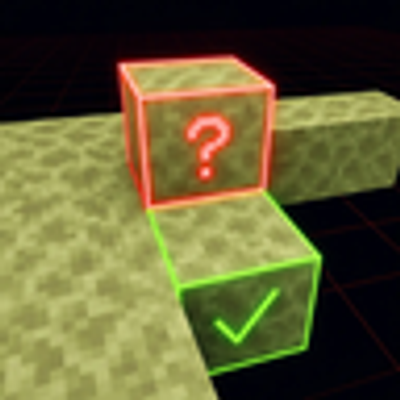
CurseForge · Minecraft mod
Height Lock
A Minecraft mod that eliminates the annoying missclicks when you try to build a platform in the air, by allowing you to lock the Y-Level you can only build on.
Choose a version Pick your version below, then grab the matching file.
Quick answer
Which Height Lock release should I use?
Latest stable file heightlock-26.1-1.0.0.jar
Game version 26.1.1
Loader Fabric
Height Lock heightlock-26.1-1.0.0.jar targets 26.1.1 with Fabric. The project page does not say whether this file belongs on the client, dedicated server, or both. No extra mods listed for this file.
Where it goes
Is Height Lock required on the client, server, or both?
The project page does not say whether this file belongs on the client, dedicated server, or both.
Client Source doesn’t say
Dedicated server Source doesn’t say
Loader for this release Fabric
Required install it here Optional supported, not mandatory Not supported do not install here Source doesn’t say do not assume
The source does not explicitly classify this release as client-only or server-only.
What else does Height Lock heightlock-26.1-1.0.0.jar need?
heightlock-26.1-1.0.0.jar. Change the file and its required mods may change too.
This file does not list any required mods. Do not add a library just because a different file uses it.
This file does not list any required or optional mods.
Before you install it
Add Height Lock without breaking your instance.
Built for Height Lock heightlock-26.1-1.0.0.jar. Pick another file and the loader, install side or required mods may change.
- 01
Stick to this file
Use heightlock-26.1-1.0.0.jar. It targets 26.1.1 with Fabric; another release may have different loader, side or dependency requirements.
- 02
Bring the mods it needs
This file does not list any required mods. Do not add a library just because a different file uses it.
- 03
Put it on the correct side
The project page does not say whether this file belongs on the client, dedicated server, or both.
- 04
Pick the file you checked
Use the “Get this file” button beside heightlock-26.1-1.0.0.jar. It opens that exact file at the source.
About this project
What does Height Lock add?
This mod eliminates the annoying missclicks when building.
Height Lock is a client-side lightweight Fabric utility mod that lets you lock block placement to one exact Y-level. It does not enforce anything server-side, add a HUD overlay, or try to special-case different block types. The rule is intentionally simple: if the final placement position is not on the chosen Y-level, block it. Compatibility: The ONLY requirement for this mod is the Fabric API Unlock customization features by installing the Mod Menu and the Cloth Config API. (not required) At the moment, no incompatibilities with other mods were found.
How to use
By default, the toggle key is H. You can use it to toggle the mod function itself, including the grid, that marks the Y-Level. There are three other keybinds, that are defaulted to Not Bound, which are:
- Decrease Target Y
- Increase Target Y
- Set Target Y To Current Block
Once enabled, the mod works without any need of configuration, though there are opportunities, as mentioned earlier.
Project description from CurseForge.
Pick your setup
Height Lock by Minecraft version and loader
Choose the version and loader you play, then open the matching release.
Minecraft version
26.1.1
1 loader buildMinecraft version
1.21.11
1 loader buildMinecraft version
1.21.10
1 loader buildMinecraft version
1.21.9
1 loader buildMinecraft version
1.21.8
1 loader buildMinecraft version
1.21.7
1 loader buildMinecraft version
1.21.6
1 loader buildMinecraft version
1.21.5
1 loader buildMinecraft version
1.21.4
1 loader buildMinecraft version
1.21.3
1 loader buildMinecraft version
1.21.2
1 loader buildShowing the newest 12 of 14 game versions. Older files are in the list below.
Check the dependencies, then try the file in a copied instance before changing a world you care about.
Recent files
Height Lock versions and loaders
heightlock-26.1-1.0.0.jar
8 May 2026
Client Source doesn’t say Server Source doesn’t say Dependencies No extras listed Listed on Release listing
Check the 26.1.1 · Fabric setup Fabric26.1.1 release
heightlock-26.1.1-1.0.0.jar
8 May 2026
Client Source doesn’t say Server Source doesn’t say Dependencies No extras listed Listed on Release listing
Check the 26.1.1 · Fabric setup Fabric26.1.1 release
heightlock-1.21-1.0.0.jar
7 May 2026
Client Source doesn’t say Server Source doesn’t say Dependencies No extras listed Listed on Release listing
Check the 1.21 · Fabric setup 1.21Fabric release
heightlock-1.21.2-1.0.0.jar
7 May 2026
Client Source doesn’t say Server Source doesn’t say Dependencies No extras listed Listed on Release listing
Check the 1.21.2 · Fabric setup Fabric1.21.2 release
heightlock-1.21.3-1.0.0.jar
7 May 2026
Client Source doesn’t say Server Source doesn’t say Dependencies No extras listed Listed on Release listing
Check the 1.21.3 · Fabric setup Fabric1.21.3 release
heightlock-1.21.4-1.0.0.jar
7 May 2026
Client Source doesn’t say Server Source doesn’t say Dependencies No extras listed Listed on Release listing
Check the 1.21.4 · Fabric setup Fabric1.21.4 release
heightlock-1.21.5-1.0.0.jar
7 May 2026
Client Source doesn’t say Server Source doesn’t say Dependencies No extras listed Listed on Release listing
Check the 1.21.5 · Fabric setup Fabric1.21.5 release
heightlock-1.21.6-1.0.0.jar
7 May 2026
Client Source doesn’t say Server Source doesn’t say Dependencies No extras listed Listed on Release listing
Check the 1.21.6 · Fabric setup Fabric1.21.6 release
heightlock-1.21.7-1.0.0.jar
7 May 2026
Client Source doesn’t say Server Source doesn’t say Dependencies No extras listed Listed on Release listing
Check the 1.21.7 · Fabric setup Fabric1.21.7 release
heightlock-1.21.8-1.0.0.jar
7 May 2026
Client Source doesn’t say Server Source doesn’t say Dependencies No extras listed Listed on Release listing
Check the 1.21.8 · Fabric setup Fabric1.21.8 release
heightlock-1.21.9-1.0.0.jar
7 May 2026
Client Source doesn’t say Server Source doesn’t say Dependencies No extras listed Listed on Release listing
Check the 1.21.9 · Fabric setup Fabric1.21.9 release
heightlock-1.21.10-1.0.0.jar
7 May 2026
Client Source doesn’t say Server Source doesn’t say Dependencies No extras listed Listed on Release listing
Check the 1.21.10 · Fabric setup Fabric1.21.10 release
Looking for an older file? The official CurseForge project page is in Resources.
 mod
mod CurseForge · Minecraft
Colored Target
Colored Target is a lightweight mod for Minecraft that allows you to dye target blocks in all 16 colors while preserving full redstone functionality
 mod
mod CurseForge · Minecraft
Just ATM Things
Extend Just Dire Things with Allthemodium-tier alloys, converting goos, upgraded equipment, fuels, farmland, and wands.
 mod
mod CurseForge · Minecraft
Absolute Afk Cinema
Go AFK and the camera takes over: slow cinematic shots of you, nearby animals, villagers, other players and interesting places – like the idle camera in racing games. Client-side, no dependencies.