
Minecraft version
Back to mods 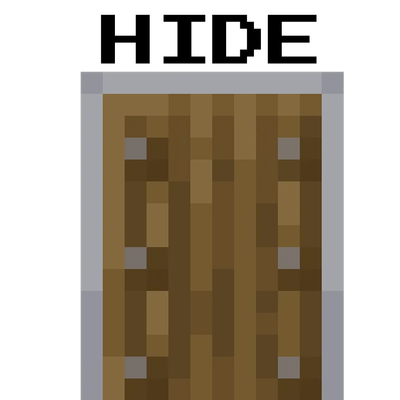
CurseForge · Minecraft mod
Shield Hider
Hides your shield in first-person view to stop it from blocking your screen
Choose a version Pick your version below, then grab the matching file.
Quick answer
Which Shield Hider release matches 26.1 Fabric?
Best match for your filters shieldhider-fabric-26.1-26.1-1.0.0-26.1.jar
Game version 26.1
Loader Fabric
Shield Hider shieldhider-fabric-26.1-26.1-1.0.0-26.1.jar targets 26.1 with Fabric. The project page does not say whether this file belongs on the client, dedicated server, or both. No extra mods listed for this file.
Where it goes
Is Shield Hider required on the client, server, or both?
The project page does not say whether this file belongs on the client, dedicated server, or both.
Client Source doesn’t say
Dedicated server Source doesn’t say
Loader for this release Fabric
Required install it here Optional supported, not mandatory Not supported do not install here Source doesn’t say do not assume
The source does not explicitly classify this release as client-only or server-only.
What else does Shield Hider shieldhider-fabric-26.1-26.1-1.0.0-26.1.jar need?
shieldhider-fabric-26.1-26.1-1.0.0-26.1.jar on 26.1 Fabric. Every mod below is checked against that same setup.
This file does not list any required mods. Do not add a library just because a different file uses it.
This file does not list any required or optional mods.
Before you install it
Add Shield Hider without breaking your instance.
Built for Shield Hider shieldhider-fabric-26.1-26.1-1.0.0-26.1.jar on 26.1 Fabric. Pick another file and the loader, install side or required mods may change.
- 01
Stick to this file
Use shieldhider-fabric-26.1-26.1-1.0.0-26.1.jar. It targets 26.1 with Fabric; another release may have different loader, side or dependency requirements.
- 02
Bring the mods it needs
This file does not list any required mods. Do not add a library just because a different file uses it.
- 03
Put it on the correct side
The project page does not say whether this file belongs on the client, dedicated server, or both.
- 04
Pick the file you checked
Use the “Get this file” button beside shieldhider-fabric-26.1-26.1-1.0.0-26.1.jar. It opens that exact file at the source.
About this project
What does Shield Hider add?
Lightweight client-side utility mod that hides the shield model in first-person view. It simply removes the shield rendering from your own view, ensuring that bulky shields no longer block your screen and field of vision.
Client-side only (no server installation required). Fully compatible with singleplayer and multiplayer.
What it does:
- Hides the shield model from your first-person perspective when you hold it.
- Frees up valuable screen space for much better visibility during combat and exploration.
- Leaves all vanilla shield mechanics, blocking behavior, and hitboxes completely untouched.
- Does not affect how your shield looks to other players or how it renders in third-person view.
Configuration: This mod works straight out of the box with zero configuration required. Simply drop it into your mods folder and enjoy a clear screen!
Details:
- Client-side only.
- Completely safe to use on any vanilla or modded server.
- Absolutely no server-side logic or gameplay changes.
Please report any bugs, errors, or feature suggestions on Discord: https://discord.gg/4XUPywnEyE
Project description from CurseForge.
Pick your setup
Shield Hider by Minecraft version and loader
Choose the version and loader you play, then open the matching release.
Minecraft version
26.1
2 loader buildsMinecraft version
1.21.11
2 loader buildsMinecraft version
1.21.1
2 loader buildsMinecraft version
1.20.1
2 loader buildsCheck the dependencies, then try the file in a copied instance before changing a world you care about.
Recent files
Shield Hider versions and loaders
shieldhider-fabric-26.1-26.1-1.0.0-26.1.jar
13 May 2026
Client Source doesn’t say Server Source doesn’t say Dependencies No extras listed Listed on Release listing
Check the 26.1 · Fabric setup Fabric26.1 release
Looking for an older file? The official CurseForge project page is in Resources.
 mod
mod CurseForge · Minecraft
Inventory BlackListItem
Tired on being full of useless block ? Blacklist THEM with InverntoryBlacklist.
 mod
mod CurseForge · Minecraft
ToroHealth-Continued
A Fork of ToroHealth: A client-side health indicator mod providing clear, configurable visual feedback for entity health changes.
 mod
mod CurseForge · Minecraft
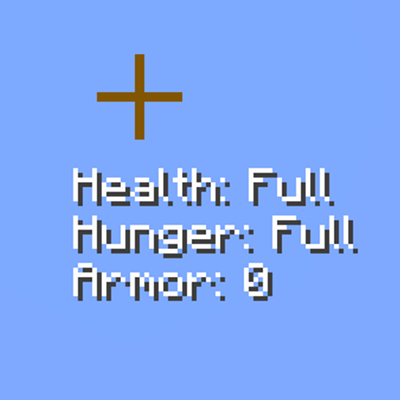
Crosshair info (hud)
A simple PvP HUD that displays useful information like health, armor and hunger near the crosshair. Keybinds are available for easier control, with more customization options and additional information such as status effects planned for future updates.