RarityCore Needed by CheapAway-neoforge-26.1-1.0.0.jar
requiredMatching file found Matched file: raritycore-2601.14.2.jar

CurseForge · Minecraft mod
Filter on pickup, and one-click discard items below a specified rarity.
Quick answer
CheapAway-neoforge-26.1-1.0.0.jar targets 26.1, 26.1.1, 26.1.2 with NeoForge. The project page does not say whether this file belongs on the client, dedicated server, or both. All 2 required mods have matching files.
Where it goes
The project page does not say whether this file belongs on the client, dedicated server, or both.
The source does not explicitly classify this release as client-only or server-only.
CheapAway-neoforge-26.1-1.0.0.jar on 26.1. Every mod below is checked against that same setup.
Install RarityCore, RarityCore first. We found matching files for this game-version and loader setup. 3 come through another mod in the chain.
3 extra mods were pulled in by other dependencies. Indented rows show who needs each one. We only count dependency files that match this setup. A file for another loader does not fill the gap.
Before you install it
Built for CheapAway-neoforge-26.1-1.0.0.jar on 26.1. Pick another file and the loader, install side or required mods may change.
Use CheapAway-neoforge-26.1-1.0.0.jar. It targets 26.1, 26.1.1, 26.1.2 with NeoForge; another release may have different loader, side or dependency requirements.
Install RarityCore, RarityCore first. We found matching files for this game-version and loader setup. 3 come through another mod in the chain.
The project page does not say whether this file belongs on the client, dedicated server, or both.
Use the “Get this file” button beside CheapAway-neoforge-26.1-1.0.0.jar. It opens that exact file at the source.
About this project
# CheapAway
You may have encountered this situation: a bunch of coal lies on the ground with a single diamond among them, but you can't quickly pick up just the rarest diamond — very frustrating and uncomfortable. Or when there's too much loot and you want to discard the worthless items, you have to check each one individually? Very frustrating and uncomfortable.
Thus, the CheapAway mod was born! With the support of RarityCore, you can now choose to refuse pickup for items below a specified rarity, or quickly discard items below a specified rarity from your inventory.
# Usage
You can define default values for each feature in the config file.
In-game, you can perform specific operations in several ways:
# Floating Panel Description
The floating panel is only displayed in the survival inventory.
# Screenshots
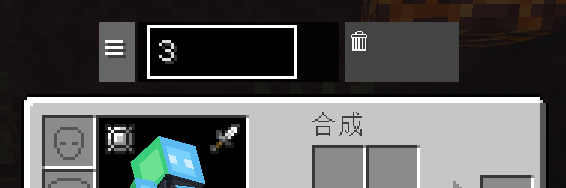
Project description from CurseForge.
Pick your setup
Choose the version and loader you play, then open the matching release.
Check the dependencies, then try the file in a copied instance before changing a world you care about.
Recent files
16 May 2026
Looking for an older file? The official CurseForge project page is in Resources.
 mod
Reduced delay between music tracks, next track keybind, now playing widget and more
 mod
Checks installed mods for available updates
 mod
HUD:A lightweight Jade alternative ,effect timmer ,Target Info,Saturation and Coordinates Monitor ,Waila,HWYLA,show Horse speed and jump stats,death location,Death Finder