Placebo Needed by Apotheosis 26.1.2-9.1.0
requiredMatching file found Matched file: Placebo 26.1.2-10.0.2

CurseForge · Minecraft mod
All things that should have been.
Quick answer
Apotheosis 26.1.2-9.1.0 targets 26.1.2 with NeoForge. The project page does not say whether this file belongs on the client, dedicated server, or both. All 5 required mods have matching files.
Where it goes
The project page does not say whether this file belongs on the client, dedicated server, or both.
The source does not explicitly classify this release as client-only or server-only.
Apotheosis 26.1.2-9.1.0. Change the file and its required mods may change too.
Install Placebo, Patchouli, Apothic Spawners, Apothic Enchanting and 1 more first. We found matching files for this game-version and loader setup. 3 come through another mod in the chain.
3 extra mods were pulled in by other dependencies. Indented rows show who needs each one. We only count dependency files that match this setup. A file for another loader does not fill the gap.
Before you install it
Built for Apotheosis 26.1.2-9.1.0. Pick another file and the loader, install side or required mods may change.
Use Apotheosis 26.1.2-9.1.0. It targets 26.1.2 with NeoForge; another release may have different loader, side or dependency requirements.
Install Placebo, Patchouli, Apothic Spawners, Apothic Enchanting and 1 more first. We found matching files for this game-version and loader setup. 3 come through another mod in the chain.
The project page does not say whether this file belongs on the client, dedicated server, or both.
Use the “Get this file” button beside Apotheosis 26.1.2-9.1.0. It opens that exact file at the source.
About this project
Apotheosis® is a content mod that allows you to become stronger than ever before, while trying to stay true to vanilla mechanics at heart. Every feature is carefully put together to feel cohesive and complete.
Features range from simple changes, such as the addition of Potion Charms, to massive refactors of vanilla systems, such as Enchanting.
Apotheosis is divided into different mods (or "modules"), each serving a single purpose to build up the complete Apotheosis experience. Each mod has their own CurseForge page which provides all the relevant information.
The individual mods are as follows:
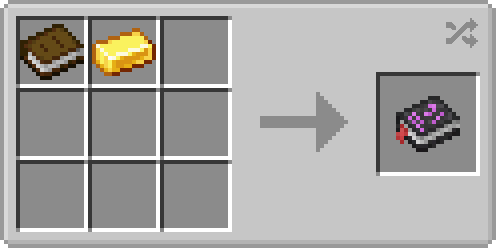
The content of this page is not all-inclusive. For detailed information, refer to the in-game guidebook, the Chronicle of Shadows. You can create one with a book and a gold ingot. Some modpacks may change or alter content, and content that is disabled will not be visible in the book. Alongside JEI, every bit of information is available in-game.
The sections beyond this one contain an overview of the content in Apotheosis (the Adventure Module). For the content in the other mods, refer to their CurseForge pages (linked above).
The main feature of Apotheosis is Affixes, a means of strengthening any item you may find (from vanilla or other mods). Affixes are applied to an item, much like Enchantments, but have very different rules. Each affix item has a Rarity, which controls what types of affixes it will receive and how strong they are. The individual affixes then provide different bonuses, from stat boosts to custom effects not found elsewhere. Affix Items may also have Sockets, but we'll get to that later.
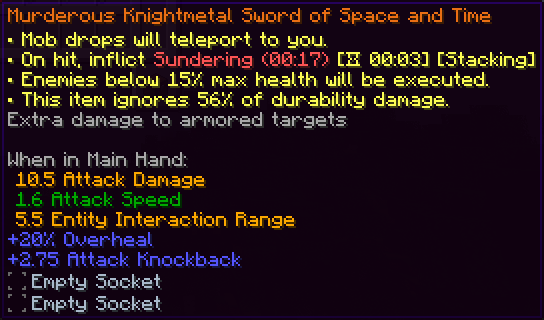
Affix Items can be found in many ways. They're located in loot chests, and will be dropped by random entities that spawn in your world. The rarity of the affix items you'll find will depend on your World Tier, a feature we'll explain a bit later.
Once you've found some affix items, you can break them down in the Salvaging Table to obtain Rarity Materials, a currency which will allow you to make your own affix items in the Reforging Table. Though you'll also need a couple Gems, which you can find from similar sources.
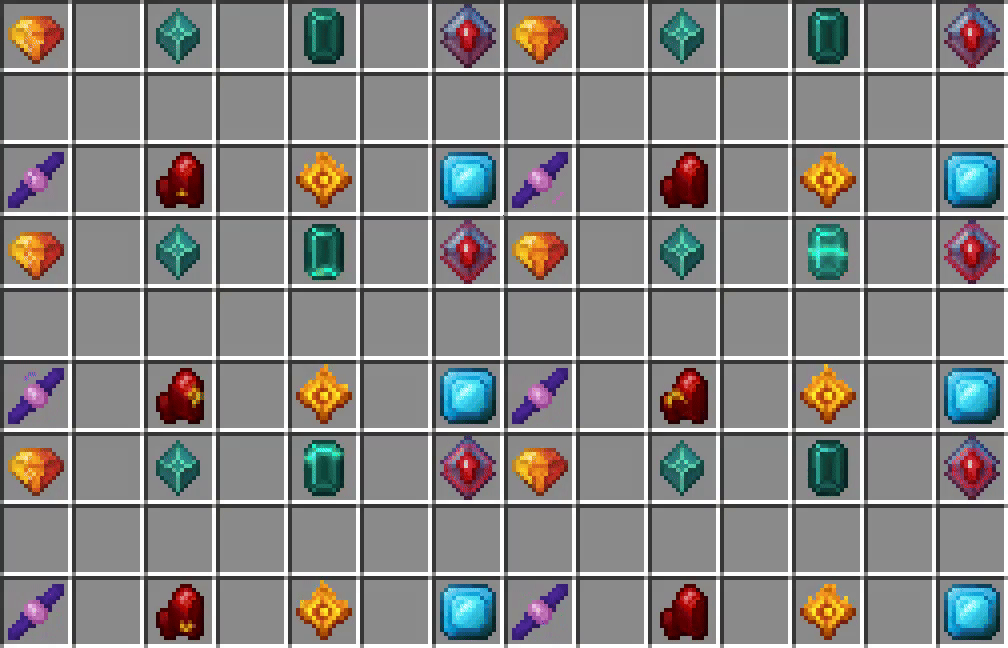
As we showed earlier, some Affix Items may have Sockets. Each socket lets you place a new Gem into your item, adding additional bonuses on top of those already provided by your affixes. Gems have specific bonuses for each type of item, so choose wisely.
Gems can be socketed into items by right-clicking the item while hovering it with the gem, or by using a smithing table. If you'd like to remove a socketed gem, you'll need a Sigil of Withdrawal. If you have an item which doesn't have sockets, but you would like it to, you can use the Sigil of Socketing.
Gems can also be converted into Gem Dust, a versatile crafting ingredient. Your first two dust will need to be created by having an anvil crush two gems, after that, you can use the Salvaging Table.
Like affix items, gems can be obtained in loot chests and from killing mobs. Slaying Invaders has a higher chance to drop gems. Certain gems can only be found in specific dimensions.
Apotheosis also adds World Tiers, a progression system for you, your gear, and your enemies. You can access the World Tier Selection screen by pushing the hotkey (default: CTRL+T).
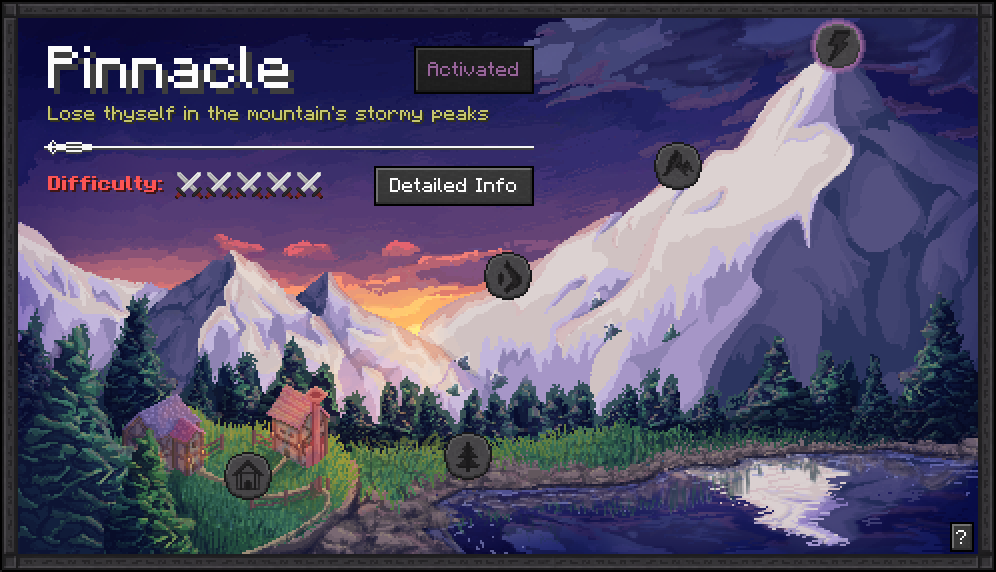
There are five World Tiers in total, from lowest to highest difficulty:
Progressing through the tiers requires that you complete the Unlock Criteria for each one; these get progressively more difficult, but are quite worthwhile.
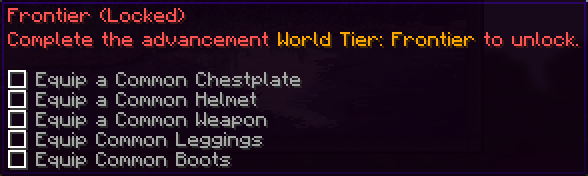
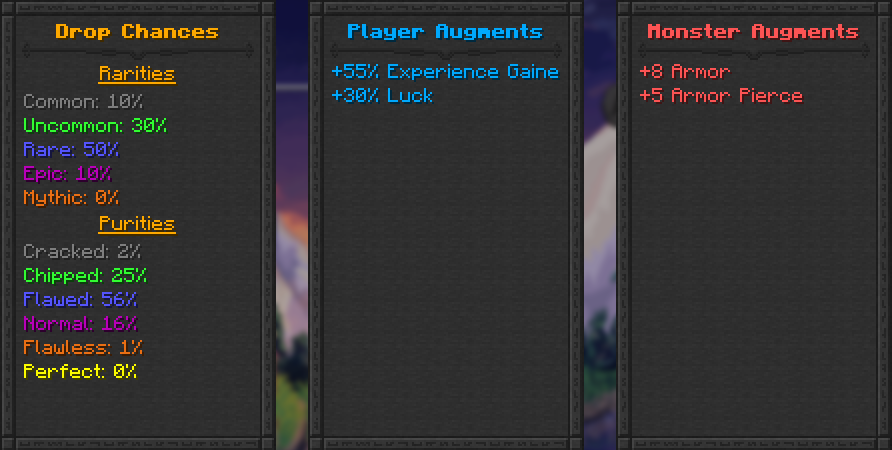
Increasing your World Tier will allow you to get better loot, and will give you some direct bonuses, but will also increase the strength of every enemy in your world.
Once you've progressed into World Tier: Frontier, you may notice a loud sound and a beam of light from the sky. This indicates that an Apothic Invader has spawned in your world. Invaders are enemies that have learned to wield Affixes themselves. They have customized stats, heavily enchanted gear, and a coveted Affix Item. When slain, they will always drop this item, alongside some extra bonuses.
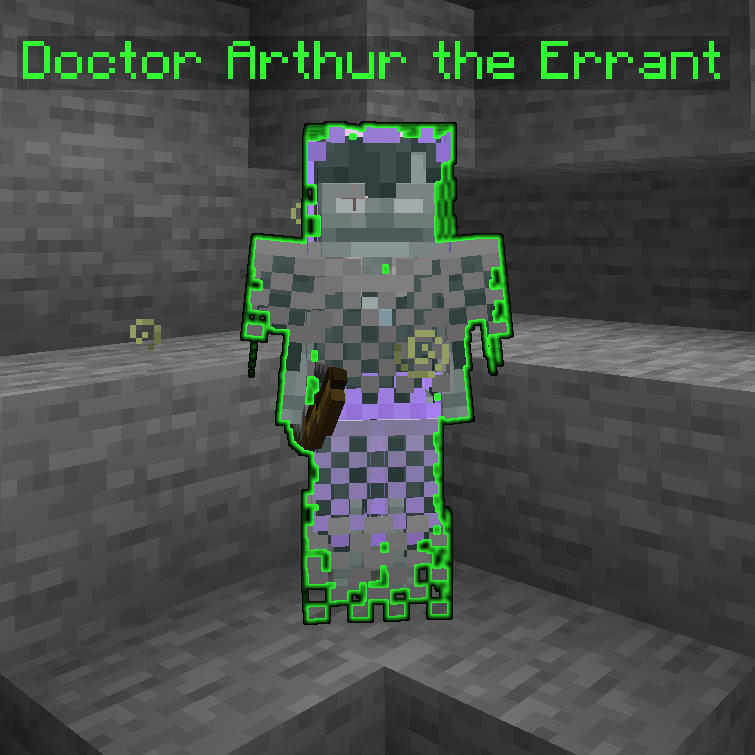
You may also notice other empowered mobs, known as Apothic Elites. These guys don't have the same kind of theatrics when they spawn, but always come with the promise of additional loot.
Lastly, Apotheosis also has a system known as Augmentations, which may apply random bonuses to any mob that enters the world. Don't let your guard down!
While Reforging provides a ton of power already, it's very random, and doesn't let you have total control over what you'd like. After all, this is Minecraft, and you should always be able to craft exactly what you want to make the perfect item.
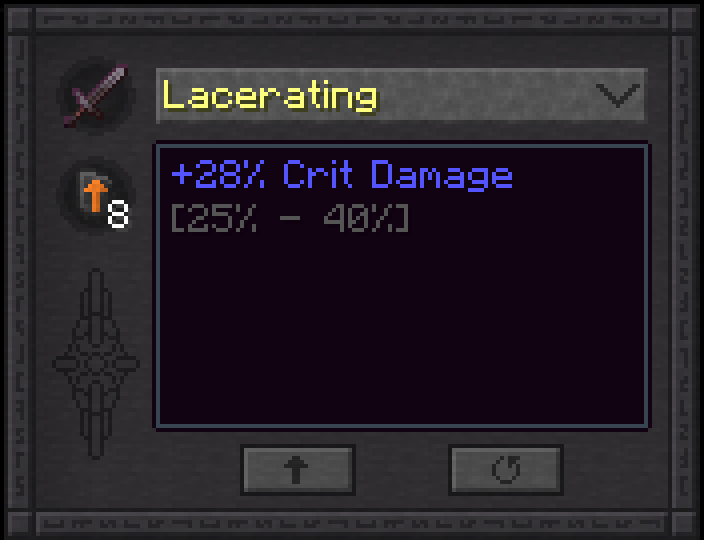
Fortunately, we have a solution for that: the Augmenting Table. This powerful table allows you to upgrade and reroll individual affixes on an item, but at a high cost. Augmenting costs exorbitant sums of experience, and it also requires Sigils of Enhancement as fuel. But when you're at the end of the road, and you have near-infinite resources, this is where you'll come to perfect your build.
True perfection will still require a little luck. In your travels you may encounter the Sigil of Malice, an esoteric artifact which randomly changes an affix item. What exactly it does is a mystery.

Apotheosis has a rich data-driven system, allowing customization of Affixes, Gems, Sockets, Tier Augments, and more (really, you name it, it's configurable, this mod is a datapack engine in disguise). The JSON Schema is perpetually a Work-In-Progress, but can be found here on GitHub. You can view the existing data files for any release by looking at the "Additional Files" tab on CurseForge, and downloading the Stock Datapack for that version.
For Mod Developers, Apotheosis is available on Shadows' Maven. There's not exactly a documented API, but you can implement a variety of content by working with Apotheosis's systems.
maven {
  // Shadows_of_Fire's Maven
  url "https://maven.shadowsoffire.dev/releases"
}

dependencies {
  implementation fg.deobf("dev.shadowsoffire:Placebo:${mcVersion}-${placeboVersion}")
  implementation fg.deobf("dev.shadowsoffire:ApothicAttributes:${mcVersion}-${apothAttribsVersion}")
  implementation fg.deobf("dev.shadowsoffire:ApothicSpawners:${mcVersion}-${apothSpawnersVersion}")
  implementation fg.deobf("dev.shadowsoffire:ApothicEnchanting:${mcVersion}-${apothEnchVersion}")
  implementation fg.deobf("dev.shadowsoffire:Apotheosis:${mcVersion}-${apothVersion}")
}
Apotheosis requires Placebo, Patchouli, Apothic Attributes, Apothic Spawners, and Apothic Enchanting. It is also recommended that you install Just Enough Items and Jade.
Note: Patchouli is "technically" optional, but the Chronicle of Shadows will be unavailable unless you install it.

Project description from CurseForge.
Pick your setup
Choose the version and loader you play, then open the matching release.
Check the dependencies, then try the file in a copied instance before changing a world you care about.
Recent files
Apotheosis-26.1.2-9.1.0.jar
4 Oct 2026
Apotheosis-1.21.1-8.9.0.jar
27 Sept 2026
Apotheosis-1.21.1-8.8.0.jar
7 Sept 2026
Apotheosis-1.21.1-8.7.0.jar
2 Aug 2026
Apotheosis-1.21.1-8.6.1.jar
28 Jul 2026
Apotheosis-26.1.2-9.0.3.jar
24 Jul 2026
Apotheosis-1.21.1-8.6.0.jar
20 Jul 2026
14 Jun 2026
3 Jun 2026
1 Jun 2026
30 May 2026
17 May 2026
Looking for an older file? The official CurseForge project page is in Resources.
 mod
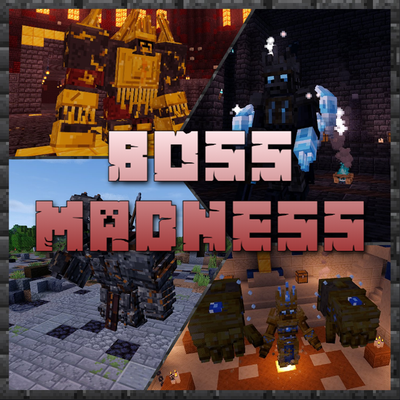
modAdds multi-phase bosses with unique attacks, music and huge generated dungeons. Defeat them for unique weapons, armor and music discs!
 mod
modsH's Remains - makes every fight leave something behind. A killed mob no longer flashes red and vanishes in a puff of smoke - it falls, lies there as a body and stays until you deal with it.
 mod
modfirst mod , adding some new enchantments