Minecraft version
Back to mods 
CurseForge · Minecraft mod
TabChannel
Create public or private chat channels, manage staff discussions, organize faction communication, and improve multiplayer communication with a modern tab-based chat system inspired by large community servers.
Choose a version Pick your version below, then grab the matching file.
Quick answer
Which TabChannel release should I use?
Latest stable file tabchannel-1.0.4-NeoForge.jar
Game version 1.21.1
Loader Forge, NeoForge
tabchannel-1.0.4-NeoForge.jar targets 1.21.1 with Forge, NeoForge. The project page does not say whether this file belongs on the client, dedicated server, or both. No extra mods listed for this file.
Where it goes
Is TabChannel required on the client, server, or both?
The project page does not say whether this file belongs on the client, dedicated server, or both.
Client Source doesn’t say
Dedicated server Source doesn’t say
Loader for this release Forge, NeoForge
Required install it here Optional supported, not mandatory Not supported do not install here Source doesn’t say do not assume
The source does not explicitly classify this release as client-only or server-only.
What else does tabchannel-1.0.4-NeoForge.jar need?
tabchannel-1.0.4-NeoForge.jar. Change the file and its required mods may change too.
This file does not list any required mods. Do not add a library just because a different file uses it.
This file does not list any required or optional mods.
Before you install it
Add TabChannel without breaking your instance.
Built for tabchannel-1.0.4-NeoForge.jar. Pick another file and the loader, install side or required mods may change.
- 01
Stick to this file
Use tabchannel-1.0.4-NeoForge.jar. It targets 1.21.1 with Forge, NeoForge; another release may have different loader, side or dependency requirements.
- 02
Bring the mods it needs
This file does not list any required mods. Do not add a library just because a different file uses it.
- 03
Put it on the correct side
The project page does not say whether this file belongs on the client, dedicated server, or both.
- 04
Pick the file you checked
Use the “Get this file” button beside tabchannel-1.0.4-NeoForge.jar. It opens that exact file at the source.
About this project
What does TabChannel add?
TabChannel
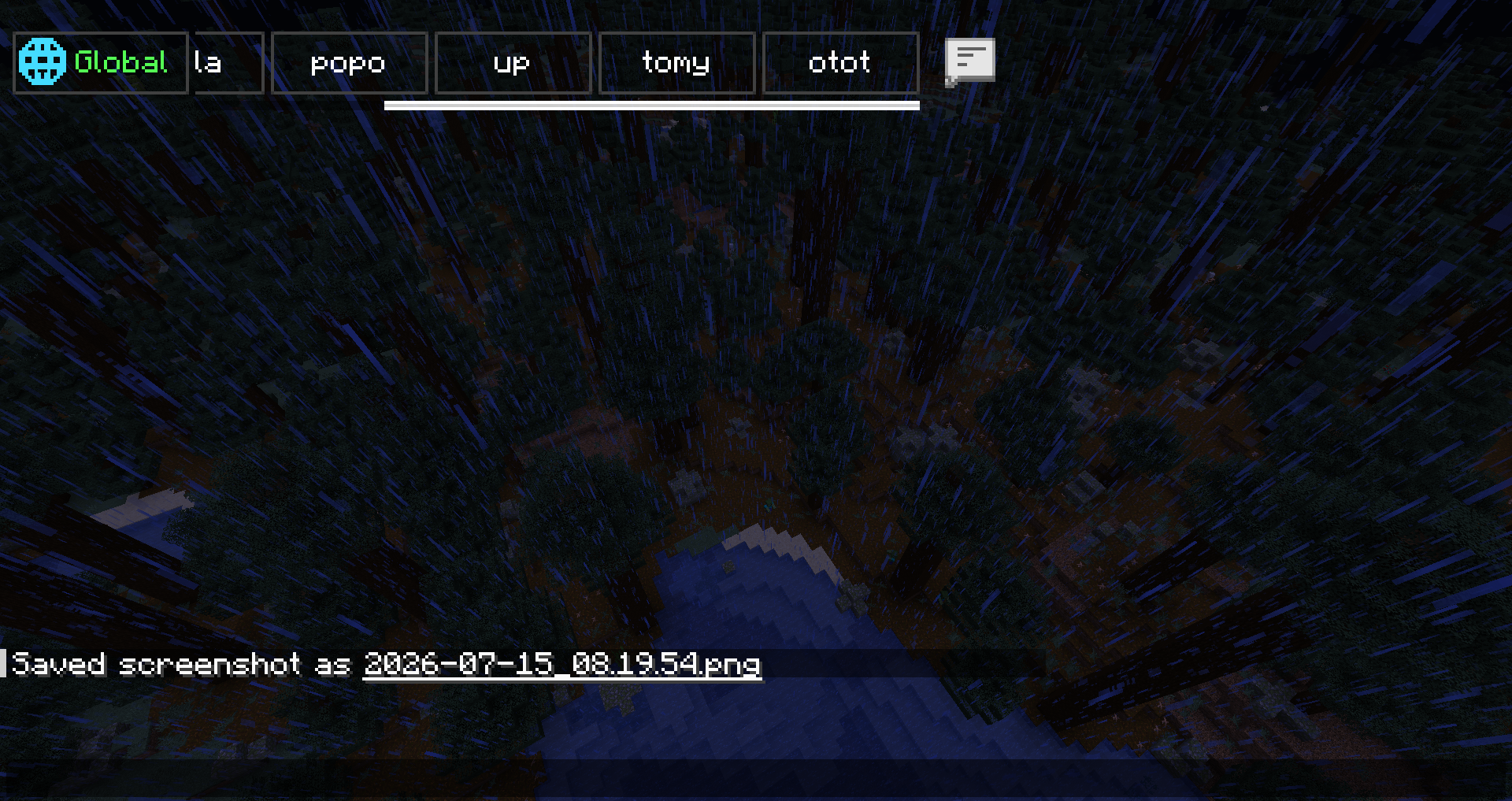
Minecraft 1.21.x · Tabbed chat channels, TabColor, PMs, staff tools, log search, client HUD, and optional Twitch stream overlay (client-only).
TabChannel Version 1.0.4
 | Add New Optionel Dependencies
| modId | Nom affiché |
|---|---|
luckperms |
LuckPerms |
nochatreports |
No Chat Reports |
emojiful |
Emojiful |
odyssey_factions_rise |
Odyssey Factions Rise |
factionwar |
Faction War |
Compatibility
| Setup | Result |
|---|---|
| Fabric client + Fabric server with TabChannel | Channels, tab sync, server commands |
| NeoForge on Youer | NeoForge jar on both server and client |
| LuckPerms | Compatible and optional |
TabColor — all colors
Chat colors is # exemple #Red or #FF000 Commands: /tabchannel color <channel> <COLOR> or /setchannel tabcolors <channel> <COLOR>
Use the exact name in UPPERCASE (underscores).
Standard
BLACK · DARK_BLUE · DARK_GREEN · DARK_AQUA · DARK_RED · DARK_PURPLE · GOLD · GRAY · DARK_GRAY · GREEN · AQUA · LIGHT_PURPLE · YELLOW · WHITE · ORANGE · PINK · MAGENTA · CYAN · LIME · BROWN · SILVER · NAVY · TEAL · OLIVE · MAROON · INDIGO · VIOLET · TURQUOISE · SKY_BLUE · MINT · SALMON · CORAL · CRIMSON · BEIGE · IVORY · CHARCOAL · EMERALD · RUBY · AMBER · BRONZE · ROSE · HOT_PINK · DEEP_PINK · FUCHSIA · LAVENDER · PLUM · ORCHID · SCARLET · FIRE_RED · BLOOD_RED · CHERRY · ICE_BLUE · BABY_BLUE · OCEAN_BLUE · ROYAL_BLUE · MIDNIGHT_BLUE · FOREST_GREEN · DARK_FOREST · MOSS_GREEN · JADE · SUNSET_ORANGE · TANGERINE · PEACH · APRICOT · LEMON · CANARY · HONEY · COFFEE · CHOCOLATE · CARAMEL · SAND · SNOW · PEARL · SMOKE · ASH · OBSIDIAN · VOID · NIGHT
“Premium” theme (no admin restriction in the mod)
ELECTRIC_BLUE · LASER_GREEN · TOXIC_GREEN · RADIOACTIVE · GALAXY_PURPLE · COSMIC_PINK · MANA_BLUE · ENDER_PURPLE · DIAMOND · RUBY_RED · SAPPHIRE · TOPAZ · AMETHYST · EMERALD_GREEN
Admin only (OP 2 or tabchannel.admin)
BLUE · RED · NEON_GREEN
Commands
Root aliases: /tabchannel, /tc, /tb, /channel, /ch
| Command | Description |
|---|---|
/channel create <name> <public|private|prive|faction> |
Create (staff channel = admin) |
/channel join <channel> |
Join |
/channel leave <channel> |
Leave |
/channel list |
List |
/channel delete <channel> |
Delete |
/channel color <channel> <TabColor> |
Tab color |
/channel invite <player> <channel> |
Invite |
/channelcreate <name> <type> |
Create (shortcut) |
/channeljoin <channel> |
Join (shortcut) |
/channellist |
List (shortcut) |
/setchannel
| Command | Description |
|---|---|
/setchannel delete <channel> |
Delete |
/setchannel tabcolors <channel> <TabColor> |
Tab color |
/setchannel invite <channel> <player> |
Invite |
/setchannel leave <channel> |
Leave |
/setchannel perm add|remove <channel> <player> <perm> |
Member permissions |
/setchannel rules <channel> <text> |
Rules |
/setchannel warn <channel> on|off |
Profanity filter |
/setchannel kick <channel> <days> <hours> <sec> <player> |
Kick + timed mute |
/setchannel ban <channel> <player> |
Channel ban |
/setchannel f <channel> <faction> |
Link faction |
PMs and logs
| Command | Description |
|---|---|
/mp <player> <message> |
Private message |
/r <message> |
Reply to last PM |
/mp block <player> |
Block |
/mp unblock <player> |
Unblock |
/mp socialspy |
SocialSpy (permission) |
/chatsearch <text> |
Log search (25 max) |
/chat search <text> |
Search alias |
Admin
| Command | Description |
|---|---|
/tabchanneltploc <dimension> <x> <y> <z> |
Teleport (OP 2) |
Built-in channels: global (vanilla / global chat), staff channel (creation: admin, access: staff).
Mentions: @staff, @admin, @mod, @modo in messages (configurable anti-spam).
Client commands
| Command | Description |
|---|---|
/channel position · position default |
Channel HUD position |
/channel resize · resize default |
Channel HUD size |
Twitch stream (client, optional)
| Command | Description |
|---|---|
/streamchat connect |
Connect (set Twitch username in config) |
/streamchat disconnect |
Disconnect |
/streamchat toggle |
Show / hide |
/streamchat position · position default |
Overlay placement |
/streamchat resize · resize default |
Resize overlay |
/streamchat config |
Config screen |
/streamchat clear · test · reload |
Utilities |
Stream does not change Minecraft chat; Twitch only (no YouTube).
LuckPerms
TabChannel — LuckPerms permissions (reference)
LuckPerms is compatible and optional. Without LuckPerms: OP level 2 for some actions, per-member permissions on each channel, and default Bukkit permissions on Youer / Paper (HybridBukkitPermissions).
Global roles
| Permission | Description |
|---|---|
tabchannel.admin |
Mod admin (bypass, staff channel, admin TabColor colors, etc.) |
tabchannel.staff |
Staff (staff channel, staff invites, staff mentions) |
Private messages (PM)
| Permission | Description |
|---|---|
tabchannel.mp.browse |
See all online players in the PM UI |
tabchannel.mp.socialspy |
/mp socialspy |
tabchannel.mp.bypasscooldown |
Ignore PM cooldown |
Chat styling (optional)
| Permission | Description |
|---|---|
tabchannel.chat.color |
Classic colors (&) |
tabchannel.chat.hex |
Hex colors |
tabchannel.chat.format |
Formatting (bold, italic, etc.) |
tabchannel.chat.style |
Bundles color + hex + format |
Per-channel permissions (setchannel.*)
| Permission | Usage |
|---|---|
setchannel.create |
Create a channel |
setchannel.delete |
Delete |
setchannel.invite |
Invite |
setchannel.leave |
Leave |
setchannel.perm |
Manage member rights |
setchannel.rules |
Rules |
setchannel.warn |
Profanity filter |
setchannel.kick |
Kick / mute (duration via /setchannel kick) |
setchannel.ban |
Ban from channel |
setchannel.tabcolors |
Change TabColor |
setchannel.f |
Link a faction |
Bypass
| Permission | Description |
|---|---|
setchannel.bypass.join |
Join without restrictions |
setchannel.bypass.private |
View / join private channels |
setchannel.bypass.ban |
Ignore channel bans |
TabColor — admin-only colors
Only these names require OP 2 or tabchannel.admin:
BLUEREDNEON_GREEN
All other TabColor names in the mod can be used without that restriction (still subject to channel rights for /setchannel tabcolors).
LuckPerms example (YAML)
tabchannel.admin:
  description: TabChannel admin
  default: op

tabchannel.staff:
  description: TabChannel staff
  default: false

tabchannel.mp.socialspy:
  default: false

setchannel.create:
  default: true

setchannel.tabcolors:
  default: true
Dependencies
- Fabric: Fabric API
- NeoForge: NeoForge 1.21.x build
- LuckPerms: no jar required
Project description from CurseForge.
Pick your setup
TabChannel by Minecraft version and loader
Choose the version and loader you play, then open the matching release.
Minecraft version
1.21.1
3 loader buildsMinecraft version
1.20.1
1 loader buildCheck the dependencies, then try the file in a copied instance before changing a world you care about.
Recent files
TabChannel versions and loaders
tabchannel-1.0.4-NeoForge.jar
15 Jul 2026
Client Source doesn’t say Server Source doesn’t say Dependencies No extras listed Listed on Release listing
Check the 1.21.1 · Forge setup Forge1.21.1NeoForge release
tabchannel-1.0.2-Forge-1.20.1.jar
30 May 2026
Client Source doesn’t say Server Source doesn’t say Dependencies No extras listed Listed on Release listing
Check the 1.20.1 · Forge setup 1.20.1Forge release
tabchannel-1.0.2-NeoForge.jar
29 May 2026
Client Source doesn’t say Server Source doesn’t say Dependencies No extras listed Listed on Release listing
Check the 26.1.2 · NeoForge setup NeoForge26.1.2 release
tabchannel-1.0.3-Fabric.jar
22 May 2026
Client Source doesn’t say Server Source doesn’t say Dependencies No extras listed Listed on Release listing
Check the 1.21.1 · Fabric setup Fabric1.21.1 release
tabchannel-1.0.2-NeoForge.jar
22 May 2026
Client Source doesn’t say Server Source doesn’t say Dependencies No extras listed Listed on Release listing
Check the 1.21.1 · NeoForge setup 1.21.1NeoForge release
tabchannel-1.0.1-NeoForge.jar
17 May 2026
Client Source doesn’t say Server Source doesn’t say Dependencies No extras listed Listed on Release listing
Check the 1.21.1 · NeoForge setup 1.21.1NeoForge release
1.0.0
tabchannel-1.0.0.jar
16 May 2026
Client Optional Server Optional Dependencies No extras listed Listed on Release listing
Check the 1.21.1 · NeoForge setup 1.21.1NeoForge release
Looking for an older file? The official CurseForge project page is in Resources.
 mod
CurseForge · Minecraft
Custom Loot System (CTS)
A very customizable loot system, with props, blocks, loot table editor and more!
 mod
CurseForge · Minecraft
PvP Lives
Flexible lives system for PVP Servers for a hardcore or hardcore-lite experience.
 mod
CurseForge + Modrinth · Minecraft
Adventure Item Names
Unique names for weapons, tools, armour and items found throughout your world.