Cold Weapons Optional for Custom Loot System (CTS) cts-4.1.jar
optionalMatching file found Matched file: cold_weapons_forge-1.3.jar
CurseForge · Minecraft mod
A very customizable loot system, with props, blocks, loot table editor and more!
Quick answer
Custom Loot System (CTS) cts-4.1.jar targets 1.20.1 with Forge. The project page does not say whether this file belongs on the client, dedicated server, or both. No extra mods listed for this file.
Where it goes
The project page does not say whether this file belongs on the client, dedicated server, or both.
The source does not explicitly classify this release as client-only or server-only.
cts-4.1.jar. Change the file and its required mods may change too.
This file does not list any required mods. Do not add a library just because a different file uses it.
3 extra mods were pulled in by other dependencies. Indented rows show who needs each one. We only count dependency files that match this setup. A file for another loader does not fill the gap.
Before you install it
Built for Custom Loot System (CTS) cts-4.1.jar. Pick another file and the loader, install side or required mods may change.
Use cts-4.1.jar. It targets 1.20.1 with Forge; another release may have different loader, side or dependency requirements.
This file does not list any required mods. Do not add a library just because a different file uses it.
The project page does not say whether this file belongs on the client, dedicated server, or both.
Use the “Get this file” button beside cts-4.1.jar. It opens that exact file at the source.
About this project
A customizable loot system with props, blocks, airdrops, and an in-game loot table editor. Minecraft 1.20.1 · Forge · Client & Server · GitHub
CTS is a mapmaking and adventure tool for placing loot in the world without stuffing every corner with vanilla chests. You configure everything in Creative; Survival players just find props, search them, and take what drops. The feel is closer to Tarkov, 7 Days to Die, or Unturned than to a normal Minecraft loot chest.
An invisible floor or wall plate that shows a single item. Right-click to pick it up; the item respawns after a timer. Fill template slots or point it at a loot table, set chance, stack size, and random durability per entry. Flat items lie on the ground; blocks stay 3D. Configured plates stay hidden until you hold a loot plate. 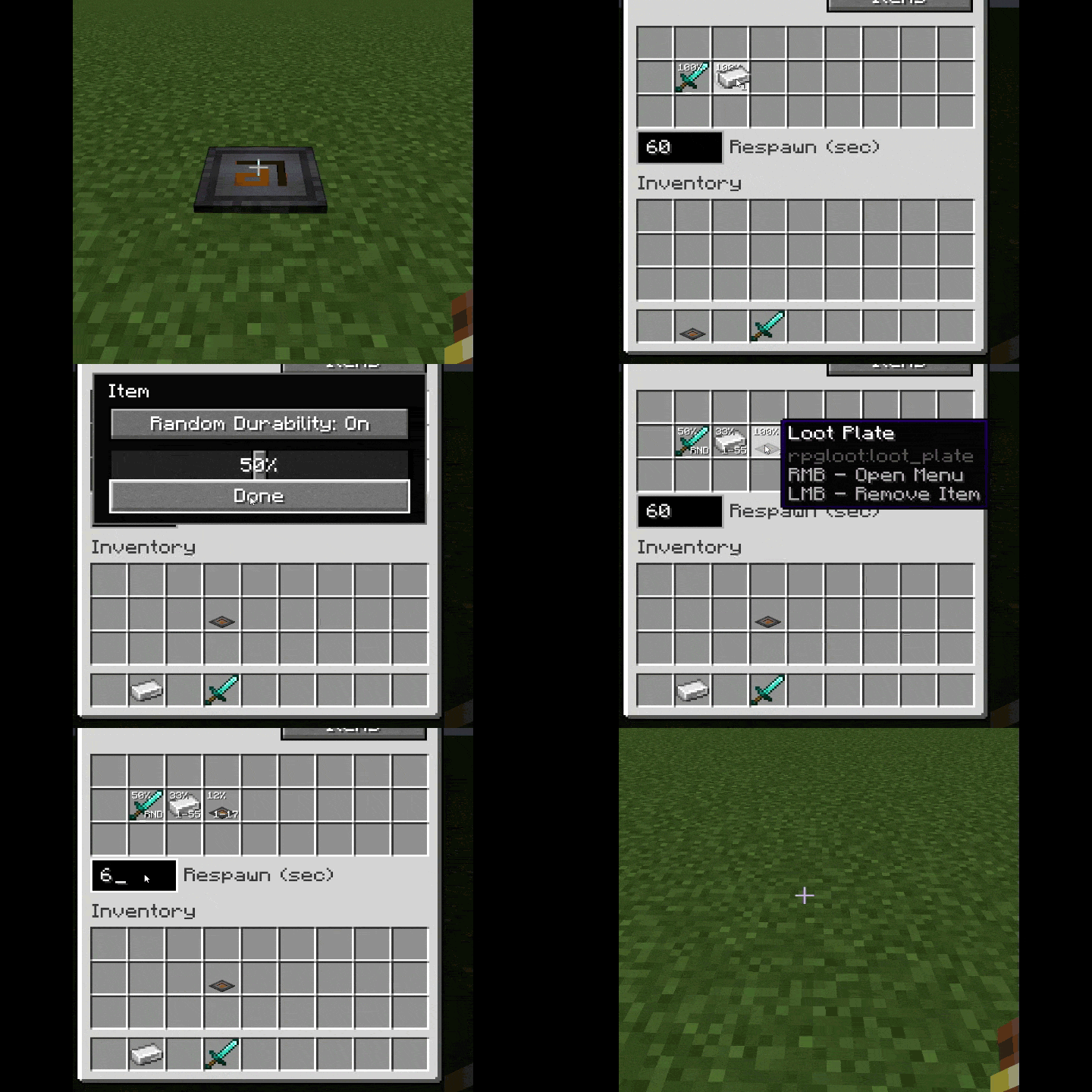
Props look like junk, storage, or furniture. Hold use to search, then open a chest-style inventory. They support template items or loot-table mode, a configurable search time, full and empty models, open sounds, and a respawn timer. Optional “needs tool” mode only opens with a matching held item — tools lose durability, stackables are consumed. The server times the search, so the container cannot open early.
Turns a vanilla container (chest, barrel, hopper, dispenser, dropper, shulker box, and more) into a CTS loot container while keeping its look. Confirm before converting; use the wand again to revert. Double chests are not supported. A loot table already on the chest is kept. Saved items are kept when there is no table. Modded chests in #cts:chest_like can be converted too.
An in-game book for building chest loot tables and exporting JSON for datapacks and map folders. Entries support chance, stack size, random durability, and random enchantments, plus tag slips with member preview and filters. After exporting to .minecraft, run /exportlt or /cts exportlt in the world to embed them, then /reload. 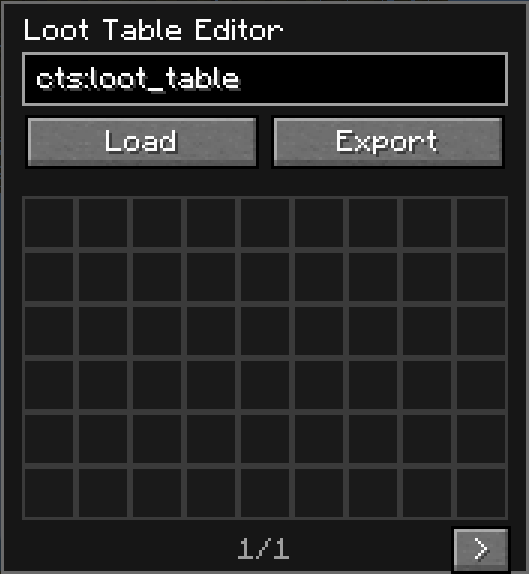
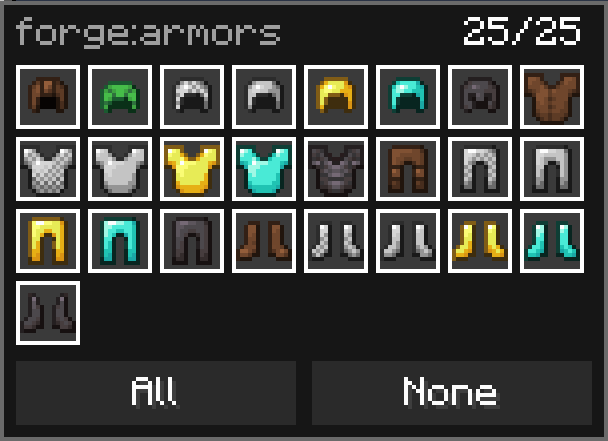
Drop a tag slip into any loot slot on a plate, prop, or book. Pick an item or block tag, preview members, then choose All, None, or a custom subset. Selected members can roll on their own when exported; damageable and enchantable items still support random durability and enchantments. 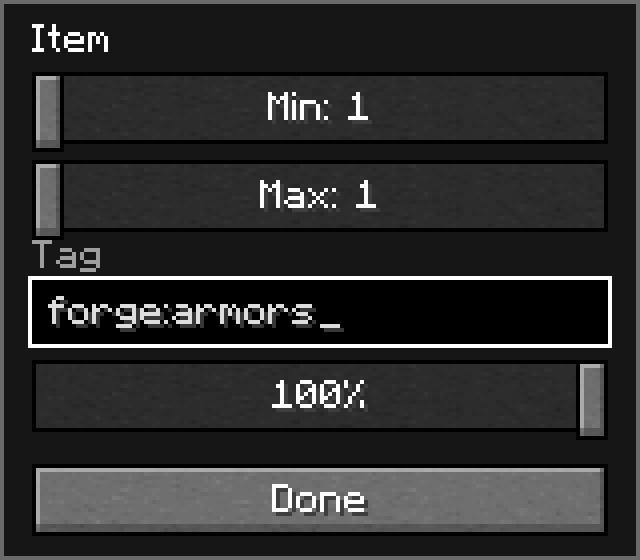
A creative catalog of saved containers. Shift-right-click a configured container to save it, then place that entry again. The screen is a searchable list plus a detail card: item slots with chance chips, or the loot-table id when the container uses a table. The catalog is stored in config/cts/chest_library.nbt, so it is the same in every world.
Airdrops send a parachute crate into the world — once in an area, or on a timer around a point. Players get a radio warning, then the crate falls with a parachute and opens as searchable loot. A cargo plane can fly over and drop that same crate (airdrop.plane, on by default). The flight lasts as long as the flyover sound. The crate glows, smoke rises from the center, and breaking any part breaks the whole drop. Turn the plane off and the crate still appears in the sky. 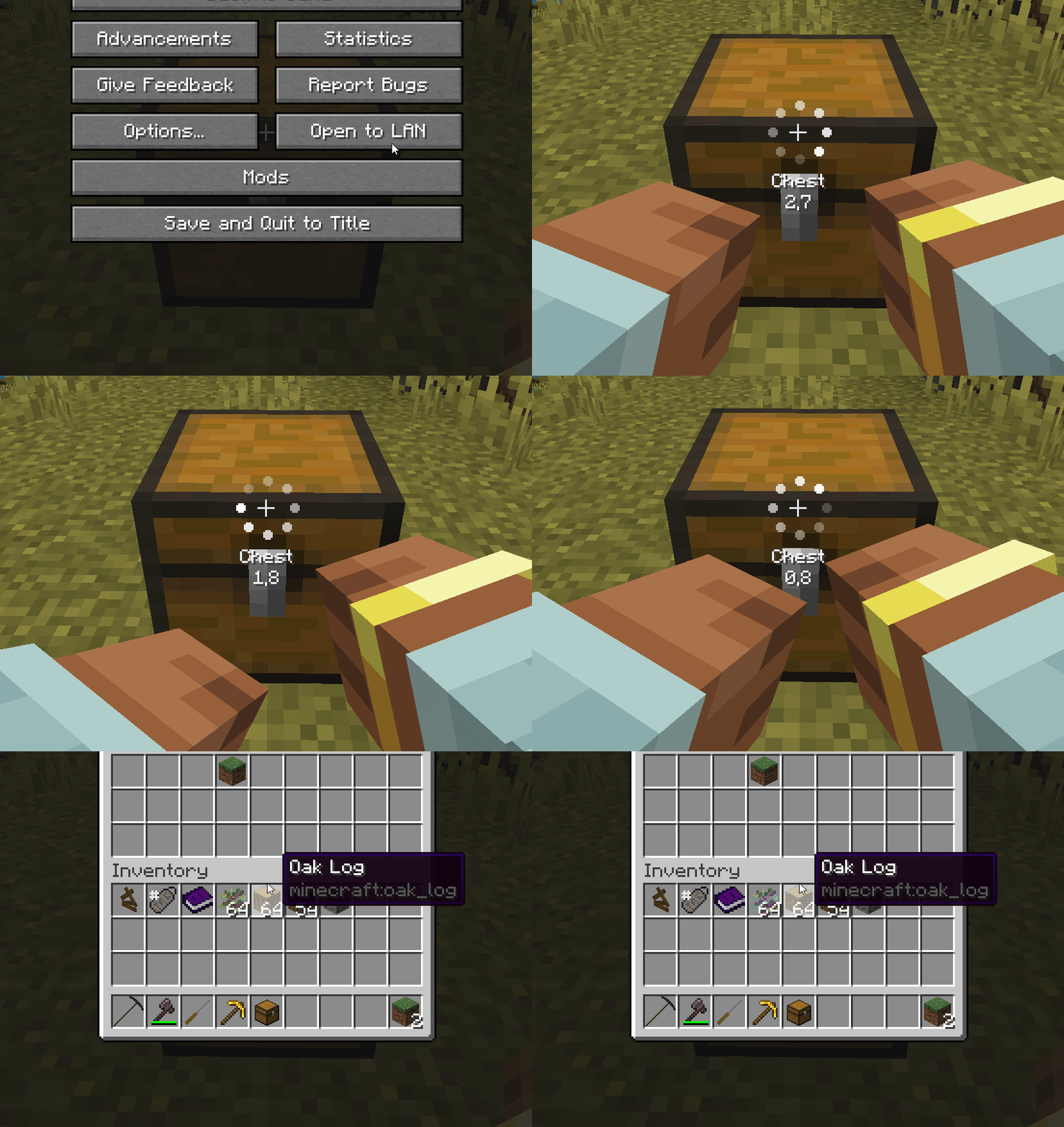 Commands
/cts airdrop x1 z1 x2 z2 [loot_table] — one drop somewhere inside the area/cts airdrop auto <radius> <minutes> [loot_table] — keep dropping around the spot where you ran the command/cts airdrop auto status — radius, interval, and time until the next drop/cts airdrop auto clear — turn automatic drops off/cts refill — refill the container you are looking at/cts refill nearby [radius] — nearby containers, default 16, capped at 64/cts refill all confirm — loaded containers in this dimension/cts inspect — mode, loot, timers, per-player state, and the required toolIf you omit the loot table, CTS uses the default from config (config/cts-common.toml / Mods → CTS → Config), usually cts:airdrop.
In Creative, open the CTS tab (Props, Blocks, Breakables). Shift + right-click a configured block to edit it. Survival players never see the config UI. Per-player loot is off by default. When it is on, each player gets their own roll. Refill can replace the contents right away or wait until the container is empty. The timer keeps running while the container is open and while the chunk is unloaded. Airdrops stay shared and one-shot. Open the pause menu → Mods to reach CTS settings (default respawn time, default airdrop loot table, and the refill sound). Blocks you already placed keep their own timers. Optional JEI adds a CTS loot page and lets you drag an item into a container template. Optional KubeJS can listen for CtsEvents.lootRolled, containerOpened, containerRefilled, and airdropLanded. 
Bugs, balance notes, and ideas: join the Discord — yab1oko mods.
Project description from CurseForge.
Pick your setup
Choose the version and loader you play, then open the matching release.
Check the dependencies, then try the file in a copied instance before changing a world you care about.
Recent files
24 Nov 2026
8 Nov 2026
23 Oct 2026
4 Oct 2026
4 Oct 2026
1 Oct 2026
1 Oct 2026
30 Sept 2026
30 Sept 2026
29 Sept 2026
27 Sept 2026
Looking for an older file? The official CurseForge project page is in Resources.
 mod
Improve daily quality of life by adding better search logic to JEI
 mod
Spore: cold and hardness enhances Fungal Infection: Spore with snowball-based infection cleaning, automatic Snow Golem targeting, progressive Frostbite, bile freezing, and configurable damage to Hyper Evolved mobs when they destroy blocks.
 mod
This is an addon for Roughly Enough Items (REI). It does not replace REI and keeps all vanilla REI behaviors unchanged.