ShatterLib | OctoLib Needed by stellara-neoforge-26.3-0.1.4.jar
requiredMatching file found Matched file: shatterlib-neoforge-0.7.0-beta.5+26.3.jar
CurseForge · Minecraft mod
Custom skyboxes for different biomes
Quick answer
stellara-neoforge-26.3-0.1.4.jar targets 26.3 with NeoForge. The project page does not say whether this file belongs on the client, dedicated server, or both. All 1 required mods have matching files.
Where it goes
The project page does not say whether this file belongs on the client, dedicated server, or both.
The source does not explicitly classify this release as client-only or server-only.
stellara-neoforge-26.3-0.1.4.jar. Change the file and its required mods may change too.
Install ShatterLib | OctoLib first. We found matching files for this game-version and loader setup.
We only count dependency files that match this setup. A file for another loader does not fill the gap.
Before you install it
Built for stellara-neoforge-26.3-0.1.4.jar. Pick another file and the loader, install side or required mods may change.
Use stellara-neoforge-26.3-0.1.4.jar. It targets 26.3 with NeoForge; another release may have different loader, side or dependency requirements.
Install ShatterLib | OctoLib first. We found matching files for this game-version and loader setup.
The project page does not say whether this file belongs on the client, dedicated server, or both.
Use the “Get this file” button beside stellara-neoforge-26.3-0.1.4.jar. It opens that exact file at the source.
About this project
Stellara is a client-side visual mod that replaces Minecraft’s default night sky with custom skyboxes that depend on the biome or dimension.
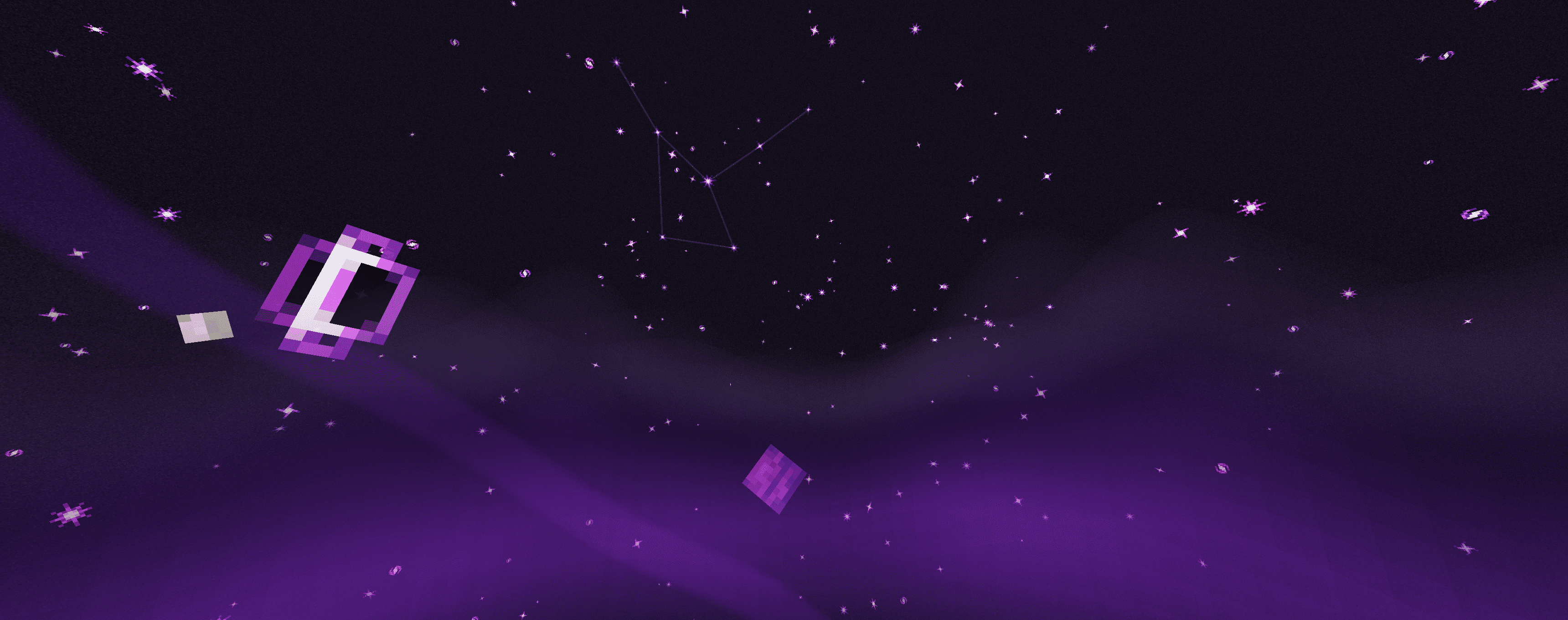
The mod adds stars, planets, moons, constellations, shooting stars, auroras, sky color tints, light ribbons, and other decorative elements to the sky. In different biomes, the sky may vary in color, object set, and overall atmosphere.
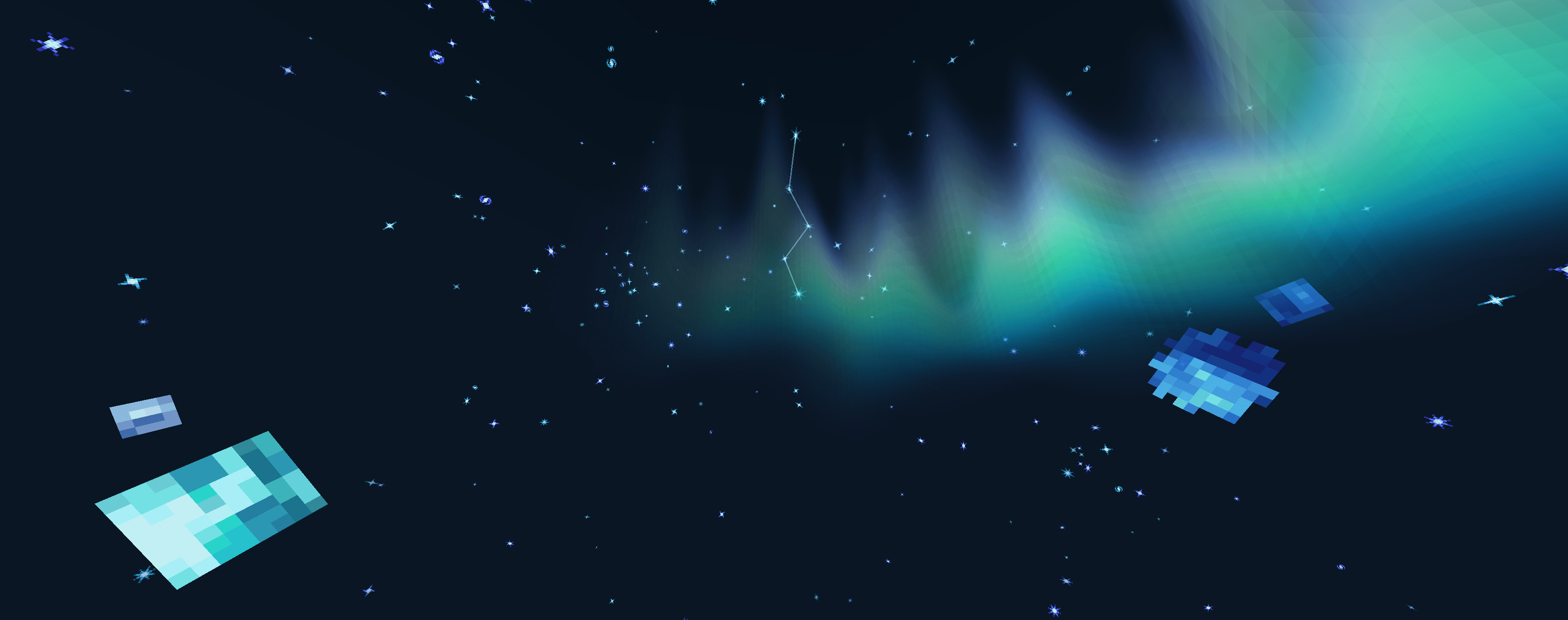
The skybox system is data-driven: all sky variants are defined using JSON files and can be delivered through datapacks. These files allow you to create new skyboxes, change the conditions under which they appear, configure visual layers, and combine different types of sky objects without modifying the mod’s code.


Required dependencies:

Q: Can I use your mod in a modpack?
A: Yes, feel free to include it.
Q: Can I repost your mod to another resource?
A: No, you cannot.

WANT TO TRY OUT OUR OTHER MODS? - VISIT SHATTERBYTE.COM FOR MORE INFO!
Project description from CurseForge.
Pick your setup
Choose the version and loader you play, then open the matching release.
Check the dependencies, then try the file in a copied instance before changing a world you care about.
Recent files
5 Nov 2026
5 Nov 2026
2 Nov 2026
2 Nov 2026
30 Oct 2026
30 Oct 2026
30 Oct 2026
30 Oct 2026
24 Oct 2026
24 Oct 2026
22 Oct 2026
22 Oct 2026
Looking for an older file? The official CurseForge project page is in Resources.
 mod
This mod adds animations to a bunch of interactable blocks like doors, trapdoors, levers, buttons, jukeboxes but also swinging lanterns and much more! It makes everything smooth
 mod
Find Out what the Prairie Holds in store to explore.
 mod
A data-driven enchantment component and utility library.