Minecraft version
Back to mods 
Modrinth · Minecraft mod
Stellara
Custom skyboxes for different biomes
Choose a version Pick your version below, then grab the matching file.
Quick answer
Which Stellara release should I use?
Latest stable file 0.1.4
Game version 26.3
Loader NeoForge
Stellara 0.1.4 targets 26.3 with NeoForge. It must be installed on the client. Do not install it on the dedicated server. No extra mods listed for this file.
Where it goes
Is Stellara required on the client, server, or both?
It must be installed on the client. Do not install it on the dedicated server.
Client Required
Dedicated server Not supported
Loader for this release NeoForge
Required install it here Optional supported, not mandatory Not supported do not install here Source doesn’t say do not assume
This file is marked client-only.
What else does Stellara 0.1.4 need?
0.1.4. Change the file and its required mods may change too.
This file does not list any required mods. Do not add a library just because a different file uses it.
This file does not list any required or optional mods.
Before you install it
Add Stellara without breaking your instance.
Built for Stellara 0.1.4. Pick another file and the loader, install side or required mods may change.
- 01
Stick to this file
Use 0.1.4. It targets 26.3 with NeoForge; another release may have different loader, side or dependency requirements.
- 02
Bring the mods it needs
This file does not list any required mods. Do not add a library just because a different file uses it.
- 03
Put it on the correct side
It must be installed on the client. Do not install it on the dedicated server.
- 04
Pick the file you checked
Use the “Get this file” button beside 0.1.4. It opens that exact file at the source.
About this project
What does Stellara add?
Stellara is a client-side visual mod that replaces Minecraft’s default night sky with custom skyboxes that depend on the biome or dimension.
The mod adds stars, planets, moons, constellations, shooting stars, auroras, sky color tints, light ribbons, and other decorative elements to the sky. In different biomes, the sky may vary in color, object set, and overall atmosphere.
The skybox system is data-driven: all sky variants are defined using JSON files and can be delivered through datapacks. These files allow you to create new skyboxes, change the conditions under which they appear, configure visual layers, and combine different types of sky objects without modifying the mod’s code.
Project description from Modrinth.
Pick your setup
Stellara by Minecraft version and loader
Choose the version and loader you play, then open the matching release.
Minecraft version
26.1.2
2 loader buildsMinecraft version
1.21.1
2 loader buildsMinecraft version
1.20.1
2 loader buildsCheck the dependencies, then try the file in a copied instance before changing a world you care about.
Recent files
Stellara versions and loaders
0.1.4
stellara-neoforge-26.3-0.1.4.jar
5 Nov 2026
Client Required Server Not supported Dependencies No extras listed Listed on Release listing
Check the 26.3 · NeoForge setup 26.3NeoForge release
0.1.4
stellara-fabric-26.3-0.1.4.jar
5 Nov 2026
Client Required Server Not supported Dependencies 1 required · 1 unchecked Listed on Release listing
Check the 26.3 · Fabric setup 26.3Fabric release
0.1.4
stellara-neoforge-26.1.2-0.1.4.jar
2 Nov 2026
Client Required Server Not supported Dependencies No extras listed Listed on Release listing
Check the 26.1.2 · NeoForge setup 26.1.2NeoForge release
0.1.4
stellara-fabric-26.1.2-0.1.4.jar
2 Nov 2026
Client Required Server Not supported Dependencies 1 required · 1 unchecked Listed on Release listing
Check the 26.1.2 · Fabric setup 26.1.2Fabric release
0.1.4
stellara-forge-1.20.1-0.1.4.jar
30 Oct 2026
Client Required Server Not supported Dependencies No extras listed Listed on Release listing
Check the 1.20.1 · Forge setup 1.20.1Forge release
0.1.4
stellara-fabric-1.20.1-0.1.4.jar
30 Oct 2026
Client Required Server Not supported Dependencies 1 required · 1 unchecked Listed on Release listing
Check the 1.20.1 · Fabric setup 1.20.1Fabric release
0.1.4
stellara-neoforge-1.21.1-0.1.4.jar
30 Oct 2026
Client Required Server Not supported Dependencies No extras listed Listed on Release listing
Check the 1.21.1 · NeoForge setup 1.21.1NeoForge release
0.1.4
stellara-fabric-1.21.1-0.1.4.jar
30 Oct 2026
Client Required Server Not supported Dependencies 1 required · 1 unchecked Listed on Release listing
Check the 1.21.1 · Fabric setup 1.21.1Fabric release
0.1.3
stellara-fabric-1.21.1-0.1.3.jar
24 Oct 2026
Client Required Server Not supported Dependencies 1 required · 1 unchecked Listed on Release listing
Check the 1.21.1 · Fabric setup 1.21.1Fabric release
0.1.3
stellara-neoforge-1.21.1-0.1.3.jar
24 Oct 2026
Client Required Server Not supported Dependencies 1 required · 1 unchecked Listed on Release listing
Check the 1.21.1 · NeoForge setup 1.21.1NeoForge release
0.1.2
stellara-neoforge-1.21.1-0.1.2.jar
22 Oct 2026
Client Required Server Not supported Dependencies 1 required · 1 unchecked Listed on Release listing
Check the 1.21.1 · NeoForge setup 1.21.1NeoForge release
0.1.2
stellara-fabric-1.21.1-0.1.2.jar
22 Oct 2026
Client Required Server Not supported Dependencies 1 required · 1 unchecked Listed on Release listing
Check the 1.21.1 · Fabric setup 1.21.1Fabric release
Looking for an older file? The official Modrinth project page is in Resources.
 mod
CurseForge + Modrinth · Minecraft
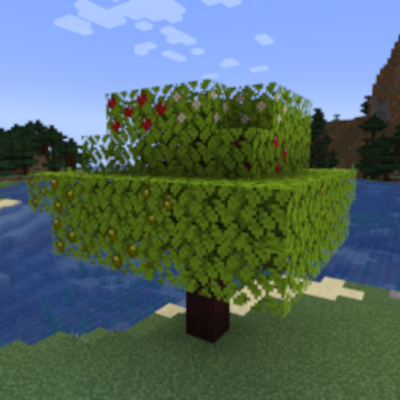
Apple Saplings
A simple mod that adds apple saplings whose leaves grow apples. Also includes applewood logs and their associated items!
 mod
CurseForge + Modrinth · Minecraft
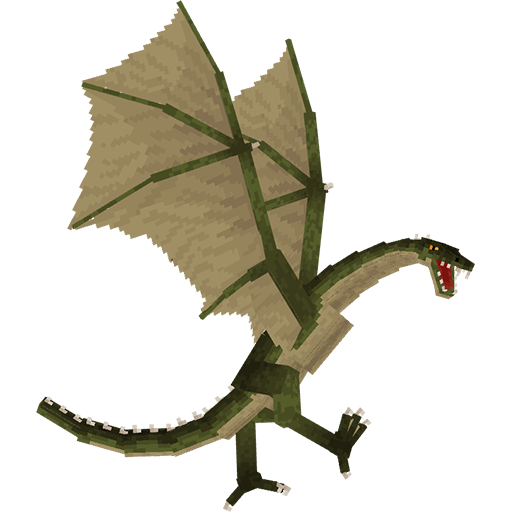
Useless Reptile
Adds a dragons that you can tame (and sometimes ride)
 mod
CurseForge + Modrinth · Minecraft
Enchantment Core
A data-driven enchantment component and utility library.