Fabric API Needed by Redstone Inspector redstone_inspector-0.1.0.jar
requiredMatching file found Matched file: [26.1.2] Fabric API 0.155.3+26.1.2
CurseForge · Minecraft mod
Next-generation suite to inspect and debug your redstone!
Quick answer
Redstone Inspector redstone_inspector-0.1.0.jar targets 26.1.2 with Fabric. The project page does not say whether this file belongs on the client, dedicated server, or both. All 1 required mods have matching files.
Where it goes
The project page does not say whether this file belongs on the client, dedicated server, or both.
The source does not explicitly classify this release as client-only or server-only.
redstone_inspector-0.1.0.jar. Change the file and its required mods may change too.
Install Fabric API first. We found matching files for this game-version and loader setup.
We only count dependency files that match this setup. A file for another loader does not fill the gap.
Before you install it
Built for Redstone Inspector redstone_inspector-0.1.0.jar. Pick another file and the loader, install side or required mods may change.
Use redstone_inspector-0.1.0.jar. It targets 26.1.2 with Fabric; another release may have different loader, side or dependency requirements.
Install Fabric API first. We found matching files for this game-version and loader setup.
The project page does not say whether this file belongs on the client, dedicated server, or both.
Use the “Get this file” button beside redstone_inspector-0.1.0.jar. It opens that exact file at the source.
About this project
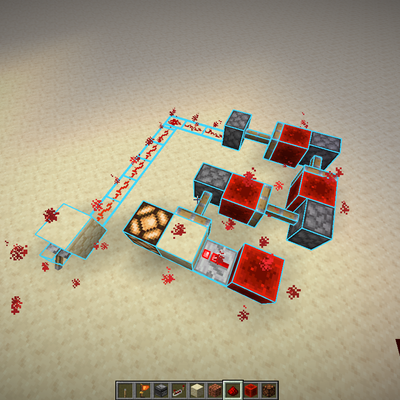
Redstone Inspector is a debug tookit for redstone builders(but you'll find it convenient even if you don't do redstone much!)
The Redstone suite of features you never knew you wanted, but after you use them, you won't want it any other way.
Major Update incoming in less than a month.
40+ features and counting!
X) - Shift+scroll to peel up to 8 layers of solid blocks. Break and interact target the selected layer..) - look at a wire, hit one key, see every block on the same logical redstone network.J) - single place to toggle every overlay, rebind every key (with modifier support e.g. Shift+H).| Item | What it does |
|---|---|
| Flux Goggles | Equip in head slot. Grants night vision, paints powered redstone blocks within 10 with a soft overlay, reveals all Signal Tag labels and region brackets within 10. Required for X-Ray and region rendering. |
| Signal Labeler | Right-click a block → label editor. Sneak + right-click → remove. Labels render only while wearing Flux Goggles. |
| Region Labeler | Left-click corner A, right-click corner B → region edit screen (name + color). Right-click an existing region → re-edit. Sneak + left-click → clear selection. |
| Variable Power Block | Place anywhere. Right-click to step emitted power 0→15. Sneak + right-click decrements. Acts as a redstone source at the chosen level. |
Items live in the Creative tab Redstone Inspector. Admin-only tools (Region Locks) live in Redstone Inspector > Admin. |
All three live in the Creative tab Redstone Inspector.
X) - peels solid blocks layer-by-layer (Shift+scroll for depth). Break and right-click hit the selected layer via a server-side raycast.M) - flip between Line (single column) and Radius (sphere, redstone-aware peel).G) - render peeled blocks as ghosts instead of hiding them.N) - pass break / right-click through ghosted peel.I) - sphere of fade around you. Hidden circuitry pops.O) - labeled regions stay opaque inside Global Ghost.P) - hide specific block ids or whole regions from the renderer..) - highlight every block on the same logical network as your target.H) - open the label editor for the block under the crosshair, no item required./tick freeze integration) so you can inspect pulses frame-by-frame.K) - rectangular selection with corner markers. Grab & Move follows your cursor and rotates with you; flood-fill picker (BFS, cap 1024); per-row clear / copy / paste.Y) - left-click cycles a block's facing instead of breaking it.C) - right-click swaps the targeted block with what you're holding (coexists with Rotate Mode on left-click).Z / Shift+Z) - server-side, covers vanilla place/break, Replace, Air Placement, Rotate, and Grab & Move.R) + Regions List (L) - toggle all bboxes, or browse/rename/recolor/delete/teleport per row.B / V) - view a deeper inventory row as your hotbar, then swap it in.U) - +16 blocks reach.J) - opens the keybind / toggle hub.;), Bookmarks (') - teleport waypoints with name + dimension, Command History (\) - re-run any recent dispatched command.Client only features available but best to install on Server as well.
Is this considered a cheat? Not really, it's a debug mod for Redstone. That being said, I recommend using this if the mod is installed on the server as well as you'll get all the benefits. In the case of single-player, that's whoever started the single player session, and for standalone multiplayer server, whoever is the server host. If you use it on a server you're not allowed to and get banned, that is your responsibility.
FOR FABRIC ONLY.
Project description from CurseForge.
Pick your setup
Choose the version and loader you play, then open the matching release.
Check the dependencies, then try the file in a copied instance before changing a world you care about.
Recent files
23 May 2026
Looking for an older file? The official CurseForge project page is in Resources.
 mod
Chop one log and the whole tree comes down, cartoon style: it creaks, tips over, bursts into leaves and pops apart into its drops. Only needed on the server.
 mod
Simple Location Marking is a lightweight, client-side location marking mod for Minecraft Fabric, directly inspired by the Waypoints feature of Xaero's Minimap.
 mod
World backups that keep themselves: the world is zipped every hour and the oldest zips are deleted. /backup now, /backup list.