Minecraft version
Back to mods 
CurseForge · Minecraft mod
AirFPS
Displays FPS and more real-time stats within Minecraft
Choose a version Pick your version below, then grab the matching file.
Quick answer
Which AirFPS release should I use?
Latest stable file airfps-1.20.1-forge-1.0.jar
Game version 1.20.1
Loader Forge
airfps-1.20.1-forge-1.0.jar targets 1.20.1 with Forge. The project page does not say whether this file belongs on the client, dedicated server, or both. No extra mods listed for this file.
Where it goes
Is AirFPS required on the client, server, or both?
The project page does not say whether this file belongs on the client, dedicated server, or both.
Client Source doesn’t say
Dedicated server Source doesn’t say
Loader for this release Forge
Required install it here Optional supported, not mandatory Not supported do not install here Source doesn’t say do not assume
The source does not explicitly classify this release as client-only or server-only.
What else does airfps-1.20.1-forge-1.0.jar need?
airfps-1.20.1-forge-1.0.jar. Change the file and its required mods may change too.
This file does not list any required mods. Do not add a library just because a different file uses it.
This file does not list any required or optional mods.
Before you install it
Add AirFPS without breaking your instance.
Built for airfps-1.20.1-forge-1.0.jar. Pick another file and the loader, install side or required mods may change.
- 01
Stick to this file
Use airfps-1.20.1-forge-1.0.jar. It targets 1.20.1 with Forge; another release may have different loader, side or dependency requirements.
- 02
Bring the mods it needs
This file does not list any required mods. Do not add a library just because a different file uses it.
- 03
Put it on the correct side
The project page does not say whether this file belongs on the client, dedicated server, or both.
- 04
Pick the file you checked
Use the “Get this file” button beside airfps-1.20.1-forge-1.0.jar. It opens that exact file at the source.
About this project
What does AirFPS add?
AirFPS
A very lightweight client-side mod that adds an FPS counter and other useful info to your screen without cluttering it.
Features
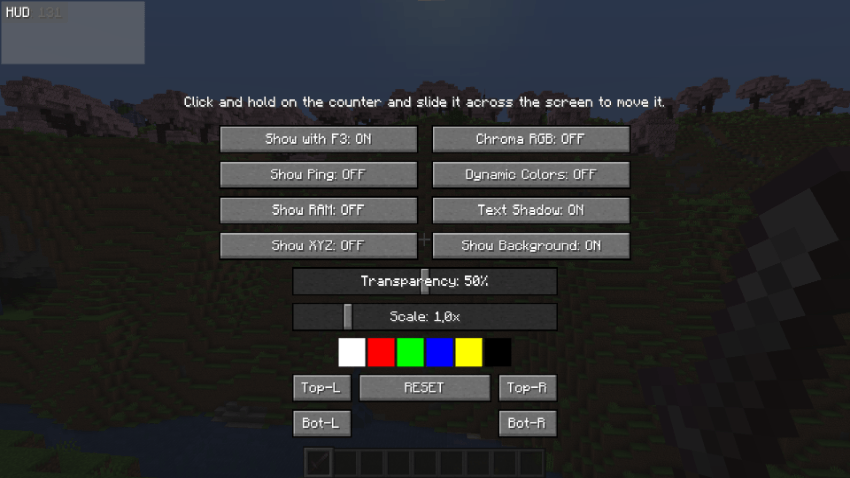
- In-game config menu: Press
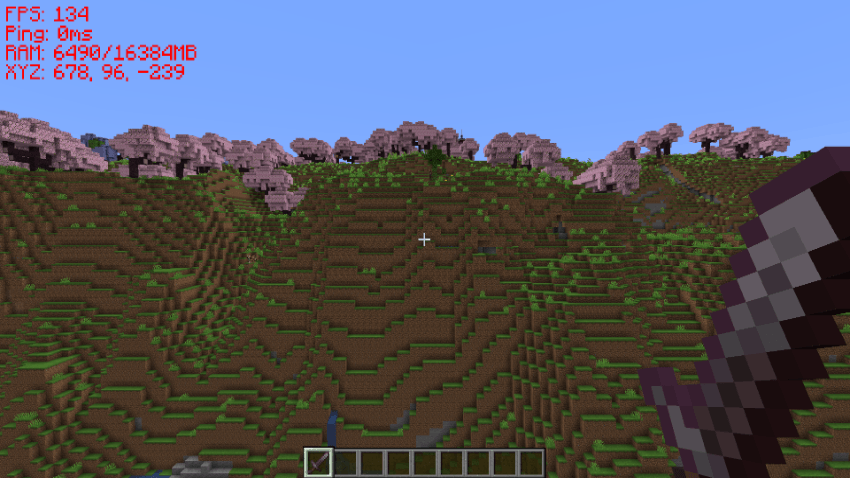
F9(can be changed in the game's keybind settings) to open the AirFPS panel. - Optional modules: Besides FPS, you can toggle extra lines to see your real Ping on servers, RAM usage, or your coordinates (X, Y, Z).
- Free positioning: While in the menu, you can simply click and drag the HUD to wherever you want on your screen. I've also included 4 quick-snap buttons if you want to align it perfectly to any of the corners.
- Visual customization: Change the text scale to fit your monitor; Adjust the dark background opacity or remove it completely & Toggle the default Minecraft text shadow on or off
- Colors & RGB: The text can have a fixed color, or you can enable "Dynamic Colors" (turns green if you're above 60 FPS, yellow if you drop to 30, and red if it's lagging). There's also an option to enable an animated Chroma (RGB) effect.
- Client-side: Since it's a purely visual mod, you only need to install it on your client. You can use it on any server without issues.
Screenshots
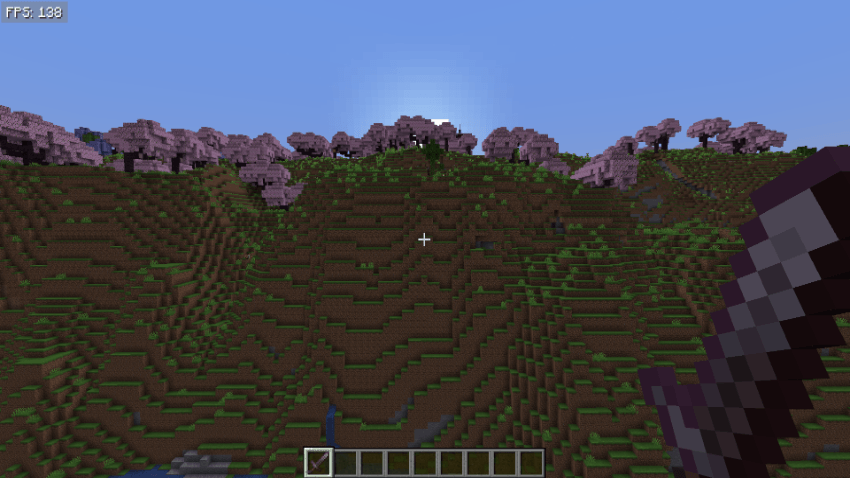
Installation
DOWNLOAD ONLY FROM SECURE SOURCES!
This is the only official CurseForge page for downloading AirFPS. DO NOT DOWNLOAD FROM OTHER SITES OF DUBIOUS ORIGIN!
Project description from CurseForge.
Pick your setup
AirFPS by Minecraft version and loader
Choose the version and loader you play, then open the matching release.
Check the dependencies, then try the file in a copied instance before changing a world you care about.
Recent files
AirFPS versions and loaders
airfps-1.20.1-forge-1.0.jar
24 May 2026
Client Source doesn’t say Server Source doesn’t say Dependencies No extras listed Listed on Release listing
Check the 1.20.1 · Forge setup 1.20.1Forge release
Looking for an older file? The official CurseForge project page is in Resources.
 mod
mod CurseForge · Minecraft
MineCoin: Economy & Trade
Complete physical economy system with tiered coins, functional wallets, lottery scratch-offs, and player-to-player auctions.
 mod
mod CurseForge · Minecraft
Cinematic Zoom
Not just a boring zoom a full kit for your cinematics in Minecraft
 mod
mod CurseForge · Minecraft
Vitrail Shaders
OptiFine-format shader packs, on Minecraft's native Vulkan renderer