Fabric API Optional for Vitrail Shaders v0.6.0-beta (Neo/Fabric)
optionalMatching file found Matched file: [26.2] Fabric API 0.158.0+26.2

CurseForge · Minecraft mod
OptiFine-format shader packs, on Minecraft's native Vulkan renderer
Quick answer
Vitrail Shaders v0.6.0-beta (Neo/Fabric) targets 26.2 with Fabric, NeoForge. The project page does not say whether this file belongs on the client, dedicated server, or both. All 2 required mods have matching files.
Where it goes
The project page does not say whether this file belongs on the client, dedicated server, or both.
The source does not explicitly classify this release as client-only or server-only.
v0.6.0-beta (Neo/Fabric). Change the file and its required mods may change too.
Install (Sodium) Chloride, Sodium first. We found matching files for this game-version and loader setup.
We only count dependency files that match this setup. A file for another loader does not fill the gap.
Before you install it
Built for Vitrail Shaders v0.6.0-beta (Neo/Fabric). Pick another file and the loader, install side or required mods may change.
Use v0.6.0-beta (Neo/Fabric). It targets 26.2 with Fabric, NeoForge; another release may have different loader, side or dependency requirements.
Install (Sodium) Chloride, Sodium first. We found matching files for this game-version and loader setup.
The project page does not say whether this file belongs on the client, dedicated server, or both.
Use the “Get this file” button beside v0.6.0-beta (Neo/Fabric). It opens that exact file at the source.
About this project
Minecraft ships a native Vulkan renderer alongside the OpenGL one. Every shader pack that exists today was written for OpenGL, and none of them run on it.
Vitrail runs them anyway, unmodified. It reads an OptiFine-format pack out of shaderpacks/, translates its GLSL once when the pack loads, and runs its frame on the Vulkan backend. What reaches the driver is SPIR-V: a compiler that runs at load time, not a shim that runs per frame.
Vitrail is the engine, not the pack. It ships none of its own, and cannot bundle one: the packs belong to their authors and their licences do not allow redistribution. Bring your own, exactly as you would with OptiFine or Iris.
Start with one of these. They are the packs I run against daily.
* Complementary: Very High and Ultra ask for Iris in red and switch their coloured lighting off. Every profile below is fine, and so are those two with Colored Lighting off.
BSL: its waving foliage shimmers while the camera stands still, issue #62.
Also tried: Sildur's Vibrant, drawn except for its water, and Reverie, refused at load because it declares graphics features this backend does not serve.
A pack that is not named here is not thereby unsupported: it is a pack I have not loaded, and the format is the format. The table of packs actually tried says what I have seen with each.
The Vulkan backend is marked experimental by the game itself: the setting you have to turn on reads "Prefer Vulkan (Experimental)". Vitrail is early in its life, and it is one person's experiment: it runs, it looks good where it works, and it is not finished.
The world goes through your pack. A few families of geometry do not yet, and some of them come out wrong rather than absent, which on some packs shows the moment you load a world. What is through and what is not moves release by release, so the picture a pack gives you changes from one release to the next.
If what you want today is a finished picture, use Iris on the OpenGL backend instead. It does that job well, and it is the reference this engine is checked against. Vitrail is for people who want the Vulkan backend on and will trade image quality for it in the meantime.
Installing pulls everything Vitrail needs, but two things no installer does for you.
Switch the game to Vulkan and restart it. The setting is in Video Settings, "Prefer Vulkan (Experimental)", and the backend is picked when the game boots, so it takes effect on the next launch.
Turn five of Chloride's own settings off. All five are in the same Video Settings screen, and left on they take blocks and mobs out of the picture before your pack is ever asked; Vitrail also names any it finds on in the log at startup.
On the Performance page, Sodium's own, where Chloride adds these two, turn off:
On the Entities page, turn off:
The same five live in config/chloride-client.toml if you would rather edit the file, and the install guide names them there, along with installing by hand and what to check when nothing happens at all. Client only, and do not run another shader engine alongside.
Distant Horizons draws simplified terrain far past your render distance, its LODs, and Vitrail hands them to your pack: the land and the water go through the pack's own dh_terrain and dh_water programs. They do not enter the pack's shadow map yet.
It needs a patched build, and I publish one for 26.2, one jar for both loaders:
Distant Horizons patched for Vitrail
Install this one by hand, no launcher will pull it, and leave no other Distant Horizons jar beside it. The release page says the rest.
The source, what goes through a pack today and the full compatibility notes are all at Vitrail-Shaders.
LGPL-3.0-only. Vitrail reuses code from Iris under the same licence, the implementation the packs are written against today; what was taken is recorded file by file in the project's NOTICE.
Project description from CurseForge.
Pick your setup
Choose the version and loader you play, then open the matching release.
Check the dependencies, then try the file in a copied instance before changing a world you care about.
Recent files
vitrail-0.6.0-beta+mc26.2.jar
19 Aug 2026
vitrail-0.5.0-beta.1+mc26.2.jar
19 Aug 2026
vitrail-fabric-0.4.1-beta.1+mc26.2.jar
19 Aug 2026
vitrail-neoforge-0.4.1-beta.1+mc26.2.jar
19 Aug 2026
vitrail-fabric-0.4.0-beta.1+mc26.2.jar
19 Aug 2026
vitrail-neoforge-0.4.0-beta.1+mc26.2.jar
19 Aug 2026
vitrail-fabric-0.3.0-alpha.1+mc26.2.jar
16 Aug 2026
vitrail-neoforge-0.3.0-alpha.1+mc26.2.jar
16 Aug 2026
vitrail-fabric-0.2.0-alpha.1+mc26.2.jar
14 Aug 2026
vitrail-neoforge-0.2.0-alpha.1+mc26.2.jar
14 Aug 2026
vitrail-neoforge-0.1.0-alpha.1+mc26.2.jar
14 Aug 2026
Looking for an older file? The official CurseForge project page is in Resources.
 mod
modA project can translate you sodium mod into Chinese
 mod
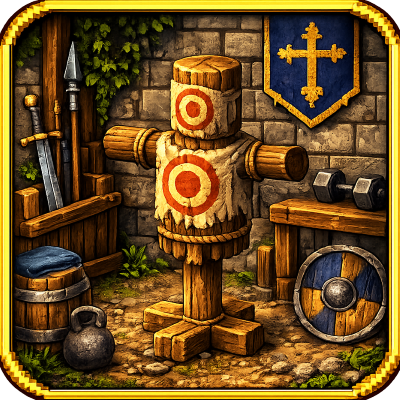
modAdds a place-able training decoy — a stationary, customisable target dummy for testing or adding NPC characters to your world.
 mod
modThis mod lets you edit custom set effects through a visual GUI with intuitive operations.