Cloth Config API (Fabric/Forge/NeoForge) Needed by CrosshairTarget Filter crosshairtargetfilter-1.1.2-neoforge
requiredMatching file found Matched file: [NeoForge 26.2] v26.2.155

CurseForge · Minecraft mod
A Minecraft mod that allows you to interact pass through specified entities or blocks.
Quick answer
CrosshairTarget Filter crosshairtargetfilter-1.1.2-neoforge targets 1.21, 1.21.8, 1.20.5 with NeoForge. The project page does not say whether this file belongs on the client, dedicated server, or both. 1 required mod needs checking.
Where it goes
The project page does not say whether this file belongs on the client, dedicated server, or both.
The source does not explicitly classify this release as client-only or server-only.
crosshairtargetfilter-1.1.2-neoforge. Change the file and its required mods may change too.
Install Cloth Config API (Fabric/Forge/NeoForge), project SQoni9E3 first. 1 required mod still needs checking for this exact setup.
We only count dependency files that match this setup. A file for another loader does not fill the gap.
Before you install it
Built for CrosshairTarget Filter crosshairtargetfilter-1.1.2-neoforge. Pick another file and the loader, install side or required mods may change.
Use crosshairtargetfilter-1.1.2-neoforge. It targets 1.21, 1.21.8, 1.20.5 with NeoForge; another release may have different loader, side or dependency requirements.
Install Cloth Config API (Fabric/Forge/NeoForge), project SQoni9E3 first. 1 required mod still needs checking for this exact setup.
The project page does not say whether this file belongs on the client, dedicated server, or both.
Use the “Get this file” button beside crosshairtargetfilter-1.1.2-neoforge. It opens that exact file at the source.
About this project
CrosshairTarget Filter is a Minecraft mod that allows your crosshair to pass through ANY entity or block specified in the configuration and pick the interactive target behind it. This mod requires Cloth Config to manage the configuration.
WARNING: THIS MOD MAY BE AGAINST THE RULES OF YOUR SERVER, USE IT AT YOUR OWN RISK!
This mod features two keybindings that conveniently toggle the filters on/off, initially unassigned. You can filter the targets in two ways - whitelist and blacklist, they are stored separately in the configuration and only take effects if the corresponding filter type is selected. The rules for whitelist and blacklist are as follows:
For naming conventions of list elements, please read further:
Entities can be filtered by type, tag, category or name.
<namespace>:<registryName>, such as minecraft:pig, which can be found in the target entity section of F3 debug overlay.#<namespace>:<registryName>, such as #minecraft:undead, which can be found in Minecraft Wiki or below the target entity section of F3 debug overlay since 26.1.[<category>], such as [MONSTER]. As of 26.2, there are 8 categories in total:CREATURE category."<name>", such as "Example".Blocks can be filtered by type or tag.
<namespace>:<registryName>, such as minecraft:stone, which can be found in the target block section of F3 debug overlay.#<namespace>:<registryName>, such as #minecraft:logs, which can be found below the target block section of F3 debug overlay.Project description from CurseForge.
Pick your setup
Choose the version and loader you play, then open the matching release.
Showing the newest 12 of 34 game versions. Older files are in the list below.
Check the dependencies, then try the file in a copied instance before changing a world you care about.
Recent files
crosshairtargetfilter-1.1.2-neoforge-1.20.5+.jar
17 Sept 2026
crosshairtargetfilter-1.1.2-fabric-26.1+.jar
17 Sept 2026
crosshairtargetfilter-1.1.1-neoforge-1.20.5+.jar
29 Jul 2026
crosshairtargetfilter-1.1.1-fabric+1.17-1.21.11.jar
29 Jul 2026
crosshairtargetfilter-1.1.1-forge+1.17-1.20.4.jar
29 Jul 2026
crosshairtargetfilter-1.1.1-fabric-26.1+.jar
29 Jul 2026
28 Jul 2026
28 Jul 2026
28 Jul 2026
28 Jul 2026
20 Jun 2026
20 Jun 2026
Looking for an older file? The official CurseForge project page is in Resources.
 mod
modThrow it like a normal egg — a 3-block-wide bridge builds itself beneath you.像扔鸡蛋一样掷出,3 格宽的桥自动在你脚下铺开。
 mod
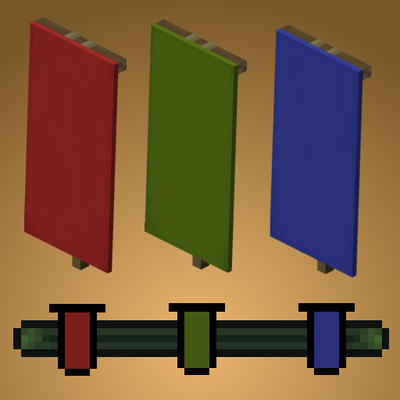
modTurn banners into locator bar waypoints
 mod
modRestricts players to using only TP-related commands, or completely disables all non-TP commands.