Leiv's Translation API Needed by Keybind Profiles_NeoForge_1.21.1 (v.2.0.0)
requiredNo matching file
CurseForge · Minecraft mod
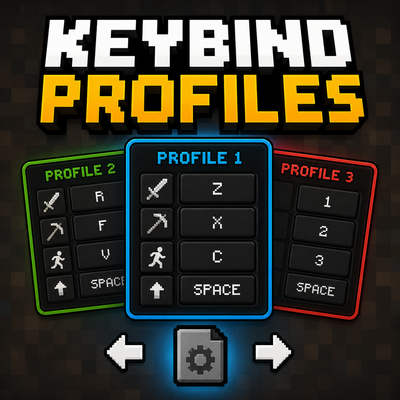
Switch between multiple keybind profiles instantly with customizable hotkeys. Easily manage different controls for PvP, building, modpacks, or any playstyle.
Quick answer
Keybind Profiles_NeoForge_1.21.1 (v.2.0.0) targets 26.2 with Fabric. The project page does not say whether this file belongs on the client, dedicated server, or both. 6 required mods need a matching file.
Where it goes
The project page does not say whether this file belongs on the client, dedicated server, or both.
The source does not explicitly classify this release as client-only or server-only.
Keybind Profiles_NeoForge_1.21.1 (v.2.0.0). Change the file and its required mods may change too.
Install Leiv's Translation API, Leiv's Network Lib, Leiv's GUI Engine, Leiv's Lib and 2 more first, but 6 required mods have no matching file for this setup. Do not mix loader builds to force a match.
We only count dependency files that match this setup. A file for another loader does not fill the gap.
Before you install it
Built for Keybind Profiles_NeoForge_1.21.1 (v.2.0.0). Pick another file and the loader, install side or required mods may change.
Use Keybind Profiles_NeoForge_1.21.1 (v.2.0.0). It targets 26.2 with Fabric; another release may have different loader, side or dependency requirements.
Install Leiv's Translation API, Leiv's Network Lib, Leiv's GUI Engine, Leiv's Lib and 2 more first, but 6 required mods have no matching file for this setup. Do not mix loader builds to force a match.
The project page does not say whether this file belongs on the client, dedicated server, or both.
Use the “Get this file” button beside Keybind Profiles_NeoForge_1.21.1 (v.2.0.0). It opens that exact file at the source.
About this project
Keybind Profiles is a lightweight NeoForge mod that allows you to instantly switch between multiple Minecraft keybind setups using customizable hotkeys.
Perfect for players who use different controls for PvP, building, modpacks, minigames, or different playstyles.
The hotkeys can be changed in the Minecraft Controls menu.
Change your controls in Minecraft settings
Switch to another profile
Set different controls
Switch back anytime instantly
Each profile stores your complete Minecraft keybind configuration automatically.
Profiles are automatically stored inside:
config/keybind_profiles/
This mod is completely client-side and does not need to be installed on servers.
Project description from CurseForge.
Pick your setup
Choose the version and loader you play, then open the matching release.
Check the dependencies, then try the file in a copied instance before changing a world you care about.
Recent files
Keybind Profiles_NeoForge_1.21.1 (v.2.0.0).jar
19 Aug 2026
Keybind_Profiles_NeoForge_1.21.1.jar
4 Aug 2026
keybind_profiles-1.0.0.jar
29 May 2026
Looking for an older file? The official CurseForge project page is in Resources.
 mod
modA mod that let you type Vietnamese in MC without Unikey or equivalence enabled
 mod
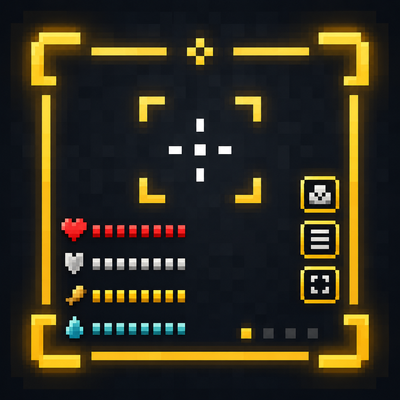
modA lightweight, fully customizable on-screen HUD system for Minecraft — drag, resize, and toggle status indicators (starting with armor durability) without touching a config file.
 mod
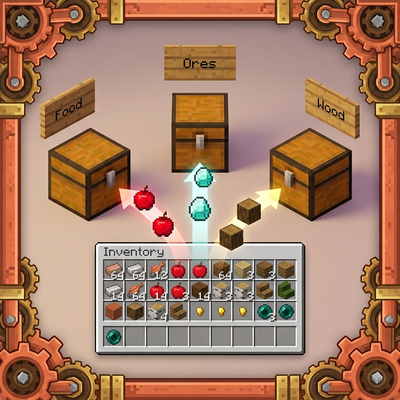
modAutomatically sorts your inventory into nearby labeled chests with slot-locking support.