Minecraft version
Back to mods 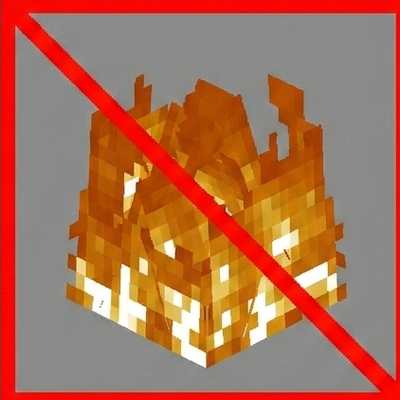
CurseForge · Minecraft mod
No Fire Overlay Plus
a mods that remove fire and lava overlay
Choose a version Pick your version below, then grab the matching file.
Quick answer
Which No Fire Overlay Plus release should I use?
Latest stable file no-fire-and-lava-overlay-1.21.11.jar
Game version 1.21.11
Loader Fabric
No Fire Overlay Plus no-fire-and-lava-overlay-1.21.11.jar targets 1.21.11 with Fabric. The project page does not say whether this file belongs on the client, dedicated server, or both. No extra mods listed for this file.
Where it goes
Is No Fire Overlay Plus required on the client, server, or both?
The project page does not say whether this file belongs on the client, dedicated server, or both.
Client Source doesn’t say
Dedicated server Source doesn’t say
Loader for this release Fabric
Required install it here Optional supported, not mandatory Not supported do not install here Source doesn’t say do not assume
The source does not explicitly classify this release as client-only or server-only.
What else does No Fire Overlay Plus no-fire-and-lava-overlay-1.21.11.jar need?
no-fire-and-lava-overlay-1.21.11.jar. Change the file and its required mods may change too.
This file does not list any required mods. Do not add a library just because a different file uses it.
This file does not list any required or optional mods.
Before you install it
Add No Fire Overlay Plus without breaking your instance.
Built for No Fire Overlay Plus no-fire-and-lava-overlay-1.21.11.jar. Pick another file and the loader, install side or required mods may change.
- 01
Stick to this file
Use no-fire-and-lava-overlay-1.21.11.jar. It targets 1.21.11 with Fabric; another release may have different loader, side or dependency requirements.
- 02
Bring the mods it needs
This file does not list any required mods. Do not add a library just because a different file uses it.
- 03
Put it on the correct side
The project page does not say whether this file belongs on the client, dedicated server, or both.
- 04
Pick the file you checked
Use the “Get this file” button beside no-fire-and-lava-overlay-1.21.11.jar. It opens that exact file at the source.
About this project
What does No Fire Overlay Plus add?
🔥 No Fire Overlay: Reborn Tired of not seeing anything when you're on fire or in lava? This mod completely removes the fire and lava screen overlay.
✨ Features
Removes the fire screen overlay Removes the lava screen overlay Toggle on/off with a keybind (default: K) Keybind is fully rebindable in Minecraft's keybind manager
💡 Recommended Pair this mod with No Fog for the best experience in the Nether — no overlay, no fog, full visibility.
📦 Installation Requires Fabric Loader and Fabric API
Project description from CurseForge.
Pick your setup
No Fire Overlay Plus by Minecraft version and loader
Choose the version and loader you play, then open the matching release.
Check the dependencies, then try the file in a copied instance before changing a world you care about.
Recent files
No Fire Overlay Plus versions and loaders
no-fire-and-lava-overlay-1.21.11.jar
29 May 2026
Client Source doesn’t say Server Source doesn’t say Dependencies No extras listed Listed on Release listing
Check the 1.21.11 · Fabric setup Fabric1.21.11 release
Looking for an older file? The official CurseForge project page is in Resources.
 mod
mod CurseForge + Modrinth · Minecraft
Persistent Options
A client-side mod that saves and restores your settings across modpacks.
 mod
mod CurseForge + Modrinth · Minecraft
BuffMobs
BuffMobs enhances mob attributes like health, attack speed, and armor, with full customization via in-game gui. Includes optional day-based scaling that increases mob strength over time.
 mod
mod CurseForge + Modrinth · Minecraft
Gouge
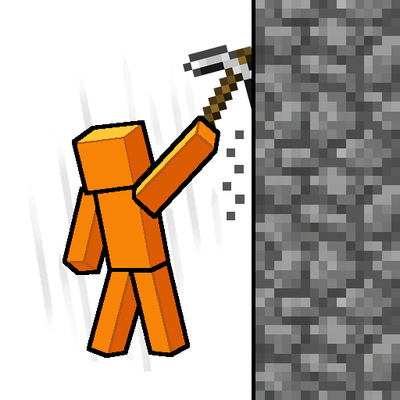
Slam your pickaxe into a wall mid-fall to slow your descent or lock yourself in place before you hit the ground.