Minecraft version
Back to mods 
CurseForge · Minecraft mod
VaoCorp Music Discs
Adds in a way to upload and share music on your server!
Choose a version Pick your version below, then grab the matching file.
Quick answer
Which VaoCorp Music Discs release should I use?
Latest stable file vaocorpmusicdiscs-1.5.0.jar
Game version 1.21.1
Loader NeoForge
VaoCorp Music Discs vaocorpmusicdiscs-1.5.0.jar targets 1.21.1 with NeoForge. The project page does not say whether this file belongs on the client, dedicated server, or both. No extra mods listed for this file.
Where it goes
Is VaoCorp Music Discs required on the client, server, or both?
The project page does not say whether this file belongs on the client, dedicated server, or both.
Client Source doesn’t say
Dedicated server Source doesn’t say
Loader for this release NeoForge
Required install it here Optional supported, not mandatory Not supported do not install here Source doesn’t say do not assume
The source does not explicitly classify this release as client-only or server-only.
What else does VaoCorp Music Discs vaocorpmusicdiscs-1.5.0.jar need?
vaocorpmusicdiscs-1.5.0.jar. Change the file and its required mods may change too.
This file does not list any required mods. Do not add a library just because a different file uses it.
This file does not list any required or optional mods.
Before you install it
Add VaoCorp Music Discs without breaking your instance.
Built for VaoCorp Music Discs vaocorpmusicdiscs-1.5.0.jar. Pick another file and the loader, install side or required mods may change.
- 01
Stick to this file
Use vaocorpmusicdiscs-1.5.0.jar. It targets 1.21.1 with NeoForge; another release may have different loader, side or dependency requirements.
- 02
Bring the mods it needs
This file does not list any required mods. Do not add a library just because a different file uses it.
- 03
Put it on the correct side
The project page does not say whether this file belongs on the client, dedicated server, or both.
- 04
Pick the file you checked
Use the “Get this file” button beside vaocorpmusicdiscs-1.5.0.jar. It opens that exact file at the source.
About this project
What does VaoCorp Music Discs add?
VaoCorp Music Discs is a NeoForge 1.21.1 mod that adds custom uploadable music discs, a Disc Writer block, playlist-style disc stacks, and server-synced music playback for multiplayer worlds.
It is designed for players who want to bring their own music into Minecraft, share songs with friends, create custom CDs, or build jukebox-based music systems that work in normal gameplay.
Features
• Adds the Disc Writer block
• Adds craftable blank CDs
• Adds burned custom music discs
• Adds Disc Stacks for playlist-style playback
• Uploads supported audio files and converts them to Minecraft-ready OGG
• Server-side music storage inside the world save
• Public and private song uploads
• Private songs can be heard by everyone, but only the owner can burn new copies
• Download-style song browser for burning uploaded songs to discs
• Rename and delete uploaded songs
• Custom disc colors
• Custom Disc Stack colors
• Hopper-compatible jukebox playback support
• Multiplayer song syncing so nearby players can hear uploaded music
• Custom Disc Buddy companion entity
• Disc Buddy can be tamed with CDs and follows the player
• Custom Disc Writer sounds and Disc Buddy hurt sound
Disc Writer
The Disc Writer is the main workstation for the mod. Players can use it to upload songs, browse uploaded music, burn blank CDs, recolor discs, and manage Disc Stack playlists.
It works like a music-focused crafting and storage station, giving players a way to turn uploaded songs into physical discs that can be used in normal jukeboxes.
Custom Music Uploads
Players can select audio files from their computer and upload them to the world’s music folder. Supported formats can be converted into OGG so Minecraft can play them properly.
Uploaded songs are stored server-side, then synced to nearby players when a disc is played.
Public And Private Songs
Songs can be uploaded as public or private.
Public songs appear in the shared song list and can be burned by other players. Private songs are hidden from other players and cannot be burned by them, but if someone has the actual disc, everyone nearby can still hear it when it plays.
Disc Stacks
Disc Stacks act like mixtapes. They can hold multiple uploaded songs and play them in sequence when used in a jukebox.
Players can reorder or remove songs from a Disc Stack using the Disc Writer.
Disc Buddy
VaoCorp Music Discs also adds a small animated Disc Buddy companion. It can be tamed using CDs, follows its owner, and reacts to nearby uploaded music.
It is mostly silly, but in the important way.
Requirements
• Minecraft 1.21.1
• NeoForge
Compatibility Notes
VaoCorp Music Discs is designed to work with normal jukeboxes and multiplayer sessions, including host-based multiplayer setups. Advanced jukebox behavior from other mods may depend on how those mods insert, remove, or simulate jukebox playback.
Status
VaoCorp Music Discs is still in active development. Upload behavior, GUI layout, mod compatibility, and custom playback systems may continue to improve as the mod is tested.
Project description from CurseForge.
Pick your setup
VaoCorp Music Discs by Minecraft version and loader
Choose the version and loader you play, then open the matching release.
Check the dependencies, then try the file in a copied instance before changing a world you care about.
Recent files
VaoCorp Music Discs versions and loaders
vaocorpmusicdiscs-1.5.0.jar
1 Jul 2026
Client Source doesn’t say Server Source doesn’t say Dependencies No extras listed Listed on Release listing
Check the 1.21.1 · NeoForge setup 1.21.1NeoForge release
vaocorpmusicdiscs-1.3.1.jar
vaocorpmusicdiscs-1.3.0.jar
30 Jun 2026
Client Source doesn’t say Server Source doesn’t say Dependencies No extras listed Listed on Release listing
Check the 1.21.1 · NeoForge setup 1.21.1NeoForge release
vaocorpmusicdiscs-1.3.0.jar
26 Jun 2026
Client Source doesn’t say Server Source doesn’t say Dependencies No extras listed Listed on Release listing
Check the 1.21.1 · NeoForge setup 1.21.1NeoForge release
vaocorpmusicdiscs-1.2.5.jar
26 Jun 2026
Client Source doesn’t say Server Source doesn’t say Dependencies No extras listed Listed on Release listing
Check the 1.21.1 · NeoForge setup 1.21.1NeoForge release
vaocorpmusicdiscs-1.2.1.jar
26 Jun 2026
Client Source doesn’t say Server Source doesn’t say Dependencies No extras listed Listed on Release listing
Check the 1.21.1 · NeoForge setup 1.21.1NeoForge release
vaocorpmusicdiscs-1.1.1.jar
13 Jun 2026
Client Source doesn’t say Server Source doesn’t say Dependencies No extras listed Listed on Release listing
Check the 1.21.1 · NeoForge setup 1.21.1NeoForge release
vaocorpmusicdiscs-1.1.0.jar
11 Jun 2026
Client Source doesn’t say Server Source doesn’t say Dependencies No extras listed Listed on Release listing
Check the 1.21.1 · NeoForge setup 1.21.1NeoForge release
vaocorpmusicdiscs-1.0.2.jar
9 Jun 2026
Client Source doesn’t say Server Source doesn’t say Dependencies No extras listed Listed on Release listing
Check the 1.21.1 · NeoForge setup 1.21.1NeoForge release
Looking for an older file? The official CurseForge project page is in Resources.
 mod
CurseForge · Minecraft
Interactive Safe
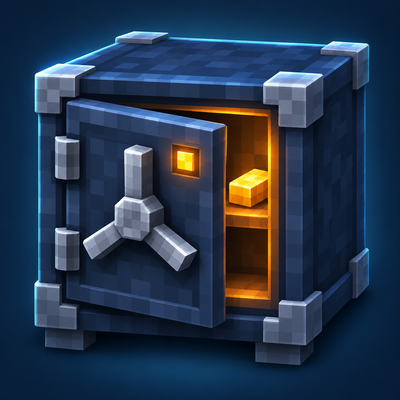
An interactive safe for Fabric 1.21.1. Turn the handle in first person, then drag, place, and stack items freely on two visible shelves.
 mod
CurseForge · Minecraft
Structures Arbiter
This mod prevents structure mods from overlapping or conflicting.
 mod
CurseForge · Minecraft
DiosesChatPlus
Modern MMO-style chat for Diosesmon featuring private whispers, clan chat, Pokémon sharing, quick actions, notifications and customizable HUD.