Minecraft version
Back to mods 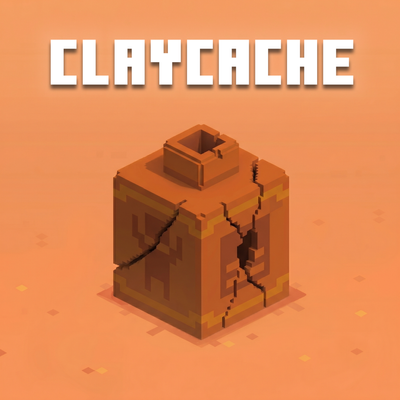
CurseForge · Minecraft mod
ClayCache
vanilla friendly mod that turns Minecraft's Decorated Pots from static decorative blocks into fully functional, physics based containers.
Choose a version Pick your version below, then grab the matching file.
Quick answer
Which ClayCache release should I use?
Latest stable file claycache-1.0.0_for_1.20.1.jar
Game version 1.20.1
Loader Forge
claycache-1.0.0_for_1.20.1.jar targets 1.20.1 with Forge. The project page does not say whether this file belongs on the client, dedicated server, or both. No extra mods listed for this file.
Where it goes
Is ClayCache required on the client, server, or both?
The project page does not say whether this file belongs on the client, dedicated server, or both.
Client Source doesn’t say
Dedicated server Source doesn’t say
Loader for this release Forge
Required install it here Optional supported, not mandatory Not supported do not install here Source doesn’t say do not assume
The source does not explicitly classify this release as client-only or server-only.
What else does claycache-1.0.0_for_1.20.1.jar need?
claycache-1.0.0_for_1.20.1.jar. Change the file and its required mods may change too.
This file does not list any required mods. Do not add a library just because a different file uses it.
This file does not list any required or optional mods.
Before you install it
Add ClayCache without breaking your instance.
Built for claycache-1.0.0_for_1.20.1.jar. Pick another file and the loader, install side or required mods may change.
- 01
Stick to this file
Use claycache-1.0.0_for_1.20.1.jar. It targets 1.20.1 with Forge; another release may have different loader, side or dependency requirements.
- 02
Bring the mods it needs
This file does not list any required mods. Do not add a library just because a different file uses it.
- 03
Put it on the correct side
The project page does not say whether this file belongs on the client, dedicated server, or both.
- 04
Pick the file you checked
Use the “Get this file” button beside claycache-1.0.0_for_1.20.1.jar. It opens that exact file at the source.
About this project
What does ClayCache add?
Features
Dynamic Storage
Decorated Pots now feature a 9-slot inventory (using a familiar Dispenser-style UI). You can pipe items in with hoppers, store your valuables, and hear a cute pop sound when opening them.
Shulker-Style Tooltips
Safely pick up a pot and hover over it in your inventory to see exactly what's inside, The tooltip displays a beautifully color-coded list of its applied sherds and the items stored within, just like a Shulker Box.
The Perfect Multiplayer Crate
Because they are incredibly cheap to craft, hold 9 stacks of items, and can be safely transported, Decorated Pots make fantastic, immersive crates for player trading and economies in multiplayer servers.
Custom Crafting & Swappable Sherds
Craft an "Unfired Decorated Pot" out of clay balls (arranged like a cauldron), then smelt or blast it. Want to decorate it? Place a naked pot in the center of a crafting table. The Top, Bottom, Left, and Right slots correspond to the faces of the pot, letting you choose exactly which face gets which sherd. Note: To remove a sherd, you have to shatter the pot! Don't worry, you are always guaranteed to get your exact sherds and equivalent bricks back.
Physics & Gravity
Decorated Pots now obey gravity just like Sand and Anvils. If a pot falls from too high, it will dynamically shatter upon impact, spilling its contents and sherds everywhere. If it lands safely, it preserves all its inventory and sherd data.
Interactive Shattering
Breaking a pot with a sword, axe, or pickaxe will shatter it instantly (just like vanilla). Want to move it safely? Break it with an empty hand, a Silk Touch tool, or in Creative mode to pick it up intact with all its items still inside.
Projectile Piercing
Arrows, tridents, and other projectiles will punch right through pots, shattering them on impact. Projectiles lose a percentage of their velocity as they pierce through, meaning a single arrow can punch through a whole row of pots before finally stopping.
Crush & Stomp Mechanics
Falling anvils will crush pots dynamically mid-air. Even better, if you (the player) fall from a high enough distance and land on a pot, your weight will crush it beneath your feet.
Flower Pot recipe
You might notice a random recipe for an "Unfired Flower Pot" in your recipe book. Right now the recipe is replaced like the Decorated Pots, i have plans for them, let me know if you want to add to those plans!
How to Use
Make sure you have Forge installed. Drop the .jar file into your mods folder.
- Craft an Unfired Decorated Pot using 7 Clay Balls in a U-shape (like a cauldron) in a crafting table.
- Smelt or Blast it to harden it.
- Place it down, right-click to open its inventory, and store your items.
- Apply sherds to it in a crafting table, or just use it as a storage crate!
- Shoot it with an arrow, drop it off a cliff, or smash it with a sword to get your items back! (or just right-click it again).
Compatibility
Modded Projectiles: The mod includes a highly configurable
fragileProjectileslist. Things like Snowballs, Eggs, or modded tomatoes will safely bounce off pots instead of shattering them.Optimization Mods: The custom item models and rendering techniques are explicitly designed to be 100% compatible with rendering overhauls like Embeddium, Rubidium, and Sodium. No invisible faces or texture stretching.
Inventory Tweaks: The pot's UI uses standard Forge
SlotItemHandlermechanics, meaning it plays perfectly with inventory sorting mods (like MouseTweaks or Inventory Sorter) without duplicating or deleting items.JEI Compatibility: Because applying sherds to a pot uses a dynamic custom recipe, Just Enough Items (JEI) wouldn't normally know how to display it. ClayCache includes a custom JEI plugin that perfectly demonstrates how the recipe works. When viewing recipes for a Decorated Pot or any Pottery Sherd, JEI will display a 3x3 grid that dynamically cycles through every sherd loaded in your game (including modded ones!), with the output pot updating its NBT in real-time to match!
Technicals
This mod tackles some dynamic block-to-entity swapping, persistent NBT across state changes, and custom physics interactions. Here's a look under the hood:
The Inventory System (DecoratedPotInventoryProvider.java & ModCapabilities.java):
Instead of hardcoding a custom BlockEntity, the mod subscribes to Forge's AttachCapabilitiesEvent. When a vanilla DecoratedPotBlockEntity is placed, my own ICapabilityProvider is attached, exposing an IItemHandler (a 9-slot ItemStackHandler). This ensures 100% compatibility with vanilla hoppers, modded pipes, and automation systems.
Block-to-Entity Swapping (FallingDecoratedPotBlock.java & CustomFallingBlockEntity.java):
When a pot needs to fall, I can't just use vanilla's FallingBlockEntity because it drops BlockEntity NBT data. Instead, I intercept the fall, serialize the pot's capability data and sherd decorations into a CompoundTag, and inject it into a CustomFallingBlockEntity. When the entity lands safely, it re-places the vanilla pot block and deserializes the NBT back into it.
The Rendering Magic (CustomFallingBlockRenderer.java):
Rendering a falling block that has complex BlockEntity data (like 4 different pottery sherds) is kinda a hassle. The solution was keeping a "dummy" DecoratedPotBlockEntity inside the custom EntityRenderer. Every frame, we feed the falling entity's NBT data into this dummy pot, apply the correct Y-axis rotation math to match its blockstate facing direction, and pass it to the vanilla DecoratedPotRenderer.
Physics & Mixins (FallingBlockEntityMixin.java & WorldInteractionEvents.java):
- Anvil Crushing: A Mixin into
FallingBlockEntity#tickprojects the Anvil's AABB downward along itsDeltaMovementvector. If the math detects the anvil will intersect a pot during that exact tick, it shatters the pot dynamically before the anvil even registers a collision. - Arrow Piercing: When a projectile hits a pot, we cancel the impact event, reduce the projectile's velocity, and force a server-to-client impulse sync. Crucially, we predictively remove the pot on the client-side (
level.removeBlock(pos, false)) to prevent the arrow from stuttering against a "ghost block" while waiting for the server's block-break packet. - The Loot Context Hack (
ShatterCache.java&PotInventoryModifier.java): Forge's loot context occasionally losesBlockEntitycapability data after a block is destroyed (especially during explosions). To guarantee items drop safely, we use aConcurrentHashMapkeyed byBlockPos.asLong()to temporarily cache the inventory NBT the moment the block breaks. A Global Loot Modifier (GLM) intercepts the drop generation, retrieves the NBT from the cache, and injects the items into the world. The cache is safely flushed at the end of everyServerTickEventto prevent memory leaks.
Project description from CurseForge.
Pick your setup
ClayCache by Minecraft version and loader
Choose the version and loader you play, then open the matching release.
Check the dependencies, then try the file in a copied instance before changing a world you care about.
Recent files
ClayCache versions and loaders
claycache-1.0.0_for_1.20.1.jar
13 Jun 2026
Client Source doesn’t say Server Source doesn’t say Dependencies No extras listed Listed on Release listing
Check the 1.20.1 · Forge setup 1.20.1Forge release
Looking for an older file? The official CurseForge project page is in Resources.
 mod
mod CurseForge · Minecraft
Hasta Mañana
Hasta Mañana
 mod
mod CurseForge · Minecraft
Cassette Player Plus
A modular cassette player block that plays music, supports rotation, and integrates with immersive GUIs.
 mod
mod CurseForge · Minecraft
Satchel Slots
Satchel Slots is a mod focused on "physically" extending the inventory (adding slots) by equipping different satchels to grant different perks/benefits.