Minecraft version
Back to mods 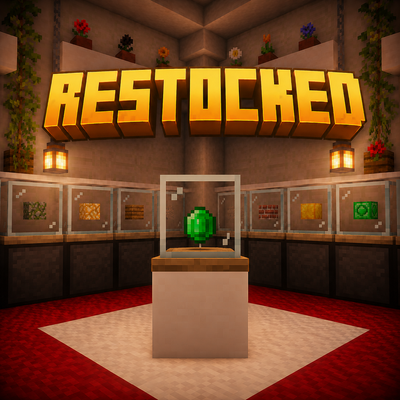
CurseForge · Minecraft mod
Vending Block: Restocked Forge
Bring back player-owned vending blocks and item trading in modern Minecraft.
Choose a version Pick your version below, then grab the matching file.
Quick answer
Which Vending Block: Restocked Forge release should I use?
beta file vendingblock-1.20.1-1.0.2-beta.jar
Game version 1.20.1
Loader Forge
Vending Block: Restocked Forge vendingblock-1.20.1-1.0.2-beta.jar targets 1.20.1 with Forge. The project page does not say whether this file belongs on the client, dedicated server, or both. No extra mods listed for this file.
Where it goes
Is Vending Block: Restocked Forge required on the client, server, or both?
The project page does not say whether this file belongs on the client, dedicated server, or both.
Client Source doesn’t say
Dedicated server Source doesn’t say
Loader for this release Forge
Required install it here Optional supported, not mandatory Not supported do not install here Source doesn’t say do not assume
The source does not explicitly classify this release as client-only or server-only.
What else does Vending Block: Restocked Forge vendingblock-1.20.1-1.0.2-beta.jar need?
vendingblock-1.20.1-1.0.2-beta.jar. Change the file and its required mods may change too.
This file does not list any required mods. Do not add a library just because a different file uses it.
This file does not list any required or optional mods.
Before you install it
Add Vending Block: Restocked Forge without breaking your instance.
Built for Vending Block: Restocked Forge vendingblock-1.20.1-1.0.2-beta.jar. Pick another file and the loader, install side or required mods may change.
- 01
Stick to this file
Use vendingblock-1.20.1-1.0.2-beta.jar. It targets 1.20.1 with Forge; another release may have different loader, side or dependency requirements.
- 02
Bring the mods it needs
This file does not list any required mods. Do not add a library just because a different file uses it.
- 03
Put it on the correct side
The project page does not say whether this file belongs on the client, dedicated server, or both.
- 04
Pick the file you checked
Use the “Get this file” button beside vendingblock-1.20.1-1.0.2-beta.jar. It opens that exact file at the source.
About this project
What does Vending Block: Restocked Forge add?
Vending Block: Restocked Forge
A modern vending machine and player trading system for Minecraft.
Vending Block: Restocked Forge allows players to create automated shops, trade items, and integrate with server economies without requiring the owner to be online.
Overview
Vending Block: Restocked Forge is a modern continuation of the classic vending machine gameplay experience.
Create player-owned shops, sell items for other items or currency, manage stock automatically, and build fully functional multiplayer marketplaces.
Vending Machines
Basic Vending Machine
- Sell one product at a time
- Item-for-item trading
- Economy support
Advanced Vending Machine
- All Basic features
- Quick payment template selection
- Faster shop setup
Multiple Vending Machine
- Sell up to four different products
- Perfect for markets and server shops


Crafting Recipes


The vending machine base can be crafted using a variety of materials:
- All vanilla plank types
- Forge plank variants
- Stone
- Cobblestone
- Bricks
- Sandstone
- Obsidian
- Gold Blocks
- Iron Blocks
- Diamond Blocks
- Emerald Blocks
- Lapis Blocks
The machine automatically adopts the appearance of the material used during crafting.
Storage Expansion
Need more stock?

Attach a storage block underneath the vending machine to expand its inventory automatically.
Compatible with:
- Vanilla chests
- Double chests
- Most modded inventories
Economy Support
Vending Block: Restocked Forge integrates with Vault-compatible economy systems.
Supported features:
- Sell items for money
- Buy items from players
- EssentialsX economy support
- Buyer notifications
- Seller notifications
- Currency display in GUI and HUD
Compatibility
Vending Block: Restocked uses Minecraft item tags instead of hardcoded vanilla blocks.
This means recipes automatically support wood and other tagged materials from many popular mods.
Tested with:
- ✅ Deeper and Darker
- ✅ Born in Chaos
- ✅ Twilight Forest
- ✅ Biomes O' Plenty
- ✅ Botania
- ✅ Tinkers' Construct
If a mod correctly registers its blocks using Minecraft tags, Vending Block should support it automatically.
Trading Modes
Item → Item
- Exchange one item for another.
Item → Money
- Sell items for virtual currency.
Money → Item
- Create buy orders and purchase items from other players.
HUD & Jade Integration
View trade information directly in-world.
Without Shift:
- Shop status
- Owner
- Trade information
With Shift:
- Item icons
- Detailed information
Optional Jade support included.
Administration Tools
The included Wrench allows quick machine management:
- Open / Close shop
- Toggle Infinite Stock
- Pick Up Machine
- Access Settings
Controls
Shop Owner
- Right Click → Configure Shop
- Left Click (empty machine) → Pick Up Machine
- Wrench + Right Click → Management Menu
Customer
- Right Click → Trade
- Shift + Right Click → Bulk Trade
Technical Features
- Dynamic machine materials
- NBT-based texture system
- External inventory support
- Vault economy integration
- Jade compatibility
- Custom sounds
Credits
Vending Block: Restocked Forge is inspired by the original Vending Block project.
Original project:
Vending Block by AUTOMATIC_MAIDEN
https://www.curseforge.com/minecraft/mc-mods/vending-block
This project aims to continue and modernize the classic automated player trading experience for modern Minecraft versions.
Project description from CurseForge.
Pick your setup
Vending Block: Restocked Forge by Minecraft version and loader
Choose the version and loader you play, then open the matching release.
Check the dependencies, then try the file in a copied instance before changing a world you care about.
Recent files
Vending Block: Restocked Forge versions and loaders
vendingblock-1.20.1-1.0.2-beta.jar
17 Jun 2026
Client Source doesn’t say Server Source doesn’t say Dependencies No extras listed Listed on Release listing
Check the 1.20.1 · Forge setup 1.20.1Forge beta
vendingblock-1.20.1-1.0.1-beta.jar
16 Jun 2026
Client Source doesn’t say Server Source doesn’t say Dependencies No extras listed Listed on Release listing
Check the 1.20.1 · Forge setup 1.20.1Forge beta
vendingblock-1.20.1-1.0.0-beta.jar
14 Jun 2026
Client Source doesn’t say Server Source doesn’t say Dependencies No extras listed Listed on Release listing
Check the 1.20.1 · Forge setup 1.20.1Forge beta
Looking for an older file? The official CurseForge project page is in Resources.
 mod
CurseForge + Modrinth · Minecraft
Runeborn | Soulslike RPG progression
A soulslike RPG overhaul: earn runes, level eight attributes at Ember Shrines, wield 74 scaling armaments and hunt seven Sovereigns.
 mod
CurseForge · Minecraft
Target Highlight
Marks the enemy nearest your crosshair with a soft ground ring and a small marker above its head. Client-side only and fully configurable.
 mod
CurseForge · Minecraft
Anvil Enchanting Table for Bottle
Anvil for Bottle removes the need for player XP levels when repairing, combining, renaming, or enchanting items! Instead, power your workstation directly with Bottles o' Enchanting —manually or fully automated with hoppers.