Minecraft version
Back to mods 
CurseForge · Minecraft mod
Build Assist Wands
Adds multiple wands that assist with block placement, making building and exploration more convenient.
Choose a version Pick your version below, then grab the matching file.
Quick answer
Which Build Assist Wands release should I use?
Latest stable file buildassistwands-1.0.5-forge-mc1.20.1.jar
Game version 1.20.1
Loader Forge
Build Assist Wands buildassistwands-1.0.5-forge-mc1.20.1.jar targets 1.20.1 with Forge. The project page does not say whether this file belongs on the client, dedicated server, or both. No extra mods listed for this file.
Where it goes
Is Build Assist Wands required on the client, server, or both?
The project page does not say whether this file belongs on the client, dedicated server, or both.
Client Source doesn’t say
Dedicated server Source doesn’t say
Loader for this release Forge
Required install it here Optional supported, not mandatory Not supported do not install here Source doesn’t say do not assume
The source does not explicitly classify this release as client-only or server-only.
What else does Build Assist Wands buildassistwands-1.0.5-forge-mc1.20.1.jar need?
buildassistwands-1.0.5-forge-mc1.20.1.jar. Change the file and its required mods may change too.
This file does not list any required mods. Do not add a library just because a different file uses it.
This file does not list any required or optional mods.
Before you install it
Add Build Assist Wands without breaking your instance.
Built for Build Assist Wands buildassistwands-1.0.5-forge-mc1.20.1.jar. Pick another file and the loader, install side or required mods may change.
- 01
Stick to this file
Use buildassistwands-1.0.5-forge-mc1.20.1.jar. It targets 1.20.1 with Forge; another release may have different loader, side or dependency requirements.
- 02
Bring the mods it needs
This file does not list any required mods. Do not add a library just because a different file uses it.
- 03
Put it on the correct side
The project page does not say whether this file belongs on the client, dedicated server, or both.
- 04
Pick the file you checked
Use the “Get this file” button beside buildassistwands-1.0.5-forge-mc1.20.1.jar. It opens that exact file at the source.
About this project
What does Build Assist Wands add?
Build Assist Wands is a small Minecraft mod that adds three types of building-assist wands.
When you place a block while holding a wand in your offhand, the wand automatically searches for a placement position based on its type.
A placement preview outline shows where the next block will be placed, making it easier to build accurately.
This makes it easy to build pillars, walls, floors, bridges, and stairs, making building and exploration more convenient.
✨Wands
Each wand has material tiers similar to vanilla Minecraft tools.
| Material Tier | Durability | Search Range |
|---|---|---|
| Wooden | 89 | 3 blocks |
| Stone | 196 | 5 blocks |
| Iron | 375 | 8 blocks |
| Golden | 89 | 32 blocks |
| Diamond | 2341 | 16 blocks |
| Netherite | 3046 | 24 blocks |
Each material tier has different durability and maximum search range.
Golden Wands have low durability, but they can search a very large area.
Netherite Wands cannot be crafted directly in a Crafting Table.
To obtain a Netherite Wand, upgrade the corresponding Diamond Wand using a Smithing Table.
Wall Wand
Useful for building walls, pillars, and vertical structures.

Normal Mode
Searches upward and places a block at the first available space.

Alternate Mode
Searches downward and places a block at the first available space.
Bridge Wand
Useful for extending bridges, floors, platforms, and straight or diagonal paths.

Normal Mode
Searches horizontally and places a block at the first available space.

Alternate Mode
Searches diagonally and places a block at the first available space.

Stair Wand
Useful for building stair-like paths and diagonal upward or downward structures.

Normal Mode
Searches diagonally upward and places a block at the first available space.

Alternate Mode
Searches diagonally downward and places a block at the first available space.
🔁Mode Switching
Wands have two placement modes, Normal Mode and Alternate Mode.
To switch modes, hold the wand in your main hand and left-click.
Left-click again to switch back to the original mode.
A sound will play when the mode is changed.
The selected mode is saved on each wand individually.
📖Enchantment
Extension
A wand-specific enchantment that increases the maximum search range.
- Extension I: +3 blocks
- Extension II: +6 blocks
- Extension III: +9 blocks
- Extension IV: +12 blocks
- Extension V: +15 block
💡How to Use
- Hold a wand in your offhand.
- Hold the block you want to place in your main hand.
- Right-click to place a block.
- The wand searches in its current direction and places the block at the first available empty space.
When using a wand, an outline preview shows where the next block will be placed.
Sneaking disables the wand effect and allows normal block placement.
To change a wand’s mode, hold it in your main hand and left-click.
⚙️Configuration
You can configure the maximum search range for each material tier and the bonus range of the Extension enchantment.
Generated config file:
config/buildassistwands-common.toml
Notes
Some special blocks may not behave exactly the same as normal manual placement.
If you encounter an issue, please report the block type and the situation where it happened.
Project description from CurseForge.
Pick your setup
Build Assist Wands by Minecraft version and loader
Choose the version and loader you play, then open the matching release.
Check the dependencies, then try the file in a copied instance before changing a world you care about.
Recent files
Build Assist Wands versions and loaders
buildassistwands-1.0.5-forge-mc1.20.1.jar
20 Jun 2026
Client Source doesn’t say Server Source doesn’t say Dependencies No extras listed Listed on Release listing
Check the 1.20.1 · Forge setup 1.20.1Forge release
buildassistwands-1.0.4-forge-mc1.20.1.jar
20 Jun 2026
Client Source doesn’t say Server Source doesn’t say Dependencies No extras listed Listed on Release listing
Check the 1.20.1 · Forge setup 1.20.1Forge release
buildassistwands-1.0.3-forge-mc1.20.1.jar
19 Jun 2026
Client Source doesn’t say Server Source doesn’t say Dependencies No extras listed Listed on Release listing
Check the 1.20.1 · Forge setup 1.20.1Forge release
buildassistwands-1.0.2-forge-mc1.20.1.jar
17 Jun 2026
Client Source doesn’t say Server Source doesn’t say Dependencies No extras listed Listed on Release listing
Check the 1.20.1 · Forge setup 1.20.1Forge release
buildassistwands-1.0.1-forge-mc1.20.1.jar
17 Jun 2026
Client Source doesn’t say Server Source doesn’t say Dependencies No extras listed Listed on Release listing
Check the 1.20.1 · Forge setup 1.20.1Forge release
buildassistwands-1.0.0-forge-mc1.20.1.jar
15 Jun 2026
Client Source doesn’t say Server Source doesn’t say Dependencies No extras listed Listed on Release listing
Check the 1.20.1 · Forge setup 1.20.1Forge release
Looking for an older file? The official CurseForge project page is in Resources.
 mod
CurseForge · Minecraft
Combo Clash
Battlegrounds-style combo PvP: 4-hit M1 strings, uppercuts, air combos, blocks, perfect blocks, dashes and evasives, with made motions.
 mod
CurseForge · Minecraft
EldenBlade
Adds two weapons from Elden Ring to "SlashBlade: Resharped" for Minecraft 1.20.1 Forge: Rivers of Blood and Moonveil.
 mod
CurseForge · Minecraft
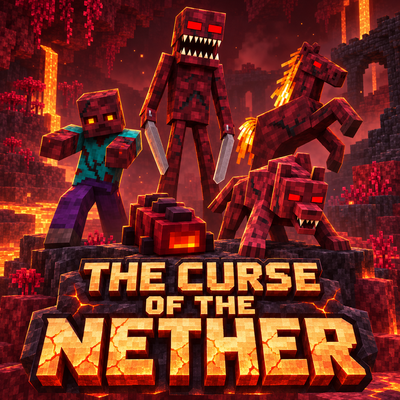
The Curse of the Nether
Survive a spreading Nether infection with five escalating phases, corrupted creatures, growing Hives, new weapons and armor, and a powerful Hive Mother to defeat.