Fabric API Needed by blxckoutfx-neoforge-1.21.1-2.1.1.jar
requiredNo matching file
CurseForge · Minecraft mod
Let darkness fall everywhere for your eyes.
Quick answer
blxckoutfx-neoforge-1.21.1-2.1.1.jar targets 1.21.1 with NeoForge. The project page does not say whether this file belongs on the client, dedicated server, or both. 1 required mod needs a matching file.
Where it goes
The project page does not say whether this file belongs on the client, dedicated server, or both.
The source does not explicitly classify this release as client-only or server-only.
blxckoutfx-neoforge-1.21.1-2.1.1.jar. Change the file and its required mods may change too.
Install Fabric API first, but 1 required mod has no matching file for this setup. Do not mix loader builds to force a match.
We only count dependency files that match this setup. A file for another loader does not fill the gap.
Before you install it
Built for blxckoutfx-neoforge-1.21.1-2.1.1.jar. Pick another file and the loader, install side or required mods may change.
Use blxckoutfx-neoforge-1.21.1-2.1.1.jar. It targets 1.21.1 with NeoForge; another release may have different loader, side or dependency requirements.
Install Fabric API first, but 1 required mod has no matching file for this setup. Do not mix loader builds to force a match.
The project page does not say whether this file belongs on the client, dedicated server, or both.
Use the “Get this file” button beside blxckoutfx-neoforge-1.21.1-2.1.1.jar. It opens that exact file at the source.
About this project
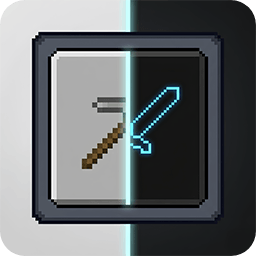


A lightweight Minecraft mod that applies a consistent dark theme to buttons and in-game GUI surfaces using shader-based rendering.
By transforming the default white panels into a sleek custom mode, this shader-based solution brings a refined dark aesthetic to your interface everywhere you look, delivering an eye-friendly experience across all screens.
Let darkness fall everywhere for your eyes.
This is my very first Minecraft mod. I originally created it because bright and white Minecraft interfaces were uncomfortable for my eyes. After building it for myself, I decided to share it with other players who might want the same kind of darker GUI experience.
BlxckoutFX is intentionally focused: it changes GUI rendering, not the world itself. Menu backgrounds, the Minecraft logo, and mod images are kept intact, while buttons and in-game GUI panels receive the darkening effect.
| Minecraft Version | Loader | Mod Version | Status |
|---|---|---|---|
| 26.2 | NeoForge + Fabric | 2.0.0 | Release |
| 26.1.2 | NeoForge + Fabric | 2.0.0 | Main Release |
| 1.21.1 | NeoForge + Fabric | 2.0.0 | Release |
| 1.20.1 | Forge + Fabric | 2.0.0 | Release |
| 1.12.2 | Forge | 1.0.1 | Release |
View the full changelog
.jar file into the mods folder.💡 Important Version Notice: The mod prioritizes support for the latest NeoForge, Forge, and Fabric versions available for its target Minecraft version. If a compatibility issue appears, update to the minimum loader version listed on the release page.
main → Minecraft 26.1.2 main release branch26.2 → Minecraft 26.2 release port branch1.21.1 → Minecraft 1.21.1 support branch1.20.1 → Minecraft 1.20.1 unsupported branch1.12.2 → Minecraft 1.12.2 unsupported branch⚠️ Note for 1.20.1 and 1.12.2: These versions do not receive active support. Issues may be fixed in bulk batches or left as-is depending on necessity.
If you encounter bugs, issues, or have suggestions, you can report them through either of the following channels:
When reporting an issue, please include:
If you would like to support the project, you can visit my Patreon page:
👉 Patreon
This project is licensed under the MIT License.
Project description from CurseForge.
Pick your setup
Choose the version and loader you play, then open the matching release.
Check the dependencies, then try the file in a copied instance before changing a world you care about.
Recent files
25 Aug 2026
25 Aug 2026
25 Aug 2026
25 Aug 2026
23 Aug 2026
23 Aug 2026
23 Aug 2026
23 Aug 2026
12 Jul 2026
12 Jul 2026
12 Jul 2026
12 Jul 2026
Looking for an older file? The official CurseForge project page is in Resources.
 mod
modConnect your server to Blocktopia and give your players cross-server achievements, quests, and leaderboards. 700+ achievements out of the box — progress follows players across every connected server.
 mod
modSkyrim-style kill camera for archery
 mod
modModels with vanilla texture overlay, for masking with blocks
