
Minecraft version
Back to mods 
CurseForge · Minecraft mod
Chef's Workbench
Build a functional Minecraft kitchen to cook, fry, bake, steam, and boil food with specialized cooking stations.
Choose a version Pick your version below, then grab the matching file.
Quick answer
Which Chef's Workbench release should I use?
Latest stable file chefworkbench-1.19.2-forge-1.1.0.jar
Game version 1.19.2
Loader Forge
Chef's Workbench chefworkbench-1.19.2-forge-1.1.0.jar targets 1.19.2 with Forge. The project page does not say whether this file belongs on the client, dedicated server, or both. No extra mods listed for this file.
Where it goes
Is Chef's Workbench required on the client, server, or both?
The project page does not say whether this file belongs on the client, dedicated server, or both.
Client Source doesn’t say
Dedicated server Source doesn’t say
Loader for this release Forge
Required install it here Optional supported, not mandatory Not supported do not install here Source doesn’t say do not assume
The source does not explicitly classify this release as client-only or server-only.
What else does Chef's Workbench chefworkbench-1.19.2-forge-1.1.0.jar need?
chefworkbench-1.19.2-forge-1.1.0.jar. Change the file and its required mods may change too.
This file does not list any required mods. Do not add a library just because a different file uses it.
This file does not list any required or optional mods.
Before you install it
Add Chef's Workbench without breaking your instance.
Built for Chef's Workbench chefworkbench-1.19.2-forge-1.1.0.jar. Pick another file and the loader, install side or required mods may change.
- 01
Stick to this file
Use chefworkbench-1.19.2-forge-1.1.0.jar. It targets 1.19.2 with Forge; another release may have different loader, side or dependency requirements.
- 02
Bring the mods it needs
This file does not list any required mods. Do not add a library just because a different file uses it.
- 03
Put it on the correct side
The project page does not say whether this file belongs on the client, dedicated server, or both.
- 04
Pick the file you checked
Use the “Get this file” button beside chefworkbench-1.19.2-forge-1.1.0.jar. It opens that exact file at the source.
About this project
What does Chef's Workbench add?
Chef's Workbench
Build a functional Minecraft kitchen with stoves, pans, pots, ovens, bamboo steamers, and counters.

Chef's Workbench turns cooking into a small kitchen system instead of a single furnace block. Use fuel, cookware, batch baking, and custom datapack recipes to build a kitchen that feels useful in survival and flexible in modpacks.
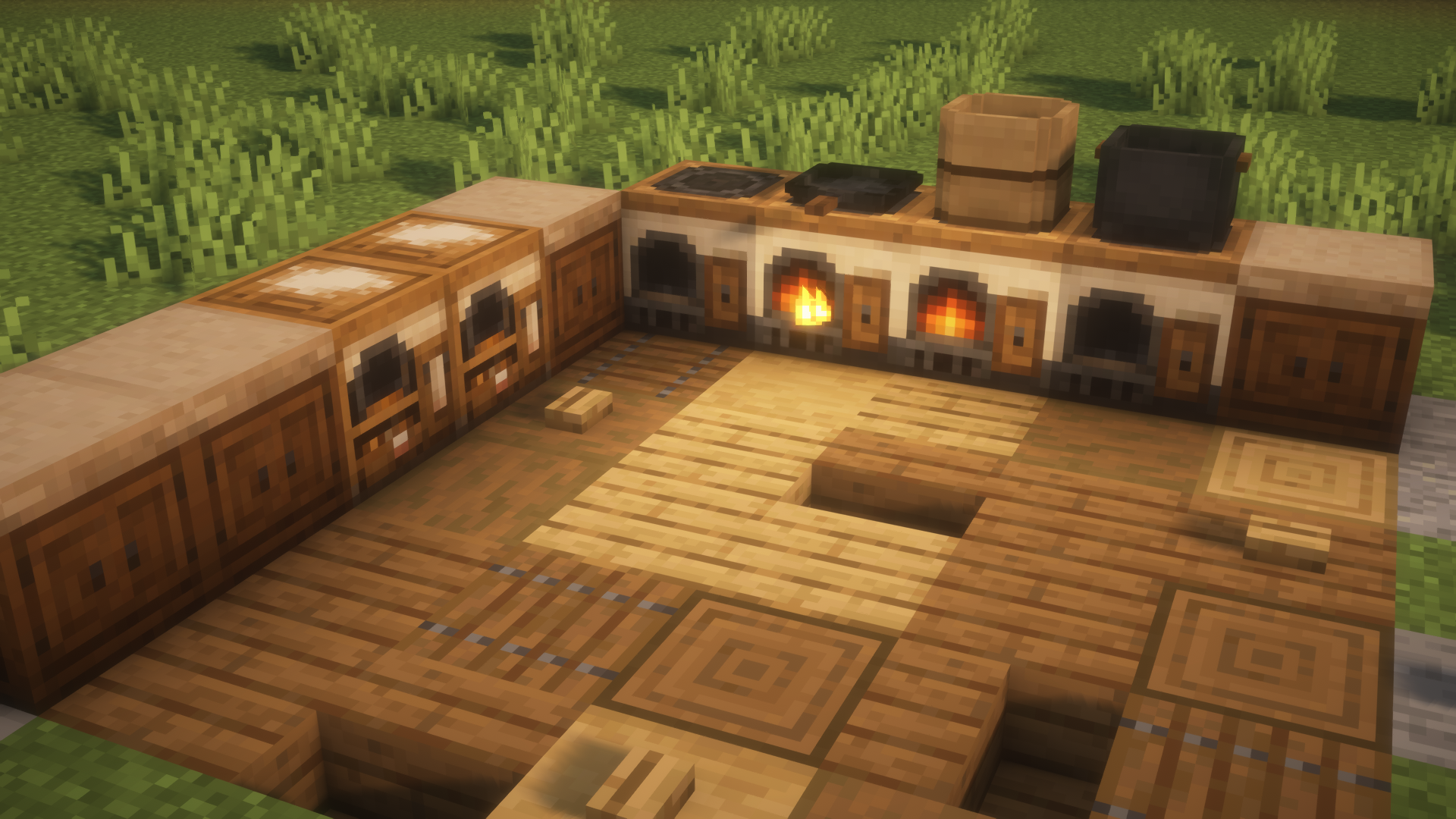
Kitchen Blocks
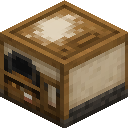
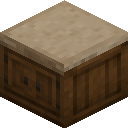
| Block | Crafting recipe | What it does |
|---|---|---|
| Stove | 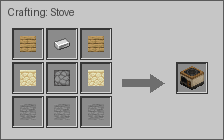 |
Burns fuel, cooks food, and can produce a byproduct. Also supplies heat to cookware placed above it. |
| Pan | 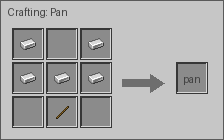 |
Place directly on a Stove to fry up to four separate items or one combined recipe. |
| Pot | 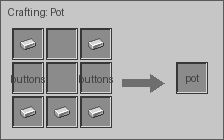 |
Place directly on a Stove to boil up to six ingredients into one output. |
| Oven | 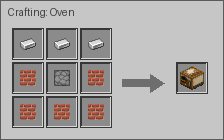 |
Uses its own fuel slot and bakes in eight independent slots. Each slot accepts up to one stack of the same item. |
| Bamboo Steamer | 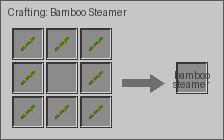 |
Place directly on a Stove to steam food in four independent slots. |
| Counter | 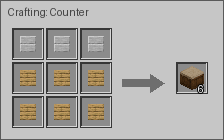 |
A matching kitchen surface for building a cleaner cooking area. |
Cooking Examples
| Recipe type | Preview | Notes |
|---|---|---|
| Stove Cooking | 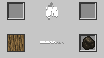 |
One input, one fuel slot, one main result, and optional byproduct. |
| Pan Frying | 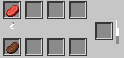 |
Independent frying can run per slot. Combined recipes consume all required inputs together. |
| Oven Baking | 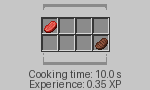 |
Eight independent baking slots. Larger stacks take longer and scale output and experience. |
| Bamboo Steaming | 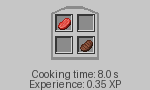 |
Four independent steaming slots, powered by the Stove below. |
| Pot Boiling | 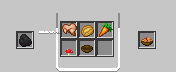 |
Six inputs combine into one output, powered by the Stove below. |
Custom Recipes
Chef's Workbench supports datapack recipes for every cooking station. Datapack authors can add new foods, replace built-in recipes, and tune cooking time or experience without editing the mod jar.
Open the datapack recipe guide
Supported Versions
| Minecraft | Mod loaders |
|---|---|
| 1.19.4 | Forge, Fabric |
| 1.20.1 | Forge, Fabric |
| 1.20.6 | Forge, Fabric, NeoForge |
| 1.21.1 | Forge, Fabric, NeoForge |
| 1.21.11 | Fabric, NeoForge |
| 26.1.2 | Fabric, NeoForge |
| 26.2 | Fabric, NeoForge |
Always use the file made for your exact Minecraft version and loader.
Recipe Viewers
Recipe viewers are optional. Chef's Workbench works without one, but installing a supported viewer makes every custom cooking recipe easier to browse in-game.
| Minecraft | Forge | Fabric | NeoForge |
|---|---|---|---|
| 1.19.4 | JEI, EMI, REI | JEI, EMI, REI | |
| 1.20.1 | JEI, EMI, REI | JEI, EMI, REI | |
| 1.20.6 | JEI | JEI, EMI, REI | JEI, EMI, REI |
| 1.21.1 | JEI | JEI, EMI, REI | JEI, EMI, REI |
| 1.21.11 | JEI, REI | JEI, REI | |
| 26.1.2 | JEI, REI | JEI, REI | |
| 26.2 | JEI, REI | JEI, REI |
Install
- Download the file that matches your Minecraft version and mod loader.
- Place the downloaded
.jarfile in yourmodsfolder. - Start Minecraft and look for the Chef's Workbench creative tab.
- Craft a Stove, add fuel, and begin building your kitchen.
Need Help?
Found a bug or have an idea? Report it on the Chef's Workbench issue tracker.
Project description from CurseForge.
Pick your setup
Chef's Workbench by Minecraft version and loader
Choose the version and loader you play, then open the matching release.
Minecraft version
26.1.2
3 loader buildsMinecraft version
1.21.11
3 loader buildsMinecraft version
1.21.1
4 loader buildsForge chefworkbench-1.21.1-forge-1.1.0.jar 2
stable files
· 2 total · 30 Aug 2026Fabric chefworkbench-1.21.1-fabric-1.1.0.jar 2
stable files
· 2 total · 30 Aug 2026Quilt chefworkbench-1.21.1-fabric-1.1.0.jar 1
stable file
· 1 total · 30 Aug 2026NeoForge chefworkbench-1.21.1-neoforge-1.1.0.jar 2
stable files
· 2 total · 30 Aug 2026
Minecraft version
1.20.6
4 loader buildsForge chefworkbench-1.20.6-forge-1.1.0.jar 1
stable file
· 1 total · 31 Aug 2026Fabric chefworkbench-1.20.6-fabric-1.1.0.jar 1
stable file
· 1 total · 31 Aug 2026Quilt chefworkbench-1.20.6-fabric-1.1.0.jar 1
stable file
· 1 total · 31 Aug 2026NeoForge chefworkbench-1.20.6-neoforge-1.1.0.jar 1
stable file
· 1 total · 31 Aug 2026
Minecraft version
1.20.1
3 loader buildsMinecraft version
1.19.4
3 loader buildsMinecraft version
1.19.2
3 loader buildsCheck the dependencies, then try the file in a copied instance before changing a world you care about.
Recent files
Chef's Workbench versions and loaders
chefworkbench-1.19.2-forge-1.1.0.jar
1 Sept 2026
Client Source doesn’t say Server Source doesn’t say Dependencies No extras listed Listed on Release listing
Check the 1.19.2 · Forge setup Forge1.19.2 release
chefworkbench-1.19.2-fabric-1.1.0.jar
1 Sept 2026
Client Source doesn’t say Server Source doesn’t say Dependencies No extras listed Listed on Release listing
Check the 1.19.2 · Fabric setup Fabric1.19.2Quilt release
chefworkbench-1.19.4-fabric-1.1.0.jar
31 Aug 2026
Client Source doesn’t say Server Source doesn’t say Dependencies No extras listed Listed on Release listing
Check the 1.19.4 · Fabric setup 1.19.4FabricQuilt release
chefworkbench-1.19.4-forge-1.1.0.jar
31 Aug 2026
Client Source doesn’t say Server Source doesn’t say Dependencies No extras listed Listed on Release listing
Check the 1.19.4 · Forge setup 1.19.4Forge release
chefworkbench-26.2-neoforge-1.1.0.jar
31 Aug 2026
Client Source doesn’t say Server Source doesn’t say Dependencies No extras listed Listed on Release listing
Check the 26.2 · NeoForge setup NeoForge26.2 release
chefworkbench-26.2-fabric-1.1.0.jar
31 Aug 2026
Client Source doesn’t say Server Source doesn’t say Dependencies No extras listed Listed on Release listing
Check the 26.2 · Fabric setup FabricQuilt26.2 release
chefworkbench-26.1.2-neoforge-1.1.0.jar
31 Aug 2026
Client Source doesn’t say Server Source doesn’t say Dependencies No extras listed Listed on Release listing
Check the 26.1.2 · NeoForge setup NeoForge26.1.2 release
chefworkbench-26.1.2-fabric-1.1.0.jar
31 Aug 2026
Client Source doesn’t say Server Source doesn’t say Dependencies No extras listed Listed on Release listing
Check the 26.1.2 · Fabric setup FabricQuilt26.1.2 release
chefworkbench-1.20.6-neoforge-1.1.0.jar
31 Aug 2026
Client Source doesn’t say Server Source doesn’t say Dependencies No extras listed Listed on Release listing
Check the 1.20.6 · NeoForge setup 1.20.6NeoForge release
chefworkbench-1.20.6-forge-1.1.0.jar
31 Aug 2026
Client Source doesn’t say Server Source doesn’t say Dependencies No extras listed Listed on Release listing
Check the 1.20.6 · Forge setup Forge1.20.6 release
chefworkbench-1.20.6-fabric-1.1.0.jar
31 Aug 2026
Client Source doesn’t say Server Source doesn’t say Dependencies No extras listed Listed on Release listing
Check the 1.20.6 · Fabric setup Fabric1.20.6Quilt release
chefworkbench-1.21.11-neoforge-1.1.0.jar
30 Aug 2026
Client Source doesn’t say Server Source doesn’t say Dependencies No extras listed Listed on Release listing
Check the 1.21.11 · NeoForge setup NeoForge1.21.11 release
Looking for an older file? The official CurseForge project page is in Resources.
 mod
mod CurseForge · Minecraft
EnchantStats: Enchantment Descriptions +Tooltip+Inventory HUD+ + Monster HP+Damage Indicator+Tool Info Hub
EnchantStats is the combat & magic sequel to AppleStats — enchanting your HUD with exact enchantment values, advanced tooltips, and monster combat stats.
 mod
mod CurseForge · Minecraft
LIFE-XP Challenge
A hardcore progression challenge. Your attributes (health, speed, damage) scale dynamically based on your XP level. Highly configurable.
 mod
mod CurseForge · Minecraft
Blank DG-LAB
把 DG-LAB 郊狼连入 Minecraft,每一次受伤、坠落和死亡都会化为真实触觉反馈。Connect your DG-LAB Coyote to Minecraft and feel every hit, fall, and death as real haptic pulses — a serious immersion tool, nothing else.