Pixel Painter Needed by Pixel Painter - Decals pixelpainter-decals-0.6.13.jar
requiredMatching file found Matched file: pixelpainter-2.4.jar

CurseForge · Minecraft mod
A Pixel Painter addon that allows you to place premade low res images in the world
Quick answer
Pixel Painter - Decals pixelpainter-decals-0.6.13.jar targets 1.21.1 with NeoForge. The project page does not say whether this file belongs on the client, dedicated server, or both. All 1 required mods have matching files.
Where it goes
The project page does not say whether this file belongs on the client, dedicated server, or both.
The source does not explicitly classify this release as client-only or server-only.
pixelpainter-decals-0.6.13.jar. Change the file and its required mods may change too.
Install Pixel Painter first. We found matching files for this game-version and loader setup.
We only count dependency files that match this setup. A file for another loader does not fill the gap.
Before you install it
Built for Pixel Painter - Decals pixelpainter-decals-0.6.13.jar. Pick another file and the loader, install side or required mods may change.
Use pixelpainter-decals-0.6.13.jar. It targets 1.21.1 with NeoForge; another release may have different loader, side or dependency requirements.
Install Pixel Painter first. We found matching files for this game-version and loader setup.
The project page does not say whether this file belongs on the client, dedicated server, or both.
Use the “Get this file” button beside pixelpainter-decals-0.6.13.jar. It opens that exact file at the source.
About this project
Pixel Painter Decals (Pixel Painter Required!)
Pixel Painter Decals is an add-on for Pixel Painter that lets you stamp custom PNG images directly into the world as Pixel Painter paint. Drop decal images into the decals folder, pick one from an in-game menu, preview it as a ghost image, then place it across blocks like a sticker.
Once stamped, decals become normal Pixel Painter paint data. They are saved, synced, and handled by Pixel Painter’s existing paint system instead of remaining separate image objects.
Features
config/pixelpainter/decals/How To Use
config/pixelpainter/decals/.Default Controls
< and >;MOD IS STILL CONSIDERED BETA! BACK UP YOUR WORLDS!
Project description from CurseForge.
Pick your setup
Choose the version and loader you play, then open the matching release.
Check the dependencies, then try the file in a copied instance before changing a world you care about.
Recent files
1 Jul 2026
pixelpainter-decals-0.2.9.jar
16 Jun 2026
Looking for an older file? The official CurseForge project page is in Resources.
 mod
Farming automation mod. Planters and raised beds grow your crops and trees for you.
 mod
Compatibility fixes for running Flashback on NeoForge 1.21.1 through Sinytra Connector.
 mod
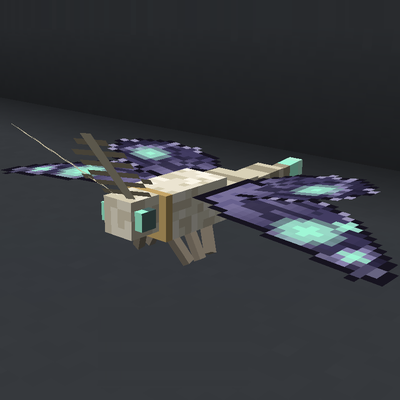
Raise a glowing companion moth, catch, jar and breed 48 wild moths, fly a Great Lumen, and wear a Mothman shawl that opens into wings.