YetAnotherConfigLib Optional for Item Dithering [neoforge/26.2] Item Dithering v1.2.0
optionalMatching file found Matched file: 3.9.7 for neoforge 26.2
CurseForge · Minecraft mod
Adds dithering to hand items for clear view. Compatible with any shaders!
Quick answer
Item Dithering [neoforge/26.2] Item Dithering v1.2.0 targets 26.2 with NeoForge. The project page does not say whether this file belongs on the client, dedicated server, or both. All 2 required mods have matching files.
Where it goes
The project page does not say whether this file belongs on the client, dedicated server, or both.
The source does not explicitly classify this release as client-only or server-only.
[neoforge/26.2] Item Dithering v1.2.0. Change the file and its required mods may change too.
Install DitheringLib, MossyLib first. We found matching files for this game-version and loader setup.
We only count dependency files that match this setup. A file for another loader does not fill the gap.
Before you install it
Built for Item Dithering [neoforge/26.2] Item Dithering v1.2.0. Pick another file and the loader, install side or required mods may change.
Use [neoforge/26.2] Item Dithering v1.2.0. It targets 26.2 with NeoForge; another release may have different loader, side or dependency requirements.
Install DitheringLib, MossyLib first. We found matching files for this game-version and loader setup.
The project page does not say whether this file belongs on the client, dedicated server, or both.
Use the “Get this file” button beside [neoforge/26.2] Item Dithering v1.2.0. It opens that exact file at the source.
About this project





Item Dithering — Mod that adds dithering to items in your hands to make your first person view more clear:
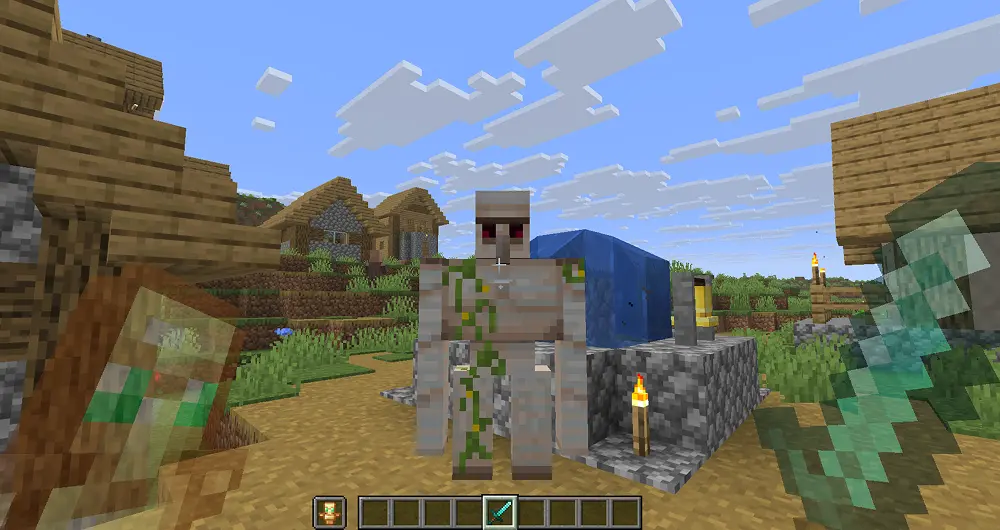
Don't worry, this mod works with all shaders, including those from your resource packs or Iris shaders! You don't need to do anything — just enable them, and it will work.
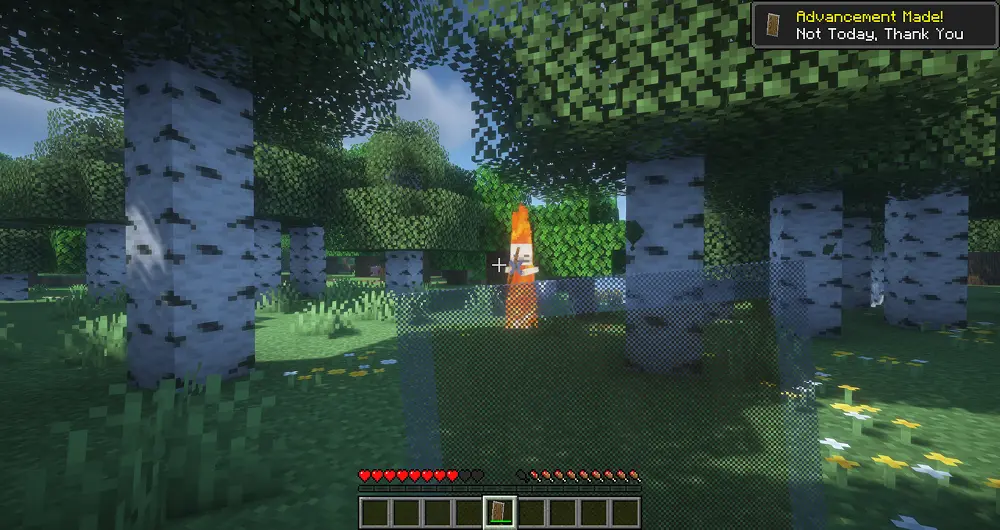
BSL Shaders Enabled:
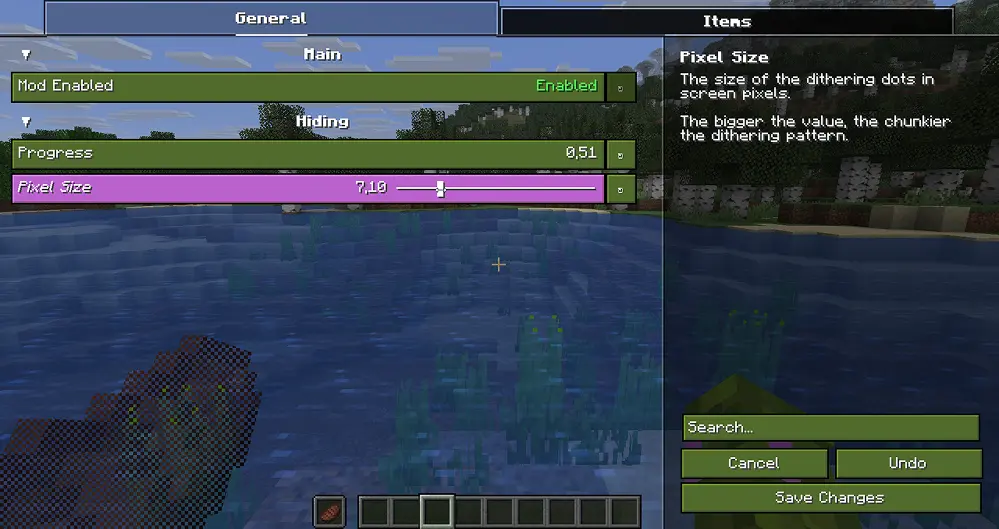
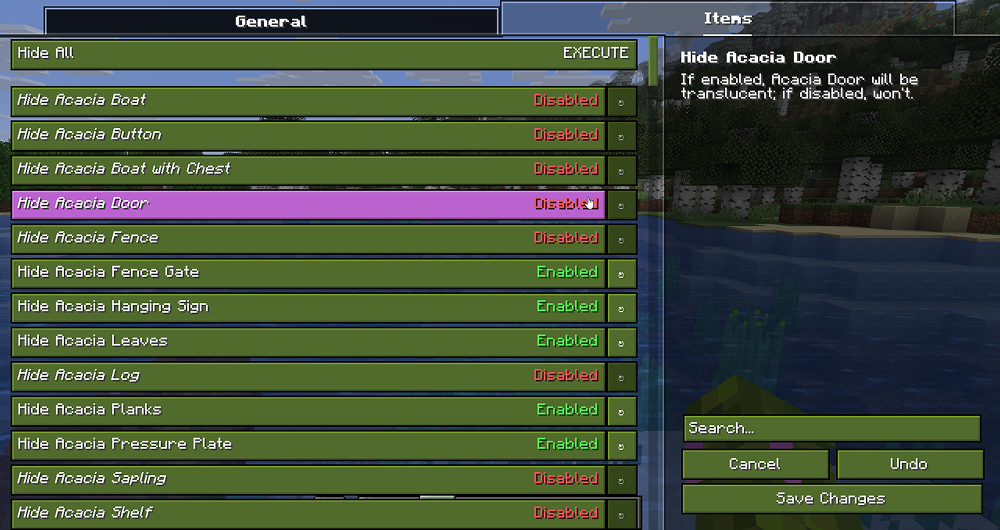
Here you can easily configure effect behaviour and choose which items will have it!

 Want to support mod and author? Just tell everyone about this mod!
Yeah, you got it right. Just by advertising, you will support the mod and the creators well. The more people will know about this mod, the more downloads it will have, more downloads will give good motivation to authors and increase income from the site (literally free donation). Remember, advertising must not be intrusive and annoiyng!
Project description from CurseForge.
Pick your setup
Choose the version and loader you play, then open the matching release.
Check the dependencies, then try the file in a copied instance before changing a world you care about.
Recent files
ItemDithering-1.2.0+26.2+neoforge.jar
12 Jul 2026
ItemDithering-1.2.0+26.1+neoforge.jar
12 Jul 2026
ItemDithering-1.2.0+1.21.11+neoforge.jar
12 Jul 2026
ItemDithering-1.2.0+26.2+fabric.jar
12 Jul 2026
ItemDithering-1.2.0+26.1+fabric.jar
12 Jul 2026
ItemDithering-1.2.0+1.21.11+fabric.jar
12 Jul 2026
ItemDithering-1.1.0+26.1+neoforge.jar
19 Jun 2026
ItemDithering-1.1.0+26.1+fabric.jar
19 Jun 2026
ItemDithering-1.0.0+26.1+neoforge.jar
18 Jun 2026
ItemDithering-1.0.0+26.1+fabric.jar
18 Jun 2026
Looking for an older file? The official CurseForge project page is in Resources.