Minecraft version
Back to mods 
CurseForge · Minecraft mod
IconButtons API
API for easily adding buttons to the Icon Buttons row in the title menu and pause menu
Choose a version Pick your version below, then grab the matching file.
Quick answer
Which IconButtons API release should I use?
Latest stable file IconButtonsApi-1.0.1+mc-26.2.jar
Game version 26.2
Loader Fabric
IconButtons API IconButtonsApi-1.0.1+mc-26.2.jar targets 26.2 with Fabric. The project page does not say whether this file belongs on the client, dedicated server, or both. No extra mods listed for this file.
Where it goes
Is IconButtons API required on the client, server, or both?
The project page does not say whether this file belongs on the client, dedicated server, or both.
Client Source doesn’t say
Dedicated server Source doesn’t say
Loader for this release Fabric
Required install it here Optional supported, not mandatory Not supported do not install here Source doesn’t say do not assume
The source does not explicitly classify this release as client-only or server-only.
What else does IconButtons API IconButtonsApi-1.0.1+mc-26.2.jar need?
IconButtonsApi-1.0.1+mc-26.2.jar. Change the file and its required mods may change too.
This file does not list any required mods. Do not add a library just because a different file uses it.
This file does not list any required or optional mods.
Before you install it
Add IconButtons API without breaking your instance.
Built for IconButtons API IconButtonsApi-1.0.1+mc-26.2.jar. Pick another file and the loader, install side or required mods may change.
- 01
Stick to this file
Use IconButtonsApi-1.0.1+mc-26.2.jar. It targets 26.2 with Fabric; another release may have different loader, side or dependency requirements.
- 02
Bring the mods it needs
This file does not list any required mods. Do not add a library just because a different file uses it.
- 03
Put it on the correct side
The project page does not say whether this file belongs on the client, dedicated server, or both.
- 04
Pick the file you checked
Use the “Get this file” button beside IconButtonsApi-1.0.1+mc-26.2.jar. It opens that exact file at the source.
About this project
What does IconButtons API add?
IconButtons API
API for easily adding buttons to the Icon Buttons row in the title menu and pause menu
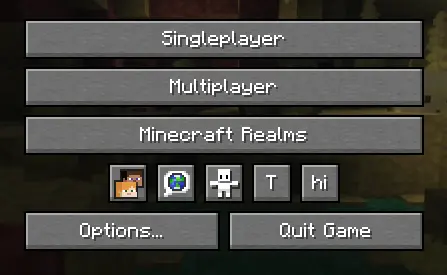
Implementation
1. Configure build.gradle
repositories {
    maven {
        url "https://api.modrinth.com/maven"
    }
}
dependencies {
    implementation "maven.modrinth:iconbuttonsapi:${project.iconbuttonsapi_version}+mc-${project.minecraft_version}"
}
2. Configure gradle.properties
Add the following lines to your gradle.properties file and replace the values with your target versions:
iconbuttonsapi_version=1.0.0
3. Configure fabric.mod.json
Don't forget to declare the dependency in your fabric.mod.json so Fabric Loader can verify it at runtime:
"depends": {
    ...
    "iconbuttonsapi": ">=1.0.0"
}
Usage
The main entry point of the API is the IconButtons class. It provides methods to easily add any AbstractWidget (like buttons, sliders, etc.) to the Minecraft Title Screen or Pause Menu rows.
You can register buttons to stay visible permanently or control their visibility dynamically using a BooleanSupplier.
Example
public class ExampleModClient implements ClientModInitializer {
    public static final String MOD_ID = "iconbuttonsapi";
    public static final Logger LOGGER = LoggerFactory.getLogger(MOD_ID);
    public static boolean willShow = true;

    @Override
    public void onInitializeClient() {
        Button buttonHi = Button.builder(
                Component.literal("hi"),
                b -> {
                    LOGGER.info("Hi!");
                }
        ).size(IconButtons.getButtonWidthAndHeight(), IconButtons.getButtonWidthAndHeight()).build();
        Button buttonToggleShow = Button.builder(
                Component.literal("T"),
                b -> {
                    willShow = !willShow;
                }
        ).size(IconButtons.getButtonWidthAndHeight(), IconButtons.getButtonWidthAndHeight()).build();

        IconButtons.addTitleScreenButton(buttonHi, () -> willShow);
        IconButtons.addPauseScreenButton(buttonHi, () -> willShow);

        IconButtons.addTitleScreenButton(buttonToggleShow);
        IconButtons.addPauseScreenButton(buttonToggleShow);
    }
}
Features
- Automatic Positioning: You don't need to specify coordinates (
XandY) for your widgets. The API calculates and applies positioning automatically, arranging your buttons into a neat row. - Size: It is recommended to use
IconButtons.getButtonWidthAndHeight()(returns20) for the correct size to ensure your icons fit perfectly alongside vanilla icons.
Project description from CurseForge.
Pick your setup
IconButtons API by Minecraft version and loader
Choose the version and loader you play, then open the matching release.
Check the dependencies, then try the file in a copied instance before changing a world you care about.
Recent files
IconButtons API versions and loaders
IconButtonsApi-1.0.1+mc-26.2.jar
20 Jun 2026
Client Source doesn’t say Server Source doesn’t say Dependencies No extras listed Listed on Release listing
Check the 26.2 · Fabric setup Fabric26.2 release
IconButtonsApi-1.0.0+mc-26.2.jar
19 Jun 2026
Client Source doesn’t say Server Source doesn’t say Dependencies No extras listed Listed on Release listing
Check the 26.2 · Fabric setup Fabric26.2 release
Looking for an older file? The official CurseForge project page is in Resources.
 mod
CurseForge + Modrinth · Minecraft
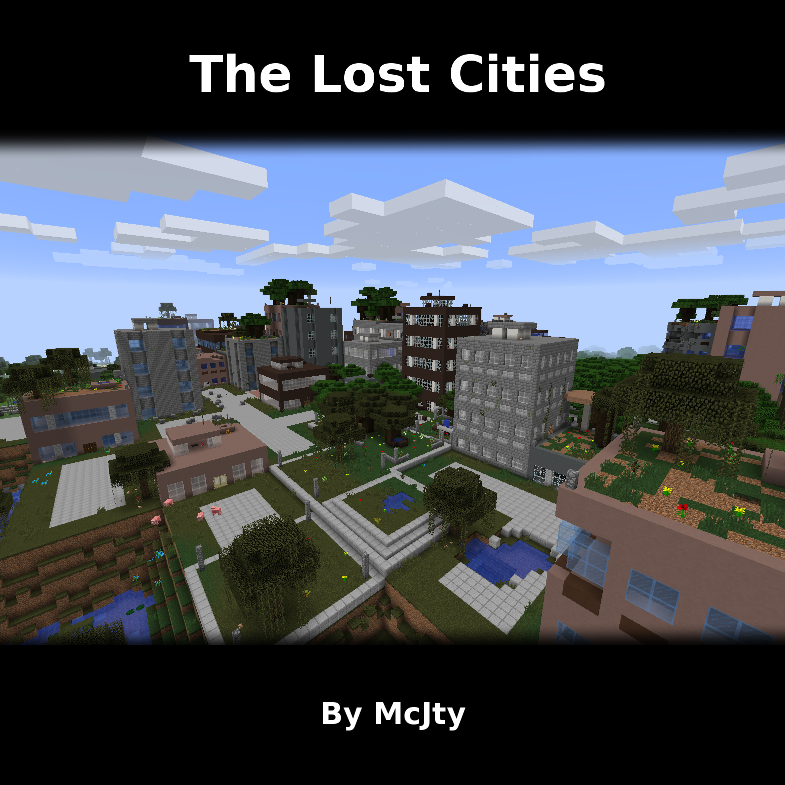
The Lost Cities
Allows the player to play in an old abandoned city instead of the normal overworld
 mod
CurseForge · Minecraft
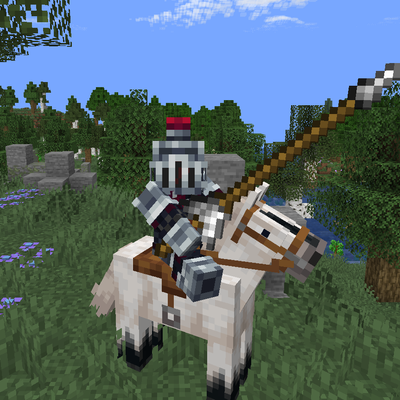
ElarionCore
Elarion Core is an integration and utility mod created for the Elarion modpack. It connects features from different mods, improves cross-mod compatibility, and brings several structure, mob, loot, and animal interaction systems together in one place.
 mod
CurseForge + Modrinth · Minecraft
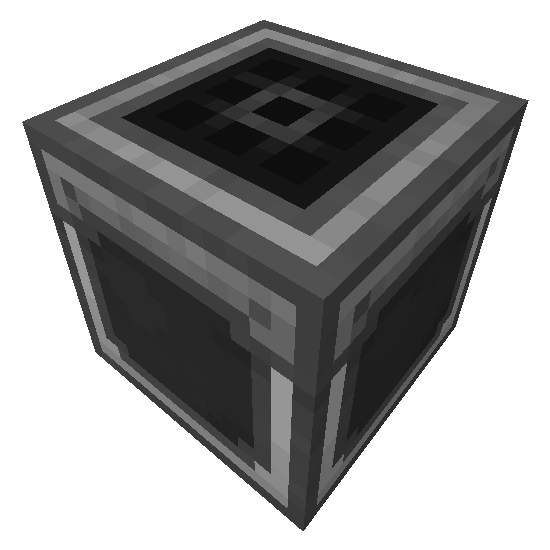
Step Crafter
Adds a Step Crafter and Step Requester which allows recursive crafting and keeping items in-stock to Refined Storage