Sable: Ragdolls Needed by Sable: Off-Balance offbalance-2.0.jar
requiredMatching file found Matched file: sable_player_ragdoll-1.21.1-0.7.2.jar
CurseForge · Minecraft mod
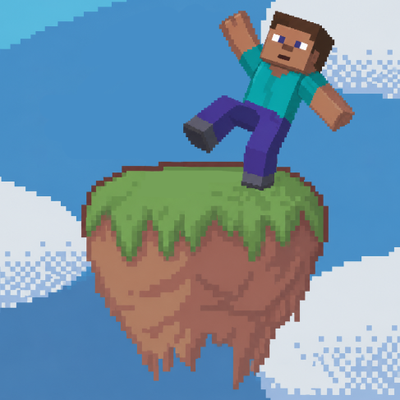
Makes you fall down if you stand on tilted sublevels, and ragdolls try to balance themselves instead of falling down
Quick answer
Sable: Off-Balance offbalance-2.0.jar targets 1.21.1 with NeoForge. The project page does not say whether this file belongs on the client, dedicated server, or both. All 1 required mods have matching files.
Where it goes
The project page does not say whether this file belongs on the client, dedicated server, or both.
The source does not explicitly classify this release as client-only or server-only.
offbalance-2.0.jar. Change the file and its required mods may change too.
Install Sable: Ragdolls first. We found matching files for this game-version and loader setup.
We only count dependency files that match this setup. A file for another loader does not fill the gap.
Before you install it
Built for Sable: Off-Balance offbalance-2.0.jar. Pick another file and the loader, install side or required mods may change.
Use offbalance-2.0.jar. It targets 1.21.1 with NeoForge; another release may have different loader, side or dependency requirements.
Install Sable: Ragdolls first. We found matching files for this game-version and loader setup.
The project page does not say whether this file belongs on the client, dedicated server, or both.
Use the “Get this file” button beside offbalance-2.0.jar. It opens that exact file at the source.
About this project
An add-on for Sable Player Ragdolls that turns ragdoll mode into a real physical state with consequences.
Everything below is on by default and can be turned off or tuned in the config. Server settings live in the SERVER config; view and rendering settings live in the CLIENT config.
Stand on a Sable sub-level that tilts past a threshold and your player drops into ragdoll.
Config group: ragdoll (ragdollAngle, standingStillAngleBonus, sprintingAngleReduction).
Config group: rendering (viewTilted, entitiesTilted, smoothSpeed).
While a conscious ragdolled player has their feet near the ground, the body fights to stay standing the way a Euphoria-style physics character would.
Config group: balance.
A conscious ragdolled player's arms and legs whip around while airborne, from a fall or an explosion launch. Unconscious players stay limp. Pure visual juice.
Config group: flail.
Hitting an active ragdoll shoves it and can tip it off its feet.
Config group: knockback.
A ragdolled player's own entity is deliberately un-hittable by design, and combat mods that find targets by scanning for entities cannot touch it. This add-on puts an invisible stand-in hitbox on every active ragdoll. This is made with specifically BetterCombat in mind, but also allows mobs to attack ragdolled players.
Config group: hurtProxy.
Off by default, a ragdolled player cannot attack. Both the server-side damage and the client-side animation and sound are blocked, so a combat overhaul does not play a full sword combo from a body on the floor. Left-click mining is blocked too. Being hit, grabbing, and dragging still work. Again, this was all made with BetterCombat in mind.
Config option: attackWhileRagdolled.
Every way out of ragdoll mode is its own toggle and set of tunables. While the gate is on, the ragdoll mod's own expiry timers are suppressed.
Config group: recovery (with standUp, manualDismount, and failsafe sub-groups).
When a player logs out, their body stays in the world as an unconscious ragdoll wearing their skin and gear.
Config option: offlineRagdollEnabled.
A blow that would kill a player, but is small relative to their maximum health, knocks them out cold instead of killing them.
/kill and the void always kill too.Config group: unconscious.
When a player actually dies, their body is left as a ragdoll holding everything that would have dropped, including Curios and Accessories items.
Config group: deathCorpse.
/offbalance (permission level 2):
| Command | Effect |
|---|---|
unconscious <targets> [true|false] |
Mark players unconscious or conscious, or query their state |
knockout <targets> |
Put players out cold where they stand |
ragdoll <targets> |
Force players into ragdoll where they stand |
getup <targets> |
Force-release active ragdolls, bypassing the stability gate |
Embed Removed: https://www.youtube-nocookie.com/embed/zcsnn0jdOUY Embed Removed: https://www.youtube-nocookie.com/embed/2vPdcLa7aEs
you might be interested in some of my other mods for modpacks: AttributeSetter RPGDamageOverhaul FoodAttributes
Or Claims n Raids for servers/smp!
Project description from CurseForge.
Pick your setup
Choose the version and loader you play, then open the matching release.
Check the dependencies, then try the file in a copied instance before changing a world you care about.
Recent files
5 Sept 2026
8 Jul 2026
3 Jul 2026
23 Jun 2026
Looking for an older file? The official CurseForge project page is in Resources.
 mod
modSome laboratory stuff: decorations, key doors, code doors e.t.c
 mod
modPlay custom melodies on various instruments and annoy your friends!
 mod
modAdds a new repair station functional block: consumes flint - repairs tools/armor.