Minecraft version
Back to mods 
CurseForge · Minecraft mod
Custom GUI Scale
A client-side NeoForge mod for Minecraft 1.21.1 that lets you render individual HUD elements at their own GUI scale
Choose a version Pick your version below, then grab the matching file.
Quick answer
Which Custom GUI Scale release should I use?
Latest stable file customguiscales-1.0.4+26.2.jar
Game version 26.2
Loader NeoForge
Custom GUI Scale customguiscales-1.0.4+26.2.jar targets 26.2 with NeoForge. The project page does not say whether this file belongs on the client, dedicated server, or both. No extra mods listed for this file.
Where it goes
Is Custom GUI Scale required on the client, server, or both?
The project page does not say whether this file belongs on the client, dedicated server, or both.
Client Source doesn’t say
Dedicated server Source doesn’t say
Loader for this release NeoForge
Required install it here Optional supported, not mandatory Not supported do not install here Source doesn’t say do not assume
The source does not explicitly classify this release as client-only or server-only.
What else does Custom GUI Scale customguiscales-1.0.4+26.2.jar need?
customguiscales-1.0.4+26.2.jar. Change the file and its required mods may change too.
This file does not list any required mods. Do not add a library just because a different file uses it.
This file does not list any required or optional mods.
Before you install it
Add Custom GUI Scale without breaking your instance.
Built for Custom GUI Scale customguiscales-1.0.4+26.2.jar. Pick another file and the loader, install side or required mods may change.
- 01
Stick to this file
Use customguiscales-1.0.4+26.2.jar. It targets 26.2 with NeoForge; another release may have different loader, side or dependency requirements.
- 02
Bring the mods it needs
This file does not list any required mods. Do not add a library just because a different file uses it.
- 03
Put it on the correct side
The project page does not say whether this file belongs on the client, dedicated server, or both.
- 04
Pick the file you checked
Use the “Get this file” button beside customguiscales-1.0.4+26.2.jar. It opens that exact file at the source.
About this project
What does Custom GUI Scale add?
Custom GUI Scales
A client-side NeoForge mod for Minecraft 1.21.1 that lets you render individual HUD elements at their own GUI scale, independent of the global GUI Scale video option.
Want your hotbar big at scale 3 but your inventory tooltips smaller at scale 2? That's exactly what this does.
What you can rescale
| Setting | Config key | Default |
|---|---|---|
| Hotbar — the whole bottom HUD (hotbar, xp bar, health, hunger, armor, air, mount health/jump bar), scaled together | hotbarScale |
3 |
| Tooltips (inventory, etc.) | tooltipScale |
2 |
Project description from CurseForge.
Pick your setup
Custom GUI Scale by Minecraft version and loader
Choose the version and loader you play, then open the matching release.
Minecraft version
1.21.1
2 loader buildsCheck the dependencies, then try the file in a copied instance before changing a world you care about.
Recent files
Custom GUI Scale versions and loaders
customguiscales-1.0.4+26.2.jar
customguiscales-1.0.4-26.2.jar
8 Nov 2026
Client Source doesn’t say Server Source doesn’t say Dependencies No extras listed Listed on Release listing
Check the 26.2 · NeoForge setup NeoForge26.2 release
customguiscales-fabric-1.0.4+26.2.jar
customguiscales-fabric-1.0.4-26.2.jar
8 Nov 2026
Client Source doesn’t say Server Source doesn’t say Dependencies No extras listed Listed on Release listing
Check the 26.2 · Fabric setup Fabric26.2 release
customguiscales-1.0.3.jar
15 Sept 2026
Client Source doesn’t say Server Source doesn’t say Dependencies No extras listed Listed on Release listing
Check the 1.21.1 · NeoForge setup 1.21.1NeoForge release
customguiscales-fabric-1.0.3.jar
15 Sept 2026
Client Source doesn’t say Server Source doesn’t say Dependencies No extras listed Listed on Release listing
Check the 1.21.1 · Fabric setup Fabric1.21.1 release
customguiscales-fabric-1.0.0.jar
26 Jul 2026
Client Source doesn’t say Server Source doesn’t say Dependencies No extras listed Listed on Release listing
Check the 1.21.1 · Fabric setup Fabric1.21.1 release
customguiscales-1.0.0.jar
24 Jun 2026
Client Source doesn’t say Server Source doesn’t say Dependencies No extras listed Listed on Release listing
Check the 1.21.1 · NeoForge setup 1.21.1NeoForge release
Looking for an older file? The official CurseForge project page is in Resources.
 mod
CurseForge + Modrinth · Minecraft
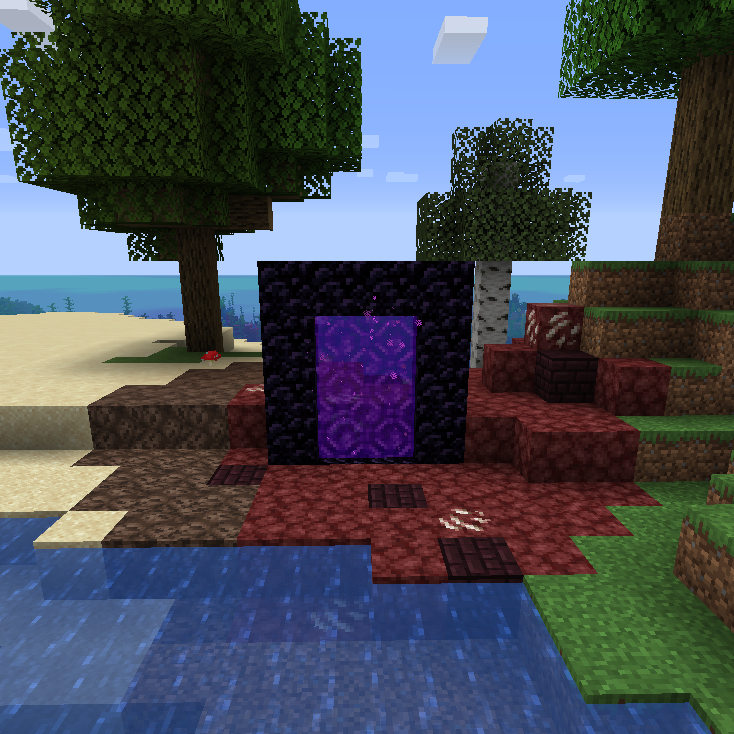
Nether Portal Spread
🔮 Spreads (nether) blocks to the overworld around nether portals in a configurable radius.
 mod
CurseForge + Modrinth · Minecraft
KubeJS TFMG
KubeJS intergration for Create: The Factory Must Grow
 mod
CurseForge · Minecraft
Actually Amazing Config Screen
A settings screen library for Fabric and NeoForge mods: tabs, folding sections, smooth scrolling and a card that explains each setting with a picture.