Minecraft version
Back to mods 
CurseForge · Minecraft mod
VisualizeGate
Real-time point-cloud portal analysis — in Minecraft
Choose a version Pick your version below, then grab the matching file.
Quick answer
Which VisualizeGate release should I use?
Latest stable file release-v1.0.14-mc26.2
Game version 26.2
Loader Fabric
VisualizeGate release-v1.0.14-mc26.2 targets 26.2 with Fabric. The project page does not say whether this file belongs on the client, dedicated server, or both. No extra mods listed for this file.
Where it goes
Is VisualizeGate required on the client, server, or both?
The project page does not say whether this file belongs on the client, dedicated server, or both.
Client Source doesn’t say
Dedicated server Source doesn’t say
Loader for this release Fabric
Required install it here Optional supported, not mandatory Not supported do not install here Source doesn’t say do not assume
The source does not explicitly classify this release as client-only or server-only.
What else does VisualizeGate release-v1.0.14-mc26.2 need?
release-v1.0.14-mc26.2. Change the file and its required mods may change too.
This file does not list any required mods. Do not add a library just because a different file uses it.
This file does not list any required or optional mods.
Before you install it
Add VisualizeGate without breaking your instance.
Built for VisualizeGate release-v1.0.14-mc26.2. Pick another file and the loader, install side or required mods may change.
- 01
Stick to this file
Use release-v1.0.14-mc26.2. It targets 26.2 with Fabric; another release may have different loader, side or dependency requirements.
- 02
Bring the mods it needs
This file does not list any required mods. Do not add a library just because a different file uses it.
- 03
Put it on the correct side
The project page does not say whether this file belongs on the client, dedicated server, or both.
- 04
Pick the file you checked
Use the “Get this file” button beside release-v1.0.14-mc26.2. It opens that exact file at the source.
About this project
What does VisualizeGate add?
 Stop guessing where your Nether portals will link. See it.
VisualizeGate is a fully client-side Fabric mod that draws your Nether portal network right into the world. It predicts which portal links to which, warns you about conflicts before you waste obsidian, and back-solves the exact spot to build a paired gate — so you never have to do portal math by hand again.
No server install. No spreadsheets. Just look, and build.
Why you want it
Nether portal linking is one of Minecraft's most confusing systems — the 1:8 coordinate ratio, and the search-area rules that let two portals quietly hijack each other's destination. VisualizeGate turns all of that invisible logic into something you can actually see and act on.
See every link, color-coded
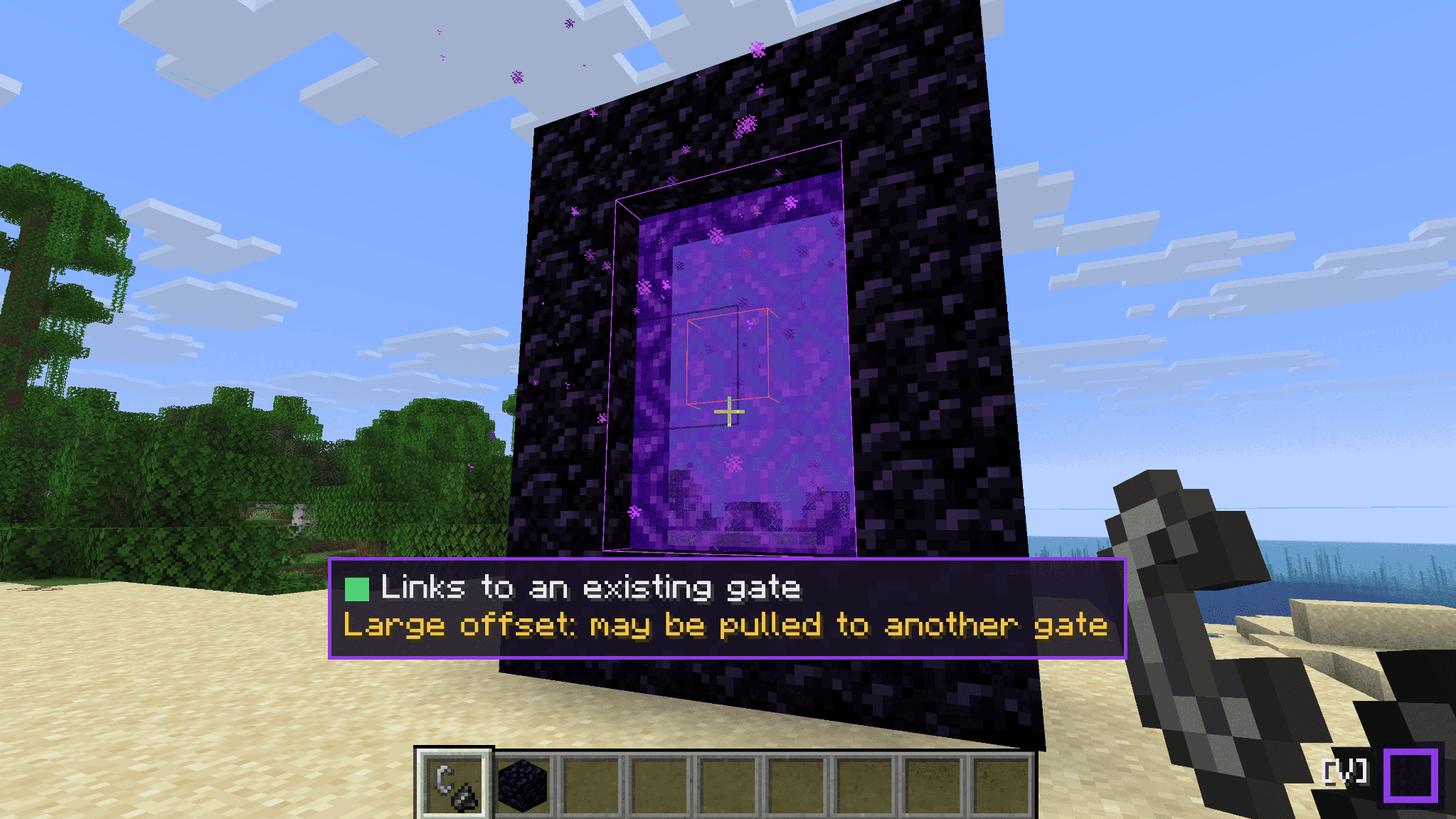
Every gate is highlighted in the world and color-coded by its link status — Normal, One-sided, Offset, Unlinked, or Conflict — so you can tell at a glance whether a pair is healthy or about to misbehave.
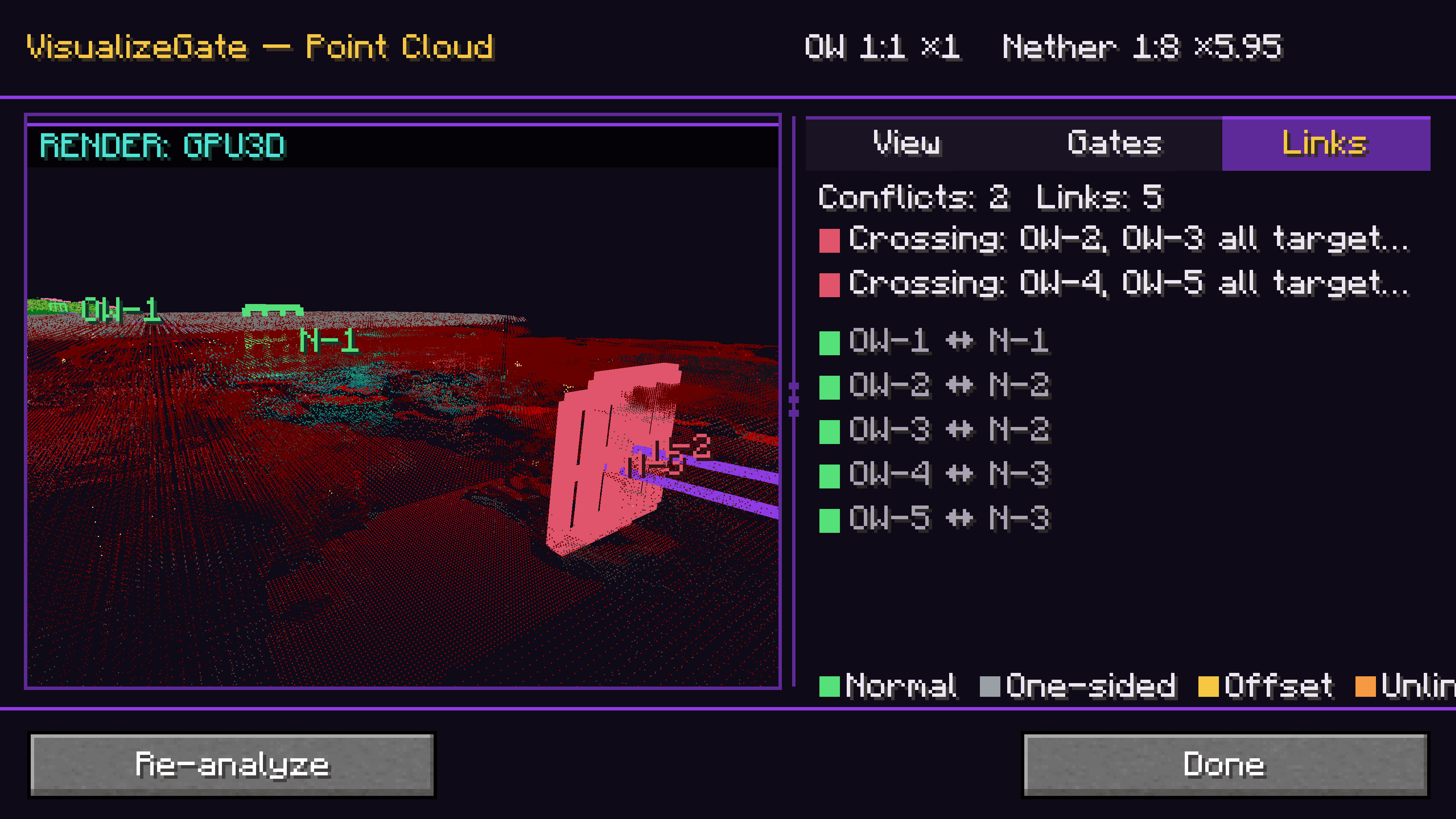
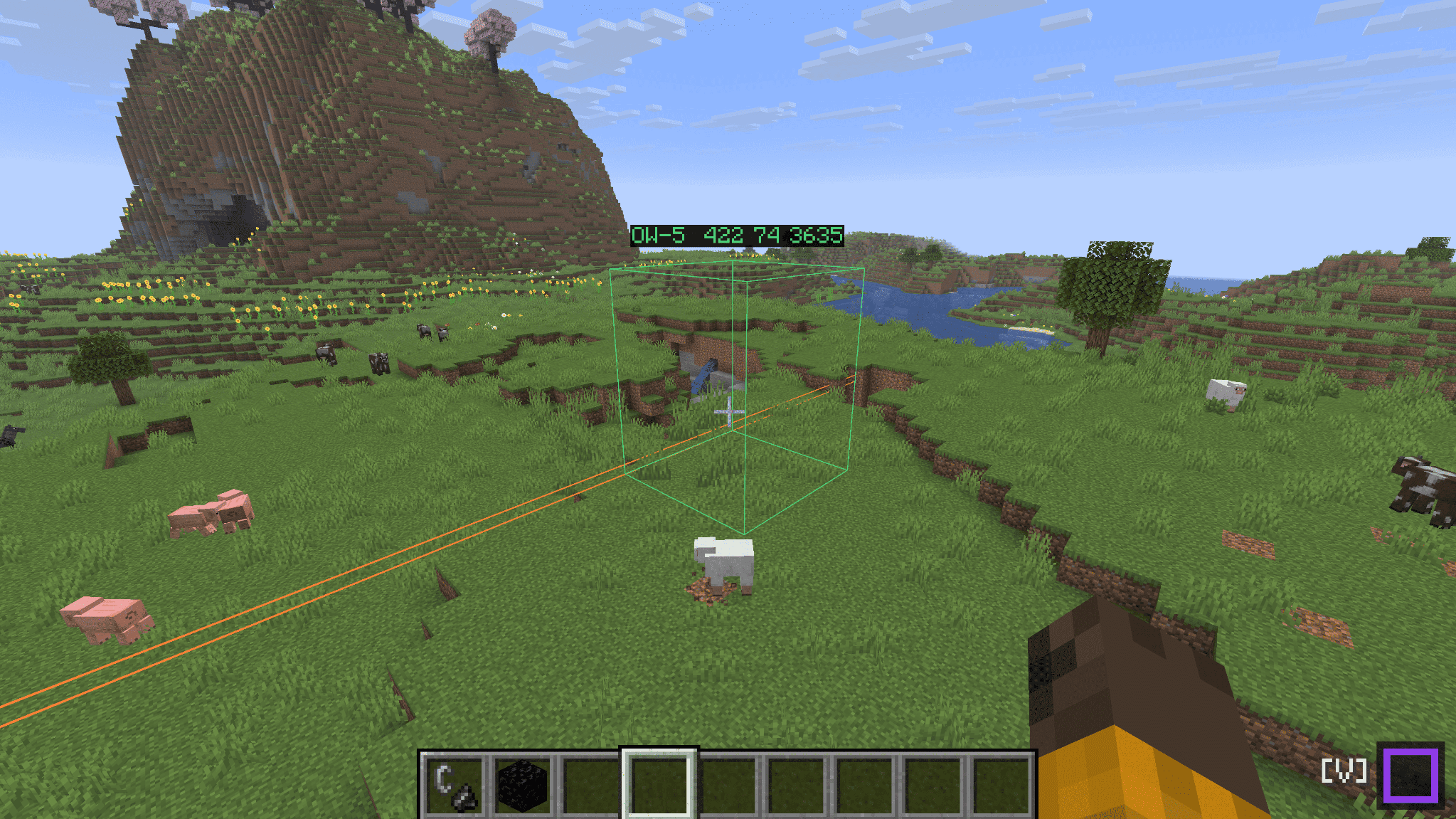
Build the paired gate in the right spot — the first time
Use back-calculate: give it a target coordinate (or just here), and VisualizeGate shows you exactly where to build the matching portal in the other dimension, drawn as an in-world wireframe. If that spot would get pulled into an existing portal, it warns you in red before you light a single block.
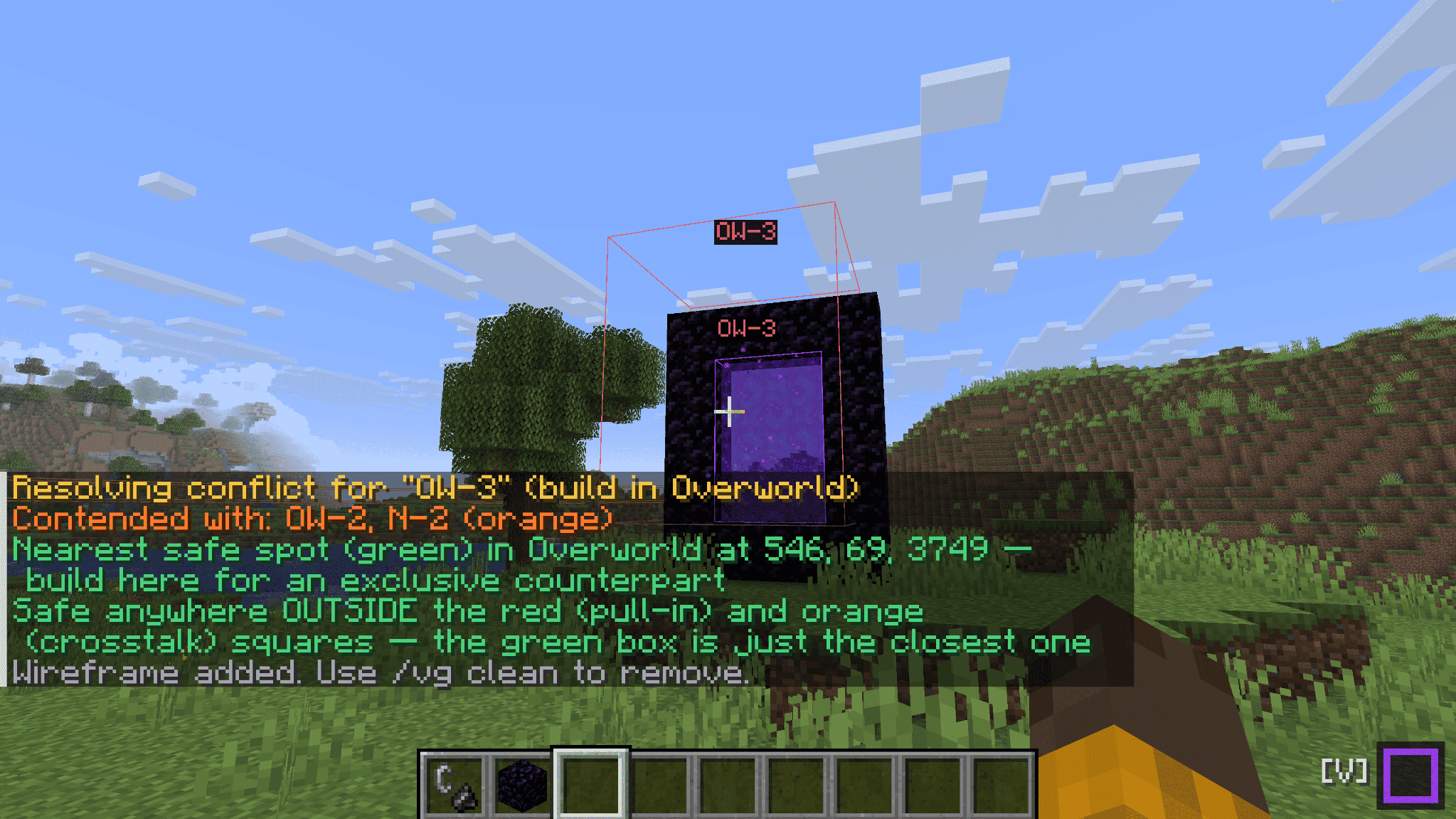
Fix conflicts instead of fighting them
When two portals fight over the same destination, conflict resolution searches for a safe build position that won't be stolen by the other side — and marks it with a green box you can just go build on.
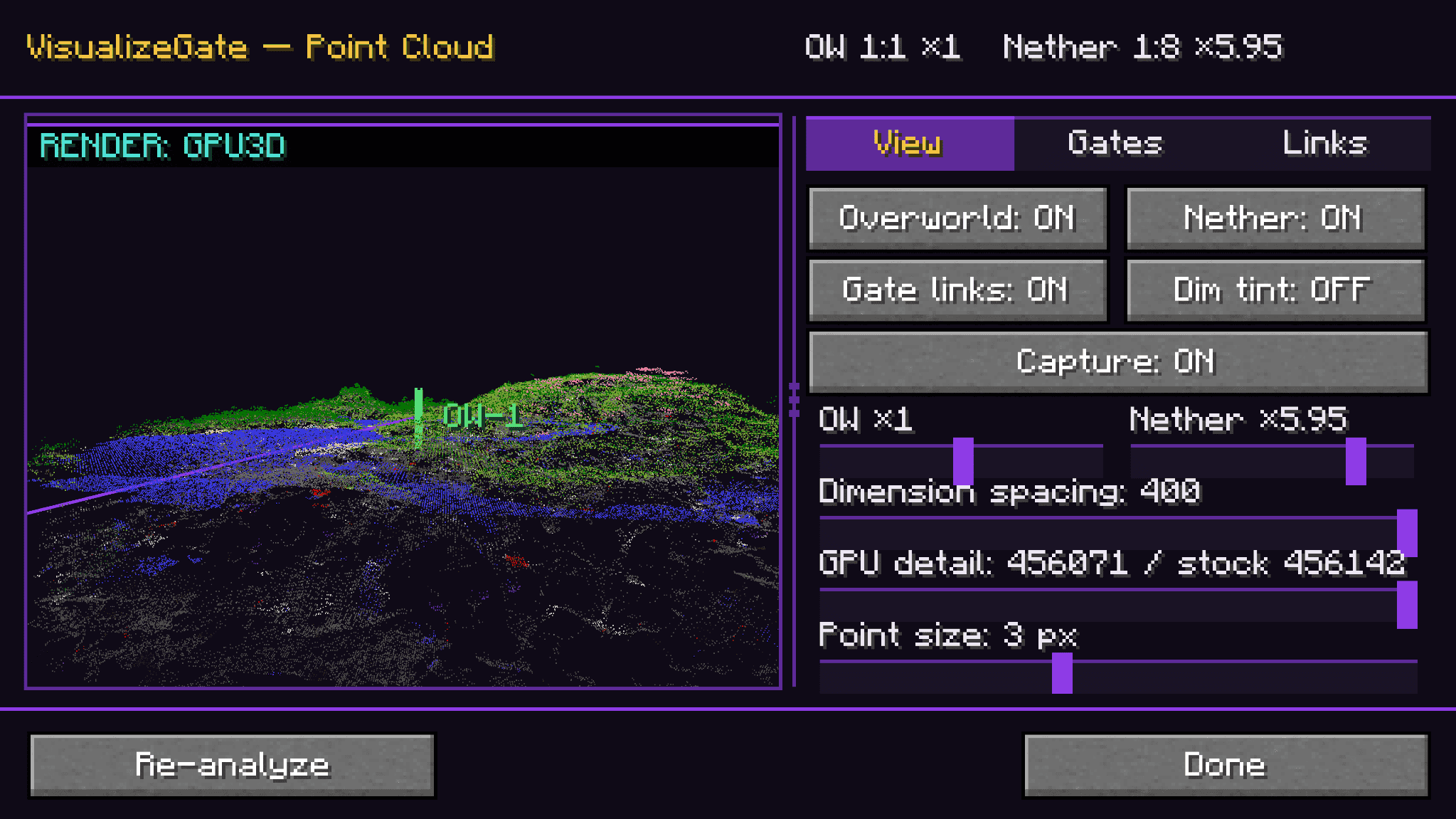
Fly over your whole network
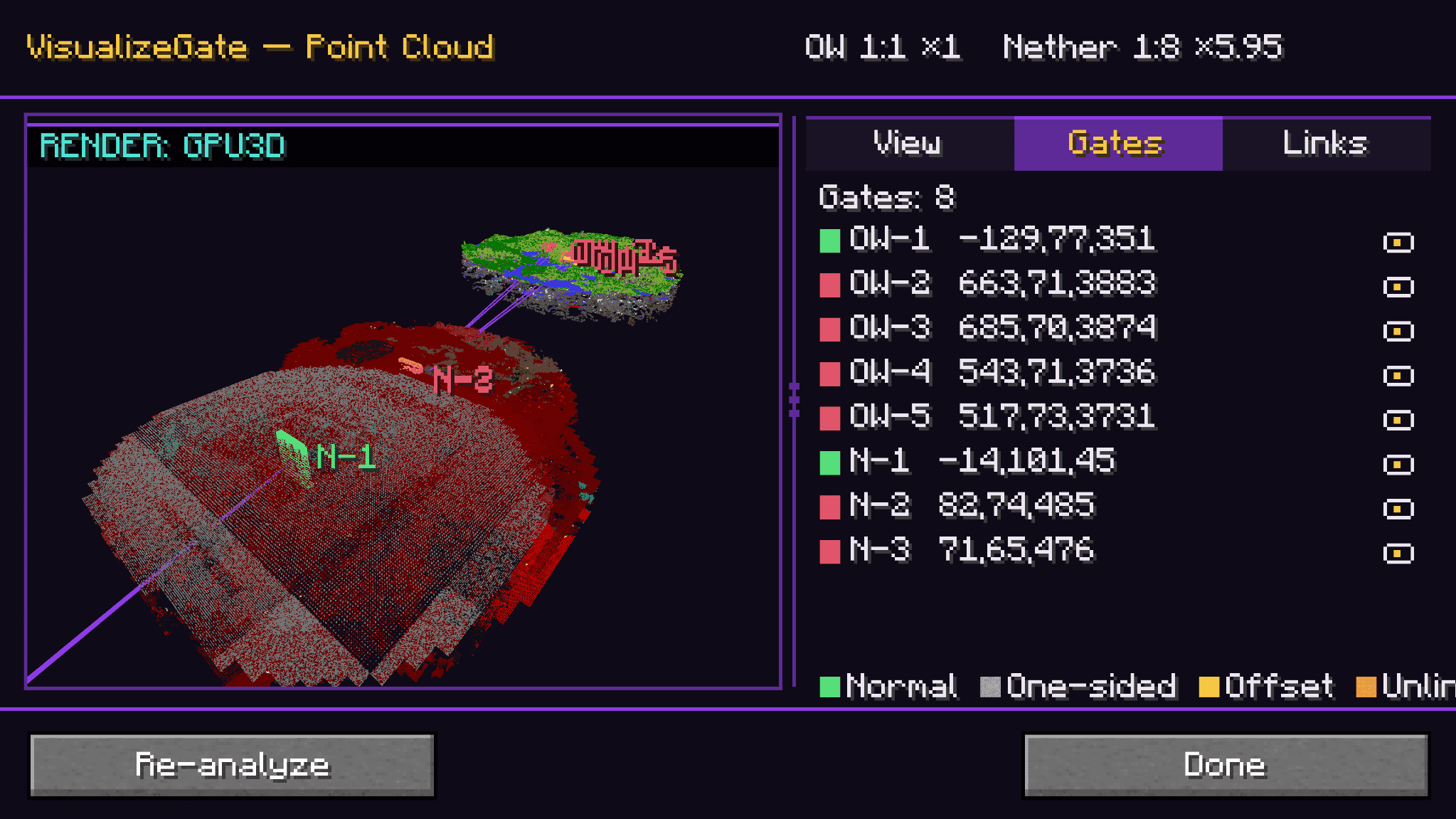
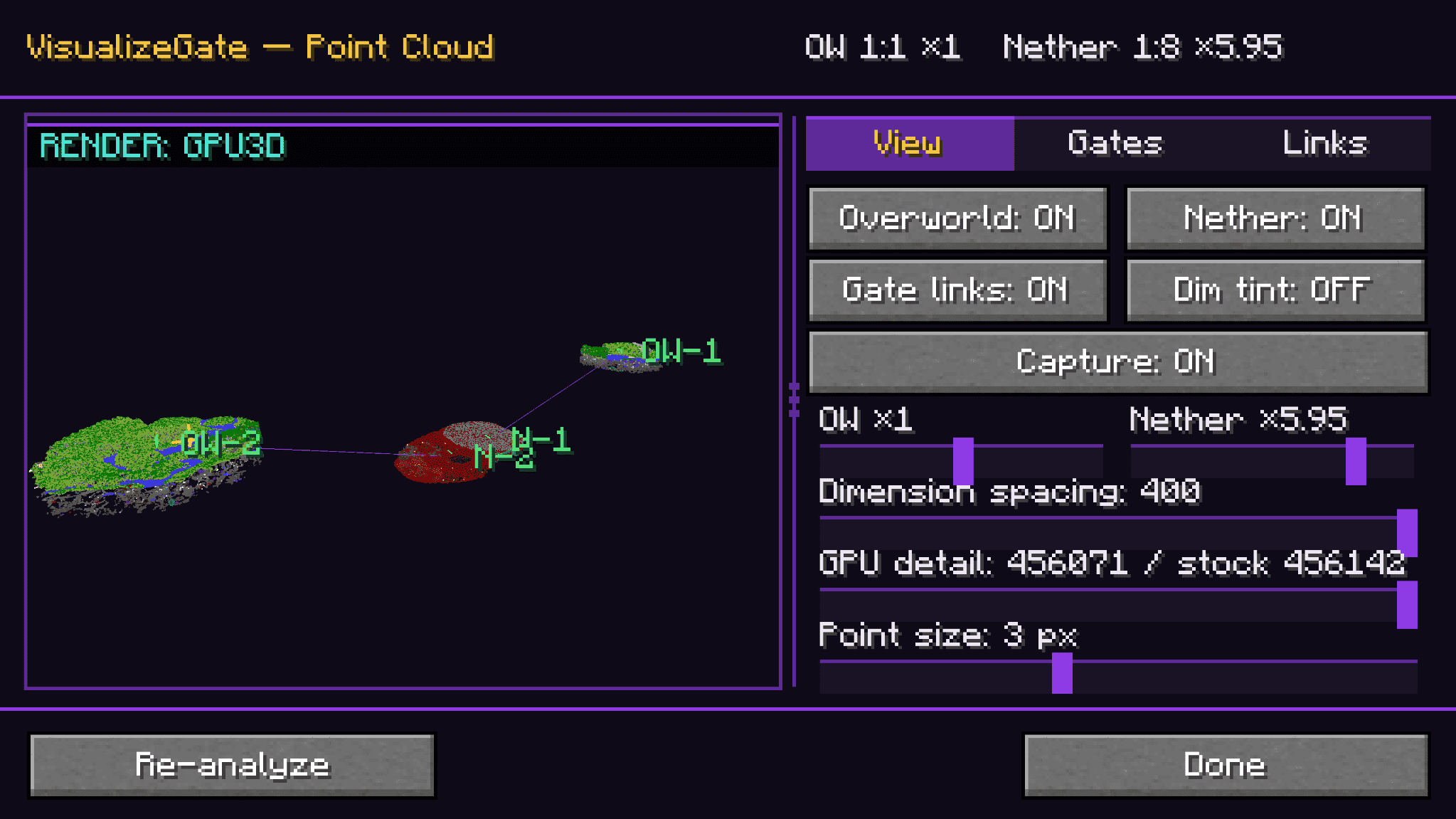
The point-cloud view renders your gates and the surrounding terrain as a navigable 3D point cloud you can rotate, zoom, and pan — with View / Gates / Links tabs and a live mini-radar docked right on your HUD.
A HUD that stays out of the way
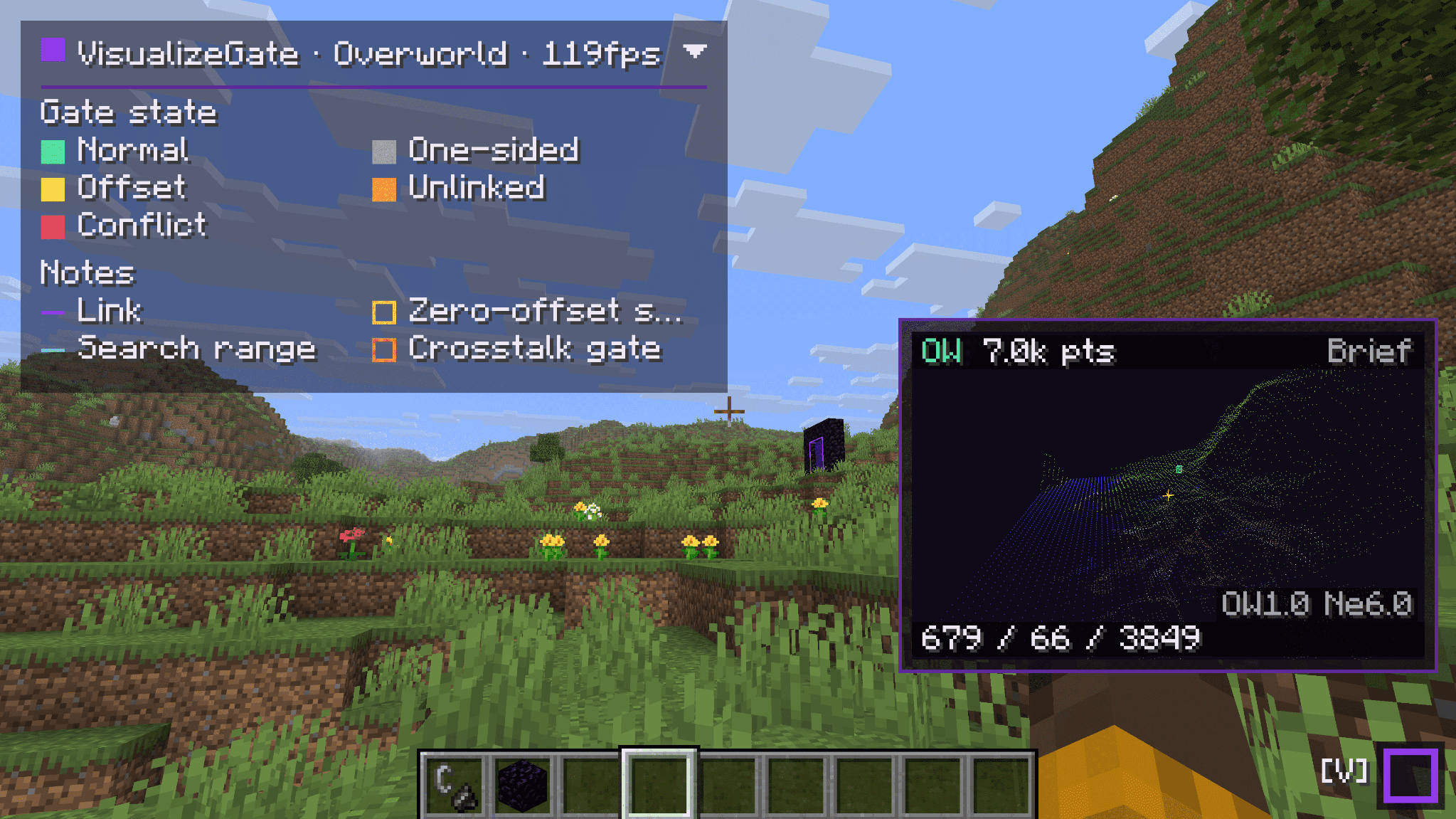
A compact dock shows your current dimension, FPS, and live gate counts (conflicts / offsets) at a glance. Expand it for the full color legend, collapse it when you just want to play.
Prediction lines, exactly when you need them
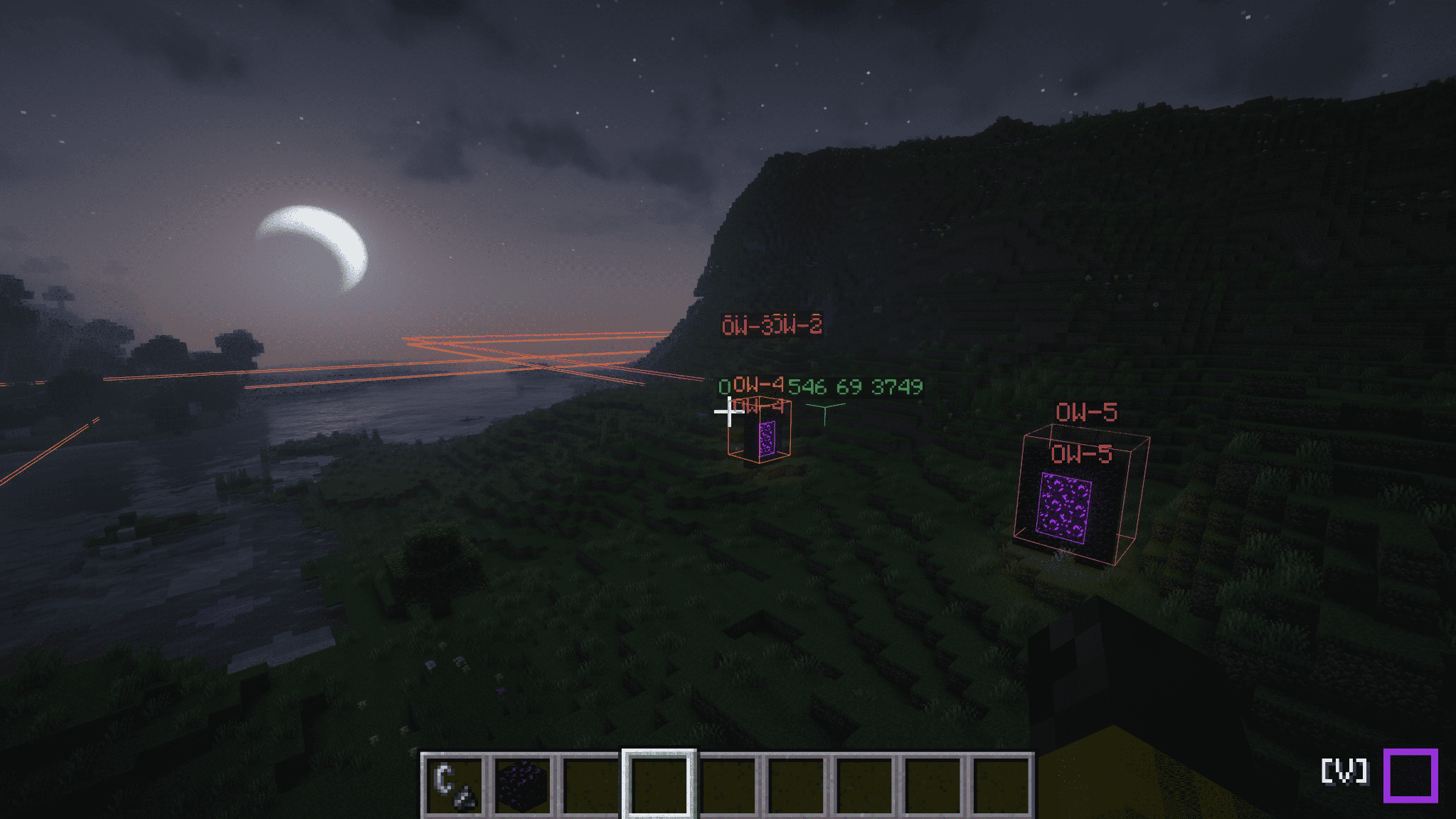
Prediction lines appear automatically while you're holding flint and steel, or when you look at a known portal (its portal block or obsidian frame) — so the guidance shows up right as you're about to build, and gets out of your way when you're not.
Shader environment supported
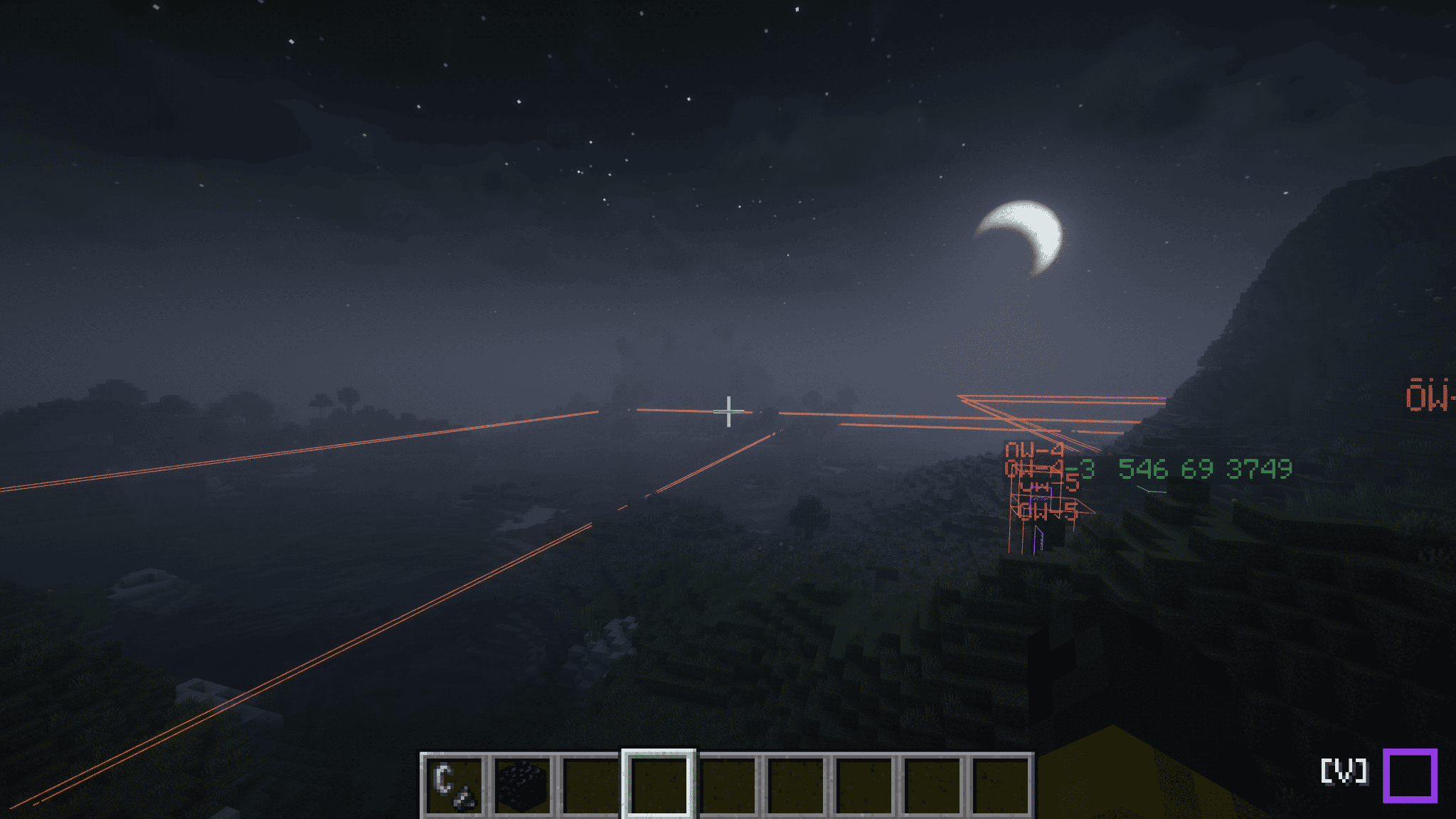
Wireframes, docks, point clouds, and gate labels are displayed even in environments with lightweight mods and shaders. We will not let anything obstruct your beautiful world.
Everything is client-side
VisualizeGate runs entirely on your client. You don't need to install it on the server, and it works in multiplayer using the chunks you've loaded. It only ever uses what your own client has observed — no server sync, no extra setup, no permissions to ask for.
A few favorite commands
Everything lives under /vg (client commands — they work even if the server has never heard of them):
/vg visualize— toggle the in-world wireframes/vg back-calculate here— solve the paired-gate spot from where you're standing/vg point-cloud— open the 3D overview/vg dock— expand or collapse the HUD
(The full command list lives in the README on the source page.)
Requirements
- Fabric Loader and Fabric API
- Minecraft 1.21.10, 1.21.11, 26.1, 26.1.1, 26.1.2, or 26.2
- ModMenu recommended — used to open the in-game config screen
Languages
English, Japanese, German, Russian, and Simplified Chinese. German, Russian, and Chinese are community seed translations (not yet reviewed by native speakers) — corrections and pull requests are very welcome.
License
Released under CC0-1.0 (public domain). Use it, learn from it, build on it.
Project description from CurseForge.
Pick your setup
VisualizeGate by Minecraft version and loader
Choose the version and loader you play, then open the matching release.
Minecraft version
26.1.2
1 loader buildMinecraft version
26.1.1
1 loader buildMinecraft version
26.1
1 loader buildMinecraft version
1.21.11
1 loader buildMinecraft version
1.21.10
1 loader buildCheck the dependencies, then try the file in a copied instance before changing a world you care about.
Recent files
VisualizeGate versions and loaders
release-v1.0.14-mc26.2
visualizegate-1.0.14+26.2-fabric.jar
26 Jun 2026
Client Source doesn’t say Server Source doesn’t say Dependencies No extras listed Listed on Release listing
Check the 26.2 · Fabric setup Fabric26.2 release
release-v1.0.14-mc26.1.2
visualizegate-1.0.14+26.1.2-fabric.jar
26 Jun 2026
Client Source doesn’t say Server Source doesn’t say Dependencies No extras listed Listed on Release listing
Check the 26.1.2 · Fabric setup Fabric26.1.2 release
release-v1.0.14-mc26.1.1
visualizegate-1.0.14+26.1.1-fabric.jar
26 Jun 2026
Client Source doesn’t say Server Source doesn’t say Dependencies No extras listed Listed on Release listing
Check the 26.1.1 · Fabric setup Fabric26.1.1 release
release-v1.0.14-mc26.1
visualizegate-1.0.14+26.1-fabric.jar
26 Jun 2026
Client Source doesn’t say Server Source doesn’t say Dependencies No extras listed Listed on Release listing
Check the 26.1 · Fabric setup Fabric26.1 release
release-v1.0.14-mc1.21.11
visualizegate-1.0.14+1.21.11-fabric.jar
26 Jun 2026
Client Source doesn’t say Server Source doesn’t say Dependencies No extras listed Listed on Release listing
Check the 1.21.11 · Fabric setup Fabric1.21.11 release
release-v1.0.14-mc1.21.10
visualizegate-1.0.14+1.21.10-fabric.jar
26 Jun 2026
Client Source doesn’t say Server Source doesn’t say Dependencies No extras listed Listed on Release listing
Check the 1.21.10 · Fabric setup Fabric1.21.10 release
Looking for an older file? The official CurseForge project page is in Resources.
 mod
mod CurseForge + Modrinth · Minecraft
No Worldborder Tint
Removes the red vignette tint when close to a world border.
 mod
mod CurseForge · Minecraft
GAROS Performance Optimization - Initial Chunk Generator
Automates an initial Chunky generation pass followed by Distant Horizons LOD preparation when creating a world.
 mod
mod CurseForge + Modrinth · Minecraft
Portable Storage
Add a portable storage feature for players. Integrate a storage interface above the player's backpack UI, supporting functions such as search, upgrades, and automation.