Fabric API Needed by Floating Damage Indicators fdi-fabric-3.4.3+mc1.21.1.jar
requiredMatching file found Matched file: [1.21.1] Fabric API 0.116.15+1.21.1
CurseForge · Minecraft mod
Adds floating damage numbers above every target you hit, and your own incoming damage too — color-coded by damage type.
Quick answer
Floating Damage Indicators fdi-fabric-3.4.3+mc1.21.1.jar targets 1.21.1 with Fabric. The project page does not say whether this file belongs on the client, dedicated server, or both. 1 required mod needs a matching file.
Where it goes
The project page does not say whether this file belongs on the client, dedicated server, or both.
The source does not explicitly classify this release as client-only or server-only.
fdi-fabric-3.4.3+mc1.21.1.jar on Fabric. Every mod below is checked against that same setup.
Install Fabric API, Fabric API first, but 1 required mod has no matching file for this setup. Do not mix loader builds to force a match.
We only count dependency files that match this setup. A file for another loader does not fill the gap.
Before you install it
Built for Floating Damage Indicators fdi-fabric-3.4.3+mc1.21.1.jar on Fabric. Pick another file and the loader, install side or required mods may change.
Use fdi-fabric-3.4.3+mc1.21.1.jar. It targets 1.21.1 with Fabric; another release may have different loader, side or dependency requirements.
Install Fabric API, Fabric API first, but 1 required mod has no matching file for this setup. Do not mix loader builds to force a match.
The project page does not say whether this file belongs on the client, dedicated server, or both.
Use the “Get this file” button beside fdi-fabric-3.4.3+mc1.21.1.jar. It opens that exact file at the source.
About this project
Floating damage numbers above every target you hit, and your own incoming damage too — color-coded by damage type. Fully configurable.
Note: FDI must be installed on both the server and client for multiplayer servers.
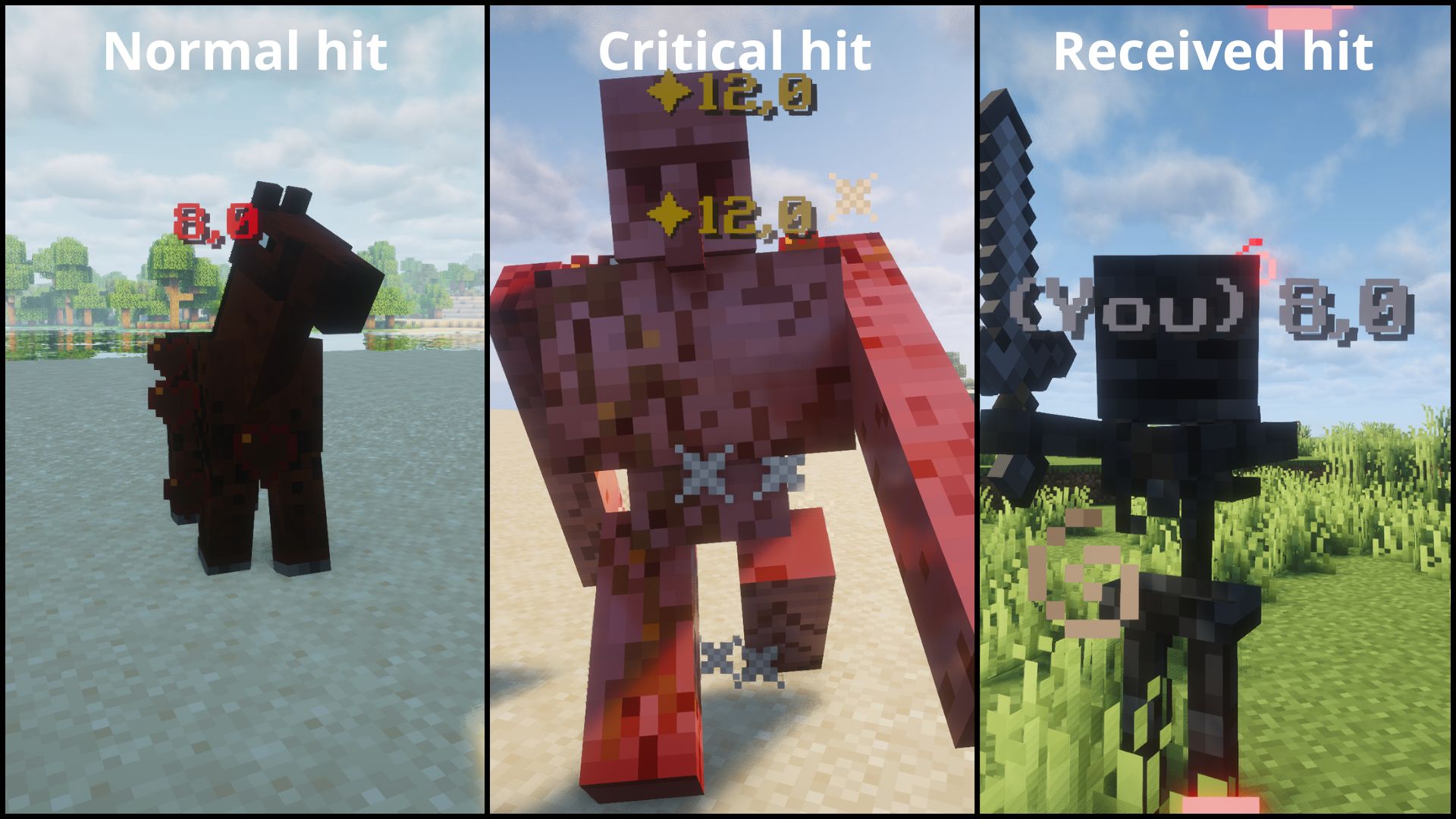
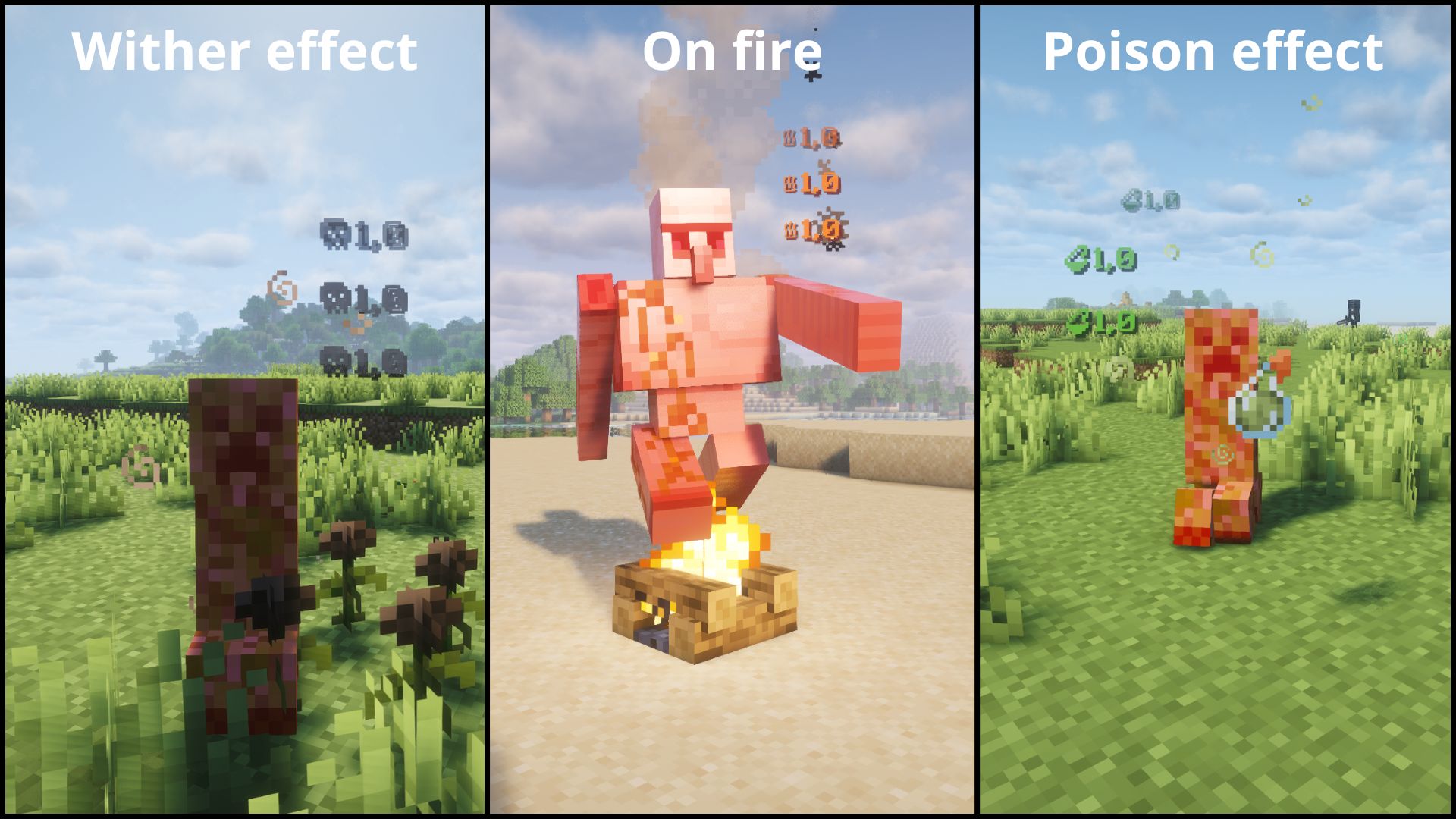
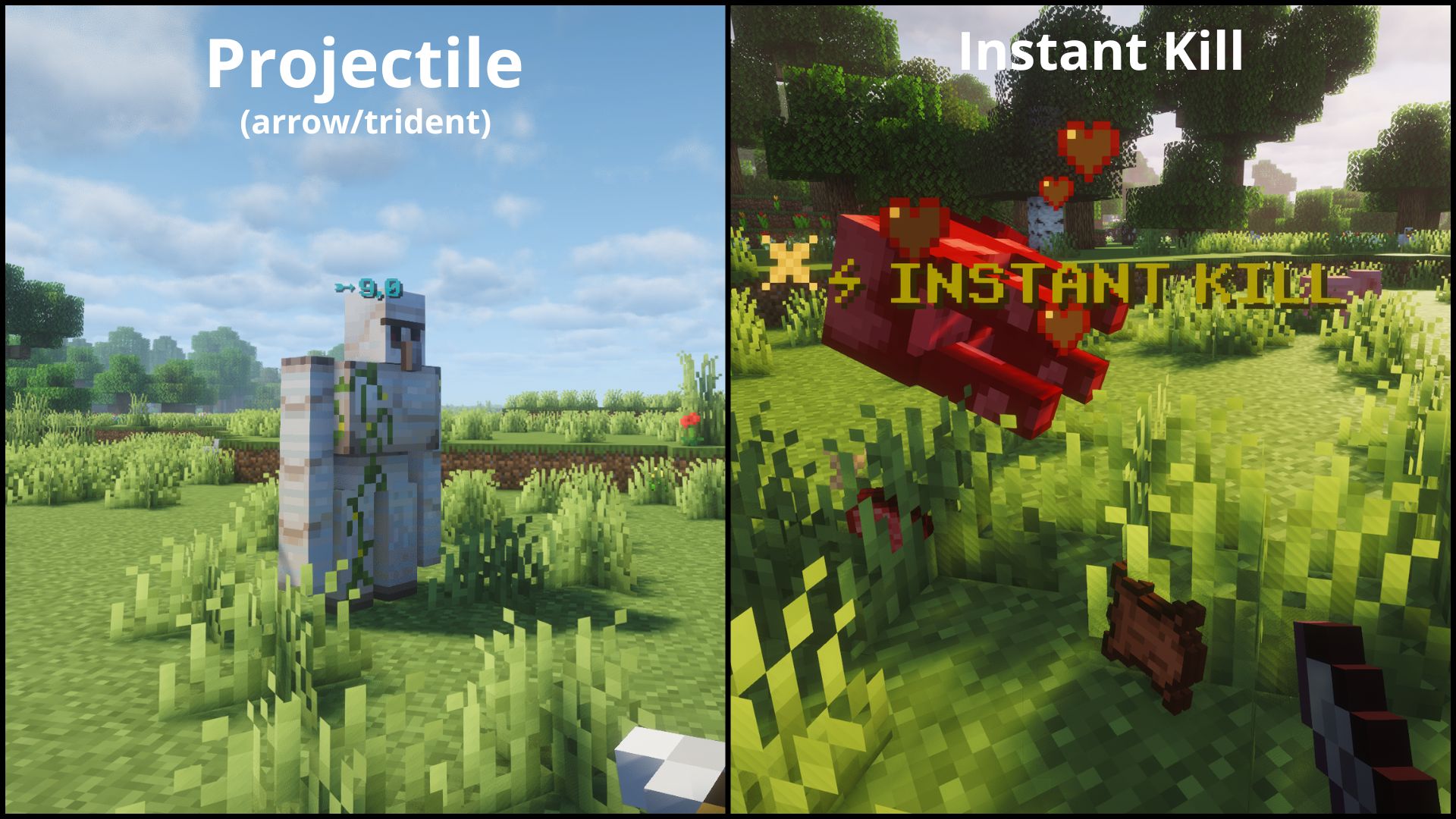
| Type | Icon | Color | Example |
|---|---|---|---|
| NORMAL | — | Red | Normal hit |
| CRITICAL | ✦ | Gold | Jump crit |
| PROJECTILE | ➵ | Cyan | Arrow, trident |
| FIRE | ♨ | Orange | Fire Aspect |
| POISON | ⚗ | Green | Poison |
| WITHER | ☠ | Dark gray | Wither effect |
| RECEIVING | — | Light gray | Damage you take |
| INSTANT_KILL | ⚡ INSTANT KILL | Gold | Kill an enemy in one hit |
After launching the game once, a configuration file will be generated:
config/floatingdamageindicators.json
Available options:
Note: The
formatssection is client-side only — the server only readsshowDamage,showReceivedDamage, andINSTANT_KILL'senabled. To customize prefixes, colors, orshowDamage, edit the config file on your client.Tip: Some Unicode characters or emojis may not display correctly depending on your Minecraft font. If a character shows as a blank square, try a different one. Stick to basic Unicode symbols for best results.
Tip: Colors must be 6-digit hex (RRGGBB). Invalid values like
"ZZZ123"or"FF"will silently fall back to the default for that damage type.
{
  "showDamage": true,
  "showReceivedDamage": true,
  "formats": {
    "NORMAL":       { "enabled": true, "prefix": "", "color": "FF3333", "showDamage": true },
    "CRITICAL":     { "enabled": true, "prefix": "\u2726", "color": "FFD700", "showDamage": true },
    "PROJECTILE":   { "enabled": true, "prefix": "\u27B5", "color": "00FFFF", "showDamage": true },
    "FIRE":         { "enabled": true, "prefix": "\u2668", "color": "FF6600", "showDamage": true },
    "POISON":       { "enabled": true, "prefix": "\u2697", "color": "4A9E2F", "showDamage": true },
    "WITHER":       { "enabled": true, "prefix": "\u2620", "color": "3C3C3C", "showDamage": true },
    "RECEIVING":    { "enabled": true, "prefix": "(You) ", "color": "AAAAAA", "showDamage": true },
    "INSTANT_KILL": { "enabled": true, "prefix": "\u26A1 INSTANT KILL", "color": "FFD700", "showDamage": false }
  }
}
Each format entry:
This project is licensed under the MIT License.
Project description from CurseForge.
Pick your setup
Choose the version and loader you play, then open the matching release.
Check the dependencies, then try the file in a copied instance before changing a world you care about.
Recent files
11 Aug 2026
fdi-fabric-3.4.3+mc1.21.1.jar
10 Aug 2026
fdi-fabric-3.4.2.1-fixed+mc1.21.11.jar
10 Aug 2026
10 Aug 2026
10 Aug 2026
10 Aug 2026
9 Aug 2026
9 Aug 2026
9 Aug 2026
9 Aug 2026
12 Jul 2026
12 Jul 2026
Looking for an older file? The official CurseForge project page is in Resources.
 mod
modThis mod adds the possibility to grab villager, easy transportation no more boat or minecart.
 mod
modAdds in a large catalogue of 100+ paintings to the game!
 mod
modExpansion that adds a fully-featured host of Create-mod village professions.