Minecraft version
Back to mods 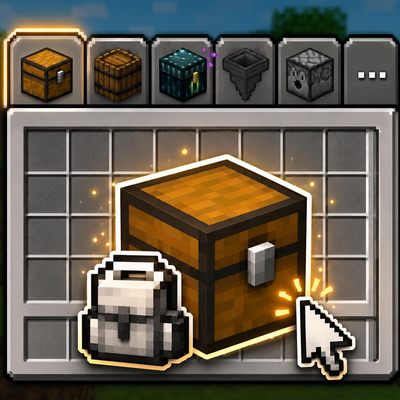
CurseForge · Minecraft mod
Mod Tabs (Forked)
A clean, configurable inventory tab bar that lets you jump between nearby containers and return home with one click.
Choose a version Pick your version below, then grab the matching file.
Quick answer
Which Mod Tabs (Forked) release should I use?
Latest stable file Mod Tabs 0.2.0 (Forge 1.20.1)
Game version 26.1.2
Loader NeoForge
Mod Tabs (Forked) Mod Tabs 0.2.0 (Forge 1.20.1) targets 26.1.2 with NeoForge. The project page does not say whether this file belongs on the client, dedicated server, or both. No extra mods listed for this file.
Where it goes
Is Mod Tabs (Forked) required on the client, server, or both?
The project page does not say whether this file belongs on the client, dedicated server, or both.
Client Source doesn’t say
Dedicated server Source doesn’t say
Loader for this release NeoForge
Required install it here Optional supported, not mandatory Not supported do not install here Source doesn’t say do not assume
The source does not explicitly classify this release as client-only or server-only.
What else does Mod Tabs (Forked) Mod Tabs 0.2.0 (Forge 1.20.1) need?
Mod Tabs 0.2.0 (Forge 1.20.1). Change the file and its required mods may change too.
This file does not list any required mods. Do not add a library just because a different file uses it.
This file does not list any required or optional mods.
Before you install it
Add Mod Tabs (Forked) without breaking your instance.
Built for Mod Tabs (Forked) Mod Tabs 0.2.0 (Forge 1.20.1). Pick another file and the loader, install side or required mods may change.
- 01
Stick to this file
Use Mod Tabs 0.2.0 (Forge 1.20.1). It targets 26.1.2 with NeoForge; another release may have different loader, side or dependency requirements.
- 02
Bring the mods it needs
This file does not list any required mods. Do not add a library just because a different file uses it.
- 03
Put it on the correct side
The project page does not say whether this file belongs on the client, dedicated server, or both.
- 04
Pick the file you checked
Use the “Get this file” button beside Mod Tabs 0.2.0 (Forge 1.20.1). It opens that exact file at the source.
About this project
What does Mod Tabs (Forked) add?
Mod Tabs
Stop closing your inventory just to open a chest. Mod Tabs adds a clean, configurable tab bar to your inventory and container screens — click a tab to jump straight to another screen, then hit your inventory key to snap right back.
This is the fresh Minecraft 26.1.2 / NeoForge release (0.1.0): a ground-up rewrite of the classic Legendary Tabs / Mod Tabs concept, rebuilt on a lean, flexible core.
This is a fork. Mod Tabs (Forked) is a fork of Mod Tabs by Vodmordia (source), which itself descends from Legendary Tabs by Legendary_Workshop. It is distributed under the LGPL 2.1 License (see How this fork differs and Credits below). Fork source: https://github.com/otectus/mod-tabs
✨ What it does
🎒 Nearby containers, one click away
Enable Nearby Container Tabs and Mod Tabs quietly scans the blocks around you and adds a tab for every openable one — chests, barrels, shulker boxes, hoppers, dispensers, and modded containers alike. No hardcoded list: if a block opens a menu when you right-click it, it gets a tab.
- Double chests show as a single tab — no clutter.
- Blocked chests (something on top) are skipped, just like vanilla.
- The bar updates live if a chest is placed or broken while you're browsing.
- Optional line-of-sight filter, and an adjustable scan radius (1–16 blocks).
🏠 Always-home inventory tab
A dedicated inventory tab sits on your inventory screen and on vanilla container screens, so getting back home is always one click — and it closes any open container properly so your items never desync.
🎛️ Make the bar yours
A built-in per-screen layout editor lets you dial in exactly how the bar looks:
- Move, scale, rotate and re-space the tabs.
- Reposition and rotate the paging button.
- Tuck the bar out of the way and have it slide back in on hover — in any direction.
- Pin sticky tabs to the leading edge so they never scroll off the page.
- Anchor the bar to the GUI or to a fixed screen position.
- Set a tabs-per-page limit and page through the rest with a chevron.
Every layout is saved per screen, so each menu can look exactly how you want.
📦 Modpack-friendly
Pack authors can flip a single "Allow Layout Editing" switch to lock the layout, ship a curated arrangement, and keep it consistent for every player.
🎮 Controls
- Shift + Tab — cycle to the next tab (rebindable)
- Your inventory key (E) — return to the inventory from a tab-opened screen
- Shift + Z or long-press the inventory tab — open the layout editor
- Left-click a tab — open its screen
📋 Requirements
- Minecraft 26.1.2
- NeoForge (
26.1.2.76or compatible) - Java 25
- MidnightLib — required (powers the config screen)
Client-side friendly — you can install it on the client alone.
⚙️ Configuration
All options live in the in-game MidnightLib config screen. Toggle nearby-container tabs, set the scan radius and line-of-sight, lock layout editing for modpacks, and more. Fine-grained per-tab tweaks (visibility, order, sticky, custom icons) are handled right in the layout editor.
🔀 How this fork differs from the original
Mod Tabs (Forked) is a ground-up port to Minecraft 26.1.2 / NeoForge, deliberately reduced to a lean core rather than a feature-for-feature copy of the upstream 1.21.1 line:
- Ships only the tab-bar framework, the inventory / home tab, and the nearby-container tabs.
- Not included (yet): the ~45 third-party per-mod integration tabs, the integration network packets, and the standalone global-settings panel from the older Mod Tabs / Legendary Tabs builds.
- Config migrated entirely to the in-game MidnightLib config screen.
- Container detection is now menu-provider-driven (no hardcoded block list), so vanilla and modded containers are picked up automatically.
More per-mod integrations are planned on top of this base.
🙏 Credits
- Original Legendary Tabs concept and implementation by Legendary_Workshop (source).
- Mod Tabs rewrite and NeoForge port by Vodmordia (source) — the direct parent of this fork.
- 26.1.2 core port (this fork) by otectus (source).
- The nearby-container feature is a clean-room implementation inspired by the design of InventoryTabs by dhyces / Kavin Phan. No source code was copied — the shared ideas are credited in full in the project's
CREDITS.txt.
Note:
0.1.0is the core foundation for 26.1.2 — the tab framework, the inventory tab and nearby-container tabs. More per-mod integrations are on the way. Feedback and bug reports are very welcome!
Project description from CurseForge.
Pick your setup
Mod Tabs (Forked) by Minecraft version and loader
Choose the version and loader you play, then open the matching release.
Check the dependencies, then try the file in a copied instance before changing a world you care about.
Recent files
Mod Tabs (Forked) versions and loaders
Mod Tabs 0.2.0 (Forge 1.20.1)
modtabs-26.1.2-0.2.0.jar
12 Jul 2026
Client Source doesn’t say Server Source doesn’t say Dependencies No extras listed Listed on Release listing
Check the 26.1.2 · NeoForge setup NeoForge26.1.2 release
Mod Tabs 0.1.0 (Neoforge 26.1.2)
modtabs-0.1.0.jar
1 Jul 2026
Client Source doesn’t say Server Source doesn’t say Dependencies No extras listed Listed on Release listing
Check the 26.1.2 · NeoForge setup NeoForge26.1.2 release
Looking for an older file? The official CurseForge project page is in Resources.
 mod
CurseForge · Minecraft
No Narrator
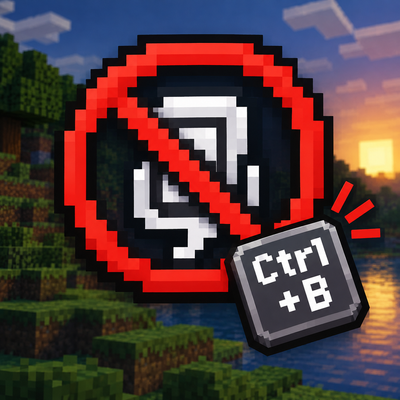
No Narrator 是一个轻量的客户端 模组,它可以禁用用于切换内置旁白的 Ctrl+B 快捷键,防止意外启动。No Narrator is a lightweight client-side Minecraft mod that disables the Ctrl+B Narrator toggle, preventing accidental activation. It doesn’t affect other keybinds and needs no configuration
 mod
CurseForge · Minecraft
Keep My Sword
Items remain after they break.
 mod
CurseForge · Minecraft
allrecipeunlocker🗿
Displays all recipes that are removed for specific reasons