Minecraft version
Back to mods 
CurseForge · Minecraft mod
sable-deployer
physics mode to the Deployer. In this mode, blocks placed by the Deployer are automatically converted into Sable physics objects.
Choose a version Pick your version below, then grab the matching file.
Quick answer
Which sable-deployer release matches 1.21.1?
Best match for your filters sable-deployer-0.2.0.jar
Game version 1.21.1
Loader NeoForge
sable-deployer-0.2.0.jar targets 1.21.1 with NeoForge. The project page does not say whether this file belongs on the client, dedicated server, or both. No extra mods listed for this file.
Where it goes
Is sable-deployer required on the client, server, or both?
The project page does not say whether this file belongs on the client, dedicated server, or both.
Client Source doesn’t say
Dedicated server Source doesn’t say
Loader for this release NeoForge
Required install it here Optional supported, not mandatory Not supported do not install here Source doesn’t say do not assume
The source does not explicitly classify this release as client-only or server-only.
What else does sable-deployer-0.2.0.jar need?
sable-deployer-0.2.0.jar on 1.21.1. Every mod below is checked against that same setup.
This file does not list any required mods. Do not add a library just because a different file uses it.
This file does not list any required or optional mods.
Before you install it
Add sable-deployer without breaking your instance.
Built for sable-deployer-0.2.0.jar on 1.21.1. Pick another file and the loader, install side or required mods may change.
- 01
Stick to this file
Use sable-deployer-0.2.0.jar. It targets 1.21.1 with NeoForge; another release may have different loader, side or dependency requirements.
- 02
Bring the mods it needs
This file does not list any required mods. Do not add a library just because a different file uses it.
- 03
Put it on the correct side
The project page does not say whether this file belongs on the client, dedicated server, or both.
- 04
Pick the file you checked
Use the “Get this file” button beside sable-deployer-0.2.0.jar. It opens that exact file at the source.
About this project
What does sable-deployer add?
Sable Deployer
Sable Deployer extends Create's Deployer with two extra wrench modes built for Sable sub-levels (instanced, physical areas). It adds no new blocks or items: the original Deployer just gains two more modes, each with its own hand model, and the mode is remembered even when the Deployer is carried off on a contraption.
Modes
Right-clicking a Deployer with a wrench cycles through Create's stock modes and ours:
- On a Sable sub-level:
Use -> Punch -> Physics -> World -> Use -> ... - Off a sub-level:
Use -> Punch -> Physics -> Use -> ...
The World step is only offered while the Deployer stands on a Sable grid, and it switches itself off automatically if the Deployer leaves one. One more wrench click always returns the Deployer to Create's stock behaviour.
| Mode | Behaviour |
|---|---|
| Use | Create's stock placement mode. It is where a freshly placed Deployer starts, and where the cycle returns to. |
| Punch | Unchanged from Create (attack / break). |
| Physics | Blocks placed by the Deployer are immediately assembled into Sable physics objects instead of staying static. This is what lets a Deployer on a vehicle build things that are physically part of the world. |
| World | Experimental. Blocks are placed as plain static blocks on the world grid, with no physics assembly. Read the note below before relying on it. |
World mode is experimental
World mode is the least-tested part of this mod, because it writes into the plain world grid while you are standing inside a Sable instanced area. Please treat it as a preview.
- Placed blocks do not travel with the sub-level. They stay where they were placed in world space, so a moving or flying platform can leave them behind, cut them off, or leave them floating. If a sub-level later passes over them, Sable's assembly and splitting logic can re-absorb them in unexpected ways.
- Placement can do nothing at all. If the target chunk is neither loaded nor managed by Sable, the placement is skipped instead of forcing that chunk to generate. That is deliberate, but it means "I told it to place and nothing appeared" is a normal outcome near the edges of a sub-level.
- The area around plot boundaries inside a sub-level is the least predictable place for this mode. Test it in a copy of your world before using it on anything you care about.
- The exact semantics of World mode may still change in future versions.
Physics mode is the safe default. It costs more (one Sable assembly per placement, and every placement allocates a new physics sub-level), but its behaviour is well defined: the block becomes physical and moves with the world.
Moving Deployers and rails
- Deployers mounted on contraptions, trains and vehicles keep working in both new modes. The mode is stored on the block and carried into contraption data, so assembly, disassembly and schematic copies preserve it.
- When a Deployer moves several blocks between placements, the intermediate positions are filled in automatically (straight line, up to 16 blocks), so a driving vehicle lays a continuous line instead of a dotted one.
- Create rails: a Deployer never enters Create's two-click "lay a curve" mode. It places one rail at a time, and the rail continues the direction of an existing neighbouring rail (junction-aware, slopes included). Diagonal intent is snapped to the nearest axis, so no unexpected curves appear.
Requirements
- Minecraft 1.21.1, NeoForge 21.1.235 or newer
- Create 6.0.10 or newer (6.0.x)
- Sable 2.0.3 or newer (tested with 2.0.5)
Runs on both dedicated servers and clients. Tooltips are translated (English and Japanese): Mode: Physics, Mode: World.
Notes
- Placement never forces unloaded chunks to generate. Targets outside already-loaded (or Sable-managed) chunks are skipped.
- Physics mode is performance-heavy at high Deployer speeds. Prefer World mode for bulk building, and keep Physics for the parts that genuinely have to be physical.
- Always back up your world before installing. Sable physics can move blocks in ways that are hard to undo.
Project description from CurseForge.
Pick your setup
sable-deployer by Minecraft version and loader
Choose the version and loader you play, then open the matching release.
Check the dependencies, then try the file in a copied instance before changing a world you care about.
Recent files
sable-deployer versions and loaders
sable-deployer-0.2.0.jar
22 Nov 2026
Client Source doesn’t say Server Source doesn’t say Dependencies No extras listed Listed on Release listing
Check the 1.21.1 · NeoForge setup 1.21.1NeoForge release
sable-deployer-0.1.0.jar
7 Jul 2026
Client Source doesn’t say Server Source doesn’t say Dependencies No extras listed Listed on Release listing
Check the 1.21.1 · NeoForge setup 1.21.1NeoForge beta
Looking for an older file? The official CurseForge project page is in Resources.
 mod
CurseForge · Minecraft
Create:Advanced Frequency Network
Create: AFN is a Create addon extending wireless redstone management, optimizing frequency editing, enabling wireless messaging and private ticketing, and compatible with many mods. Ideal for large factories and aeronautical machinery.
 mod
CurseForge · Minecraft
HP's Portable Workstations
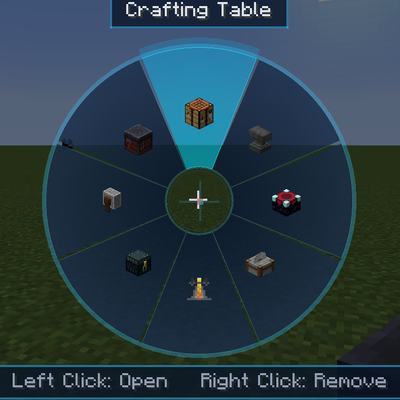
Access vanilla workstations from a portable skill wheel without placing them in the world.
 mod
CurseForge · Minecraft
Create: Letter's in Steam
Steam, bronze, and more efficient Create machines!