Prism Menu Optional for Minecraft But.. Floor Changes! ground-shift-1.0.jar
optionalMatching file found Matched file: prism-modmenu-4.0.0.jar
CurseForge · Minecraft mod
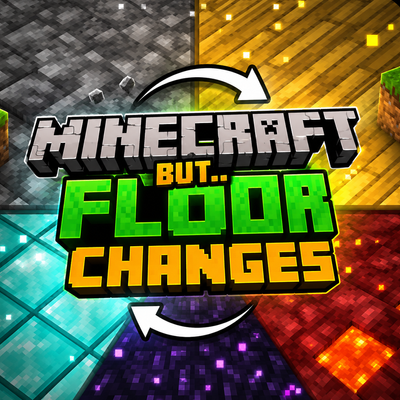
The floor is a lie. Every block around you shifts on a timer — no warning, no pattern, no mercy. What you're standing on right now won't exist in sixty seconds.
Quick answer
Minecraft But.. Floor Changes! ground-shift-1.0.jar targets 1.21 with Fabric. The project page does not say whether this file belongs on the client, dedicated server, or both. No extra mods listed for this file.
Where it goes
The project page does not say whether this file belongs on the client, dedicated server, or both.
The source does not explicitly classify this release as client-only or server-only.
ground-shift-1.0.jar on 1.21. Every mod below is checked against that same setup.
This file does not list any required mods. Do not add a library just because a different file uses it.
We only count dependency files that match this setup. A file for another loader does not fill the gap.
Before you install it
Built for Minecraft But.. Floor Changes! ground-shift-1.0.jar on 1.21. Pick another file and the loader, install side or required mods may change.
Use ground-shift-1.0.jar. It targets 1.21 with Fabric; another release may have different loader, side or dependency requirements.
This file does not list any required mods. Do not add a library just because a different file uses it.
The project page does not say whether this file belongs on the client, dedicated server, or both.
Use the “Get this file” button beside ground-shift-1.0.jar. It opens that exact file at the source.
About this project
GroundShift turns Minecraft into a world you can never fully trust. A zone locks onto you the moment you're holding the Reality Controller — and every 60 seconds (or whatever interval you set), every block inside it silently rewrites itself into something new.
Stone becomes sand. Sand becomes obsidian. Obsidian becomes gold. Walk far enough and the shift follows you, quietly chewing through the floor, the walls, the ceiling, and anything buried nearby — before you even notice it's changed.
No warning. No pattern. Just the ground, gently coming apart at the seams.
| Setting | What it does |
|---|---|
| Ground Shift | Master on/off switch |
| Follow Player | Zone tracks you as you move |
| Zone Size | How large the affected cube is |
| Shift Interval | How often blocks randomize |
| Particles / Sounds | Toggle the visual and audio feedback |
Because permanence is overrated. Because your base should never feel finished. Because the best horror isn't a monster — it's the quiet realization that the wall behind you used to be a different color.
Nothing here is permanent. Not even the ground.
Project description from CurseForge.
Pick your setup
Choose the version and loader you play, then open the matching release.
Check the dependencies, then try the file in a copied instance before changing a world you care about.
Recent files
8 Jul 2026
Looking for an older file? The official CurseForge project page is in Resources.
 mod
Additional shapes for any block, including modded ones
 mod
Backup mod that keeps your worlds safe with automatic and manual backups, with an easy in-game UI to create, manage, and restore them.
 mod
Sick of wasting time with Minecraft’s slow launcher just to change your skin? Quick Skin lets you swap skins instantly even on “offline” servers and gives you access to every official Minecraft cape.