The One Probe Optional for EFab-Create efabcreate-1.0.0.jar
optionalMatching file found Matched file: TheOneProbe - 1.21_neo-12.0.8
CurseForge · Minecraft mod
Added compatibility with Create for EFab - Unofficial
Quick answer
EFab-Create efabcreate-1.0.0.jar targets 1.21.1 with NeoForge. The project page does not say whether this file belongs on the client, dedicated server, or both. All 2 required mods have matching files.
Where it goes
The project page does not say whether this file belongs on the client, dedicated server, or both.
The source does not explicitly classify this release as client-only or server-only.
efabcreate-1.0.0.jar. Change the file and its required mods may change too.
Install EFab - Unofficial, Create first. We found matching files for this game-version and loader setup. 3 come through another mod in the chain.
3 extra mods were pulled in by other dependencies. Indented rows show who needs each one. We only count dependency files that match this setup. A file for another loader does not fill the gap.
Before you install it
Built for EFab-Create efabcreate-1.0.0.jar. Pick another file and the loader, install side or required mods may change.
Use efabcreate-1.0.0.jar. It targets 1.21.1 with NeoForge; another release may have different loader, side or dependency requirements.
Install EFab - Unofficial, Create first. We found matching files for this game-version and loader setup. 3 come through another mod in the chain.
The project page does not say whether this file belongs on the client, dedicated server, or both.
Use the “Get this file” button beside efabcreate-1.0.0.jar. It opens that exact file at the source.
About this project
EFab Create Compat is a Minecraft 1.21.1 NeoForge compatibility mod that connects EFab recipes to Create's kinetic system.
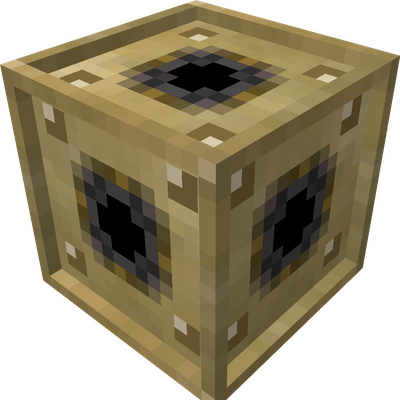
It adds the Kinetic Interface, an EFab structure component that allows recipes to require a minimum rotational speed and a minimum amount of available stress capacity. A stress requirement becomes a real load on the Create kinetic network while the recipe is running, then releases automatically when the craft finishes or stops.
Even if you never write a custom recipe, the Kinetic Interface has shafts on all six sides, so you can absolutely pretend it is an omni-directional gearbox. That was definitely part of the plan from the beginning.
| Component | Required version |
|---|---|
| Minecraft | 1.21.1 |
| NeoForge | 21.1.0 or newer |
| EFab | 0.3.6 or newer |
| Create | 6.0.0 or newer |
Install these optional mods when you need their related features:
Place the Kinetic Interface inside the crafting area recognized by EFab, then connect any of its six sides to a Create kinetic network.
The block is a real Create kinetic network member. It can:
| Requirement | Behavior |
|---|---|
rotationSpeed |
Requires the absolute speed of an interface to meet the configured RPM. An overstressed network fails the requirement. |
kineticStress |
Requires enough remaining stress capacity. The requested SU becomes a real network load while the recipe runs. |
For example, .kineticStress(128) requires at least 128 SU of remaining capacity and adds 128 SU of stress impact while crafting.
You may include EFab Create Compat in any modpack without requesting permission, including:
Redistribution of the mod file as part of a modpack is allowed. Credit and a link to the project page are appreciated but not required.
You remain responsible for following the licenses and terms of Minecraft, NeoForge, EFab, Create, and the platform where your pack is distributed.
EFab Create Compat is licensed under the MIT License. You are free to use, modify, redistribute, and integrate the project under the terms of that license.
Full introduction (in Chinese only): Github Readme
Project description from CurseForge.
Pick your setup
Choose the version and loader you play, then open the matching release.
Check the dependencies, then try the file in a copied instance before changing a world you care about.
Recent files
11 Jul 2026
Looking for an older file? The official CurseForge project page is in Resources.
 mod
modSpill blood for power. Altars that consume life, sigils that bend the world, custom demons in an endless dungeon, sentient armor that drinks souls, a shield that pays your damage in essentia. Datapack-driven from the ground up.
 mod
modAn immense mod that adds and modifys weapons, biomes, mobs, world gen, blocks, and much much more.
 mod
modA performant rendering optimization Mod for Minecraft. Evolving from a optimized VulkanMod fork for 26.1.2 into an independent mod for 26.2.