Professors Toolkit: Shulker Transport Optional for Professors Toolkit: Ghost Torch professors-toolkit-ghost-torch-1.3.0.jar-mc26.3
optionalMatching file found Matched file: shulker-transporter-2.0.0.jar-mc26.3
CurseForge · Minecraft mod
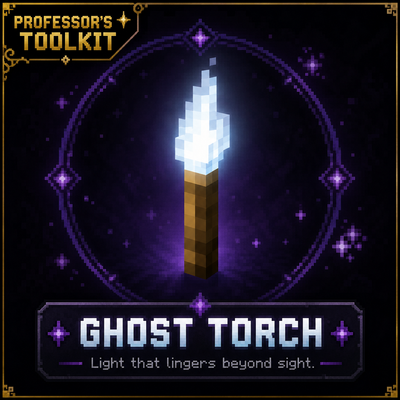
A spectral torch that keeps your builds beautifully lit without the visual clutter.
Quick answer
Professors Toolkit: Ghost Torch professors-toolkit-ghost-torch-1.3.0.jar-mc26.3 targets 26.3 with Fabric. The project page does not say whether this file belongs on the client, dedicated server, or both. No extra mods listed for this file.
Where it goes
The project page does not say whether this file belongs on the client, dedicated server, or both.
The source does not explicitly classify this release as client-only or server-only.
professors-toolkit-ghost-torch-1.3.0.jar-mc26.3. Change the file and its required mods may change too.
This file does not list any required mods. Do not add a library just because a different file uses it.
1 extra mod was pulled in by another dependency. Indented rows show who needs each one. We only count dependency files that match this setup. A file for another loader does not fill the gap.
Before you install it
Built for Professors Toolkit: Ghost Torch professors-toolkit-ghost-torch-1.3.0.jar-mc26.3. Pick another file and the loader, install side or required mods may change.
Use professors-toolkit-ghost-torch-1.3.0.jar-mc26.3. It targets 26.3 with Fabric; another release may have different loader, side or dependency requirements.
This file does not list any required mods. Do not add a library just because a different file uses it.
The project page does not say whether this file belongs on the client, dedicated server, or both.
Use the “Get this file” button beside professors-toolkit-ghost-torch-1.3.0.jar-mc26.3. It opens that exact file at the source.
About this project
Ghost Torch is a lightweight, vanilla-friendly utility mod that gives builders and technical players complete control over Minecraft's hidden lighting and hostile mob spawning mechanics—all through a single intuitive tool.
At its core, Ghost Torch functions like a nearly invisible vanilla torch, allowing you to illuminate your builds without cluttering them with visible light sources. Hold a Ghost Torch at any time to reveal nearby Ghost Torches, making hidden lighting easy to locate whenever you need it.
Ghost Vision expands the experience even further by providing powerful visualization tools that integrate naturally into gameplay. Inspect your world's lighting and hostile mob spawning conditions without opening debug screens or relying on external utility mods.
Switch seamlessly between multiple Ghost Vision modes to visualize:
Every feature—from textures and sounds to controls and crafting—has been designed to feel like a natural extension of vanilla Minecraft.
Version 1.2.0 continues to refine the Ghost Vision experience with improved usability and more flexible activation controls.
Choose the activation style that best fits your playstyle:
Existing users are automatically migrated to Hold Item + Shift when updating, preserving previous behavior without requiring any configuration changes.
Glow Ink Sac
Glass Block
Torch
(Place the ingredients vertically in any crafting table column.)
Hold the appropriate Ghost Torch and activate Ghost Vision using your selected activation mode:
Use Shift + Mouse Wheel to cycle between Ghost Vision modes.
Ghost Torch was created to solve two common problems:
Ghost Torch combines both ideas into a lightweight utility that feels like it belongs in vanilla Minecraft.
Ghost Torch continues to grow while remaining focused on its original philosophy.
Future updates will prioritize:
Upcoming development includes Spawn Inspector, a diagnostic mode that explains why mobs can or cannot spawn at any given location, making it easier to optimize farms, lighting, and mob-proofing.
Ghost Torch is designed around one goal:
Reveal Minecraft's hidden mechanics without changing the vanilla experience.
Ghost Torch is the first release in the Professor's Toolkit collection—a growing series of focused, vanilla-friendly utility mods that reveal information Minecraft already knows, but doesn't normally show the player.
Every Professor's Toolkit mod is built around one guiding principle:
Enhance vanilla gameplay—never replace it.
Ghost Vision was inspired by MiniHUD, created by masa and its contributors.
MiniHUD has been an invaluable tool for the technical Minecraft community for many years and inspired the integrated visualization system found in Ghost Torch.
While Ghost Vision is an original implementation built specifically for this project, I wanted to recognize the work that inspired its creation. If you enjoy technical Minecraft utility mods, I highly recommend checking out MiniHUD.
Thank you for checking out Ghost Torch.
I hope it earns a permanent place in your survival worlds.
This is only the beginning of the Professor's Toolkit collection, and I can't wait to share what's coming next.
Visit https://discord.gg/2fgFusvy4h To check out other mods released by me :)
Project description from CurseForge.
Pick your setup
Choose the version and loader you play, then open the matching release.
Check the dependencies, then try the file in a copied instance before changing a world you care about.
Recent files
professors-toolkit-ghost-torch-1.3.0.jar
21 Sept 2026
professors-toolkit-ghost-torch-1.3.0.jar
20 Sept 2026
6 Aug 2026
professors-toolkit-ghost-torch-1.2.0+mc1.21.10.jar
30 Jul 2026
professors-toolkit-ghost-torch-1.2.0.jar
30 Jul 2026
professors-toolkit-ghost-torch-1.1.0.jar
24 Jul 2026
professors-toolkit-ghost-torch-1.0.1.jar
21 Jul 2026
professors-toolkit-ghost-torch-1.0.0.jar
19 Jul 2026
professors-toolkit-ghost-torch-0.5.9.jar
19 Jul 2026
professors-toolkit-ghost-torch-0.5.6-cardinal-text.jar
18 Jul 2026
professors-toolkit-ghost-torch-0.5.2.jar
17 Jul 2026
professors-toolkit-ghost-torch-(VISUAL LOCK)0.3.1.jar
16 Jul 2026
Looking for an older file? The official CurseForge project page is in Resources.