Back to mods
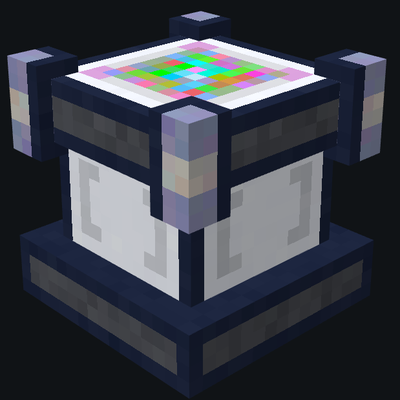
Advanced Memory Card project artwork

CurseForge · Minecraft mod

Advanced Memory Card

Advanced memory card provides powerful automatic configuration capability for Applied Energistics 2 system. It can simplify repetitive configuration tasks and realize efficient batch deployment of equipment settings.

Choose a version Pick your version below, then grab the matching file.

Quick answer

Which Advanced Memory Card release should I use?

Updated today
Latest stable file Advanced Memory Card 1.2.0-1.20.1
Game version 1.20.1
Loader Forge

Advanced Memory Card 1.2.0-1.20.1 targets 1.20.1 with Forge. The project page does not say whether this file belongs on the client, dedicated server, or both. All 3 required mods have matching files.

Where it goes

Is Advanced Memory Card required on the client, server, or both?

The project page does not say whether this file belongs on the client, dedicated server, or both.

Client Source doesn’t say
Dedicated server Source doesn’t say
Loader for this release Forge
Required install it here Optional supported, not mandatory Not supported do not install here Source doesn’t say do not assume

The source does not explicitly classify this release as client-only or server-only.

What else does Advanced Memory Card 1.2.0-1.20.1 need?

Advanced Memory Card 1.2.0-1.20.1. Change the file and its required mods may change too.

All 3 required mods have matching files

Install Applied Energistics 2, Applied Energistics 2, GuideME first. We found matching files for this game-version and loader setup. 17 come through another mod in the chain.

2 listed on this file 17 pulled in by those mods
Applied Energistics 2 Needed by Advanced Memory Card 1.2.0-1.20.1
required
Matching file found Matched file: AE2 15.4.11 [FORGE]
Applied Energistics 2 Needed by Advanced Memory Card 1.2.0-1.20.1
required
Matching file found Matched file: 15.4.11
Just Enough Items (JEI) Needed by Applied Energistics 2
pulled in
Matching file found Matched file: 15.74.0.229 for Forge 1.20.1
The One Probe Needed by Applied Energistics 2
pulled in
Matching file found Matched file: TheOneProbe - 1.20.1-10.0.4
WTHIT Needed by Applied Energistics 2
pulled in
Matching file found Matched file: forge-8.21.1
GuideME Needed by Applied Energistics 2
pulled in
Matching file found Matched file: GuideME 20.1.15
Jade 🔍 Needed by Applied Energistics 2
pulled in
Matching file found Matched file: [Forge 1.20.1] 11.13.3
Architectury API Needed by Roughly Enough Items Fabric/Forge/NeoForge (REI)
pulled in
Matching file found Matched file: [Forge 1.20(.1)] v9.2.14
MezzConfigGUI Needed by Just Enough Items (JEI)
pulled in
Matching file found Matched file: MezzConfig GUI mc1.20.1-0.5.11 for Forge
MezzConfig Needed by Just Enough Items (JEI)
pulled in
Matching file found Matched file: MezzConfig 0.6.9 for Forge 1.20.1
Redstone Flux Needed by The One Probe
pulled in
No matching file
Baubles Needed by The One Probe
pulled in
No matching file
TESLA Needed by The One Probe
pulled in
No matching file
Cloth Config API Needed by Roughly Enough Items (REI)
pulled in
Matching file found Matched file: 11.1.136+forge
Architectury API Needed by Roughly Enough Items (REI)
pulled in
Matching file found Matched file: 9.2.14+forge

17 extra mods were pulled in by other dependencies. Indented rows show who needs each one. We only count dependency files that match this setup. A file for another loader does not fill the gap.

Before you install it

Add Advanced Memory Card without breaking your instance.

Built for Advanced Memory Card 1.2.0-1.20.1. Pick another file and the loader, install side or required mods may change.

  1. 01

    Stick to this file

    Use Advanced Memory Card 1.2.0-1.20.1. It targets 1.20.1 with Forge; another release may have different loader, side or dependency requirements.

  2. 02

    Bring the mods it needs

    Install Applied Energistics 2, Applied Energistics 2, GuideME first. We found matching files for this game-version and loader setup. 17 come through another mod in the chain.

  3. 03

    Put it on the correct side

    The project page does not say whether this file belongs on the client, dedicated server, or both.

  4. 04

    Pick the file you checked

    Use the “Get this file” button beside Advanced Memory Card 1.2.0-1.20.1. It opens that exact file at the source.

About this project

What does Advanced Memory Card add?

Advanced Memory Card

An Applied Energistics 2 (AE2) add-on mod that supercharges the AE2 Memory Card with two major features: bulk configuration copying and advanced P2P tunnel management.

🌟 Features

🔧 Two Working Modes

The mod stores its state as a "mode" inside the item's NBT, and you can switch between them at any time:

Mode Description
Copy Mode Select a region and paste a copied AE2 device configuration onto every AE2 block and part inside it at once
Config Mode (P2P Tunnel Config) Right-click a P2P tunnel part to open a GUI for centrally managing and configuring P2P tunnels within the network

📋 Copy Mode

  • Bulk region copy: Copy a single AE2 device's configuration first, then select two opposite corner blocks to define a region, and right-click on air to apply the config in bulk.
  • Supports AE2 blocks and parts: Every AEBaseBlockEntity (ME controllers, interfaces, storage buses, etc.) and every part on an IPartHost within the region is processed.
  • Volume limit protection: If the region volume exceeds the server config maxCopyVolume (default 2048 blocks), the paste is rejected with a message to prevent accidental oversized selections and lag.
  • Visual selection box: The selection is color-coded in real time (red = pick first point / white = pick second point / green = ready to paste), with distinct colors for the targeted block and out-of-range blocks.
  • Real-time feedback: The item tooltip and chat bar display marked coordinates, region size, and the number of blocks pasted.

🕸 Config Mode (P2P Tunnel Config)

Right-click any P2P tunnel part to open the configuration GUI and visually manage all P2P devices in the current AE network:

  • P2P tree list: Automatically scans the network and displays all P2P devices grouped by type / channel, with expand/collapse and search filtering.
  • Detail panel: Selecting a node shows its type, frequency, input/output role, connection status, and more.
  • Rename / alias: Set a custom name for an individual P2P device, or set an alias for an entire channel (the channel's input side) for easy identification.
  • Bind frequency: Bind the selected P2P to a specific 4-digit hexadecimal frequency (e.g. 0A1B). Non-ME P2Ps automatically and intelligently determine their input/output role.
  • Assign new channel: Assign a brand-new free frequency to the selected non-ME P2P and set it as the input side with one click.
  • Auto-configure input/output (ME P2P only): Automatically decides whether an ME P2P should act as input or output based on whether its external network is connected to an ME Controller, and assigns a frequency automatically.
  • Highlight & locate: Highlights P2P tunnels in the world (self / input / output rendered in different colors), optionally auto-turns your head toward the target, and sends location info and a teleport link to the chat bar.
  • Cross-dimension connections: Fixes the vanilla issue where the client only sent coordinates, making cross-dimension P2Ps impossible to locate. The encoding now carries dimension info, allowing P2P devices to be correctly located and highlighted across dimensions.

⌨️ Mode Switching

  • V key (default, rebindable in the game's Controls settings) — press while holding the Advanced Memory Card to switch modes.
  • Shift + Right-click — quickly switch between the two modes (in Copy Mode, Shift + Right-click performs the native AE2 copy action instead of switching).

📦 Installation

Requirements

Dependency Version
Minecraft 1.20.1
Forge 47.4.10 or higher (loader range [47,))
Applied Energistics 2 (AE2) 15.4.10 or higher ([15.4.10,))
mixinextras 1.0.0+ (optional, for Mixin enhancements)

The mod also depends on Jade, GuideME, and JEI at runtime (common AE2-ecosystem add-ons; installing them is recommended for the best experience).

Steps

  1. Download the latest advanced_memory_card-<version>.jar from the releases page.
  2. Place the .jar file into your Minecraft mods folder.
  3. Make sure the required mods above are installed.
  4. Launch the game and find the item under the "Advanced Memory Card" creative tab.

🛠 Configuration

The mod provides both client and server config files (located in the config/ directory):

Server config (advanced_memory_card-server.toml)

Option Default Description
maxCopyVolume 2048 Maximum region volume (block count) allowed in Copy Mode; larger selections are rejected
sendHighlightToChat true Whether to send location info and a teleport link to chat when highlighting a P2P device

Client config (advanced_memory_card-client.toml)

Mainly used to personalize UI and rendering appearance. You can adjust:

  • Highlight behavior: rotateHeadOnHighlight (auto-turn head when highlighting), p2pHighlightDurationSec (highlight duration, 1–60 seconds).
  • P2P tree widget: background / selected / hover colors, indent, row height, icon spacing, channel warning threshold, max name length, etc.
  • Detail panel: background, title, label, value, and status (not active / not connected / connected) colors and layout dimensions.
  • Generic buttons (FlatButton): default / hover / pressed / text colors.
  • Copy Mode selection box: colors for start point, end point, targeted point, out-of-range, and the three selection states.
  • P2P highlight rendering: self / input / output colors.
  • Item color: item base color and tint color.

All colors are hexadecimal values (ARGB for GUI classes, RGB for rendering classes) and can be edited directly in the config files.

📖 Quick Usage Guide

Copy Mode

  1. Hold the Advanced Memory Card in Copy Mode and Shift + Right-click a source AE2 device to copy its configuration.
  2. Right-click the first corner block to mark the start point (red).
  3. Right-click the opposite corner block to mark the end point (white); it now enters the ready-to-paste state (green).
  4. Right-click on air to apply the config in bulk to all AE2 devices in the region.

Config Mode

  1. Switch to Config Mode and right-click any P2P tunnel part to open the configuration GUI.
  2. Browse / search the network's P2Ps in the left tree, and select a node to view its details on the right.
  3. Use the detail panel buttons to rename, bind a frequency, assign a new channel, auto-configure input/output, highlight & locate, and more.

🔧 Development & Build (for developers)

# Run the client (dev environment)
./gradlew runClient

# Build the release jar
./gradlew build

# Generate data packs / language files
./gradlew runData
  • Built on Forge Gradle 6.x with a Java 17 toolchain.
  • Uses Mixin (advanced_memory_card.mixins.json) to extend AE2's P2PTunnelPart.
  • Resource files are produced by the data generators under src/main/java/.../datagen into src/generated/resources/.

📄 License

This project is open-sourced under the GNU GPL-3.0 license.

Project description from CurseForge.

Pick your setup

Advanced Memory Card by Minecraft version and loader

Choose the version and loader you play, then open the matching release.

4 available setups

Check the dependencies, then try the file in a copied instance before changing a world you care about.

Recent files

Advanced Memory Card versions and loaders

13 of 13 releases match

Looking for an older file? The official CurseForge project page is in Resources.