Minecraft version
Back to mods 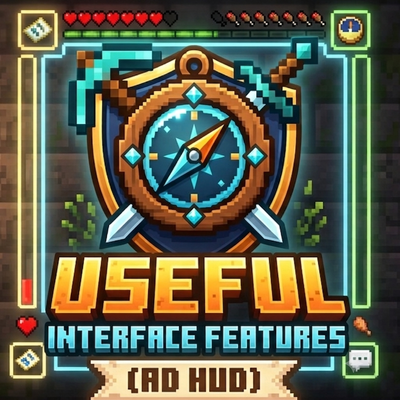
CurseForge · Minecraft mod
Useful Interface Features (AD HUD)
An improved HUD that replaces standard interface elements with more informative and customizable ones.
Choose a version Pick your version below, then grab the matching file.
Quick answer
Which Useful Interface Features (AD HUD) release should I use?
Latest stable file useful_interface_features-4.0.0-forge-1.20.1.jar
Game version 1.20.1
Loader Forge
Useful Interface Features (AD HUD) useful_interface_features-4.0.0-forge-1.20.1.jar targets 1.20.1 with Forge. The project page does not say whether this file belongs on the client, dedicated server, or both. No extra mods listed for this file.
Where it goes
Is Useful Interface Features (AD HUD) required on the client, server, or both?
The project page does not say whether this file belongs on the client, dedicated server, or both.
Client Source doesn’t say
Dedicated server Source doesn’t say
Loader for this release Forge
Required install it here Optional supported, not mandatory Not supported do not install here Source doesn’t say do not assume
The source does not explicitly classify this release as client-only or server-only.
What else does Useful Interface Features (AD HUD) useful_interface_features-4.0.0-forge-1.20.1.jar need?
useful_interface_features-4.0.0-forge-1.20.1.jar. Change the file and its required mods may change too.
This file does not list any required mods. Do not add a library just because a different file uses it.
This file does not list any required or optional mods.
Before you install it
Add Useful Interface Features (AD HUD) without breaking your instance.
Built for Useful Interface Features (AD HUD) useful_interface_features-4.0.0-forge-1.20.1.jar. Pick another file and the loader, install side or required mods may change.
- 01
Stick to this file
Use useful_interface_features-4.0.0-forge-1.20.1.jar. It targets 1.20.1 with Forge; another release may have different loader, side or dependency requirements.
- 02
Bring the mods it needs
This file does not list any required mods. Do not add a library just because a different file uses it.
- 03
Put it on the correct side
The project page does not say whether this file belongs on the client, dedicated server, or both.
- 04
Pick the file you checked
Use the “Get this file” button beside useful_interface_features-4.0.0-forge-1.20.1.jar. It opens that exact file at the source.
About this project
What does Useful Interface Features (AD HUD) add?
🎮 Useful Interface Features (AD HUD) This mod for Minecraft 1.20.1 (Forge) features an improved HUD that replaces standard interface elements with more informative and customizable ones.
📊 Key Features
- Equipment Durability Panel Displays the durability of equipped armor, weapons, tools, and the Totem of Immortality directly on the screen—no more opening your inventory to check how much is left before it breaks. 2. Effects Panel Instead of small icons in the top right, there's a full list with: Effect icon Name and level Countdown timer (with color indicator: green → yellow → red)
- Entity Inspector When hovering over a mob/player, it displays a bar with: Entity name and type Health (bar + percentage) Armor and durability of its items Distance to target
🎨 HUD Layout Modes Split - Armor to the left and right of the hotbar, weapons to the sides Left - The entire panel on the left side of the screen vertically Right - The entire panel on the right side of the screen vertically Bottom - Horizontal bar under the hotbar Corners - Armor at the corners, weapons at the bottom center Split+ - Improved Split - weapons closer to the hotbar Custom - Completely Manual placement of each element
⚙️ Settings Everything can be configured through the in-game menu (default: "K"): HUD On/Off — Disable the mod completely Effects On/Off — Show the custom effects panel Totem On/Off — Display the number of totems Durability Format — Number (250/300) or percentage (83%) Paint Theme — 5 color schemes (blue, green, red, purple, gold) Custom Layout — Manual positioning of all elements
🖱️ Custom Layout Editor Visual drag-and-drop editor:
- 7 equipment slots (helmet, chestplate, leggings, boots, weapon, shield, totem)
- Effects Panel
- Entity Inspector All elements can be freely moved around the screen with grid snapping (optional).
💾 Configuration All settings are saved in usefulinterfacefeatures-client.toml and work on the client side—no mod installation required on the server.
Project description from CurseForge.
Pick your setup
Useful Interface Features (AD HUD) by Minecraft version and loader
Choose the version and loader you play, then open the matching release.
Check the dependencies, then try the file in a copied instance before changing a world you care about.
Recent files
Useful Interface Features (AD HUD) versions and loaders
useful_interface_features-4.0.0-forge-1.20.1.jar
3 Aug 2026
Client Source doesn’t say Server Source doesn’t say Dependencies No extras listed Listed on Release listing
Check the 1.20.1 · Forge setup 1.20.1Forge release
useful_interface_features-3.1.0-forge-1.20.1.jar
19 Jul 2026
Client Source doesn’t say Server Source doesn’t say Dependencies No extras listed Listed on Release listing
Check the 1.20.1 · Forge setup 1.20.1Forge release
useful_interface_features-3.0.0-forge-1.20.1.jar
18 Jul 2026
Client Source doesn’t say Server Source doesn’t say Dependencies No extras listed Listed on Release listing
Check the 1.20.1 · Forge setup 1.20.1Forge release
useful_interface_features-2.0.0-forge-1.20.1.jar
16 Jul 2026
Client Source doesn’t say Server Source doesn’t say Dependencies No extras listed Listed on Release listing
Check the 1.20.1 · Forge setup 1.20.1Forge release
useful_interface_features-1.0.0-forge-1.20.1.jar
15 Jul 2026
Client Source doesn’t say Server Source doesn’t say Dependencies No extras listed Listed on Release listing
Check the 1.20.1 · Forge setup 1.20.1Forge release
Looking for an older file? The official CurseForge project page is in Resources.
 mod
mod CurseForge · Minecraft
no trampling on farmland
A lightweight mod that prevents farmland from being trampled and degraded, designed to work with minimal performance impact and without introducing dependencies or extra commands.
 mod
mod CurseForge · Minecraft
MB Build Tools
Imagine.. trowels, chisels, void cleanup, conveyors, fans, machines, portable XP, and a respawn anchor that doesn’t care what dimension you’re in.
 mod
mod CurseForge · Minecraft
Magical Mobs & Hidden Lores
Mythical creatures, forgotten stories, and untold possibilities—discover a Minecraft that could have always existed.