PhoenixWiki Needed by Phoenix Guilds (Teams) phoenix-guilds-neoforge-2.1.jar
requiredMatching file found Matched file: phoenix-wik-neoforge-1.2.jar

CurseForge · Minecraft mod
A simple and reliable teams mod meant to play well with many mods and has a very cool ui.
Quick answer
Phoenix Guilds (Teams) phoenix-guilds-neoforge-2.1.jar targets 1.21.1 with NeoForge. The project page does not say whether this file belongs on the client, dedicated server, or both. All 1 required mods have matching files.
Where it goes
The project page does not say whether this file belongs on the client, dedicated server, or both.
The source does not explicitly classify this release as client-only or server-only.
phoenix-guilds-neoforge-2.1.jar. Change the file and its required mods may change too.
Install PhoenixWiki first. We found matching files for this game-version and loader setup.
We only count dependency files that match this setup. A file for another loader does not fill the gap.
Before you install it
Built for Phoenix Guilds (Teams) phoenix-guilds-neoforge-2.1.jar. Pick another file and the loader, install side or required mods may change.
Use phoenix-guilds-neoforge-2.1.jar. It targets 1.21.1 with NeoForge; another release may have different loader, side or dependency requirements.
Install PhoenixWiki first. We found matching files for this game-version and loader setup.
The project page does not say whether this file belongs on the client, dedicated server, or both.
Use the “Get this file” button beside phoenix-guilds-neoforge-2.1.jar. It opens that exact file at the source.
About this project
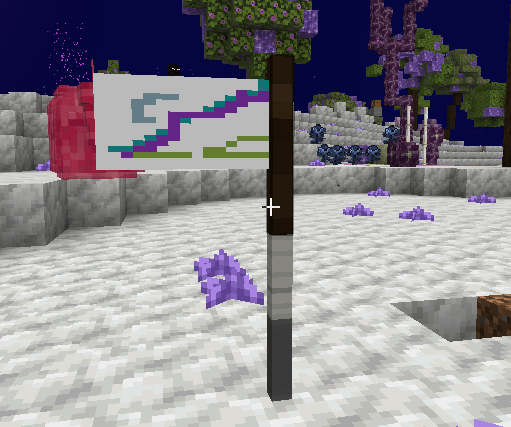
A smart and simple Teams mod. It has a custom ui system, easy to use commands, a theme editor, and a per guild flags system with an inworld flag for you to display your Pride!
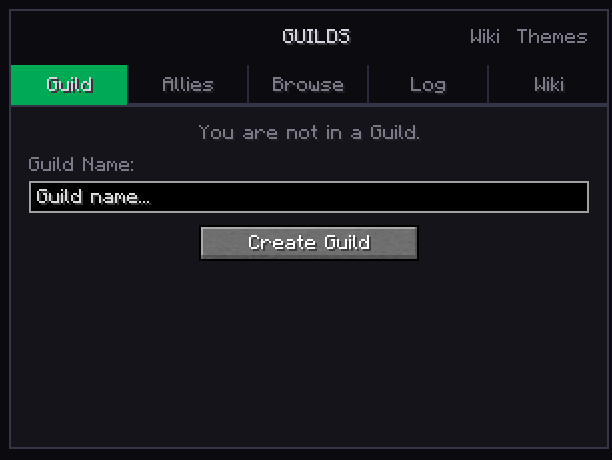
To get started with a guild you can go through the UI or through commands. Below is an image of the create guild page, and the command to create a guild is /guilds create <name>.
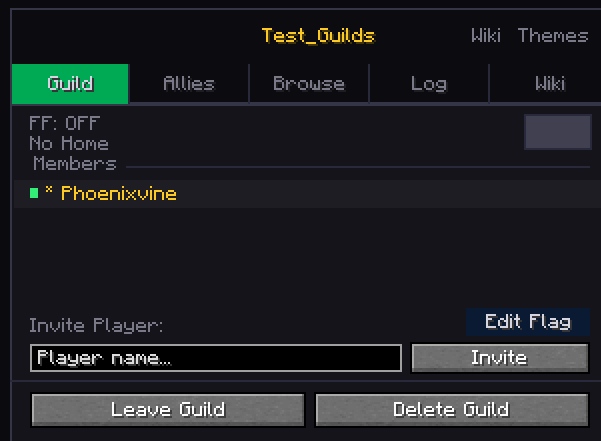
The default keybind to open the UI is G. You can leave, disband (delete), invite players, view members, and edit your flag in the Guild section once you create your guild.
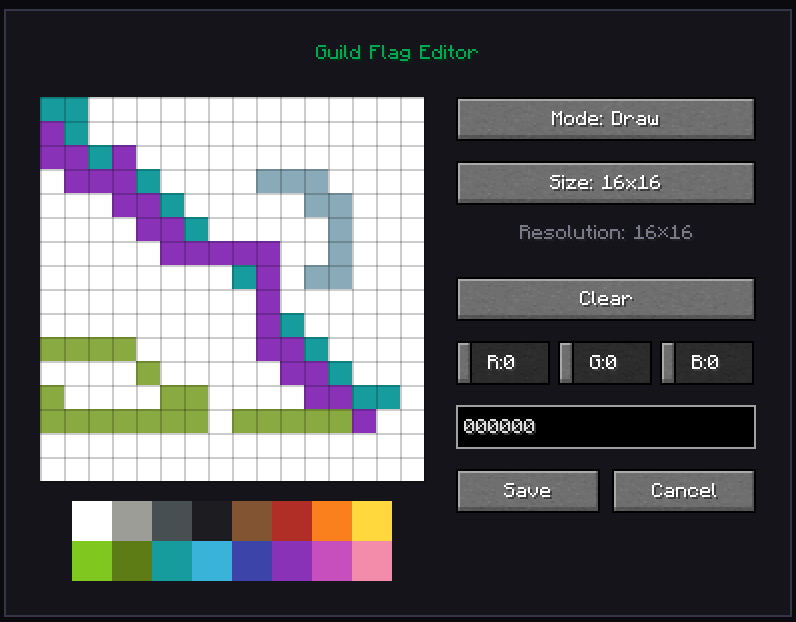
You can also make your own flags through the Edit Flag button (you can also do it by shift right clicking on a placed flag). A small note, the flag does not have a recipe by default.
Project description from CurseForge.
Pick your setup
Choose the version and loader you play, then open the matching release.
Check the dependencies, then try the file in a copied instance before changing a world you care about.
Recent files
15 Nov 2026
15 Nov 2026
31 Oct 2026
31 Oct 2026
13 Oct 2026
11 Oct 2026
25 Sept 2026
25 Sept 2026
23 Sept 2026
21 Sept 2026
27 Aug 2026
5 Aug 2026
Looking for an older file? The official CurseForge project page is in Resources.
 mod
Phantasia is a Guide, Script, and Viewer platform for a vast array of machine/magic mods designed to be easily used by anyone.
 mod
Space mod with own lore and mechanics.
 mod
Creative style flight for authorized players who stay in Survival.