Minecraft version
Back to mods 
CurseForge · Minecraft mod
Outbreak Burnt Compatibility
Prevents Burnt 1.9.1.4 Soul Clearing structure searches from freezing Minecraft 1.20.1 Forge servers.
Choose a version Pick your version below, then grab the matching file.
Quick answer
Which Outbreak Burnt Compatibility release should I use?
Latest stable file outbreak-burnt-compat-1.1.0
Game version 1.20.1
Loader Forge
Outbreak Burnt Compatibility outbreak-burnt-compat-1.1.0 targets 1.20.1 with Forge. The project page does not say whether this file belongs on the client, dedicated server, or both. No extra mods listed for this file.
Where it goes
Is Outbreak Burnt Compatibility required on the client, server, or both?
The project page does not say whether this file belongs on the client, dedicated server, or both.
Client Source doesn’t say
Dedicated server Source doesn’t say
Loader for this release Forge
Required install it here Optional supported, not mandatory Not supported do not install here Source doesn’t say do not assume
The source does not explicitly classify this release as client-only or server-only.
What else does Outbreak Burnt Compatibility outbreak-burnt-compat-1.1.0 need?
outbreak-burnt-compat-1.1.0. Change the file and its required mods may change too.
This file does not list any required mods. Do not add a library just because a different file uses it.
This file does not list any required or optional mods.
Before you install it
Add Outbreak Burnt Compatibility without breaking your instance.
Built for Outbreak Burnt Compatibility outbreak-burnt-compat-1.1.0. Pick another file and the loader, install side or required mods may change.
- 01
Stick to this file
Use outbreak-burnt-compat-1.1.0. It targets 1.20.1 with Forge; another release may have different loader, side or dependency requirements.
- 02
Bring the mods it needs
This file does not list any required mods. Do not add a library just because a different file uses it.
- 03
Put it on the correct side
The project page does not say whether this file belongs on the client, dedicated server, or both.
- 04
Pick the file you checked
Use the “Get this file” button beside outbreak-burnt-compat-1.1.0. It opens that exact file at the source.
About this project
What does Outbreak Burnt Compatibility add?
Outbreak Burnt Compatibility
Early beta: This add-on currently supports Burnt 1.9.1.4 on Minecraft 1.20.1 Forge.
Outbreak Burnt Compatibility is a lightweight performance and multiplayer compatibility add-on for Burnt.
Burnt 1.9.1.4 can perform large synchronous searches for its Soul Clearing structure. These searches may block the Minecraft server thread, causing long freezes, delayed eating, frozen mobs, unresponsive menus, stalled saving, and severe multiplayer lag.
This add-on replaces only those blocking structure searches with a time-limited system that:
- Searches already-loaded chunks in small batches.
- Spreads the work across multiple server ticks.
- Never generates or synchronously waits for chunks to complete a search.
- Saves unfinished search progress and resumes it safely.
- Keeps track of the closest valid Soul Clearing found.
The add-on does not disable Burnt or change its items, blocks, recipes, structures, loot, mobs, fire mechanics, textures, sounds, or progression.
Requirements
- Minecraft 1.20.1
- Forge 47.x
- Java 17
- Burnt 1.9.1.4 exactly
Install the add-on on both the client and server.
This is an independent compatibility add-on. It does not modify, contain, or redistribute the Burnt JAR or its assets.
Project description from CurseForge.
Pick your setup
Outbreak Burnt Compatibility by Minecraft version and loader
Choose the version and loader you play, then open the matching release.
Check the dependencies, then try the file in a copied instance before changing a world you care about.
Recent files
Outbreak Burnt Compatibility versions and loaders
outbreak-burnt-compat-1.1.0
outbreak-burnt-compat-1.1.0.jar
5 Sept 2026
Client Source doesn’t say Server Source doesn’t say Dependencies No extras listed Listed on Release listing
Check the 1.20.1 · Forge setup 1.20.1Forge release
outbreak-burnt-compat-1.0.0
outbreak-burnt-compat-1.0.0.jar
16 Jul 2026
Client Source doesn’t say Server Source doesn’t say Dependencies No extras listed Listed on Release listing
Check the 1.20.1 · Forge setup 1.20.1Forge release
Looking for an older file? The official CurseForge project page is in Resources.
 mod
mod CurseForge · Minecraft
Samoyed Incremental
This is a framework created to facilitate the game mode for my server Grass Shearing Incremental, it has all the functionality required for an incremental game to work.
 mod
mod CurseForge · Minecraft
Death Engine
Death Engine overhauls Minecraft combat with injury states, downed players, lootable corpses, and adrenaline-based revival.
 mod
mod CurseForge · Minecraft
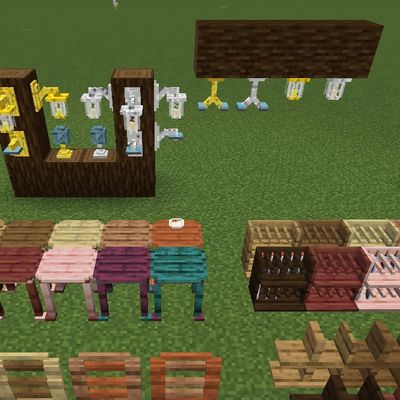
Lumiscraft
Furniture/light mod inspired by Bibliocraft