Vista Needed by Vista: Advanced Player 1.0.1
requiredMatching file found Matched file: vista-1.21.1-5.6.10-neoforge
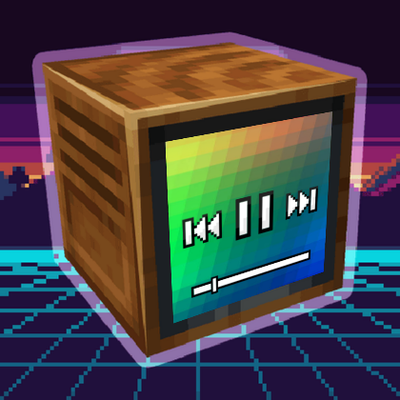
CurseForge · Minecraft mod
Adds an advanced player to Vista TVs, an audio system, and numerous fixes.
Quick answer
Vista: Advanced Player 1.0.1 targets 1.21.1 with NeoForge. The project page does not say whether this file belongs on the client, dedicated server, or both. All 2 required mods have matching files.
Where it goes
The project page does not say whether this file belongs on the client, dedicated server, or both.
The source does not explicitly classify this release as client-only or server-only.
Vista: Advanced Player 1.0.1. Change the file and its required mods may change too.
Install Vista, Moonlight Lib first. We found matching files for this game-version and loader setup. 23 come through another mod in the chain.
23 extra mods were pulled in by other dependencies. Indented rows show who needs each one. We only count dependency files that match this setup. A file for another loader does not fill the gap.
Before you install it
Built for Vista: Advanced Player 1.0.1. Pick another file and the loader, install side or required mods may change.
Use Vista: Advanced Player 1.0.1. It targets 1.21.1 with NeoForge; another release may have different loader, side or dependency requirements.
Install Vista, Moonlight Lib first. We found matching files for this game-version and loader setup. 23 come through another mod in the chain.
The project page does not say whether this file belongs on the client, dedicated server, or both.
Use the “Get this file” button beside Vista: Advanced Player 1.0.1. It opens that exact file at the source.
About this project
A full-fledged media player in Vista? Now it's possible!
To open the interface, use Shift + Right-click during playback. You must use the actual media URL — usually obtained via Right-click > Copy URL or Share > Copy link.
This mod integrates deeply with Vista; there may be bugs that went unnoticed during testing. Please report any issues you encounter!
You may include the binary file of this mod in your modpacks, provided you include a link to the original mod page on Modrinth or CurseForge and credit the author.
Project description from CurseForge.
Pick your setup
Choose the version and loader you play, then open the matching release.
Check the dependencies, then try the file in a copied instance before changing a world you care about.
Recent files
vista-advanced-player-1.21.1-1.0.1.jar
22 Jul 2026
vista-advanced-player-1.21.1-1.0.0.jar
20 Jul 2026
Looking for an older file? The official CurseForge project page is in Resources.
 mod
Break any block, get a random item. Silk touch friendly, multiplayer ready.
 mod
A mod that modifies various vanilla HUD elements, such as the bossbar, action bar, sidebar / scoreboard, hotbar, title / subtitle, and more. By Polyfrost, best with OneClient.
 mod
A quality-of-life overhaul for your inventory.