Minecraft version
Back to mods 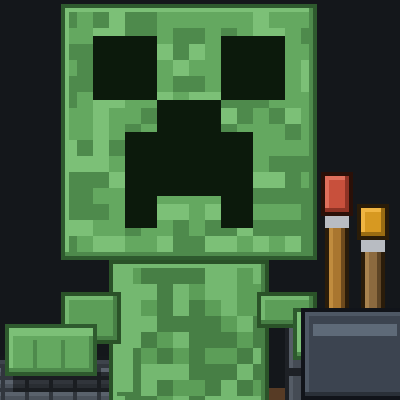
CurseForge · Minecraft mod
DeskMate
A Bongo Cat style desk buddy for Minecraft Steve, a creeper, or your own drawing sits on your HUD, hands hitting the keyboard as you move and the mouse as you click.
Choose a version Pick your version below, then grab the matching file.
Quick answer
Which DeskMate release should I use?
Latest stable file DeskMate-1.21.11.jar
Game version 1.21.11
Loader Fabric
DeskMate-1.21.11.jar targets 1.21.11 with Fabric. The project page does not say whether this file belongs on the client, dedicated server, or both. No extra mods listed for this file.
Where it goes
Is DeskMate required on the client, server, or both?
The project page does not say whether this file belongs on the client, dedicated server, or both.
Client Source doesn’t say
Dedicated server Source doesn’t say
Loader for this release Fabric
Required install it here Optional supported, not mandatory Not supported do not install here Source doesn’t say do not assume
The source does not explicitly classify this release as client-only or server-only.
What else does DeskMate-1.21.11.jar need?
DeskMate-1.21.11.jar. Change the file and its required mods may change too.
This file does not list any required mods. Do not add a library just because a different file uses it.
This file does not list any required or optional mods.
Before you install it
Add DeskMate without breaking your instance.
Built for DeskMate-1.21.11.jar. Pick another file and the loader, install side or required mods may change.
- 01
Stick to this file
Use DeskMate-1.21.11.jar. It targets 1.21.11 with Fabric; another release may have different loader, side or dependency requirements.
- 02
Bring the mods it needs
This file does not list any required mods. Do not add a library just because a different file uses it.
- 03
Put it on the correct side
The project page does not say whether this file belongs on the client, dedicated server, or both.
- 04
Pick the file you checked
Use the “Get this file” button beside DeskMate-1.21.11.jar. It opens that exact file at the source.
About this project
What does DeskMate add?
Deskmate
**A little character sits at the corner of your screen, at a desk, with a keyboard and a mouse — and plays along with you.**
Move, and the hand on the keyboard presses down. Click, and the hand on the mouse presses. Take a hit and they flinch red. Stand still long enough and they fall asleep on the desk.
Client-side only. Doesn't touch the server, doesn't need to be on the server, works on any multiplayer world you can already join.
Inspired by Bongo Cat
This is a Minecraft take on **Bongo Cat** — the little cat that slaps its paws down when you press keys. Full credit to that idea; Deskmate is that concept rebuilt around Minecraft characters, tied to what you're actually doing in game rather than just raw keypresses.
If you've used a keystrokes HUD before, this does the same job. It's just a character doing it instead of grey boxes with letters in them.
Eight characters included
**Steve · Alex · Creeper · Skeleton · Zombie · Enderman · Slime · Pig**
Every one of them is drawn at 128×128 with a full desk setup — keyboard with individual keycaps, a mouse with a lit scroll wheel, wood grain on the desk, and contact shadows so they sit on the surface instead of floating above it.
What they react to
| You do this | They do this |
|---|---|
| W A S D, jump, sneak | Left hand presses the keyboard |
| Left click, right click, mining | Right hand presses the mouse |
| Take damage | Flash red |
| Stand still for 10 seconds | Head drops, eyes shut, zZ |
Draw your own, in game
Press the Deskmate key, hit **NEW**, and pick a canvas size — 16, 32, 64 or 128.
You get a proper little pixel editor without leaving Minecraft:
- Pencil, eraser, flood fill, eyedropper
- Brush size 1 to 16 —
[and]to change it, and the cursor shows exactly what your stroke will cover Ctrl+Zundo,Ctrl+Ssave- Right-drag erases whatever tool you're holding
- Scroll to zoom, middle-drag to pan
- 24-colour palette
Every reaction is its own layer. Pick attack in the list on the left and draw what your character looks like while clicking. Layers you leave empty simply never draw, so you can do just a base and a click pose and stop there.
**Two things that make it much faster:**
- While you're drawing any layer, the base shows underneath at quarter opacity so you can line hands up exactly.
- **copy base in** fills the layer you're on with your base drawing so you only have to move the part that changes.
A pet is one PNG
Not a folder. Not a zip. **One .png file** that carries its own name, canvas size and layer setup inside it.
That means sharing is just sending the file. Drop someone's pet into config/deskmate/pets/ and it appears in your list. Post yours in a Discord and it works on their game.
They're small — the built-in ones are about 13 KB each.
Setup
- Install **Fabric Loader** for your Minecraft version
- Install **Fabric API** — Deskmate needs it
- Drop the Deskmate
.jarinto yourmodsfolder - Launch the game and press **
'** (apostrophe)
That's it. The eight characters are written to config/deskmate/pets/ the first time you launch.
**Make sure you download the jar that matches your Minecraft version.** There are two, and they are not interchangeable:
| Jar | Works on | Needs |
|---|---|---|
| Deskmate for 26.x | 26.1, 26.1.1, 26.1.2, 26.2 | Java 25 |
| Deskmate for 1.21.11 | 1.21.11 | Java 21 |
Minecraft changed how mods are built between these, so one file genuinely cannot cover both.
Using it
Press **'** to open the Deskmate panel. It doesn't pause the game, so you can see your character reacting while you set it up.
- **
<>** — switch character - **Drag the character** — move it anywhere on screen
- **size** — 1x to 8x
- **fade** — 10% to 100% opacity
- **DRAW** — edit the selected character
- **NEW** — start a fresh one
- **FOLDER** — opens your pets folder
The key is rebindable in **Options → Controls → Key Binds → Miscellaneous → "Open Deskmate"**, and the panel always shows whichever key you've actually got bound.
Settings live in config/deskmate/settings.json.
Requirements
- Fabric Loader
- Fabric API
- Client side only — **no server install needed**
Notes
Character size snaps to whole-number multiples on purpose. Pixel art scaled to 2.5x turns to mush, so it doesn't let you do that. Large characters also cap their own scale so a 128 pet can't take over your screen.
Deleting config/deskmate/.starters brings the eight built-in characters back if you've overwritten them.
Licence
MIT. Do what you like with it, including the built-in characters.
Made by **mishka**.
Project description from CurseForge.
Pick your setup
DeskMate by Minecraft version and loader
Choose the version and loader you play, then open the matching release.
Minecraft version
26.1.2
1 loader buildMinecraft version
26.1.1
1 loader buildMinecraft version
26.1
1 loader buildMinecraft version
1.21.11
1 loader buildCheck the dependencies, then try the file in a copied instance before changing a world you care about.
Recent files
DeskMate versions and loaders
DeskMate-1.21.11.jar
18 Jul 2026
Client Source doesn’t say Server Source doesn’t say Dependencies No extras listed Listed on Release listing
Check the 1.21.11 · Fabric setup Fabric1.21.11 release
DeskMate-26x.jar
18 Jul 2026
Client Source doesn’t say Server Source doesn’t say Dependencies No extras listed Listed on Release listing
Check the 26.2 · Fabric setup Fabric26.126.1.126.1.2 release
Looking for an older file? The official CurseForge project page is in Resources.
 mod
CurseForge · Minecraft
MrBertori DanceCraft
Add smooth motion-captured dance emotes to your Minecraft character through a simple in-game emote menu.
 mod
CurseForge · Minecraft
Storage Scanner
Scan nearby chests and barrels and view their contents in screen
 mod
CurseForge · Minecraft
TAKOU TRADES
This mod adds a new system for trading in minecraft.