Quick answer
Which BlockEffect : Parkour release should I use?
Latest stable file block_effect_parkour-forge-1.20.1-1.0.1
Game version 1.20.1
Loader Forge
BlockEffect : Parkour block_effect_parkour-forge-1.20.1-1.0.1 targets 1.20.1 with Forge. The project page does not say whether this file belongs on the client, dedicated server, or both. All 2 required mods have matching files.
Where it goes
Is BlockEffect : Parkour required on the client, server, or both?
The project page does not say whether this file belongs on the client, dedicated server, or both.
Client Source doesn’t say
Dedicated server Source doesn’t say
Loader for this release Forge
Required install it here Optional supported, not mandatory Not supported do not install here Source doesn’t say do not assume
The source does not explicitly classify this release as client-only or server-only.
What else does BlockEffect : Parkour block_effect_parkour-forge-1.20.1-1.0.1 need?
block_effect_parkour-forge-1.20.1-1.0.1. Change the file and its required mods may change too.
Install BlockEffect, Pehkui first. We found matching files for this game-version and loader setup. 1 comes through another mod in the chain.
1 listed on this file 1 pulled in by one of those mods
BlockEffect Needed by BlockEffect : Parkour block_effect_parkour-forge-1.20.1-1.0.1 requiredMatching file found Matched file: block_effect-forge-1.20.1-3.0.1.jar
Matching file found Matched file: [1.20.1] [Forge] Pehkui 3.8.2
1
extra mod was pulled in by another dependency.
Indented rows show who needs each one. We only count dependency files that match this setup. A file for another loader does not fill the gap.
Before you install it
Add BlockEffect : Parkour without breaking your instance.
Built for BlockEffect : Parkour block_effect_parkour-forge-1.20.1-1.0.1. Pick another file and the loader, install side or required mods may change.
- 01
Stick to this file
Use block_effect_parkour-forge-1.20.1-1.0.1. It targets 1.20.1 with Forge; another release may have different loader, side or dependency requirements.
- 02
Bring the mods it needs
Install BlockEffect, Pehkui first. We found matching files for this game-version and loader setup. 1 comes through another mod in the chain.
- 03
Put it on the correct side
The project page does not say whether this file belongs on the client, dedicated server, or both.
- 04
Pick the file you checked
Use the “Get this file” button beside block_effect_parkour-forge-1.20.1-1.0.1. It opens that exact file at the source.
About this project
What does BlockEffect : Parkour add?
Block Effect : Parkour is the course-building and movement addon. It grant you a full parkour / adventure map toolkit: timed runs, hazards, kinetic gadgets, jetpacks, and custom effects. Requires BlockEffect (core).
Parkour runs
- World Entry — Starts a timed run (price, difficulty, links to finish/leaderboard) and teleports you in.
- Finish Zone — Ends the run and submits time / falls / coins.
- Leaderboard — Hologram ranks for Time, Falls, or Coins.
- Checkpoint Zone — Sets checkpoint when entered (radius zone).
- Checkpoint block — Sets checkpoint and refills lives.
- Checkpoint Flag — Consumable that sets checkpoint at your feet.
- Checkpoint Teleporter — Warps you to your saved checkpoint.
- Spawnpoint block — Sets personal spawn / respawn and refills lives.
- Fall block — On contact: teleport to checkpoint and lose a life.
- Course Border Fall Block — Invisible fall wall for course edges.
- Course Border Wand — Creative tool to place tall border walls along a path.
Movement & hazards
- Boost Pad — Charges while you stand on it, then launches you up.
- Trampoline — Instant upward bounce; clears fall damage.
- Slime Pad — Directional bounce from facing (horizontal + vertical).
- Modular Slime Block — Lands like slime; bounce height is configurable.
- Glue Block — Sticks you in place and disables gravity while on it.
- Anchor — Near it, jumping boosts you along look direction (air jump).
- Teleporter Block — Warps entities to linked coordinates.
- Move Block / Move Block Base — Steps along an offset on a timer, then loops.
- Brittle Block — Crumbles after you stand on it, then respawns.
- Proximity Block — Solid platform that only appears when you are nearby.
- Blink Block — Periodically toggles visible/solid.
- Ghost Block — Mimics a neighboring block’s look; still solid.
- Blinder — Looking at it applies client-side blindness fog.
Climbing holds
- Wooden Climbing Hold (normal / thin / large, per wood type) — Climbable holds.
- Brittle Climbing Hold — Climbable hold that crumbles after use.
- Blinking Climbing Hold — Climbable hold that blinks in/out.
- Proximity Climbing Hold — Climbable hold that only appears nearby.
Kinetic
- Fan / Propeller — Pushes entities along facing with configurable strength.
- Kinetic Platform (and slab) — Idle 3×1×3 platform; link start→end, then it moves riders.
- Vortex — Pulls / orbits entities in a radius.
- Rope Anchor — Grab the line (hold jump) and swing.
- Zipline Anchor — Slide start→end along the line.
- Carry Cube — Pick up a solid cube that follows in front of you.
- Magnet — Held item that pulls tagged magnetic items/blocks toward you.
Jetpacks & thrusters
- Steam / Iron / Advanced / Arcane / Quantum Jetpack — Chest jetpacks (fuel, hover, thrust); higher tiers are stronger.
- Basic / Steady / Controlled / Arcane / Overdrive Thruster — Look-direction thrust bursts; higher tiers = more power / charges / shorter cooldown.
Other gear
- Balloons (Red → Purple) — Held lift; climb until they pop (Red weakest, Purple strongest).
- Grappling Hook — Shoot a hook, reuse to reel yourself in.
- Tick Controller — Adjusts server tick rate (fine/coarse/freeze), like
/tick.
- Twig / Palebone / Smelted Iron / Arcane / Magical Wrench — Config tools for parkour / kinetic / effect blocks (tiered).
- Market Preset Ticket — Applies a market offer preset.
- Portal Keys (Bronze, Gold, Light, Dark, Iron, Skull) — Keys used as portal payment.
Wood building
For each wood type (Oak, Spruce, Birch, Jungle, Acacia, Dark Oak, Mangrove, Cherry, Bamboo, Crimson, Warped, Jarrah):
- Crate — Pick up, carry, place, or throw.
- Light Crate — Same, but lighter / faster throw.
- Reinforced Crate — Cannot carry; push by walking into it.
- Waxed Planks — Decorative waxed wood planks.
- Wooden Panel / Plate / Post / Beam / Corner — Thin layered build pieces.
Also: Construction Block / Construction Panel.
Legacy custom effect pads & orbs
Configurable level/duration (and matching Common→Epic orbs unless noted).
- Flight — Creative-like flight in survival; fly speed scales with level.
- Anti-Gravity — Disables gravity so the player floats.
- Heavy — Stronger gravity and more fall damage.
- Light — Weaker gravity and less fall damage.
- Health Boost — Raises max health (+1 HP per level).
- Surge — Faster move / attack / mining; lower damage, reach, and safe fall.
- Vampire — Slightly slower attacks; melee hits heal a fraction of damage dealt.
- Vitalis — Regeneration + Resistance (pad also pulses Saturation; orbs can add Absorption).
- Shadow — Invisibility, clears nearby aggro; lower gravity and much higher speed.
- Freeze — Intermittent full movement lock.
- Freezer orbs — Apply the Freezer marker effect.
- Miniaturization — Shrinks the player (scale down per level).
- Expansion — Grows the player (scale up per level).
- Pixie — Bundle: Speed + Jump + Light + Surge + Miniaturization.
- Knockback orbs — Increases attack knockback.
- Wrath orbs — Speed, damage, and size up; armor down; slow heal when low HP.
- Predator orbs — Combat buffs, hunger drain, makes nearby mobs Glow.
- Duelist orbs — Less armor / KB resist; more attack speed, damage, and move efficiency.
- Berserker orbs — Expansion + Strength + Absorption + Regen + Heavy.
- Madness orbs — Poison + Expansion + Strength + Darkness.
- Starflare orbs — Haste + Speed + Night Vision + Fire Resistance.
Custom status effects (pads + Common→Epic orbs)
- Dizzy — Spins the camera yaw continuously.
- Sneeze — Random pitch jerks.
- Hiccup — Forces periodic jumps.
- Heavy Breath — Drains air faster underwater.
- Vertigo — Spins the camera pitch.
- Tremor — Periodic camera shake.
- Grounded — Blocks jumping.
- Sink — Forces downward velocity (anti-levitation).
- Low Drag — Less air friction while airborne (longer jumps).
- Scrambled — Scrambles controls / view on the client.
- Compelled — Forces forward movement (higher levels force sprint/sneak).
- Echo — Replays movement inputs after a delay.
- Anchor (mob) — Tethers you to an apply position within a max distance.
- Third Person — Forces third-person back camera.
- Fifth Person — Forces third-person front camera.
- Preview — Saves position on apply; returns when the effect ends.
- Fall Timer — Countdown on the action bar; teleports to checkpoint when it expires.
- Rewind — Teleports back to where the effect started when it ends.
- Landing Touch — On landing, teleports to checkpoint (elytra-course style).
Extra zones
- Command Zone — Runs a configured command on players inside.
- Damage Zone — Deals configurable DPS in the volume.
- Title Zone — Shows a title / subtitle.
- Specific Clear Zone — Removes one configured item from inventory.
Project description from CurseForge.
Pick your setup
BlockEffect : Parkour by Minecraft version and loader
Choose the version and loader you play, then open the matching release.
Minecraft version
1.21.8
1
loader build Minecraft version
1.21.1
1
loader build Minecraft version
1.20.1
1
loader build Check the dependencies, then try the file in a copied instance before changing a world you care about.
Recent files
BlockEffect : Parkour versions and loaders
block_effect_parkour-forge-1.20.1-1.0.1.jar
24 Jul 2026
Client Source doesn’t say Server Source doesn’t say Dependencies 2 required · matched Listed on Release listing
Check the 1.20.1 · Forge setup → block_effect_parkour-neoforge-1.21.1-1.0.1.jar
24 Jul 2026
Client Source doesn’t say Server Source doesn’t say Dependencies 1 required · 1 unchecked Listed on Release listing
Check the 1.21.1 · NeoForge setup → block_effect_parkour-neoforge-1.21.8-1.0.1.jar
24 Jul 2026
Client Source doesn’t say Server Source doesn’t say Dependencies 1 required · 1 unchecked Listed on Release listing
Check the 1.21.8 · NeoForge setup → block_effect_parkour-neoforge-1.21.8-1.0.0.jar
19 Jul 2026
Client Source doesn’t say Server Source doesn’t say Dependencies 1 required · 1 unchecked Listed on Release listing
Check the 1.21.8 · NeoForge setup → block_effect_parkour-neoforge-1.21.1-1.0.0.jar
19 Jul 2026
Client Source doesn’t say Server Source doesn’t say Dependencies 1 required · 1 unchecked Listed on Release listing
Check the 1.21.1 · NeoForge setup → block_effect_parkour-forge-1.20.1-1.0.0.jar
19 Jul 2026
Client Source doesn’t say Server Source doesn’t say Dependencies 1 required · 1 unchecked Listed on Release listing
Check the 1.20.1 · Forge setup → 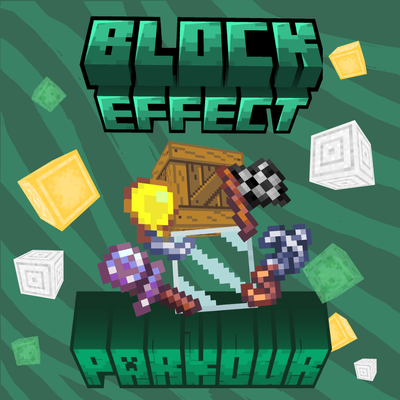
 mod
mod mod
mod mod
mod