Minecraft version
Back to mods 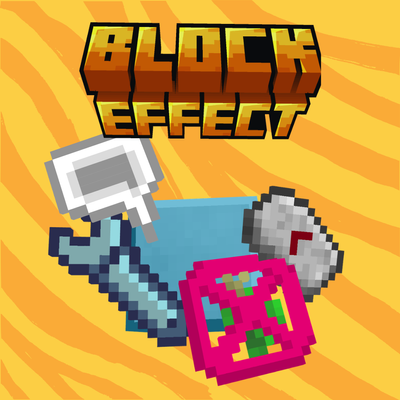
CurseForge · Minecraft mod
BlockEffect
A Complete parkour mod for everyone
Choose a version Pick your version below, then grab the matching file.
Quick answer
Which BlockEffect release should I use?
Latest stable file block_effect-neoforge-1.21.8-3.0.1.jar
Game version 1.21.8
Loader NeoForge
BlockEffect block_effect-neoforge-1.21.8-3.0.1.jar targets 1.21.8 with NeoForge. The project page does not say whether this file belongs on the client, dedicated server, or both. No extra mods listed for this file.
Where it goes
Is BlockEffect required on the client, server, or both?
The project page does not say whether this file belongs on the client, dedicated server, or both.
Client Source doesn’t say
Dedicated server Source doesn’t say
Loader for this release NeoForge
Required install it here Optional supported, not mandatory Not supported do not install here Source doesn’t say do not assume
The source does not explicitly classify this release as client-only or server-only.
What else does BlockEffect block_effect-neoforge-1.21.8-3.0.1.jar need?
block_effect-neoforge-1.21.8-3.0.1.jar. Change the file and its required mods may change too.
This file does not list any required mods. Do not add a library just because a different file uses it.
This file does not list any required or optional mods.
Before you install it
Add BlockEffect without breaking your instance.
Built for BlockEffect block_effect-neoforge-1.21.8-3.0.1.jar. Pick another file and the loader, install side or required mods may change.
- 01
Stick to this file
Use block_effect-neoforge-1.21.8-3.0.1.jar. It targets 1.21.8 with NeoForge; another release may have different loader, side or dependency requirements.
- 02
Bring the mods it needs
This file does not list any required mods. Do not add a library just because a different file uses it.
- 03
Put it on the correct side
The project page does not say whether this file belongs on the client, dedicated server, or both.
- 04
Pick the file you checked
Use the “Get this file” button beside block_effect-neoforge-1.21.8-3.0.1.jar. It opens that exact file at the source.
About this project
What does BlockEffect add?
_Block Effect_ adds interactive blocks, magical orbs, perks, and tools to modify gameplay. Manipulate effects, trade, upgrade abilities, and explore new mechanics in survival or creative mode.
Effect pads
Walk-on / right-click applies the effect. Level and duration are configurable with the Block Effect Modifier (default: level 1, 5 seconds).
- Speed block — Applies Speed.
- Jump Boost block — Applies Jump Boost.
- Slow Falling block — Applies Slow Falling.
- Levitation block — Applies Levitation (clears Slow Falling if present).
- Resistance block — Applies Resistance.
- Fire Resistance block — Applies Fire Resistance.
- Water Breathing block — Applies Water Breathing.
- Regeneration block — Applies Regeneration.
- Night Vision block — Applies Night Vision.
- Conduit Power block — Applies Conduit Power.
- Slowness block — Applies Slowiness.
- Blindness block — Applies Blindness.
- Nausea block — Applies Nausea.
- Darkness block — Applies Darkness.
- Poison block — Applies Poison, and also Resistance IV for the same duration.
Orb shells
- Empty orb — Crafting shell for Common orbs.
- Reinforced Empty orb — Crafting shell for Uncommon orbs.
- Arcane Empty orb — Crafting shell for Rare orbs.
- Magical Empty orb — Crafting shell for Epic orbs.
- Hot Reinforced orb — Intermediate crafting shell.
- Ender Hardened orb — Intermediate crafting shell.
- Draconic orb — Top-tier crafting shell.
- Milky orb — Clears all active effects (single use).
Effect orbs (Common → Epic)
Right-click to use. Higher rarities last longer / stronger; Epic often gives a weak pulse while held.
- Speed orb — Applies Speed (C I 10s → E V 30s).
- Jump Boost orb — Applies Jump Boost (scales by rarity).
- Levitation orb — Applies Levitation (short strong bursts at high tiers).
- Slow Falling orb — Applies Slow Falling.
- Night Vision orb — Applies Night Vision (long durations).
- Fire Resistance orb — Applies Fire Resistance.
- Resistance orb — Applies Resistance.
- Regeneration orb — Applies Regeneration.
- Conduit Power orb — Applies Conduit Power.
- Saturation orb — Restores hunger/saturation (not the Saturation potion effect).
Zones
- Effect zone — Continuously applies a chosen effect inside a configurable volume.
- Clear zone — Clears inventory and all effects for players inside.
- Give zone — Gives a configured item (once or on cooldown).
- Feather Fall zone — Keeps Slow Falling active while inside.
- Antigravity zone — Zone volume for anti-gravity gameplay (timed jumps while inside).
- Debug zone frame / block — Builder tools to visualize zone extents.
Economy
- Bronze Coin — Adds 1 to money balance.
- Silver Coin — Adds 5.
- Gold Coin — Adds 15.
- Diamond Coin — Adds 50.
- Ultimium Coin — Adds 200.
- Bronze / Silver / Gold / Diamond / Ultimium Coin Block — Touch to collect the same values; respawns after a delay if you leave the area.
- Used Coin Block — Visual stand-in for a coin you already claimed.
- Market — Buy/sell offers for coins; admins configure with the Modifier.
- Market Ticket — Lets you list an offer on a Market (also sold by traders).
Portals
- Portal Block — Pair two portals with the Modifier; teleport while keeping / remapping velocity.
- Portal Door — Paid gate (coins, lives, XP levels, or items).
- Portal Barrier — Invisible barrier until portal access is paid.
Map tools & UI
- Block Effect Modifier — Configure pads/zones/markets and link portals.
- Hologram — Floating configurable text.
- Speech Bubble — Named speech overlay.
- Choice Bubble — Interactive prompt (message / coins / teleport / close).
- Chat Message Block — Sends formatted chat to the player.
- Quest PNJ — Quest NPC (objectives, coin/item rewards, optional mob display).
- Block Effect Guide — Patchouli tutorial book (if Patchouli is installed).
- Discovery Journal — Patchouli unlock-as-you-play journal.
Materials & gear
- Loam / Adobe / Reinforced Adobe / Arcane Adobe / Magical Adobe — Building / crafting materials.
- Jarrah wood set — Full wood set (log, planks, stairs, slab, fence, door, leaves, sapling, etc.).
- Ikaite (ore, block, tools, armor) — Diamond-tier mining gear with high durability.
- Arcane Gold (ore, block, tools, armor) — Diamond-tier gear with high enchantability.
- Infused Obsidian — Hard, slightly glowing build block.
For more info, go en that wiki : https://block-effect-mod.gitbook.io/
Texture found on itch.io by:
- piixl
- isadu
- Clockwork raven studio
- reactorcore
Or made by myself
Project description from CurseForge.
Pick your setup
BlockEffect by Minecraft version and loader
Choose the version and loader you play, then open the matching release.
Minecraft version
1.21.1
1 loader buildMinecraft version
1.20.5-Snapshot
1 loader buildMinecraft version
1.20.4
2 loader buildsMinecraft version
1.20.3-Snapshot
1 loader buildMinecraft version
1.20.3
1 loader buildMinecraft version
1.20.2-Snapshot
1 loader buildMinecraft version
1.20.2
1 loader buildMinecraft version
1.20.1
2 loader buildsMinecraft version
1.18.2
1 loader buildCheck the dependencies, then try the file in a copied instance before changing a world you care about.
Recent files
BlockEffect versions and loaders
block_effect-neoforge-1.21.8-3.0.1.jar
24 Jul 2026
Client Source doesn’t say Server Source doesn’t say Dependencies No extras listed Listed on Release listing
Check the 1.21.8 · NeoForge setup 1.21.8NeoForge release
block_effect-neoforge-1.21.1-3.0.1.jar
24 Jul 2026
Client Source doesn’t say Server Source doesn’t say Dependencies No extras listed Listed on Release listing
Check the 1.21.1 · NeoForge setup 1.21.1NeoForge release
block_effect-forge-1.20.1-3.0.1.jar
24 Jul 2026
Client Source doesn’t say Server Source doesn’t say Dependencies 1 required · 1 unchecked Listed on Release listing
Check the 1.20.1 · Forge setup 1.20.1Forge release
block_effect-neoforge-1.21.8-3.0.0
block_effect-neoforge-1.21.8-3.0.0.jar
19 Jul 2026
Client Source doesn’t say Server Source doesn’t say Dependencies No extras listed Listed on Release listing
Check the 1.21.8 · NeoForge setup 1.21.8NeoForge release
block_effect-neoforge-1.21.1-3.0.0
block_effect-neoforge-1.21.1-3.0.0.jar
19 Jul 2026
Client Source doesn’t say Server Source doesn’t say Dependencies No extras listed Listed on Release listing
Check the 1.21.1 · NeoForge setup 1.21.1NeoForge release
block_effect-forge-1.20.1-3.0.0
block_effect-forge-1.20.1-3.0.0.jar
19 Jul 2026
Client Source doesn’t say Server Source doesn’t say Dependencies No extras listed Listed on Release listing
Check the 1.20.1 · Forge setup 1.20.1Forge release
block_effect-neoforge-1.21.1-2.5.2
block_effect-neoforge-1.21.1-2.5.2.jar
5 Jul 2026
Client Source doesn’t say Server Source doesn’t say Dependencies No extras listed Listed on Release listing
Check the 1.21.1 · NeoForge setup 1.21.1NeoForge release
block_effect-forge-1.20.1-2.5.2
block_effect-forge-1.20.1-2.5.2.jar
5 Jul 2026
Client Source doesn’t say Server Source doesn’t say Dependencies No extras listed Listed on Release listing
Check the 1.20.1 · Forge setup 1.20.1Forge release
block_effect-neoforge-1.21.8-2.5.2
block_effect-neoforge-1.21.8-2.5.2.jar
5 Jul 2026
Client Source doesn’t say Server Source doesn’t say Dependencies No extras listed Listed on Release listing
Check the 1.21.8 · NeoForge setup 1.21.8NeoForge release
blockeffect-2.5.jar
3 Jul 2026
Client Source doesn’t say Server Source doesn’t say Dependencies No extras listed Listed on Release listing
Check the 1.21.1 · NeoForge setup 1.21.1NeoForge release
block_effect-2.4.0
block_effect-2.4.jar
18 Jun 2026
Client Source doesn’t say Server Source doesn’t say Dependencies No extras listed Listed on Release listing
Check the 1.21.1 · NeoForge setup 1.21.1NeoForge release
blockeffect-2.3.0
blockeffect-2.3.jar
12 Jun 2026
Client Source doesn’t say Server Source doesn’t say Dependencies No extras listed Listed on Release listing
Check the 1.21.1 · NeoForge setup 1.21.1NeoForge release
Looking for an older file? The official CurseForge project page is in Resources.
 mod
mod CurseForge + Modrinth · Minecraft
Magitech -Arcane Engineering-
Adds a captivating blend of magic and technology with a variety of features.
 mod
mod CurseForge + Modrinth · Minecraft
End-Parasitize and Convert All
This is an infection mod with magical elements.
 mod
mod CurseForge + Modrinth · Minecraft
FTB Quests Translator
Client-side addon for FTB Quests that adds a translate button. Translates quest titles, subtitles and descriptions on-the-fly using free translation APIs (Google Translate, MyMemory).