Minecraft version
Back to mods 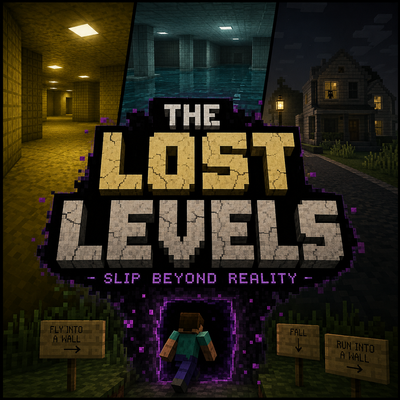
CurseForge · Minecraft mod
The Lost Levels
The Lost Levels is a Backrooms-inspired horror and exploration mod that adds several liminal dimensions to Minecraft.
Choose a version Pick your version below, then grab the matching file.
Quick answer
Which The Lost Levels release should I use?
Latest stable file The lost level 1.1
Game version 1.21.11
Loader Fabric
The Lost Levels The lost level 1.1 targets 1.21.11 with Fabric. The project page does not say whether this file belongs on the client, dedicated server, or both. No extra mods listed for this file.
Where it goes
Is The Lost Levels required on the client, server, or both?
The project page does not say whether this file belongs on the client, dedicated server, or both.
Client Source doesn’t say
Dedicated server Source doesn’t say
Loader for this release Fabric
Required install it here Optional supported, not mandatory Not supported do not install here Source doesn’t say do not assume
The source does not explicitly classify this release as client-only or server-only.
What else does The Lost Levels The lost level 1.1 need?
The lost level 1.1. Change the file and its required mods may change too.
This file does not list any required mods. Do not add a library just because a different file uses it.
This file does not list any required or optional mods.
Before you install it
Add The Lost Levels without breaking your instance.
Built for The Lost Levels The lost level 1.1. Pick another file and the loader, install side or required mods may change.
- 01
Stick to this file
Use The lost level 1.1. It targets 1.21.11 with Fabric; another release may have different loader, side or dependency requirements.
- 02
Bring the mods it needs
This file does not list any required mods. Do not add a library just because a different file uses it.
- 03
Put it on the correct side
The project page does not say whether this file belongs on the client, dedicated server, or both.
- 04
Pick the file you checked
Use the “Get this file” button beside The lost level 1.1. It opens that exact file at the source.
About this project
What does The Lost Levels add?
The Lost Levels
The Lost Levels is a Backrooms-inspired horror and exploration mod that adds several liminal dimensions to Minecraft.
Instead of entering through a portal, you can accidentally noclip out of reality by flying into a wall, falling in the wrong place, or running into a wall. Once you enter, you will need to explore each level and find a way out.
Current Levels
The Yellow Halls
A huge maze of yellow rooms and hallways filled with buzzing lights. The area is confusing, repetitive, and easy to get lost in.
The Poolrooms
A large network of tiled rooms, flooded hallways, and indoor pools. Some areas are calm and open, while others are dark, cramped, and much deeper than they look.
The Neighborhood
A quiet neighborhood with repeating streets and houses. The roads can loop back around, something may be watching you from inside the houses, and making the wrong choice can reset your escape progress.
Features
Multiple Backrooms-inspired dimensions
Procedurally generated levels
Noclip-style ways to enter
Hidden exits between levels
Creatures and other dangers
Unique escape mechanics
Custom sounds and atmosphere
More levels planned for future updates
No normal portals are leading into the Lost Levels. You might enter while exploring, flying, falling, or simply running into the wrong wall.
Once you are inside, finding the exit is up to you.
Project description from CurseForge.
Pick your setup
The Lost Levels by Minecraft version and loader
Choose the version and loader you play, then open the matching release.
Check the dependencies, then try the file in a copied instance before changing a world you care about.
Recent files
The Lost Levels versions and loaders
The lost level 1.1
the-lost-levels-1.1-SNAPSHOT.jar
21 Jul 2026
Client Source doesn’t say Server Source doesn’t say Dependencies No extras listed Listed on Release listing
Check the 1.21.11 · Fabric setup Fabric1.21.11 release
Looking for an older file? The official CurseForge project page is in Resources.
 mod
mod CurseForge · Minecraft
The Siege Overhaul
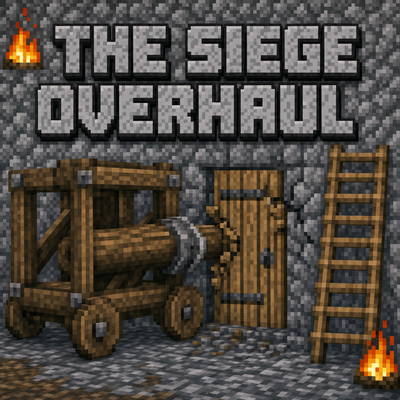
Tactical PvE sieges for 1.20.1 Forge. Enemy armies build a war camp, breach your walls, and try to occupy your base. You and your Villager Recruits soldiers hold the line. Zero admin setup, full block restoration, server-friendly. Formerly Faction Raids.
 mod
mod CurseForge · Minecraft
Alex's Cuisine (Alex's Mobs + Farmer's Delight) [Forge] [Fabric]
Wild Cuisine adds 20+ new dishes to Minecraft, from bison burgers and kangaroo stew to maggot salad and lobster pasta, with custom smelting recipes and cutting-board mechanics.
 mod
mod Modrinth · Minecraft
MobHealthBar
This mod adds classic Minecraft health bars above mobs, showing their remaining life.