Iris Shaders Needed by Enhanced Celestials 2: Shader Support Enhanced Celestials 2: Shaders-fabric-2.0.0.3
requiredMatching file found Matched file: Iris 1.8.14 Beta 1 for Fabric 1.21.1
CurseForge · Minecraft mod
Bridge mod adding support for sodium / iris shaders in order for moon colors to work correctly.
Quick answer
Enhanced Celestials 2: Shader Support Enhanced Celestials 2: Shaders-fabric-2.0.0.3 targets 1.21.1 with Fabric, Quilt. The project page does not say whether this file belongs on the client, dedicated server, or both. All 6 required mods have matching files.
Where it goes
The project page does not say whether this file belongs on the client, dedicated server, or both.
The source does not explicitly classify this release as client-only or server-only.
Enhanced Celestials 2: Shaders-fabric-2.0.0.3. Change the file and its required mods may change too.
Install Iris Shaders, Fabric API, Data Anchor, CorgiLib and 2 more first. We found matching files for this game-version and loader setup.
We only count dependency files that match this setup. A file for another loader does not fill the gap.
Before you install it
Built for Enhanced Celestials 2: Shader Support Enhanced Celestials 2: Shaders-fabric-2.0.0.3. Pick another file and the loader, install side or required mods may change.
Use Enhanced Celestials 2: Shaders-fabric-2.0.0.3. It targets 1.21.1 with Fabric, Quilt; another release may have different loader, side or dependency requirements.
Install Iris Shaders, Fabric API, Data Anchor, CorgiLib and 2 more first. We found matching files for this game-version and loader setup.
The project page does not say whether this file belongs on the client, dedicated server, or both.
Use the “Get this file” button beside Enhanced Celestials 2: Shaders-fabric-2.0.0.3. It opens that exact file at the source.
About this project


Enhanced Celestials 2: Shader Support is the official mod for bridging Iris, Sodium, and shader packs with Enhanced Celestials 2's lunar events! This mod makes Moon Colors appear when shader packs are in use during night time.

| Version | Neoforge | Fabric | Forge | Quilt |
|---|---|---|---|---|
| 1.20.1 | ❌ | ✅ | ✅ | ❔ |
| 1.21.1 | ✅ | ✅ | ❌ | ❔ |
| 26.1.2 | ✅ | ✅ | ❌ | ❔ |
| 26.2 | ✅ | ✅ | ❌ | ❔ |
✅ = Version is actively maintained.
❌ = No version exists.
⚠️ = Version is no longer supported.
❔ = Unknown the mod loader compatibility status.
If a version under or between these versions is not listed here it will not be supported.

| Version |  |
 |
 |
 |
 |
 |
 |
 |
|---|---|---|---|---|---|---|---|---|
| 26.2 Neo | ✅ | ✅ | ❌ | ❌ | ✅ | ✅ | ❌ | ❌ |
| 26.1.2 Neo | ✅ | ✅ | ❌ | ❌ | ✅ | ✅ | ❌ | ❌ |
| 1.21.1 Neo | ✅ | ✅ | ✅ | ❌ | ✅ | ✅ | ❌ | ❌ |
| 26.2 Fabric | ✅ | ✅ | ❌ | ✅ | ✅ | ✅ | ❌ | ❌ |
| 26.1.2 Fabric | ✅ | ✅ | ❌ | ✅ | ✅ | ✅ | ❌ | ❌ |
| 1.21.1 Fabric | ✅ | ✅ | ✅ | ✅ | ✅ | ✅ | ❌ | ❌ |
| 1.20.1 Fabric | ✅ | ✅ | ✅ | ✅ | ✅ | ✅ | ❌ | ❌ |
| 1.20.1 Forge | ✅ | ✅ | ✅ | ❌ | ❌ | ❌ | ✅ | ✅ |
✅ = Required. (Clickable links)
❌ = Not Required.

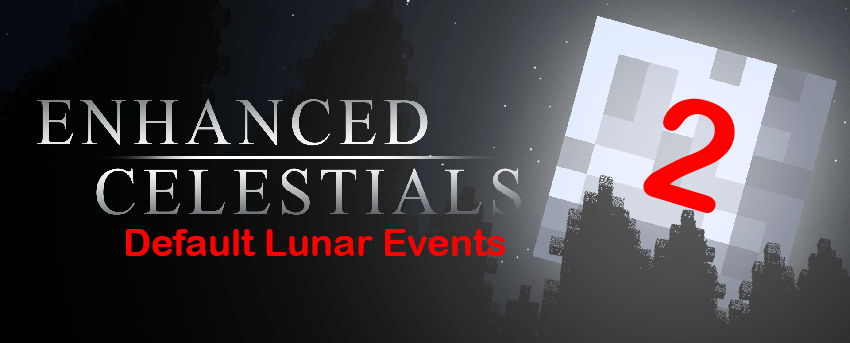





Project description from CurseForge.
Pick your setup
Choose the version and loader you play, then open the matching release.
Check the dependencies, then try the file in a copied instance before changing a world you care about.
Recent files
Enhanced-Celestials-2-Shaders-NeoForge-26.3-5.0.0.1.jar
4 Oct 2026
Enhanced-Celestials-2-Shaders-Fabric-26.3-5.0.0.0.jar
20 Sept 2026
Enhanced-Celestials-2-Shaders-Fabric-26.2-4.0.0.4.jar
3 Sept 2026
Enhanced-Celestials-2-Shaders-NeoForge-26.2-4.0.0.4.jar
3 Sept 2026
Enhanced-Celestials-2-Shaders-Fabric-26.1.2-3.0.0.4.jar
3 Sept 2026
Enhanced-Celestials-2-Shaders-NeoForge-26.1.2-3.0.0.4.jar
3 Sept 2026
Enhanced-Celestials-2-Shaders-Fabric-1.21.1-2.0.0.3.jar
3 Sept 2026
Enhanced-Celestials-2-Shaders-NeoForge-1.21.1-2.0.0.3.jar
3 Sept 2026
Enhanced-Celestials-2-Shaders-Forge-1.20.1-1.0.0.4.jar
3 Sept 2026
Enhanced-Celestials-2-Shaders-Fabric-1.20.1-1.0.0.4.jar
3 Sept 2026
Enhanced-Celestials-2-Shaders-NeoForge-26.2-4.0.0.3.jar
2 Sept 2026
Enhanced-Celestials-2-Shaders-Fabric-26.2-4.0.0.3.jar
2 Sept 2026
Looking for an older file? The official CurseForge project page is in Resources.
 mod
modEliminates render queue latency using NVIDIA Reflex architecture. Works on ANY GPU!
 mod
modCobblemon roguelike gyms based on RCT Api
 mod
modGugle's Carpet Addition