Minecraft version
Back to mods 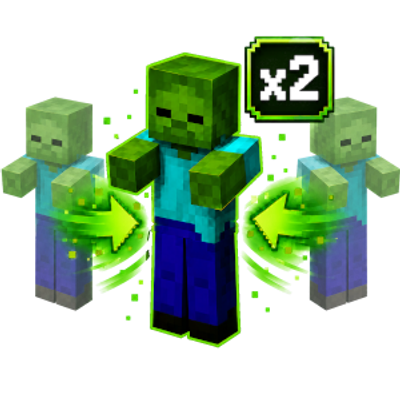
CurseForge · Minecraft mod
RPGs Mob Stacking
Mob Stacking Mod
Choose a version Pick your version below, then grab the matching file.
Quick answer
Which RPGs Mob Stacking release should I use?
Latest stable file rpg-mob-stacks.jar
Game version 1.12.2
Loader Forge
RPGs Mob Stacking rpg-mob-stacks.jar targets 1.12.2 with Forge. The project page does not say whether this file belongs on the client, dedicated server, or both. No extra mods listed for this file.
Where it goes
Is RPGs Mob Stacking required on the client, server, or both?
The project page does not say whether this file belongs on the client, dedicated server, or both.
Client Source doesn’t say
Dedicated server Source doesn’t say
Loader for this release Forge
Required install it here Optional supported, not mandatory Not supported do not install here Source doesn’t say do not assume
The source does not explicitly classify this release as client-only or server-only.
What else does RPGs Mob Stacking rpg-mob-stacks.jar need?
rpg-mob-stacks.jar. Change the file and its required mods may change too.
This file does not list any required mods. Do not add a library just because a different file uses it.
This file does not list any required or optional mods.
Before you install it
Add RPGs Mob Stacking without breaking your instance.
Built for RPGs Mob Stacking rpg-mob-stacks.jar. Pick another file and the loader, install side or required mods may change.
- 01
Stick to this file
Use rpg-mob-stacks.jar. It targets 1.12.2 with Forge; another release may have different loader, side or dependency requirements.
- 02
Bring the mods it needs
This file does not list any required mods. Do not add a library just because a different file uses it.
- 03
Put it on the correct side
The project page does not say whether this file belongs on the client, dedicated server, or both.
- 04
Pick the file you checked
Use the “Get this file” button beside rpg-mob-stacks.jar. It opens that exact file at the source.
About this project
What does RPGs Mob Stacking add?
RPGs Mob Stacker
RPGs Mob Stacker combines nearby mobs of the same type into a single entity with a visible stack count. Instead of physically placing mobs on top of one another, the mod keeps one mob in the world while tracking how many mobs are contained within that stack.
This helps reduce the number of active entities on busy servers while allowing mob farms and natural spawning to continue functioning.
Features
- Combines compatible mobs into a single stack
- Displays the number of mobs contained in each stack
- Reduces the number of individual entities loaded in the world
- Designed to improve performance in areas with large mob farms
- Keeps stacked mobs as one normal-looking entity
- Automatically updates the stack when mobs are added or removed
- Suitable for both hostile and passive mobs
How It Works
When two compatible mobs meet the stacking requirements, they are merged together. One mob remains visible, and its stack value increases.
For example, two stacked zombies will appear as one zombie with a stack count of 2 rather than two zombies standing on top of each other.
When a stacked mob is killed or otherwise removed, the stack is reduced and the remaining mobs continue normally.
Server Use
Mob Stacker is intended for servers that experience performance problems caused by large numbers of mobs, especially servers with:
- Mob grinders
- Animal farms
- Spawners
- Automated resource farms
- High player counts
Installation
Install the required version of Minecraft Forge.
Place the Mob Stacker
.jarfile inside the server’smodsfolder.Restart the server.
All players may also need the mod installed depending on the version and configuration of the project.
Issues and Suggestions
Found a bug or have an idea for a new feature? Please report it through the project’s issue tracker and include your Minecraft version, mod version, and any relevant logs.
Project description from CurseForge.
Pick your setup
RPGs Mob Stacking by Minecraft version and loader
Choose the version and loader you play, then open the matching release.
Check the dependencies, then try the file in a copied instance before changing a world you care about.
Recent files
RPGs Mob Stacking versions and loaders
rpg-mob-stacks.jar
23 Jul 2026
Client Source doesn’t say Server Source doesn’t say Dependencies No extras listed Listed on Release listing
Check the 1.12.2 · Forge setup Forge1.12.2 release
Looking for an older file? The official CurseForge project page is in Resources.
 mod
mod CurseForge · Minecraft
Mob Text Bubbles
Adds highly customizable text bubbles for any mob.
 mod
mod CurseForge · Minecraft
Cobblemon JEI & JourneyMap Integration
Cobblemon JEI & JourneyMap Integration is a high-performance client-side mod for Minecraft Java (NeoForge & Fabric 1.21.1), designed to seamlessly bridge the Cobblemon ecosystem with Just Enough Items (JEI) and JourneyMap.
 mod
mod CurseForge · Minecraft
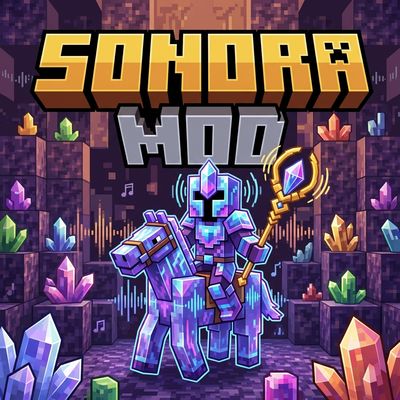
Sonora Dimension
A dimension that sounds UN-BEAT-ABLE!