Minecraft version
Back to mods 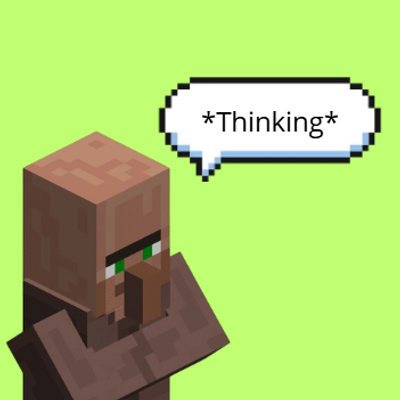
CurseForge · Minecraft mod
Mob Text Bubbles
Adds highly customizable text bubbles for any mob.
Choose a version Pick your version below, then grab the matching file.
Quick answer
Which Mob Text Bubbles release should I use?
Latest stable file mobtextbubbles-forge-1.20.1-1.0.1.jar
Game version 1.20.1
Loader Forge
Mob Text Bubbles mobtextbubbles-forge-1.20.1-1.0.1.jar targets 1.20.1 with Forge. The project page does not say whether this file belongs on the client, dedicated server, or both. No extra mods listed for this file.
Where it goes
Is Mob Text Bubbles required on the client, server, or both?
The project page does not say whether this file belongs on the client, dedicated server, or both.
Client Source doesn’t say
Dedicated server Source doesn’t say
Loader for this release Forge
Required install it here Optional supported, not mandatory Not supported do not install here Source doesn’t say do not assume
The source does not explicitly classify this release as client-only or server-only.
What else does Mob Text Bubbles mobtextbubbles-forge-1.20.1-1.0.1.jar need?
mobtextbubbles-forge-1.20.1-1.0.1.jar. Change the file and its required mods may change too.
This file does not list any required mods. Do not add a library just because a different file uses it.
This file does not list any required or optional mods.
Before you install it
Add Mob Text Bubbles without breaking your instance.
Built for Mob Text Bubbles mobtextbubbles-forge-1.20.1-1.0.1.jar. Pick another file and the loader, install side or required mods may change.
- 01
Stick to this file
Use mobtextbubbles-forge-1.20.1-1.0.1.jar. It targets 1.20.1 with Forge; another release may have different loader, side or dependency requirements.
- 02
Bring the mods it needs
This file does not list any required mods. Do not add a library just because a different file uses it.
- 03
Put it on the correct side
The project page does not say whether this file belongs on the client, dedicated server, or both.
- 04
Pick the file you checked
Use the “Get this file” button beside mobtextbubbles-forge-1.20.1-1.0.1.jar. It opens that exact file at the source.
About this project
What does Mob Text Bubbles add?
Mob Text Bubbles
This mod adds text bubbles that will display randomly above mobs. The content of the text bubbles can be modified as well as the mobs that display by simply using a datapack.
The mod will also display text bubbles on different situations, for example it will display a custom text bubble when its raining, when its in danger etc... (this option can be turned off), also the mod has many other customizable elements such as the scale of the bubbles, text width, display ticks, fade in and fade out ticks, etc... The mod also has different colors of text bubbles (white for passive mobs, green for villagers and red for hostile mobs), the color of the bubbles can be easily changed with a simple texturepack.
Datapack tutorial
Zombies text bubbles example:
{ "entries": [ { "weight": 10, "entity": "minecraft:zombie", "text": "Hungry." }, { "weight": 10, "entity": "minecraft:zombie", "text": "Need brains." }, { "weight": 10, "entity": "minecraft:zombie", "text": "Cold..." }, { "weight": 10, "entity": "minecraft:zombie", "text": "Where am I?" }, { "weight": 2, "entity": "minecraft:zombie", "rare": true, "text": "I used to be an adventurer." }, { "weight": 10, "entity": "minecraft:zombie_villager", "text": "Hungry." }, { "weight": 10, "entity": "minecraft:husk", "text": "So thirsty..." }, { "weight": 10, "entity": "minecraft:drowned", "text": "Join us." } ]}
Custom text bubbles example:
{ "entries": [ { "entity": "examplemod:example_entity_id", "text": "Does anyone else feel that way?" }, { "entity": "examplemod:example_entity_id", "text": "Don't look at me like that." }, { "entity": "examplemod:example_entity_id", "text": "Today is a good day to exist." }, { "entity": "examplemod:example_entity_id", "text": "This is weird, even for me." },
Custom conditions example:
{ "entity": "examplemod:example_entity_id", "text": "Did you hear that?", "conditions": { "time": "night" } }, { "entity": "examplemod:example_entity_id", "text": "It's raining!", "conditions": { "weather": "rain" } }, { "entity": "examplemod:example_entity_id", "text": "Hey! that hurts.", "conditions": { "health": "critical" } }, { "entity": "examplemod:example_entity_id", "text": "Run, run, run!", "conditions": { "nearby": ["hostile"] } }, { "entity": "examplemod:example_entity_id", "text": "No one really understands me.", "rare": true } { "entries": [ { "entity": "minecraft:villager", "weight": 50, "conditions": { "name": "Bob" }, "text": "&6Bob here, at your service!" }, { "weight": 10, "conditions": { "named": true }, "text": "I have a name now." }, { "entity": "minecraft:zombie", "conditions": { "hunting": ["villager"] }, "text": "Come back, villager!" }, { "entity": "minecraft:villager", "conditions": { "nearby": ["hostile"] }, "text": "Help! Somebody help me!" } ]}
The name of the json doesnt matter for adding custom text bubbles for different mobs, as you can see in the zombies.json example there are also other mobs like zombie villagers and drowneds in the same json file. So you can easily add all the mobs you want to display custom text bubbles separatetly in just one json file.
For the 1.12.2 version it works the same and has the same structure but its done in the config file instead of using datapacks.
Credits
-The main idea comes originally from Dynamic Surroundings made by Orecruncher
-The main code comes from the mod RLBubbles made by EmeryTheModder
-The bubbles texture comes from the mod Notable Bubble Text (NBT) made by Mrbysco
Project description from CurseForge.
Pick your setup
Mob Text Bubbles by Minecraft version and loader
Choose the version and loader you play, then open the matching release.
Minecraft version
1.12.2
1 loader buildCheck the dependencies, then try the file in a copied instance before changing a world you care about.
Recent files
Mob Text Bubbles versions and loaders
mobtextbubbles-forge-1.20.1-1.0.1.jar
17 Oct 2026
Client Source doesn’t say Server Source doesn’t say Dependencies No extras listed Listed on Release listing
Check the 1.20.1 · Forge setup 1.20.1Forge release
MobTextBubbles-1.12.2-1.0.3.jar
16 Oct 2026
Client Source doesn’t say Server Source doesn’t say Dependencies No extras listed Listed on Release listing
Check the 1.12.2 · Forge setup Forge1.12.2 release
MobTextBubbles-1.12.2-1.0.2.jar
13 Oct 2026
Client Source doesn’t say Server Source doesn’t say Dependencies No extras listed Listed on Release listing
Check the 1.12.2 · Forge setup Forge1.12.2 release
MobTextBubbles-1.12.2-1.0.1.jar
13 Oct 2026
Client Source doesn’t say Server Source doesn’t say Dependencies No extras listed Listed on Release listing
Check the 1.12.2 · Forge setup Forge1.12.2 release
MobTextBubbles-1.12.2-1.0.0.jar
12 Oct 2026
Client Source doesn’t say Server Source doesn’t say Dependencies No extras listed Listed on Release listing
Check the 1.12.2 · Forge setup Forge1.12.2 release
mobtextbubbles-forge-1.20.1-1.0.0.jar
1 Sept 2026
Client Source doesn’t say Server Source doesn’t say Dependencies No extras listed Listed on Release listing
Check the 1.20.1 · Forge setup 1.20.1Forge release
Looking for an older file? The official CurseForge project page is in Resources.