Minecraft version
Back to mods 
CurseForge · Minecraft mod
Motion Craft
Vanilla-friendly motion polish for hotbars, inventories, item pickups, crafting, containers, tooltips, and responsive HUD feedback.
Choose a version Pick your version below, then grab the matching file.
Quick answer
Which Motion Craft release should I use?
Latest stable file motion_craft-neoforge-26.2-1.0.0.jar
Game version 26.2
Loader NeoForge
Motion Craft motion_craft-neoforge-26.2-1.0.0.jar targets 26.2 with NeoForge. The project page does not say whether this file belongs on the client, dedicated server, or both. No extra mods listed for this file.
Where it goes
Is Motion Craft required on the client, server, or both?
The project page does not say whether this file belongs on the client, dedicated server, or both.
Client Source doesn’t say
Dedicated server Source doesn’t say
Loader for this release NeoForge
Required install it here Optional supported, not mandatory Not supported do not install here Source doesn’t say do not assume
The source does not explicitly classify this release as client-only or server-only.
What else does Motion Craft motion_craft-neoforge-26.2-1.0.0.jar need?
motion_craft-neoforge-26.2-1.0.0.jar. Change the file and its required mods may change too.
This file does not list any required mods. Do not add a library just because a different file uses it.
This file does not list any required or optional mods.
Before you install it
Add Motion Craft without breaking your instance.
Built for Motion Craft motion_craft-neoforge-26.2-1.0.0.jar. Pick another file and the loader, install side or required mods may change.
- 01
Stick to this file
Use motion_craft-neoforge-26.2-1.0.0.jar. It targets 26.2 with NeoForge; another release may have different loader, side or dependency requirements.
- 02
Bring the mods it needs
This file does not list any required mods. Do not add a library just because a different file uses it.
- 03
Put it on the correct side
The project page does not say whether this file belongs on the client, dedicated server, or both.
- 04
Pick the file you checked
Use the “Get this file” button beside motion_craft-neoforge-26.2-1.0.0.jar. It opens that exact file at the source.
About this project
What does Motion Craft add?
Motion Craft
Minecraft with modern UI polish.
Motion Craft is a client-side animation mod that gives Minecraft's existing interfaces weight, momentum, and responsive visual feedback. It keeps the vanilla layouts, textures, information, and gameplay intact while making the interactions you repeat every session feel smoother and more satisfying.
Items settle into slots. The hotbar selector carries momentum. Pickups travel toward their destination. Crafting, containers, tooltips, and common survival actions respond with small, coordinated motion.
The result is still unmistakably Minecraft, just more alive.
See It in Motion
The previews play automatically. Select one to open the full-quality MP4 demo.
World-to-Slot Pickups

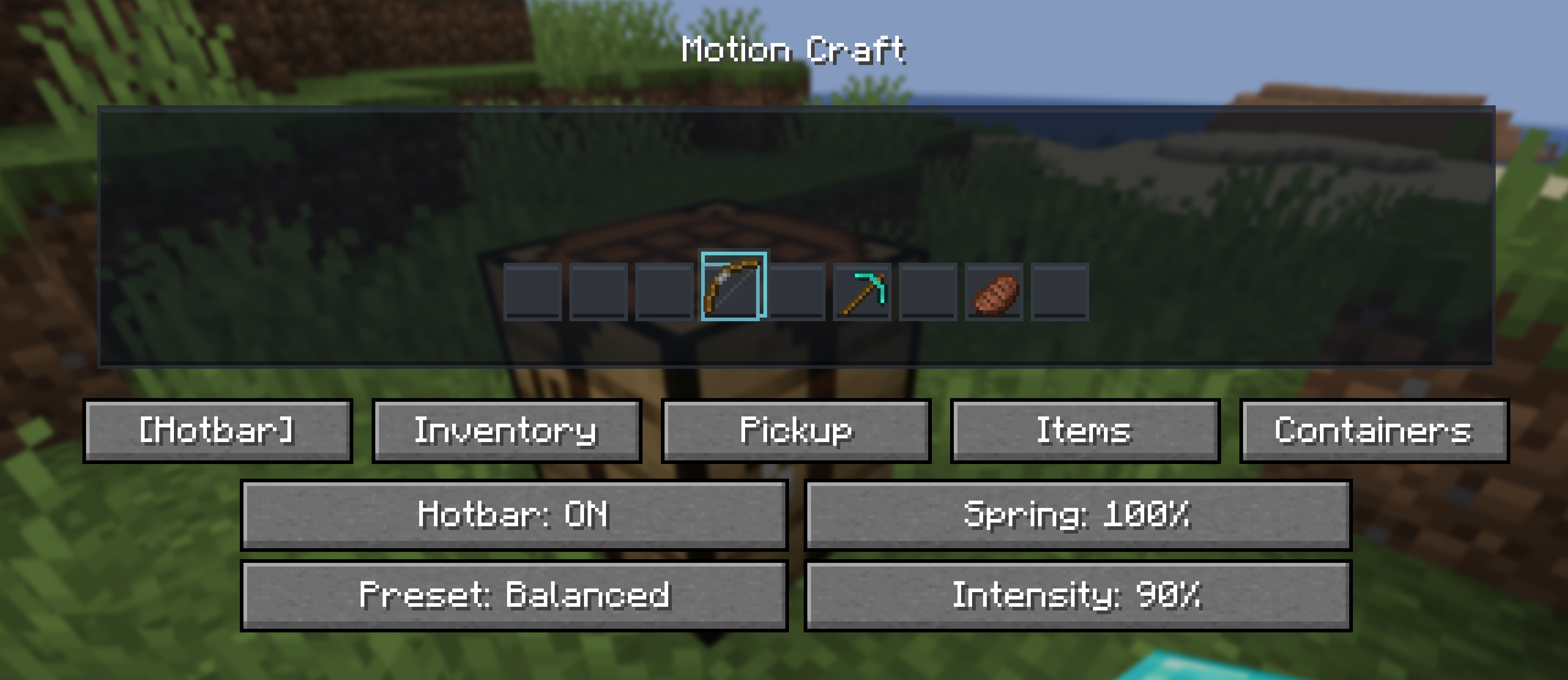
Hotbar Motion

Inventory Choreography


Crafting Feedback
Signature Features
World-to-Slot Pickups
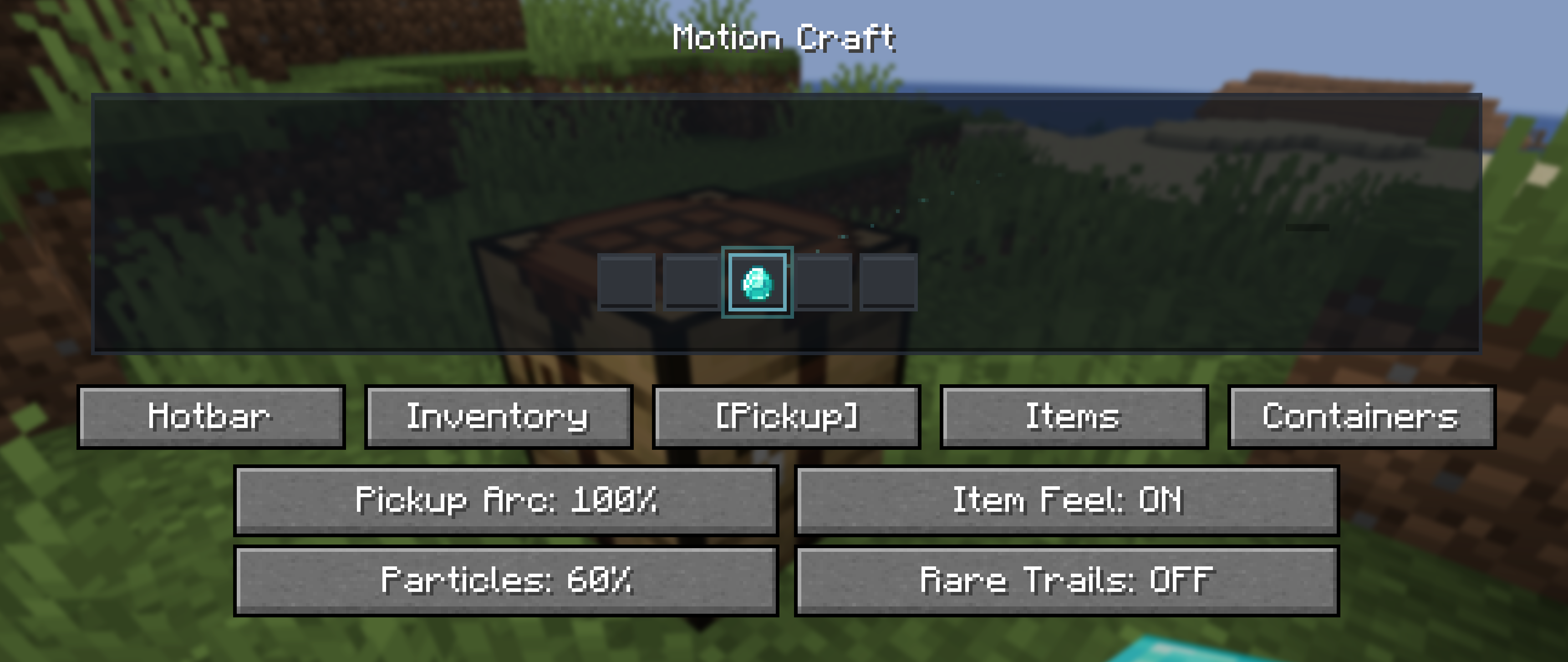
Picked-up items visually travel toward the hotbar or inventory and land with a soft settle. Newly discovered and rare items receive a restrained shine so an important acquisition feels connected to the world instead of silently appearing in a slot.
Physical Inventory Motion
- Smooth item hover and click response
- Cursor-item inertia and movement-sensitive motion
- Animated shift-click transfers and number-key swaps
- Stack merge flow and full-stack settle feedback
- Equipment-slot landing motion
- Crafting ingredients converging when the result is claimed
- Gentle screen unfolding and staggered container reveals
These effects communicate where an item came from and where it went without changing inventory behavior.
Item Personalities
Different items follow different motion rules rather than sharing one generic sparkle:
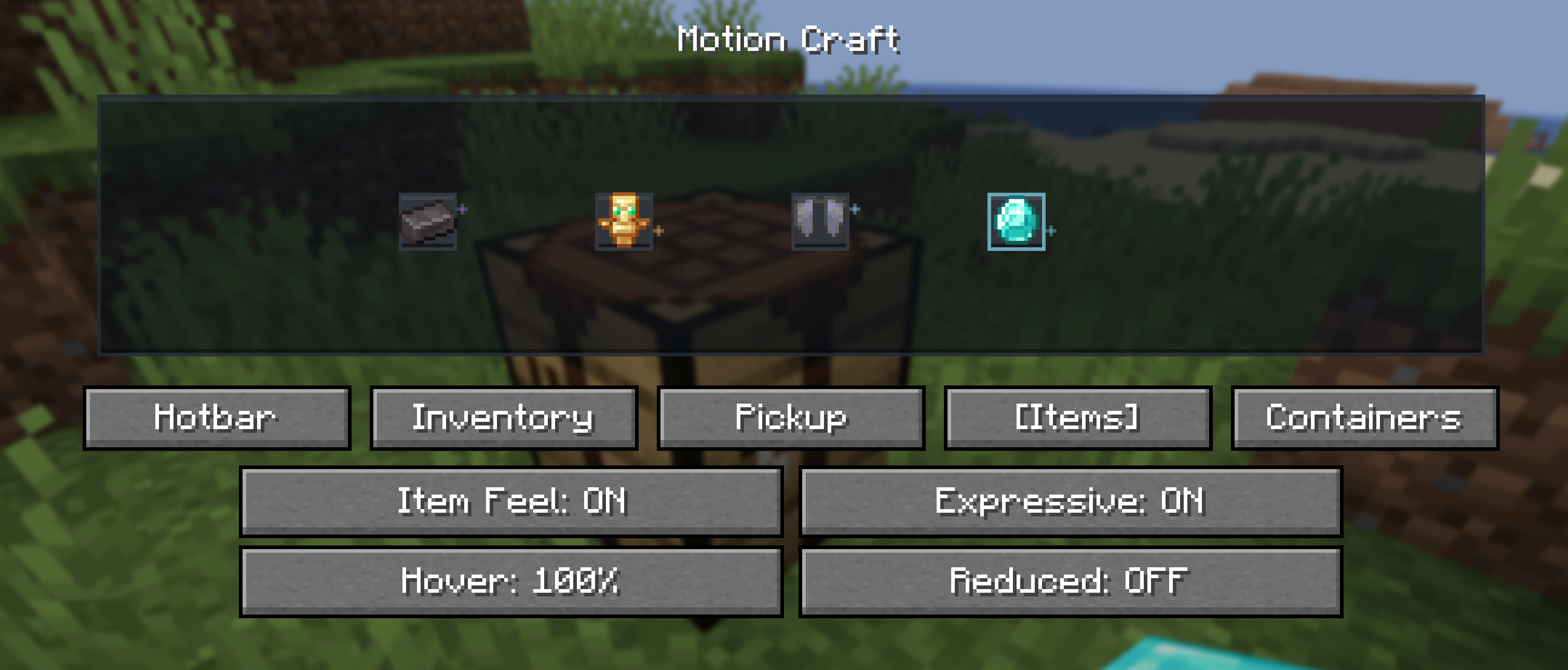
- Netherite feels heavier and settles with less bounce
- Diamonds respond with a clean, crisp shimmer
- Totems float and carry a warm golden presence
- Elytra glide with lighter motion
- Potions wobble like liquid when moved
- Bows feel elastic, while tools and weapons respond with firmer recoil
- Enchanted items receive restrained glint motion
Personality effects are brief and interaction-driven, not constantly emitted particles.
Container Personalities
Vanilla screens keep their original textures but gain distinct motion character:
- Chests feel warm and springy
- Furnaces, smokers, and blast furnaces use restrained heat feedback
- Anvils land with heavier compression
- Smithing responds with a precise metallic snap
- Brewing uses soft fluid pulses
- Enchanting receives a subtle magical drift
Motion Config
Press O to open Motion Craft's configuration screen. The key can be changed in Minecraft's Controls(keybinds) menu.
Choose a Subtle, Balanced, or Expressive preset, then tune intensity, spring strength, hover scale, pickup flight, particles, item personalities, container personalities, and individual effect groups. Reduced Motion is available for players who prefer gentler feedback.
Motion Craft also respects Minecraft's accessibility screen-effect scale as a master animation intensity.
Live Preview and Tuning
Compatibility
- Client-side only
- Loaders: Fabric, Forge, and NeoForge
- Minecraft: 26.1, 26.1.1, 26.1.2, and 26.2
- Fabric requirement: Fabric API
- License: All Rights Reserved
Use the file built for your exact Minecraft version and mod loader. Motion Craft can be used on vanilla servers because it changes only client rendering and interaction feedback.
Project description from CurseForge.
Pick your setup
Motion Craft by Minecraft version and loader
Choose the version and loader you play, then open the matching release.
Minecraft version
26.1.2
3 loader buildsMinecraft version
26.1.1
3 loader buildsMinecraft version
26.1
3 loader buildsCheck the dependencies, then try the file in a copied instance before changing a world you care about.
Recent files
Motion Craft versions and loaders
motion_craft-neoforge-26.2-1.0.0.jar
24 Jul 2026
Client Source doesn’t say Server Source doesn’t say Dependencies No extras listed Listed on Release listing
Check the 26.2 · NeoForge setup NeoForge26.2 release
motion_craft-forge-26.2-1.0.0.jar
24 Jul 2026
Client Source doesn’t say Server Source doesn’t say Dependencies No extras listed Listed on Release listing
Check the 26.2 · Forge setup Forge26.2 release
motion_craft-fabric-26.2-1.0.0.jar
24 Jul 2026
Client Source doesn’t say Server Source doesn’t say Dependencies No extras listed Listed on Release listing
Check the 26.2 · Fabric setup Fabric26.2 release
motion_craft-neoforge-26.1.2-1.0.0.jar
24 Jul 2026
Client Source doesn’t say Server Source doesn’t say Dependencies No extras listed Listed on Release listing
Check the 26.1.2 · NeoForge setup NeoForge26.1.2 release
motion_craft-forge-26.1.2-1.0.0.jar
24 Jul 2026
Client Source doesn’t say Server Source doesn’t say Dependencies No extras listed Listed on Release listing
Check the 26.1.2 · Forge setup Forge26.1.2 release
motion_craft-fabric-26.1.2-1.0.0.jar
24 Jul 2026
Client Source doesn’t say Server Source doesn’t say Dependencies No extras listed Listed on Release listing
Check the 26.1.2 · Fabric setup Fabric26.1.2 release
motion_craft-neoforge-26.1.1-1.0.0.jar
24 Jul 2026
Client Source doesn’t say Server Source doesn’t say Dependencies No extras listed Listed on Release listing
Check the 26.1.1 · NeoForge setup NeoForge26.1.1 release
motion_craft-forge-26.1.1-1.0.0.jar
24 Jul 2026
Client Source doesn’t say Server Source doesn’t say Dependencies No extras listed Listed on Release listing
Check the 26.1.1 · Forge setup Forge26.1.1 release
motion_craft-fabric-26.1.1-1.0.0.jar
24 Jul 2026
Client Source doesn’t say Server Source doesn’t say Dependencies No extras listed Listed on Release listing
Check the 26.1.1 · Fabric setup Fabric26.1.1 release
motion_craft-neoforge-26.1-1.0.0.jar
24 Jul 2026
Client Source doesn’t say Server Source doesn’t say Dependencies No extras listed Listed on Release listing
Check the 26.1 · NeoForge setup NeoForge26.1 release
motion_craft-forge-26.1-1.0.0.jar
24 Jul 2026
Client Source doesn’t say Server Source doesn’t say Dependencies No extras listed Listed on Release listing
Check the 26.1 · Forge setup Forge26.1 release
motion_craft-fabric-26.1-1.0.0.jar
24 Jul 2026
Client Source doesn’t say Server Source doesn’t say Dependencies No extras listed Listed on Release listing
Check the 26.1 · Fabric setup Fabric26.1 release
Looking for an older file? The official CurseForge project page is in Resources.